How to Restrict a MySQL Account to One Host or Network

In MySQL, an account isn't just a name: it's a name and where it may connect from. Narrow that part, and a stolen password is useless from anywhere else.
Step 1: Find Where Your App Connects From
While your app is connected, as an administrator:
SELECT PROCESSLIST_USER AS user, PROCESSLIST_HOST AS host, COUNT(*) AS connections
FROM performance_schema.threads
WHERE PROCESSLIST_USER IS NOT NULL AND PROCESSLIST_USER <> 'event_scheduler'
GROUP BY PROCESSLIST_USER, PROCESSLIST_HOST;
The host column is what MySQL sees. For an app reaching MySQL in Docker through a published port, it's the Docker network's gateway, such as 172.23.0.1, and not your computer's address.
Step 2: Create the Account with That Host
The host part can take several forms:
| Host part | Allows |
|---|---|
% | Anywhere |
10.0.2.15 | One address |
10.0.2.% | Any address starting with 10.0.2. |
10.0.2.0/255.255.255.0 | The same network, with a netmask |
app.example.com | One host name, if name lookups are on |
localhost | The server's own machine, over a socket |
A Docker gateway's address can change when a network is recreated, so a pattern is more useful there:
CREATE USER 'host_demo'@'172.%' IDENTIFIED BY 'first-demo-password';
GRANT SELECT ON inventory.* TO 'host_demo'@'172.%';
SELECT user, host FROM mysql.user WHERE user = 'host_demo';
+-----------+-------+
| user      | host  |
+-----------+-------+
| host_demo | 172.% |
+-----------+-------+
1 row in set (0.001 sec)
Step 3: Test Both Sides
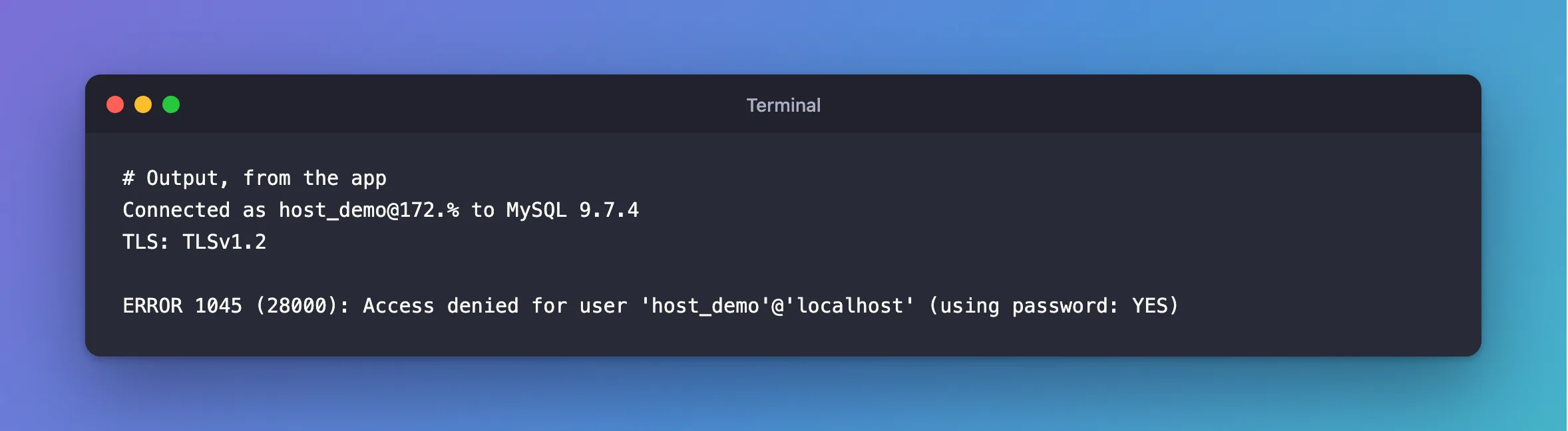
From the app's address, it connects, and CURRENT_USER() shows which account matched:
Connected as host_demo@172.% to MySQL 9.7.4
TLS: TLSv1.2
From anywhere else, here over the socket inside the container, it doesn't:
ERROR 1045 (28000): Access denied for user 'host_demo'@'localhost' (using password: YES)
Which Error You Get
I expected the classic Host '…' is not allowed to connect to this MySQL server, which is ERROR 1130, and got Access denied. With any account on the server allowing %, the host itself is acceptable, so you get ERROR 1045, as if the password were wrong. When nothing at all matches your address, you'd see 1130.
Changing an Existing Account
The host is part of the name, so use RENAME USER, which keeps the rights:
RENAME USER 'report_app'@'%' TO 'report_app'@'10.0.2.%';
Do this at a quiet moment: connections from other addresses fail from then on, while your app's next new connection needs to come from the new range.
Common Mistakes
| Mistake | What happens | Do this instead |
|---|---|---|
| Using your computer's address with Docker | MySQL sees the gateway | Read it from performance_schema.threads |
Forgetting the host in DROP USER or GRANT | It means '%', a different account | Name it in full |
Having both 'app'@'%' and 'app'@'10.0.2.%' | The most specific match wins, and the other stays as a way in | Remove the one you don't want |
Troubleshooting
| Symptom | Likely cause | Fix |
|---|---|---|
ERROR 1045 from the right place | MySQL sees a different address | Check USER() from that machine |
ERROR 1130 | No account allows that address | Check mysql.user |
| It worked until a restart | The network's address changed | Use a pattern, or fix the network's address |
Conclusion
Replace % in an account's name with an address or a network, and the password only works from there. Read the real address from performance_schema.threads first.
Additional Resources
- Specifying Account Names — every form of the host part.
- Access Control: Connection Verification — how MySQL picks the matching account.
Related
- How to Create a MySQL Account with Only the Rights an App Needs
- How to See What a MySQL Account Can Do with SHOW GRANTS
- Fixed: "Authentication to host '127.0.0.1' for user 'inventory_app' using method 'caching_sha2_password' failed with message: Access denied for user 'inventory_app'@'172.20.0.1' (using password: YES)" in .NET
