How to Restore an MLflow Tracking Server from a Backup

A backup is only useful once you can put it back. Restoring an MLflow tracking server means swapping its two parts, the database mlflow.db and the folder mlartifacts, for the copies in a backup, with the server stopped. This guide restores a backup and shows the server returning to the moment the backup was taken, with real output from MLflow 3.18.0.
The Example
A tracking server in a folder called backup-server, on port 8091. Its backup, backups/2026-11-28_14-00-29, holds mlflow.db and mlartifacts from the moment the experiment backup-demo had one run, before-backup. After the backup, a second run was logged:
uv run python log_run.py after-backup
🏃 View run after-backup at: http://127.0.0.1:8091/#/experiments/1/runs/6538c66a000b4edd984c4ac3bbb005db
🧪 View experiment at: http://127.0.0.1:8091/#/experiments/1
The experiment now has two runs:

A restore takes the server back to the backup, so after-backup should disappear.
Prerequisites
- A backup with
mlflow.dbandmlartifacts, made while the server was running or stopped. This guide uses MLflow 3.18.0.
Step 1: Stop the Server
Go to the server's terminal and press Ctrl+C. The server must not have mlflow.db open while you swap it.
Step 2: Set the Live Files Aside and Copy the Backup In
Rename the live files instead of deleting them, so you can go back if the backup isn't the one you wanted. Use your own backup folder's name:
- macOS / Linux
- Windows (PowerShell)
mv mlflow.db mlflow.db.before-restore
mv mlartifacts mlartifacts.before-restore
cp backups/2026-11-28_14-00-29/mlflow.db mlflow.db
cp -R backups/2026-11-28_14-00-29/mlartifacts mlartifacts
ls
backup.py                       log_run.py                      mlartifacts.before-restore      mlflow.db.before-restore        uv.lock
backups                         mlartifacts                     mlflow.db                       pyproject.toml
Rename-Item mlflow.db mlflow.db.before-restore
Rename-Item mlartifacts mlartifacts.before-restore
Copy-Item backups/2026-11-28_14-00-29/mlflow.db mlflow.db
Copy-Item backups/2026-11-28_14-00-29/mlartifacts mlartifacts -Recurse
Get-ChildItem -Name
backups
mlartifacts
mlartifacts.before-restore
backup.py
log_run.py
mlflow.db
mlflow.db.before-restore
pyproject.toml
uv.lock
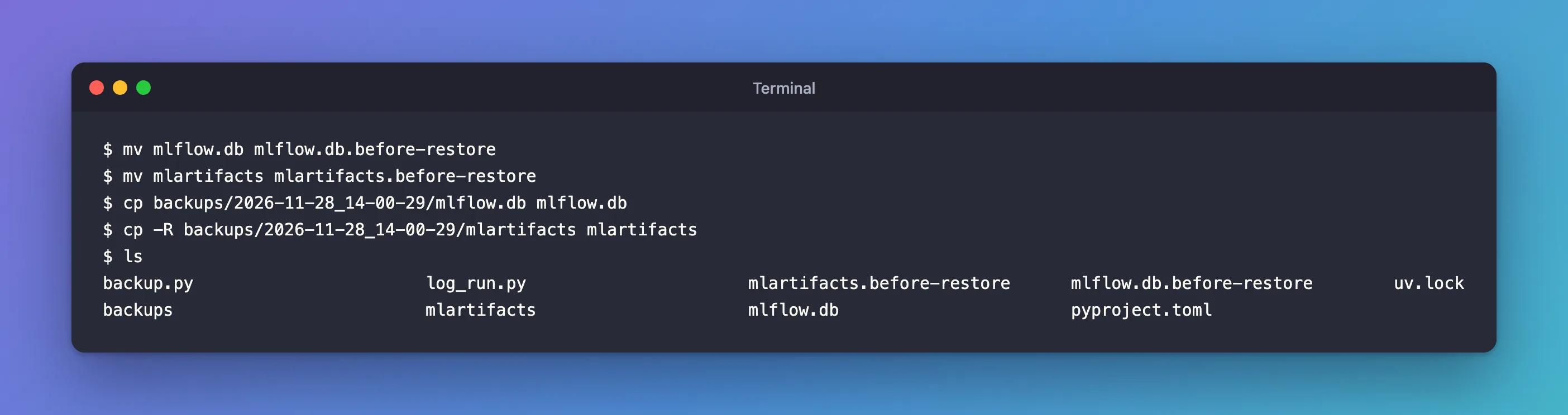
mlflow.db and mlartifacts are now the backup's copies, and the live ones wait next to them with .before-restore at the end of their names.
Step 3: Start the Server and Check
Start the server as usual:
uv run mlflow server --port 8091
Open the experiment again. Only before-backup is there: the server is back at the moment of the backup.

The files came back too. Open before-backup, click Artifacts, then note.txt:

When everything is as it should be, delete mlflow.db.before-restore and mlartifacts.before-restore.
Common Mistakes
| Mistake | What happens | Do this instead |
|---|---|---|
| Restoring while the server runs | The server has mlflow.db open while you replace it | Stop it first |
Restoring only mlflow.db | The runs come back without the files in mlartifacts that belong to them | Restore both from the same backup |
| Deleting the live files before checking the backup | No way back if the backup is the wrong one | Rename them, check, then delete |
Troubleshooting
| Symptom | Likely cause | Fix |
|---|---|---|
| Runs logged after the backup are gone | That's what a restore does: the server is back at the backup's moment | Pick a newer backup, or rename the .before-restore files back |
FAQ
Can I check a backup without replacing anything?
Yes: start a second server on another port with --backend-store-uri sqlite:///<backup>/mlflow.db and --artifacts-destination <backup>/mlartifacts, and look around. Part 10 of the MLflow tutorial series does exactly that.
Does the restore change the backup?
No. The commands copy from it, so the same backup can be restored again.
Conclusion
With the server stopped, renaming mlflow.db and mlartifacts and copying in the backup's two copies brought the server back to 2026-11-28_14-00-29: before-backup and its note.txt returned, and after-backup, logged later, was gone.
Additional Resources
- Backend Stores — the database the server keeps its records in.
- Artifact Stores — the folder it keeps its files in.
