How to Restore a Deleted Run in MLflow

Deleting a run in MLflow doesn't erase it: the run moves to a deleted stage, out of sight but with all its data. Until someone removes it for good with mlflow gc, you can bring it back exactly as it was. This guide restores three deleted runs, one in the UI, one in Python and one from a terminal, with real screens and output from MLflow 3.18.0.
Syntax
mlflow.restore_run("<run ID>")
mlflow runs restore --run-id <run ID>
| Part | What it means |
|---|---|
"<run ID>" / --run-id | The ID of the deleted run, printed when it was created and shown on its page |
| The result | The run's lifecycle stage goes from deleted back to active, and it shows in the runs table and in searches again |
The command finds the tracking server through MLFLOW_TRACKING_URI. In the UI, the State filter and a Restore button do the same.
Prerequisites
- An MLflow tracking server at
http://127.0.0.1:8080. MLflow's tracking server guide shows how to start one.
Step 1: Create Three Deleted Runs
The example is three runs that were deleted by mistake right after they were created. Create deleted_by_mistake.py:
import mlflow

mlflow.set_tracking_uri("http://127.0.0.1:8080")
mlflow.set_experiment("restore-demo")

for name in ["first-try", "second-try", "third-try"]:
    with mlflow.start_run(run_name=name) as run:
        mlflow.log_metric("accuracy", 0.9)
    mlflow.delete_run(run.info.run_id)
    print(f"Deleted {name}: {run.info.run_id}")
uv run python deleted_by_mistake.py
Deleted first-try: 6a3eb52639e9461f89120ea1f19b4c54
Deleted second-try: 1206e339ecd44d399e9c1ed15a90f46c
Deleted third-try: ee86a5b0de29405fbe93220a97285714
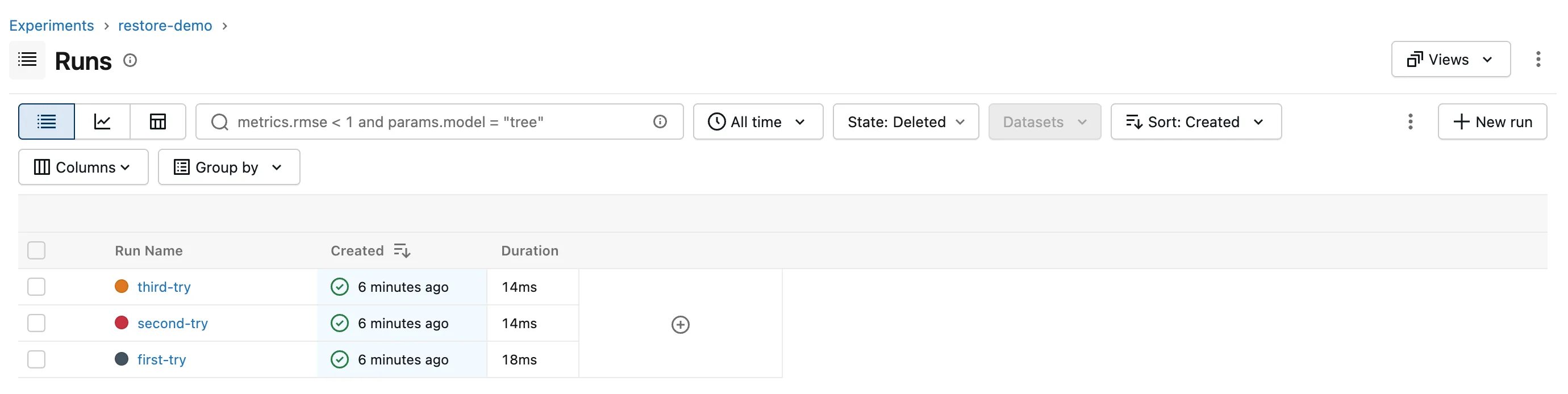
The experiment, restore-demo, now shows an empty runs table.
Step 2: Restore a Run in the UI
Click State: Active in the toolbar and choose Deleted. The table switches to the deleted runs:
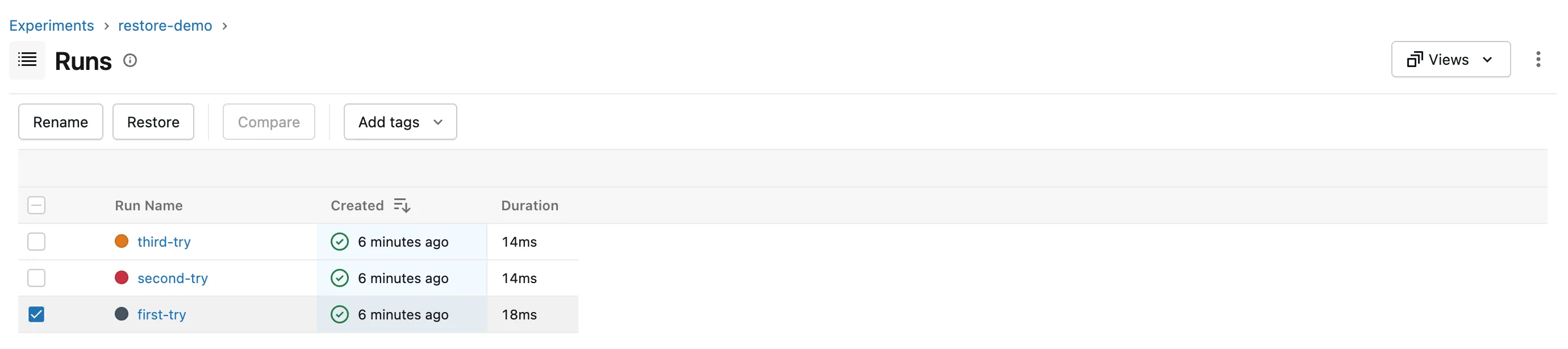
Tick first-try. Where the toolbar would offer Delete, it now offers Restore:
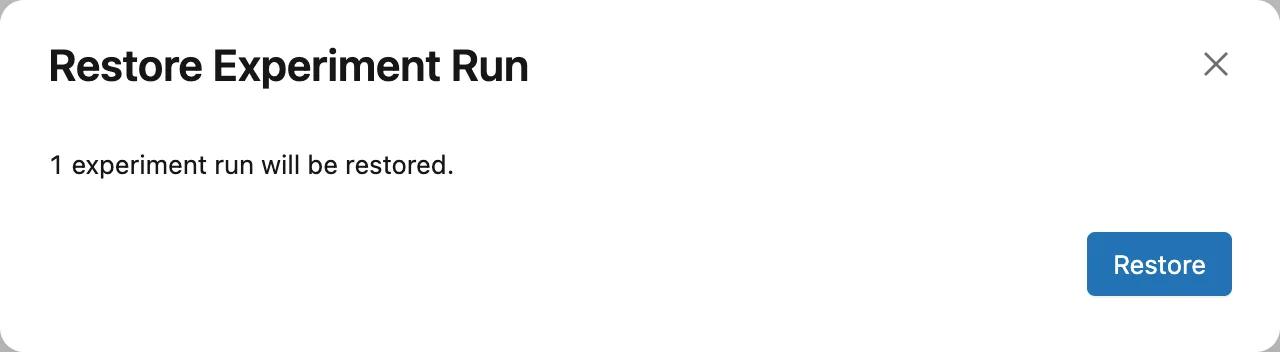
Click Restore, then Restore again in the dialog:
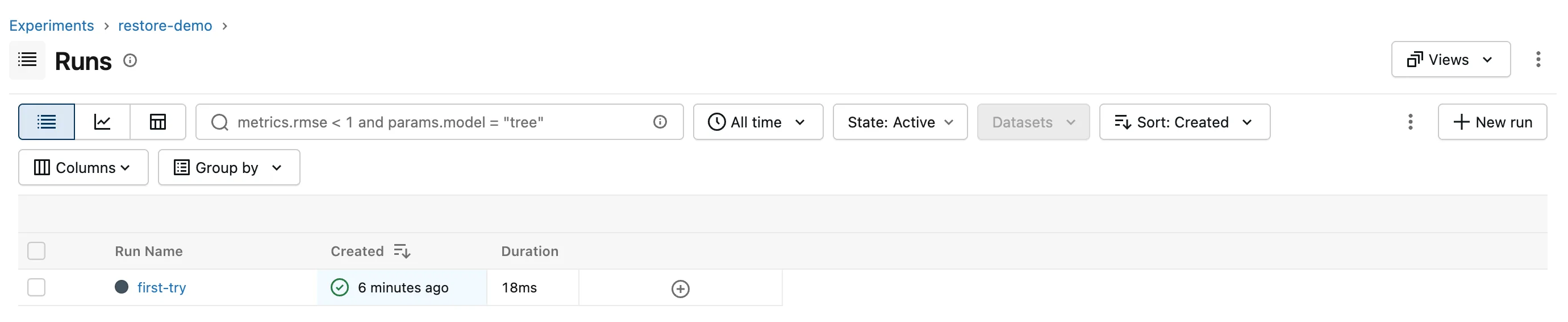
Set State back to Active. first-try is back:
Step 3: Restore a Run in Python
mlflow.restore_run() takes the run's ID. Create restore_run.py, which takes the ID on the command line:
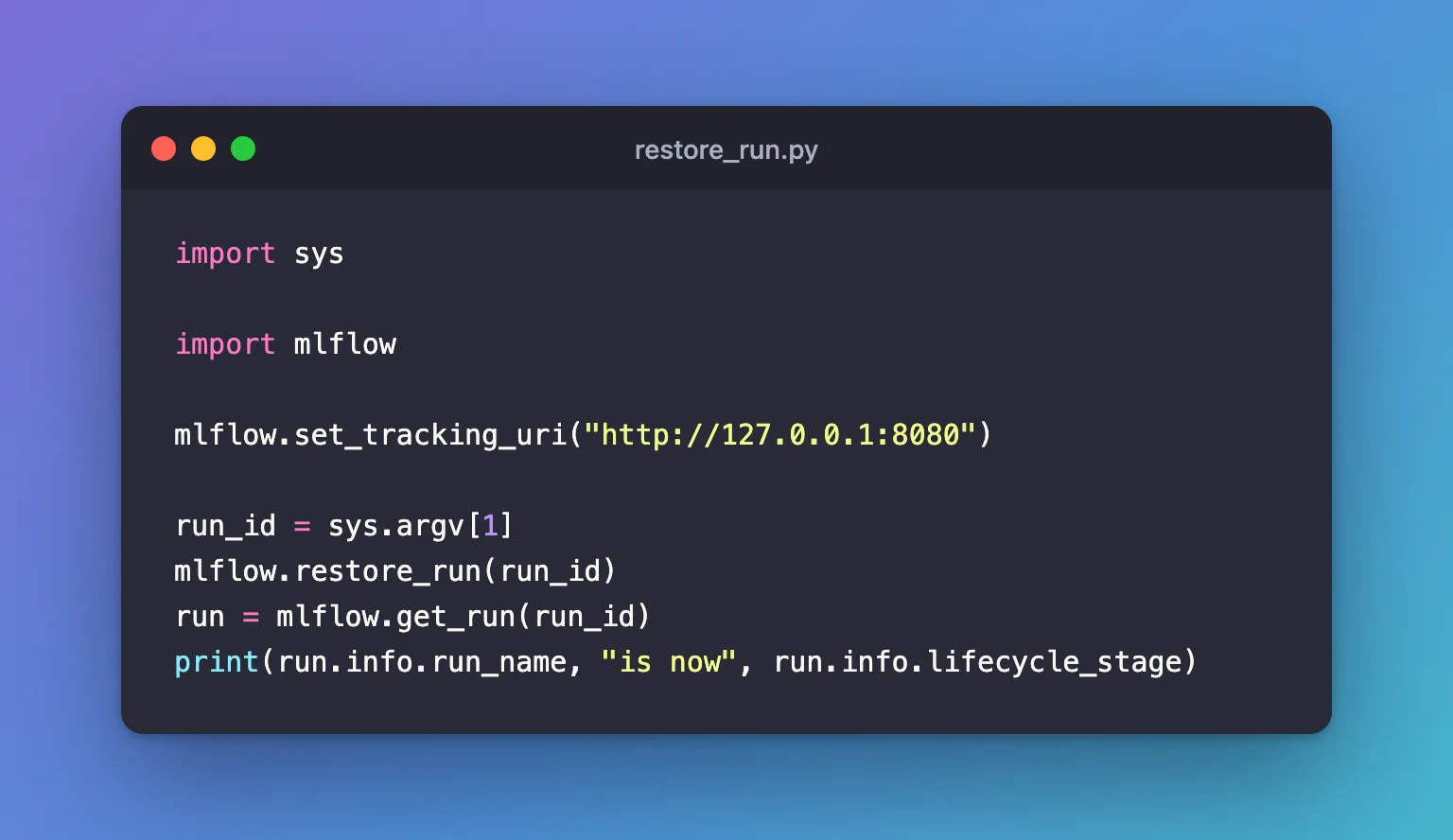
import sys

import mlflow

mlflow.set_tracking_uri("http://127.0.0.1:8080")

run_id = sys.argv[1]
mlflow.restore_run(run_id)
run = mlflow.get_run(run_id)
print(run.info.run_name, "is now", run.info.lifecycle_stage)
Restore second-try with its ID from Step 1:
uv run python restore_run.py 1206e339ecd44d399e9c1ed15a90f46c
second-try is now active
Step 4: Restore a Run from the Terminal
Point the terminal at the server, then restore third-try:
- macOS / Linux
- Windows (PowerShell)
export MLFLOW_TRACKING_URI=http://127.0.0.1:8080
uv run mlflow runs restore --run-id ee86a5b0de29405fbe93220a97285714
$env:MLFLOW_TRACKING_URI = "http://127.0.0.1:8080"
uv run mlflow runs restore --run-id ee86a5b0de29405fbe93220a97285714
Run with id ee86a5b0de29405fbe93220a97285714 has been restored.
All three runs are active again, with their accuracy and everything else they logged.
Common Mistakes
| Mistake | What happens | Do this instead |
|---|---|---|
| Looking for a deleted run with State: Active | It isn't there | Switch State to Deleted |
Trying to restore a run after mlflow gc removed it | RESOURCE_DOES_NOT_EXIST: Run with id=... not found | Nothing brings it back; run gc only on runs you're sure about |
Running the command without MLFLOW_TRACKING_URI | Run with id=... not found: the command looked in a local database | Set the variable in the same terminal first |
Troubleshooting
| Symptom | Likely cause | Fix |
|---|---|---|
| Restoring a run that isn't deleted prints "has been restored" | MLflow 3.18.0 accepts it without an error, though its CLI reference says it returns one; nothing changes | Check the run's stage with mlflow.get_run(run_id).info.lifecycle_stage |
| The Restore button doesn't appear | The ticked run isn't deleted, so the toolbar offers Delete | Switch State to Deleted first |
| You need a deleted run's ID | Deleted runs don't appear in normal searches | Open the run under State: Deleted, or search with run_view_type=ViewType.DELETED_ONLY in Python |
FAQ
Does a restored run lose anything?
No. Deleting only changed its lifecycle stage, so its parameters, metrics, tags and files are all still there.
Can I restore several runs at once?
Yes: tick them all under State: Deleted and click Restore once.
How long can I wait before restoring?
As long as you like, until mlflow gc permanently deletes the run: How to Permanently Delete MLflow Runs with mlflow gc.
Conclusion
A deleted run came back with State: Deleted and Restore in the UI, with mlflow.restore_run(run_id) in Python, and with mlflow runs restore --run-id in a terminal. Restoring works until mlflow gc removes the run for good.
Additional Resources
- mlflow.restore_run — the function's reference.
- mlflow runs restore — the command's reference.
