How to Reset a Control to Its Default Value in Power Apps with Reset

Reset puts an input control back to its Default value and discards whatever the person typed. A text box that shows a saved record should be reset whenever the screen opens; otherwise it can keep old typing.
Syntax
Reset( Control )
Reset has no return value and works only in behavior formulas, such as OnSelect or OnVisible (Reset function).
Prerequisites
- An input control with a Default (How to Add a Multi-Line Text Input in Power Apps).
Why Default Isn't Enough
Microsoft's reference: "Input controls are also reset when their Default property changes." So the box refreshes when the value changes, and only then. If a screen loads the same saved value as last time, the box keeps whatever was typed in it.
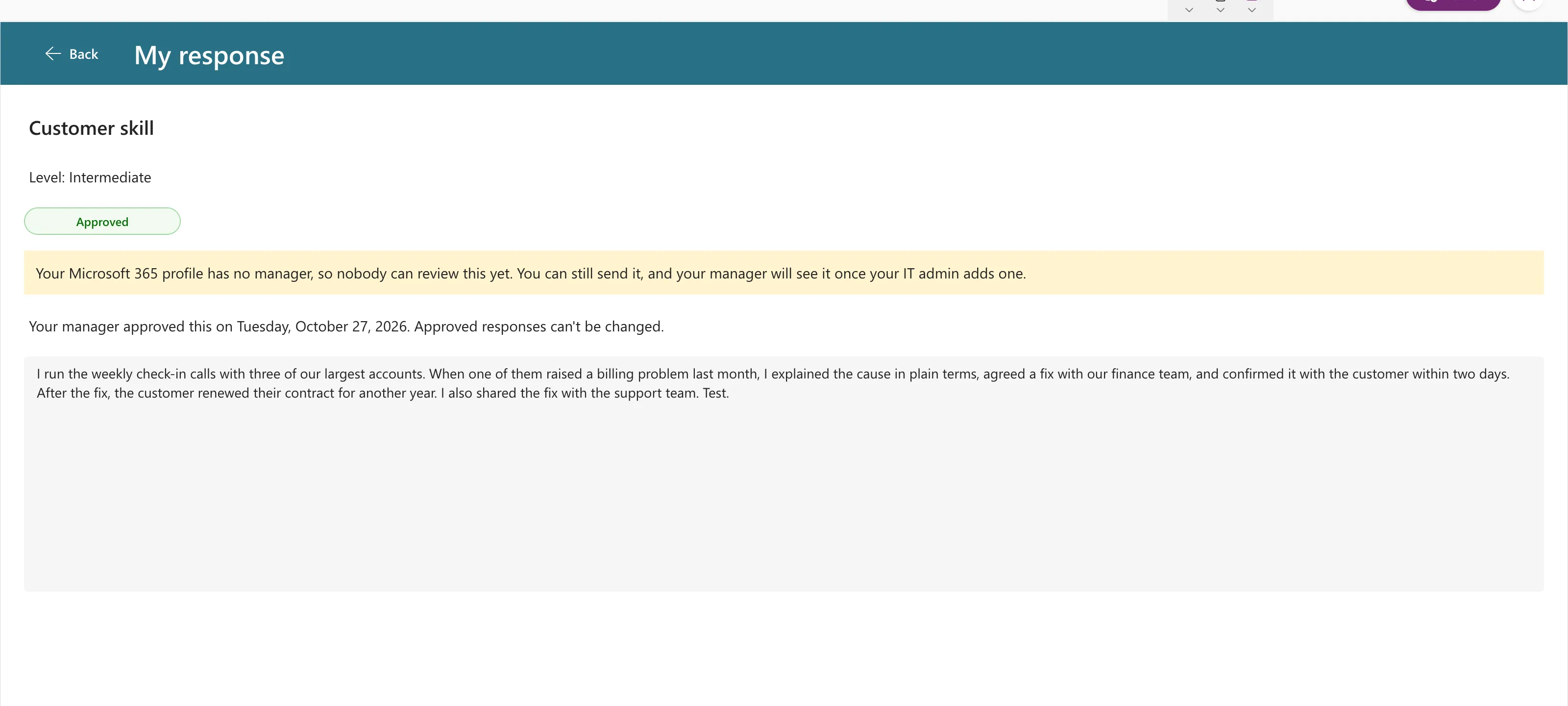
In the Career Development Plan app, that's exactly what happened. Text typed during a failed save was still in the box when the response was opened again, even though SharePoint had the older text:
Reset When the Screen Opens
Call Reset in the screen's OnVisible, after the record is loaded (How to Run a Formula When a Screen Opens). In the example, the box is txtResponseRS and its Default is locResponse.Response:
UpdateContext(
    {
        locResponse: LookUp(...)
    }
);
// ...
Reset(txtResponseRS);
UpdateContext({locIsLoading: false})
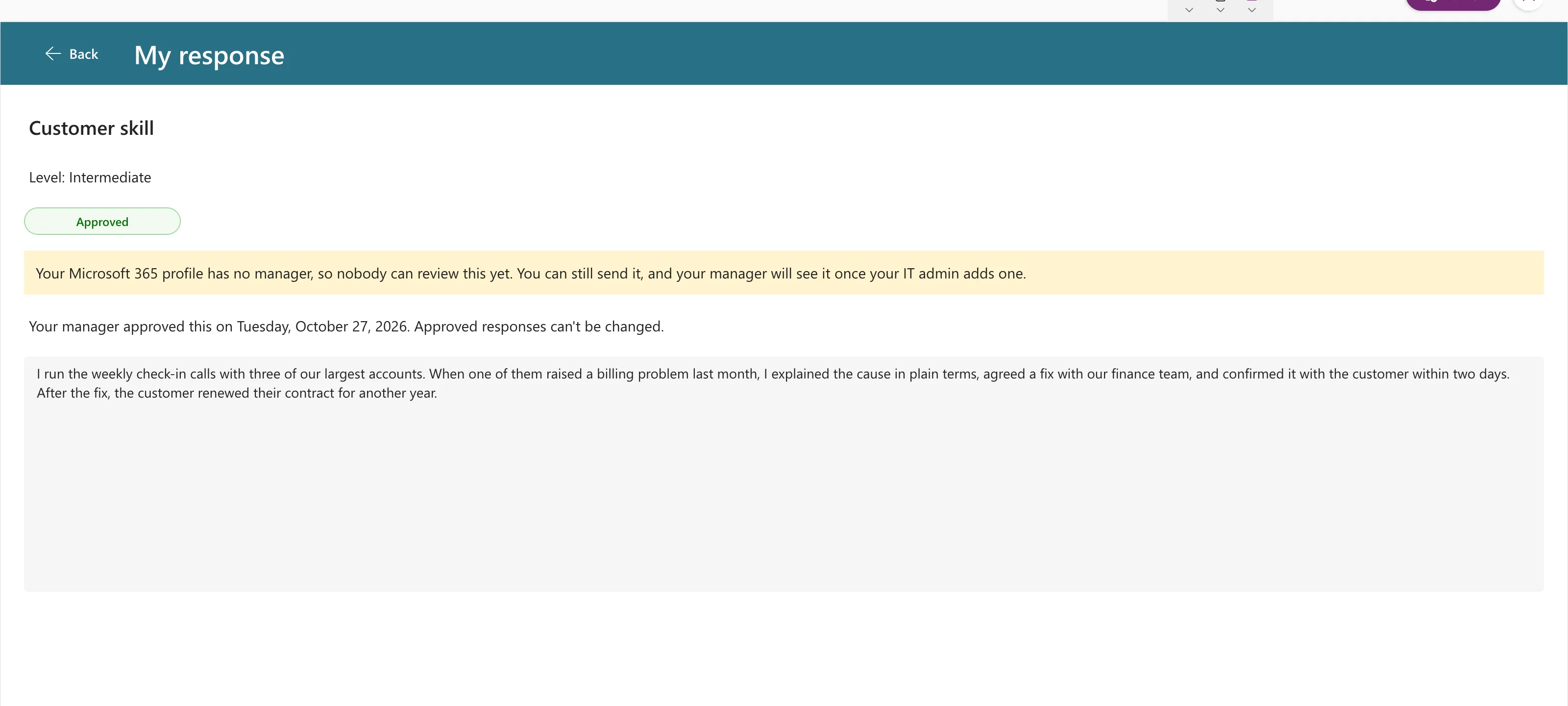
Now the box shows what's saved every time the screen opens:
Other Places to Use It
- A Clear button:
Reset(txtSearch)puts the search box back to empty. - After a successful save that stays on the screen, so the form shows the saved values.
Common Mistakes
| Mistake | What happens | Do this instead |
|---|---|---|
| Resetting before loading the record | The box resets to the old value | Reset after the UpdateContext that loads it |
| Resetting after a failed save | The person loses their typing | Reset only when the screen opens or after success |
| Resetting a control inside a gallery from outside | Not allowed | Reset from a control in the same gallery, or use ResetForm for forms |
Troubleshooting
| Symptom | Likely cause | Fix |
|---|---|---|
| The box still shows old text | Reset runs too early | Move it after the data is loaded |
An error on Reset(…) | The control is in a gallery or form | See Microsoft's limits in the reference |
FAQ
Reset function or Reset property?
Microsoft says the function "is generally preferred". The Reset property can be better when many controls need resetting together from several formulas.
Does Reset clear the box?
It sets the box to its Default. If Default is empty, the box is empty.
Conclusion
An input control only refreshes itself when its Default changes. Call Reset(Control) when the screen opens, after loading the data, so it always starts from the saved value.
