How to Rerun a Cloud Flow with the Same Inputs in Power Automate

When you test a flow over and over, typing its inputs every time gets old. Power Automate can run it again with the inputs of an earlier test: Test > Automatically > With a recently used trigger, then pick the run to repeat.
The Example
The flow, Say Hello, has the trigger Manually trigger a flow with one text input, Name (Who to greet) (How to Add a Text Input to a Manually Triggered Flow in Power Automate), and one Compose, Greeting (How to Use the Compose Action in Power Automate):
Hello, @{triggerBody()?['text']}
It was tested once by hand with the name Ada (How to Test a Cloud Flow Manually in Power Automate). The second run reuses that Ada.
Prerequisites
- One earlier test of the flow. Microsoft's Test cloud flows says you must test it manually at least once before you can use the automatic testing option.
Step 1: Open the Test Panel
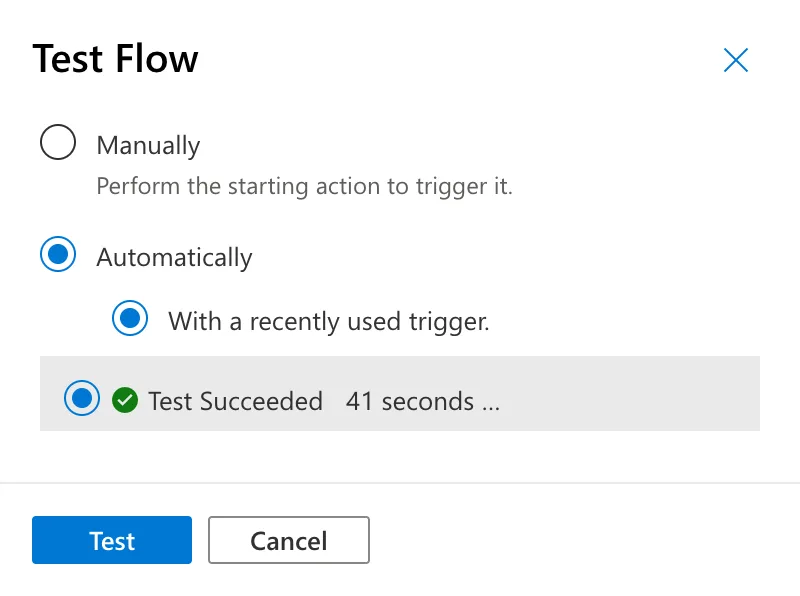
Open the flow in the designer and select Test at the top right. The Test Flow panel opens with two choices:
- Manually: Perform the starting action to trigger it. For this flow, that means typing the inputs again.
- Automatically: run it with what an earlier run received.
Step 2: Choose a Recent Run
Select Automatically, then With a recently used trigger. The panel lists recent runs, with their result and how long ago they ran. Select the run whose inputs you want, here the one that succeeded 41 seconds earlier:
Step 3: Run It
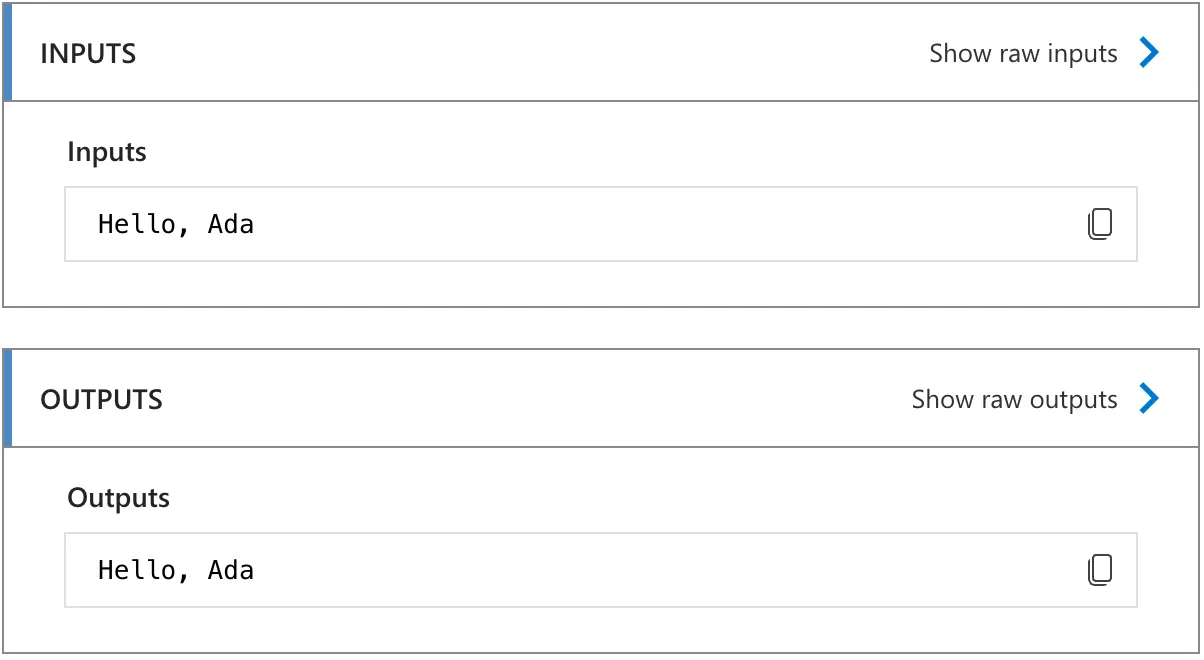
Select Test. The flow starts at once, without asking for the name. In the new run, Greeting has the same input and output as before, Hello, Ada:
When It Helps
- Fixing an action and trying again: change it, save, and repeat the last run's inputs.
- Checking that a flow can run twice: a flow that creates something should notice that it's already there. Repeating a run with the same inputs shows whether it does (How to Create a Folder in a SharePoint Library with the REST API in Power Automate).
- Inputs that are long to type, such as IDs copied from elsewhere.
Common Mistakes
| Mistake | What happens | Do this instead |
|---|---|---|
| Looking for Automatically before any manual test | There's no run to repeat | Test once with Manually first |
| Expecting new values | The run reuses the old ones exactly | Use Manually to type new values |
Troubleshooting
| Symptom | Likely cause | Fix |
|---|---|---|
| The newest run in the list says Test Running, although it has finished | The list hadn't caught up with the run when the panel opened | Select it anyway: when this happened to me, it still repeated that run's inputs |
| The rerun fails where the first run passed | Something the flow depends on has changed, such as an item it created | Open the run and read the failed action |
| Automatically can't be used | The flow hasn't had a manual test yet | Run one manual test |
FAQ
Does a repeated run count as a real run?
Yes. It's a full run with its own entry in the flow's run history, and every action does its work again (How to See a Flow's Run History in Power Automate).
Does it work for automated flows?
Microsoft's article describes both options for testing flows in general. For an automated flow, testing manually means performing the starting action, such as adding an item. The example here is an instant flow.
Conclusion
After one manual test, Test > Automatically > With a recently used trigger lists recent runs. Pick one and select Test, and the flow runs again with that run's inputs.
Additional Resources
- Test cloud flows: manual and automatic testing.
- Explore the cloud flows designer: the Test button.
