How to Require TLS for One MySQL Account

To make one MySQL account use TLS, whatever the others do, add REQUIRE SSL. It's stricter than the server-wide setting: a local socket isn't good enough, and the refusal gives no reason, so know both before you turn it on.
What You Need
MySQL 9.7, and an account with the CREATE USER right, such as root. The example is an existing account, inventory_app.
Step 1: Set It
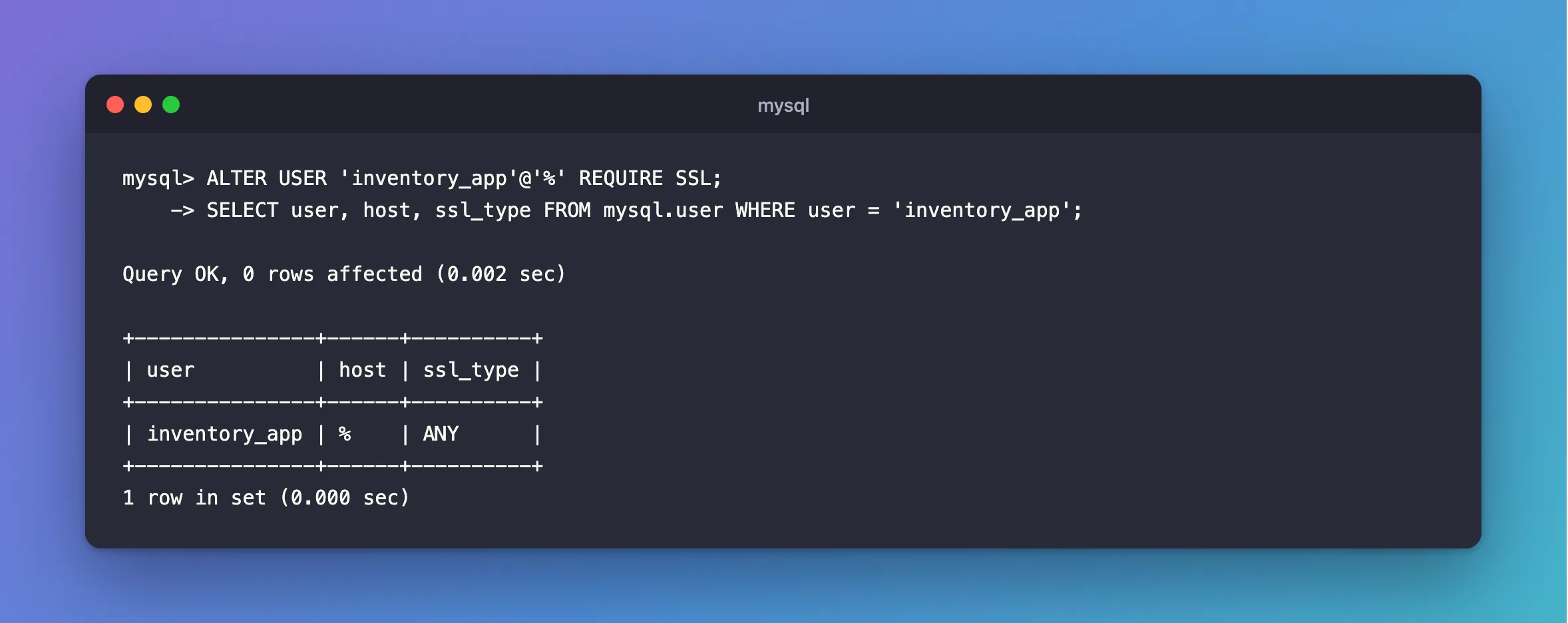
ALTER USER 'inventory_app'@'%' REQUIRE SSL;
SELECT user, host, ssl_type FROM mysql.user WHERE user = 'inventory_app';
Query OK, 0 rows affected (0.002 sec)

+---------------+------+----------+
| user          | host | ssl_type |
+---------------+------+----------+
| inventory_app | %    | ANY      |
+---------------+------+----------+
1 row in set (0.000 sec)
ANY is how MySQL stores REQUIRE SSL: any certificate situation, as long as it's TLS. An empty value means no requirement. When you create a new account, the same clause goes in CREATE USER.
Step 2: See What It Allows
Over TCP, with TLS:
docker compose exec mysql mysql --user=inventory_app --password --protocol=TCP --host=127.0.0.1 --ssl-mode=REQUIRED --table --execute "SELECT CURRENT_USER() AS account"
+-----------------+
| account         |
+-----------------+
| inventory_app@% |
+-----------------+
Over TCP, without TLS:
ERROR 1045 (28000): Access denied for user 'inventory_app'@'127.0.0.1' (using password: YES)
Over the local socket, the usual way into a Docker container:
ERROR 1045 (28000): Access denied for user 'inventory_app'@'localhost' (using password: YES)
Refused too, and with the same plain message. The password is correct in all three. MySQL just doesn't say that it's about TLS, so this can take a while to work out if you've forgotten it's set.
From a .NET app: SslMode=Required connects, and SslMode=Disabled is refused:
Unhandled exception. MySql.Data.MySqlClient.MySqlException (0x80004005): Authentication to host '127.0.0.1' for user 'inventory_app' using method 'caching_sha2_password' failed with message: Access denied for user 'inventory_app'@'172.23.0.1' (using password: YES)
 ---> MySql.Data.MySqlClient.MySqlException (0x80004005): Access denied for user 'inventory_app'@'172.23.0.1' (using password: YES)
Step 3: Undo It
ALTER USER 'inventory_app'@'%' REQUIRE NONE;
SELECT user, host, ssl_type FROM mysql.user WHERE user = 'inventory_app';
Query OK, 0 rows affected (0.002 sec)

+---------------+------+----------+
| user          | host | ssl_type |
+---------------+------+----------+
| inventory_app | %    |          |
+---------------+------+----------+
1 row in set (0.000 sec)
This or require_secure_transport?
Use require_secure_transport if every account should use TLS, which is the common case: it allows sockets, and its refusal says why. Use REQUIRE SSL if only some accounts need it, or if an account must never use a socket, even from the same machine.
A change applies to new connections. Existing sessions carry on.
Common Mistakes
| Mistake | What happens | Do this instead |
|---|---|---|
| Setting it on an account a local script uses | The script stops signing in | Connect over TCP with TLS |
| Hunting for a wrong password | It's Access denied either way | Check ssl_type |
| Assuming it checks the server's identity | It only requires encryption | Clients need VerifyFull |
Troubleshooting
| Symptom | Likely cause | Fix |
|---|---|---|
ERROR 1045 with the right password | No TLS on this connection | The fix |
ssl_type is X509 | It needs a client certificate too | How to Require a Client Certificate for a MySQL Account |
ERROR 1396 (HY000): Operation ALTER USER failed for 'nobody'@'%' | No account has that name and host | Check mysql.user |
Conclusion
ALTER USER … REQUIRE SSL makes one account need TLS, even on a socket, and REQUIRE NONE undoes it. ssl_type in mysql.user shows what's set.
Additional Resources
- CREATE USER: SSL/TLS options — every
REQUIREform. - ALTER USER Statement — changing an existing account.
