How to Require a Client Certificate for a MySQL Account

REQUIRE X509 adds a second factor to a MySQL account: as well as the password, it must present a certificate signed by the server's CA. The mysql client handles this well. .NET's MySql.Data has a catch, and it's in here too.
What You Need
MySQL 9.7 with its automatic certificates, or your own, and a client certificate signed by the same CA. MySQL's automatic files include one. In the commands below, those files are in /tmp inside the container, with the key readable by the session running the client.
Step 1: Require a Certificate
As root:
ALTER USER 'inventory_app'@'%' REQUIRE X509;
SELECT user, host, ssl_type FROM mysql.user WHERE user = 'inventory_app';
Query OK, 0 rows affected (0.002 sec)

+---------------+------+----------+
| user          | host | ssl_type |
+---------------+------+----------+
| inventory_app | %    | X509     |
+---------------+------+----------+
1 row in set (0.000 sec)
Step 2: Connect with the mysql Client
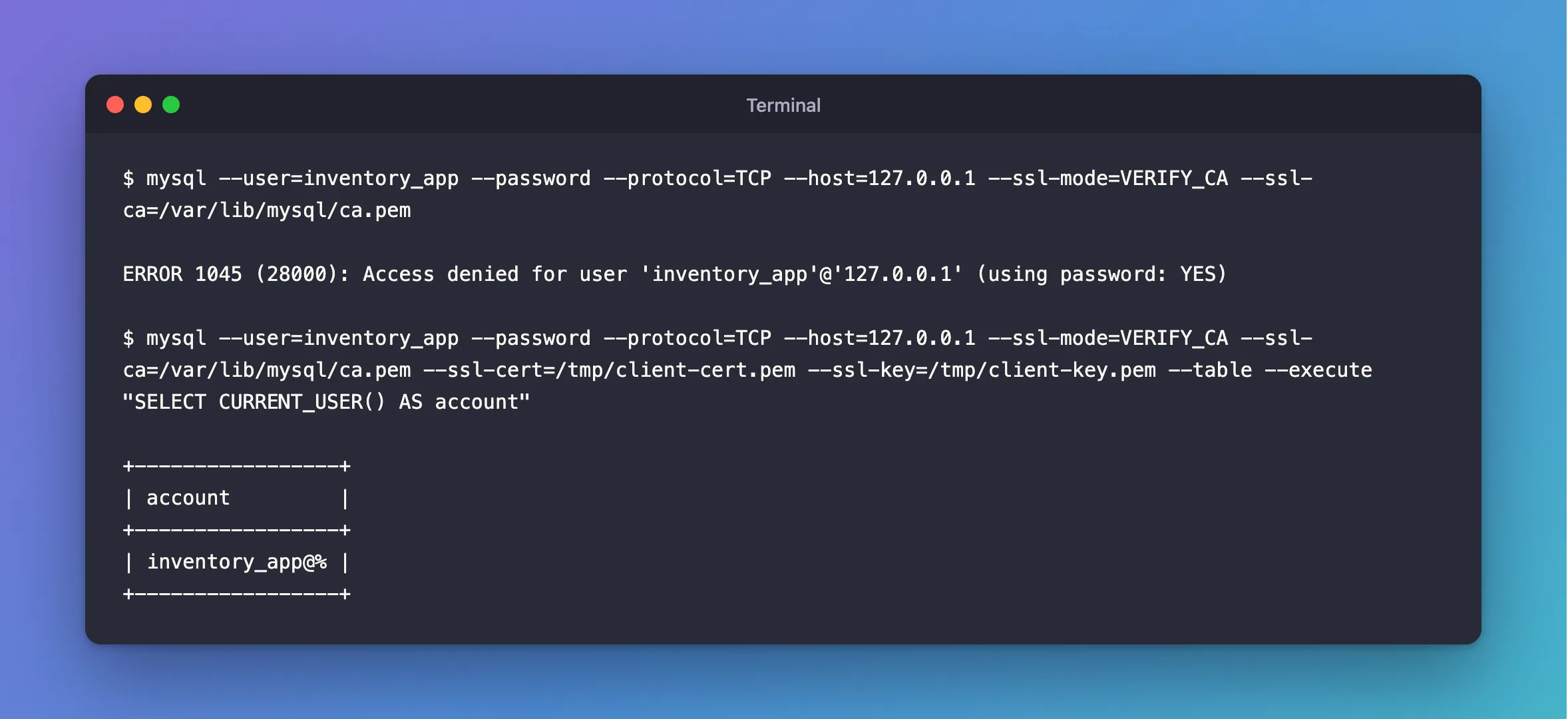
Without a certificate: refused, with the usual vague message.
mysql --user=inventory_app --password --protocol=TCP --host=127.0.0.1 --ssl-mode=VERIFY_CA --ssl-ca=/var/lib/mysql/ca.pem
ERROR 1045 (28000): Access denied for user 'inventory_app'@'127.0.0.1' (using password: YES)
With the certificate and key:
mysql --user=inventory_app --password --protocol=TCP --host=127.0.0.1 --ssl-mode=VERIFY_CA --ssl-ca=/var/lib/mysql/ca.pem --ssl-cert=/tmp/client-cert.pem --ssl-key=/tmp/client-key.pem --table --execute "SELECT CURRENT_USER() AS account"
+-----------------+
| account         |
+-----------------+
| inventory_app@% |
+-----------------+
With a certificate from another CA: the server ends the connection during the handshake, before any password check.
ERROR 2013 (HY000): Lost connection to MySQL server during query
Step 3: Name the Certificate
REQUIRE X509 accepts any certificate from that CA. To accept only one, name its subject:
ALTER USER 'inventory_app'@'%' REQUIRE SUBJECT '/CN=MySQL_Server_9.7.4_Auto_Generated_Client_Certificate';
SELECT user, host, ssl_type, CONVERT(x509_subject USING utf8mb4) AS x509_subject FROM mysql.user WHERE user = 'inventory_app';
Query OK, 0 rows affected (0.002 sec)

+---------------+------+-----------+----------------------------------------------------------+
| user          | host | ssl_type  | x509_subject                                             |
+---------------+------+-----------+----------------------------------------------------------+
| inventory_app | %    | SPECIFIED | /CN=MySQL_Server_9.7.4_Auto_Generated_Client_Certificate |
+---------------+------+-----------+----------------------------------------------------------+
1 row in set (0.000 sec)
With your own CA, give each app a certificate with its own name, and tie each account to it. REQUIRE ISSUER does the same for the CA's name.
In a .NET App
This is the catch. With MySql.Data 26.10.0, SslCert and SslKey with PEM files are never sent, so REQUIRE X509 refuses even the right pair. A PFX file in CertificateFile is sent, and it passed both REQUIRE X509 and REQUIRE SUBJECT:
…;SslMode=Required;CertificateFile=/Users/you/projects/mysql-connection-test/certs/client.pfx;CertificatePassword=changeit
Connected as inventory_app@% to MySQL 9.7.4
TLS: TLSv1.2
But with a PFX in place, VerifyCA and VerifyFull refused the server in my tests. So on this driver, I couldn't get a client certificate and a verified server together.
Step 4: Undo It
ALTER USER 'inventory_app'@'%' REQUIRE NONE;
Common Mistakes
| Mistake | What happens | Do this instead |
|---|---|---|
Reading REQUIRE X509 as replacing the password | It needs both | Keep the password |
A certificate with extendedKeyUsage for servers only | MySQL's manual says it fails | Include clientAuth |
| Setting it on an account a .NET app uses, with PEM files | Access denied | Use a PFX, or drop it |
Troubleshooting
| Symptom | Likely cause | Fix |
|---|---|---|
ERROR 1045 with a certificate | The subject doesn't match, or it wasn't sent | Check with --ssl-cert on the mysql client |
ERROR 2013 during the handshake | A certificate from a CA the server doesn't know | The fix |
mysql: [ERROR] SSL error: Unable to get private key from … | The client can't read the key | Check the path and its owner |
Conclusion
REQUIRE X509 adds a client certificate to a password, and REQUIRE SUBJECT names which one. The mysql client handles it directly. With MySql.Data, only a PFX reaches the server.
Additional Resources
- CREATE USER: SSL/TLS options —
REQUIRE X509,SUBJECTandISSUER. - Creating SSL Certificates and Keys Using openssl — client certificates.
