How to Replace the CloudAdapter Error Handler in the Microsoft 365 Agents SDK in C#

When a Microsoft 365 Agents SDK agent throws an exception it doesn't catch, the CloudAdapter handles it, and its default handler sends the exception's message to the user. A message like that can show a file path on your server to anyone chatting with your agent. One small class replaces that handler for every error.
Syntax
public class HandlerName : ICloudAdapterErrorHandler
{
    public async Task HandleTurnErrorAsync(ITurnContext turnContext, Exception exception)
    {
        // Log the exception, then send the user a message of your own.
    }
}

builder.Services.AddSingleton<ICloudAdapterErrorHandler, HandlerName>();
ICloudAdapterErrorHandleris an interface in theMicrosoft.Agents.Hosting.AspNetCorenamespace, from version 1.9.205 of the SDK. Its one method,HandleTurnErrorAsync, gets the turn that failed and the exception.AddSingleton<ICloudAdapterErrorHandler, HandlerName>()registers your class inProgram.cs. When the SDK creates theCloudAdapter, it uses a registered error handler instead of its default one.- Your handler does everything the default did: Microsoft's documentation says a replacement is responsible for both logging the exception and sending any desired response activities.
The SDK creates your handler through dependency injection, so its constructor can ask for a logger or any other service.
The Example
The agent for this post answers every message with a random quote from a file, quotes.txt, which you won't create, so every message fails:
using Microsoft.Agents.Builder;
using Microsoft.Agents.Builder.App;
using Microsoft.Agents.Builder.State;
using Microsoft.Agents.Core.Models;

namespace ErrorMessageDemo;

public class QuoteAgent : AgentApplication
{
    public QuoteAgent(AgentApplicationOptions options) : base(options)
    {
        OnActivity(ActivityTypes.Message, QuoteAsync);
    }

    private async Task QuoteAsync(ITurnContext turnContext, ITurnState turnState, CancellationToken cancellationToken)
    {
        string[] quotes = await File.ReadAllLinesAsync("quotes.txt", cancellationToken);
        await turnContext.SendActivityAsync(quotes[Random.Shared.Next(quotes.Length)], cancellationToken: cancellationToken);
    }
}
It's one class in an ASP.NET Core project with the Agents SDK, hosted with AddAgent<QuoteAgent>() and listening on port 3978. A missing file is one of the most ordinary failures there is, which makes it a good way to see what the default handler shows people.
Prerequisites
- The Microsoft 365 Agents Playground, to chat with the agent on your own machine.
agentsplayground --versionshould print0.2.30; if the command isn't found, install it withnpm install -g @microsoft/m365agentsplayground.
Step 1: See What the Default Handler Sends
Run the agent with dotnet run, start the Agents Playground in a second terminal, and send Give me a quote:
agentsplayground -e http://localhost:3978/api/messages -c emulator
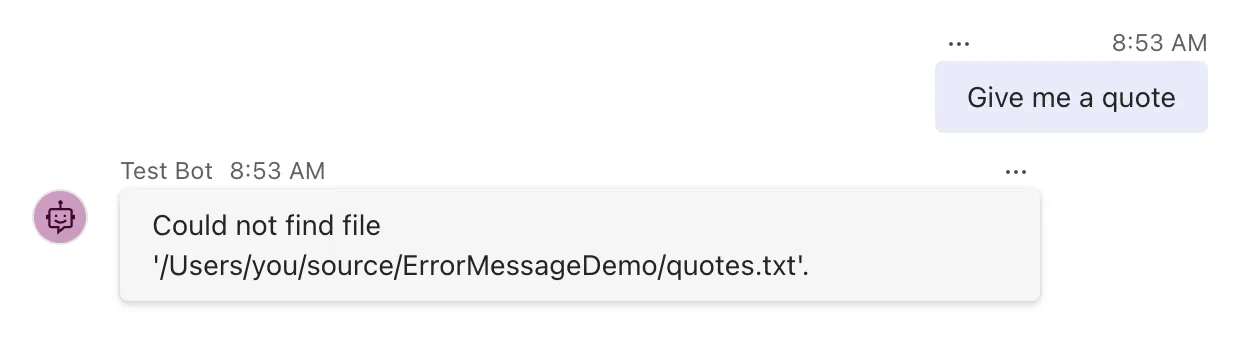
File.ReadAllLinesAsync threw a FileNotFoundException, nothing caught it, and the CloudAdapter's default handler sent its message, which includes the full path of the file on the server. The agent's terminal shows the same exception, logged by the default handler:
fail: Microsoft.Agents.Hosting.AspNetCore.CloudAdapter[0]
      Unhandled exception during turn processing. Could not find file '/Users/you/source/ErrorMessageDemo/quotes.txt'.
The default handler also sends a trace activity with more details, which only the Playground's emulator channel receives. The message goes to every channel, Microsoft Teams included.
Step 2: Write the Replacement Handler
Create SafeErrorHandler.cs in the project folder:
using Microsoft.Agents.Builder;
using Microsoft.Agents.Hosting.AspNetCore;

namespace ErrorMessageDemo;

// Replaces the CloudAdapter's default error handler: log the details, show people a plain message.
public class SafeErrorHandler(ILogger<SafeErrorHandler> logger) : ICloudAdapterErrorHandler
{
    public async Task HandleTurnErrorAsync(ITurnContext turnContext, Exception exception)
    {
        logger.LogError(exception, "A {ActivityType} turn failed.", turnContext.Activity.Type);

        if (exception is OperationCanceledException)
        {
            return;
        }

        try
        {
            await turnContext.SendActivityAsync("Sorry, something went wrong on my side. Please try again later.", cancellationToken: CancellationToken.None);
        }
        catch (Exception sendException)
        {
            logger.LogWarning(sendException, "Couldn't tell the user that the turn failed.");
        }
    }
}
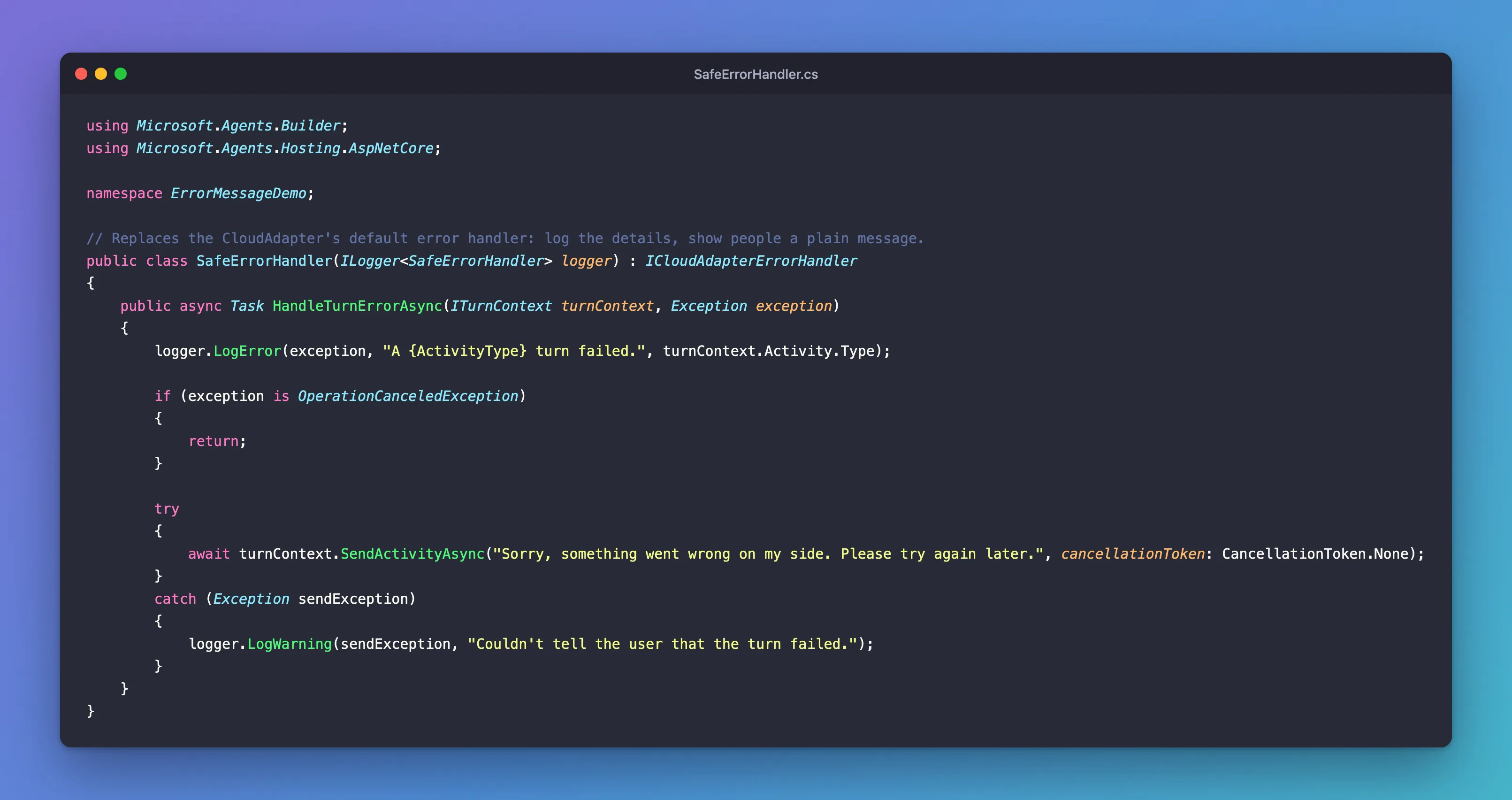
ILogger<SafeErrorHandler> loggercomes in through the class's primary constructor, the parameter list after its name.logger.LogError(exception, ...)writes the whole exception, stack trace included, to your log. The default handler's logging goes away with it, so this line is what keeps errors visible to you.OperationCanceledExceptionmeans the turn was cancelled, for example because the app is shutting down. Nobody is waiting for an answer, so the handler returns; the default handler skips these too.- The message is a fixed sentence. It never includes anything from the exception.
- The
tryblock keeps a failure to send, such as a channel that can't be reached, from throwing out of the error handler, and logs it as a warning instead.
Step 3: Register It
In Program.cs, register the handler below the other services:
using ErrorMessageDemo;
using Microsoft.Agents.Hosting.AspNetCore;
using Microsoft.Agents.Storage;

var builder = WebApplication.CreateBuilder(args);

builder.AddAgentDefaults()
    .AddAgent<QuoteAgent>();
builder.Services.AddSingleton<IStorage, MemoryStorage>();
builder.Services.AddSingleton<ICloudAdapterErrorHandler, SafeErrorHandler>();

var app = builder.Build();

app.UseAgents();
app.MapDefaultAgentEndpoints();

app.Run();
Where the line goes in Program.cs doesn't matter, as long as it's before builder.Build(): the SDK looks for the service when it creates the adapter.
Step 4: Try It Again
Stop the agent with Ctrl+C, start it again, and send Give me a quote:
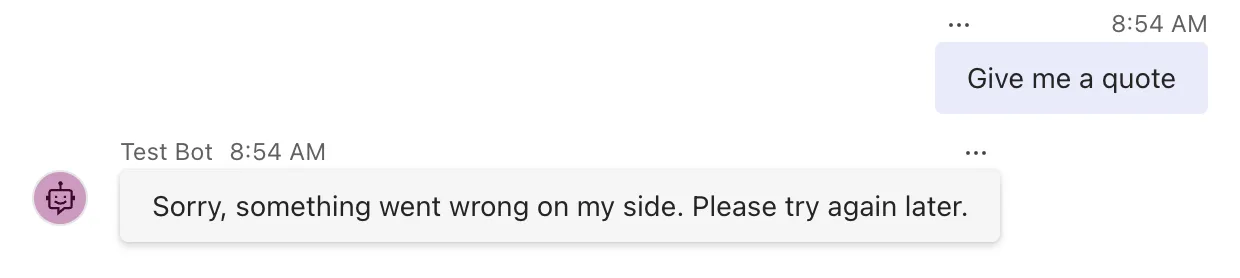
The user gets your sentence, and no trace activity follows it. Everything they no longer see is in your log, from your handler:
fail: ErrorMessageDemo.SafeErrorHandler[0]
      A message turn failed.
      System.IO.FileNotFoundException: Could not find file '/Users/you/source/ErrorMessageDemo/quotes.txt'.
      File name: '/Users/you/source/ErrorMessageDemo/quotes.txt'
         at Interop.ThrowExceptionForIoErrno(ErrorInfo errorInfo, String path, Boolean isDirError)
Common Mistakes
| Mistake | What happens | Do this instead |
|---|---|---|
| Not logging in the replacement | Errors disappear, because the default's logging went with it | Log the exception first |
Putting exception.Message in the reply | The same leak, in your words | Send a fixed sentence |
Relying on OnTurnError alone | AgentApplication passes the exception on, and the default still sends its message | Replace the adapter's handler, as here |
Registering the class under its own type, AddSingleton<SafeErrorHandler>() | The SDK doesn't find it, and the default stays | Register it as ICloudAdapterErrorHandler |
Troubleshooting
| Symptom | Likely cause | Fix |
|---|---|---|
| The exception's message still reaches the user | The handler isn't registered as ICloudAdapterErrorHandler | Check the AddSingleton line in Program.cs |
| Two error messages | Your agent's OnTurnError sends one too | Send from only one of them, or check turnContext.Responded before sending |
| No error in the log | The handler doesn't log | Call LogError with the exception |
FAQ
Does this handle errors from middleware and from loading state too?
Yes. The adapter's error handler gets every exception that leaves a turn, wherever it was thrown. An agent's OnTurnError handlers only see the ones thrown inside AgentApplication.
What about OnTurnError?
AgentApplication.OnTurnError lets your agent react to an error in its own words, but the exception still goes on to the adapter's handler afterwards. With both, users can get two messages. How the two fit together is in Fixed: The Microsoft 365 Agents SDK Sends the Exception Message to the User After OnTurnError.
Should I still catch exceptions in my routes?
For failures you can predict, yes: a missing file, a record that doesn't exist or input you can't use deserve a specific answer from the route. The replacement handler is the safety net for everything you didn't predict.
Conclusion
The CloudAdapter's default error handler shows people the message of every exception your agent doesn't catch. Implement ICloudAdapterErrorHandler, log the exception and send a fixed message in HandleTurnErrorAsync, and register the class with AddSingleton<ICloudAdapterErrorHandler, ...>(). Users then get a sentence you wrote, and you keep every detail in your log.
Additional Resources
- ICloudAdapterErrorHandler interface — what a replacement is responsible for.
- ICloudAdapterErrorHandler.HandleTurnErrorAsync method — its parameters.
- Logging in .NET and ASP.NET Core — where
LogErrorwrites and how to configure it.
