How to Replace Blank Values in Power Apps with Coalesce

Data has gaps: a first name nobody filled in, an optional field left empty. Coalesce gives you a fallback: it returns the first of its values that isn't blank. One short function replaces a longer If with IsBlank, and reads better too.
Syntax
Coalesce( Value1 [, Value2, ... ] )
From Microsoft's reference:
- It returns the first value that isn't blank and isn't an empty string
"". - Values after that one aren't evaluated.
- If every value is blank or empty, it returns blank.
- All the values must be the same type.
Prerequisites
- A canvas app with a Text control. The example builds the welcome line of the Career Development Plan app's Home screen, from Part 4 of the series, using
MyProfilefrom Office 365 Users (see How to Get the Current User's Profile and Job Title in Power Apps).
Step 1: See It Skip a Blank
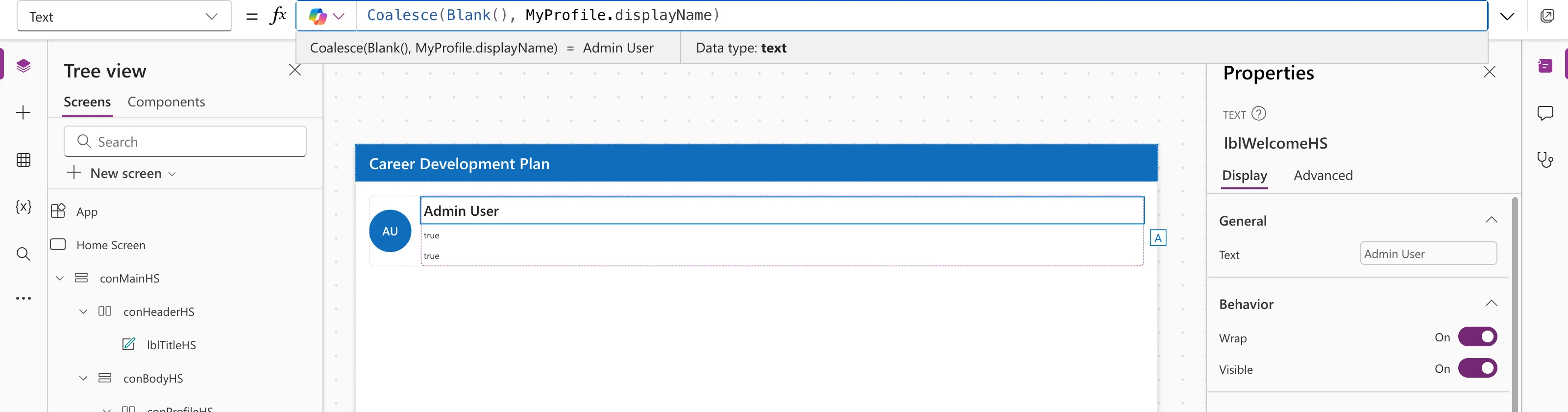
Coalesce(Blank(), MyProfile.displayName)
The first value is blank, so Coalesce returns the second, the full name:
Step 2: Use It for a Real Fallback
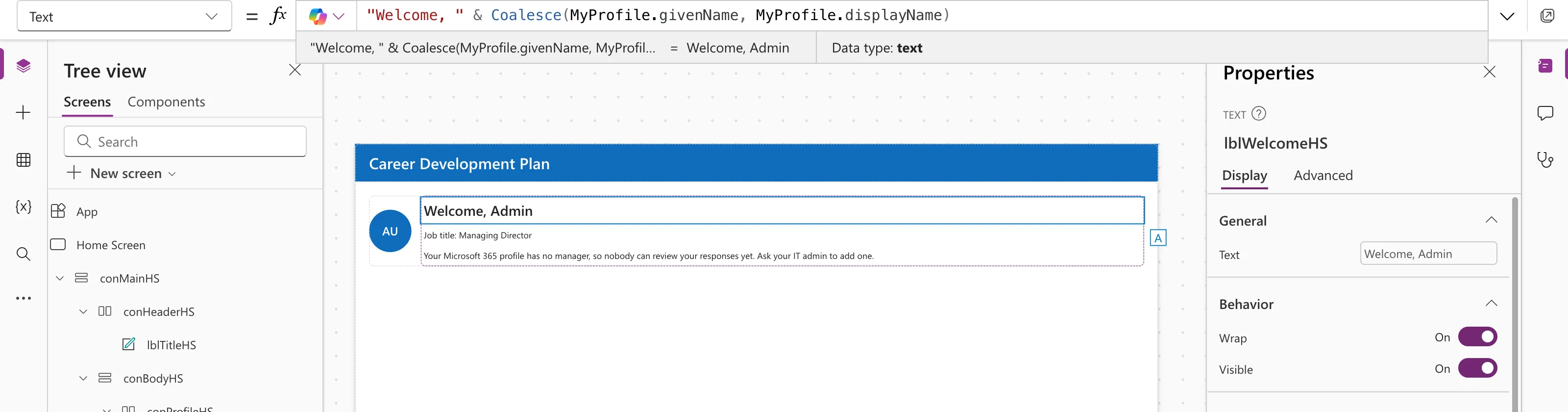
A Microsoft 365 profile doesn't always have a first name. The example greets people by first name, or by full name if there isn't one:
"Welcome, " & Coalesce(MyProfile.givenName, MyProfile.displayName)
Coalesce vs If and IsBlank
These two do the same job:
Coalesce( value1, value2 )
If( Not IsBlank( value1 ), value1, value2 )
Microsoft notes that Coalesce is more concise and doesn't evaluate value1 twice. Use If when the fallback needs different wording, such as a whole sentence; see How to Use the If Function in Power Apps.
Common Mistakes
| Mistake | What happens | Do this instead |
|---|---|---|
| Mixing types, such as text and a number | An error | Convert so all values are the same type |
| Expecting it to catch errors | Errors aren't blank | Use IfError for errors |
| Putting the fallback first | The fallback always wins | Order from preferred to fallback |
FAQ
Does Coalesce treat "" as blank?
Yes. Like IsBlank, it treats an empty string as blank.
Can I add a final default?
Yes: Coalesce(Nickname, FirstName, "Friend") ends with plain text, which is never blank.
Can Coalesce turn empty strings into blank?
Yes. Coalesce("") returns blank, which Microsoft points out as a way to convert empty strings.
Conclusion
Coalesce(preferred, fallback, …) returns the first value that isn't blank or empty. It's the shortest way to write "use this, or else that".
Additional Resources
- Blank, Coalesce, IsBlank, and IsEmpty functions: the reference and examples.
- IsBlank vs IsEmpty in Power Apps: what counts as blank.
