How to Repeat Commands Until a Condition Is True in bash and zsh with until

Some jobs repeat until something changes: retry until a server answers, wait until a file appears, count up to a limit. The shell's until loop runs a block of commands again and again until a test succeeds. This guide counts three attempts, with real output from zsh 5.9 and bash 3.2.
Syntax
until <test-command>; do
  <commands>
done
| Part | What it means |
|---|---|
<test-command> | Runs before each pass. The loop stops as soon as it succeeds, that is, ends with exit status 0 |
<commands> | The commands to repeat. Something in them must change the test's result, or the loop never ends |
done | Marks the end of the loop |
The bash manual: "Execute consequent-commands as long as test-commands has an exit status which is not zero." The zsh manual says the same: "Execute the do list as long as until list returns a nonzero exit status."
Prerequisites
- zsh or bash. This guide uses zsh 5.9, the default shell on macOS, and checks every command in bash 3.2 too.
Step 1: Count Three Attempts
attempt=1
until [ $attempt -gt 3 ]; do
  echo "Attempt $attempt"
  attempt=$((attempt + 1))
done
Attempt 1
Attempt 2
Attempt 3
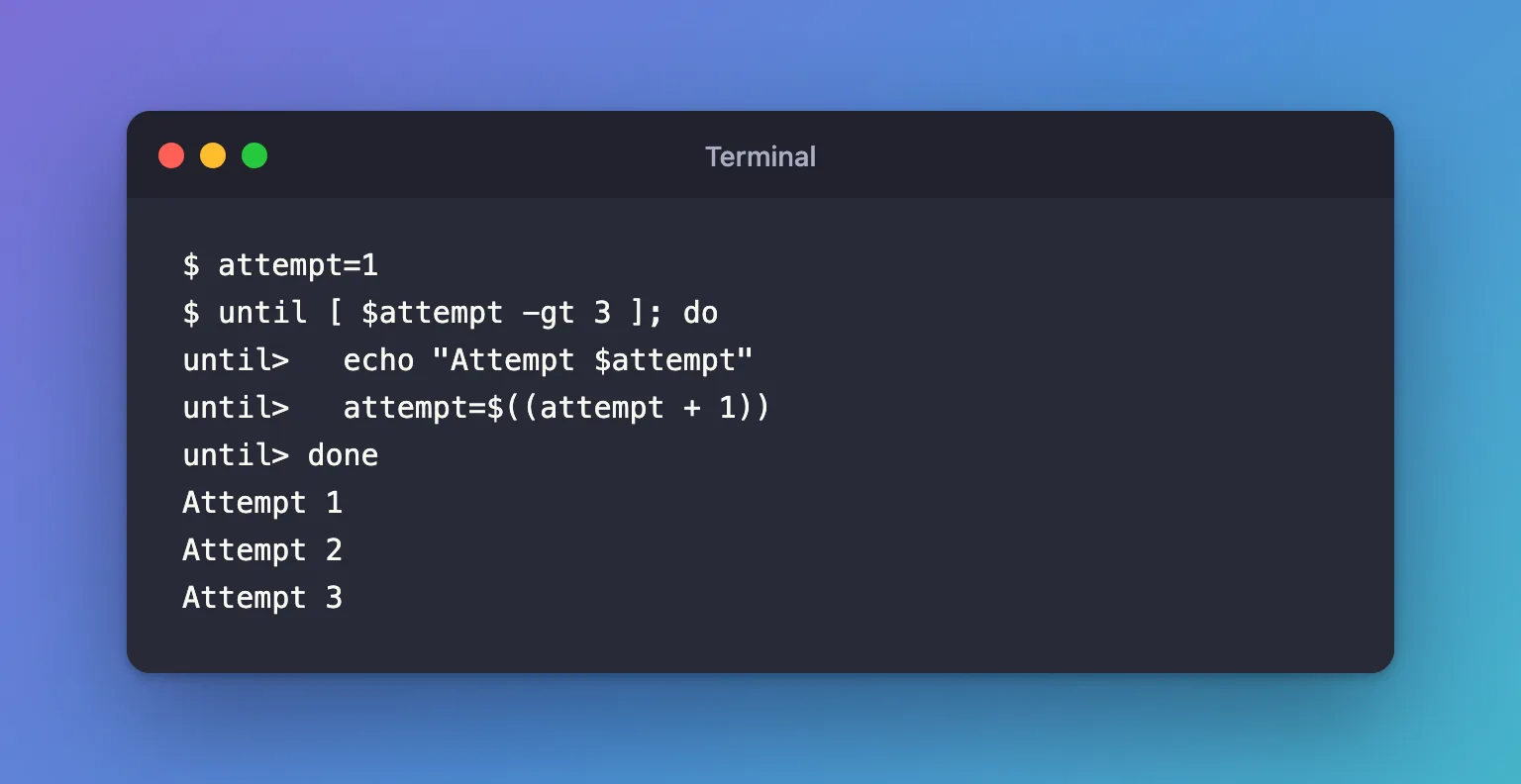
attempt=1: creates a variable namedattemptthat holds 1.[ $attempt -gt 3 ]: the test.-gtmeans "greater than": the bash manual lists-eq,-ne,-lt,-le,-gtand-geas the tests that compare numbers.attempt=$((attempt + 1)): adds 1 each pass. After the third pass,attemptis 4, the test succeeds, and the loop ends.
While you type the loop, zsh starts each new line with until>, and bash with >, until done completes it. bash printed the same three lines.
Common Mistakes
| Mistake | What happens | Do this instead |
|---|---|---|
Writing > for "greater than": [ $attempt > 3 ] | > is a redirection, not a comparison: the loop printed nothing, and a file named 3 appeared in the folder | Use -gt, -lt, -ge or -le inside [ ] |
| Never changing the variable in the loop | The test never succeeds, so the loop never ends | Change it inside the loop, as attempt=$((attempt + 1)) does |
Troubleshooting
| Symptom | Likely cause | Fix |
|---|---|---|
| The loop never ends | The test never succeeds | Press Ctrl+C: it stopped an endless until false loop at once |
FAQ
What's the difference between until and while?
until repeats while the test fails; while repeats while it succeeds. while [ $attempt -le 3 ], with the same body, printed the same three lines.
Can until wait for something to happen?
Yes. Any command can be the test. [ -f ready.txt ] succeeds once a file named ready.txt exists; the bash manual: "True if file exists and is a regular file."
until [ -f ready.txt ]; do
  echo "Waiting for ready.txt"
  sleep 1
done
While it waited, a second terminal in the same folder created the file with touch ready.txt, and the loop ended:
Waiting for ready.txt
Waiting for ready.txt
Waiting for ready.txt
Waiting for ready.txt
Conclusion
until [ $attempt -gt 3 ]; do ... done ran its block three times and stopped once attempt reached 4. Compare numbers with -gt and its siblings inside [ ], and change something in the loop so the test can succeed.
Additional Resources
- Looping Constructs —
until,whileandforin the bash manual. - Bash Conditional Expressions —
-gt,-fand the other tests. - zsh: Shell Grammar —
untiland the other complex commands in zsh.
