How to Repeat Code with a while Loop in C#

while (delay < 10) repeats its block as long as delay is under 10. The loop checks the condition before every round, so the block has to change what the condition depends on, or the loop never ends.
Microsoft's reference: The while statement executes a statement or a block of statements while a specified Boolean expression evaluates to true. Because the loop evaluates that expression before each execution, a while loop executes zero or more times.
Syntax
while (<condition>)
{
    <statements>
}
| Part | What it is |
|---|---|
<condition> | A bool expression, checked before each round |
<statements> | The block that runs while the condition is true. It must eventually make the condition false |
The Example
A console app called WhileLoop doubles a wait time, starting at 1 second, until it reaches 10 seconds, and counts the attempts.
Prerequisites
- The .NET 10 SDK.
dotnet --versionprints a version that starts with10.0.
Step 1: Create a Console App
dotnet new console -n WhileLoop
cd WhileLoop
The template "Console App" was created successfully.

Processing post-creation actions...
Restoring /Users/you/source/WhileLoop/WhileLoop.csproj:
  Determining projects to restore...
  Restored /Users/you/source/WhileLoop/WhileLoop.csproj (in 78 ms).
Restore succeeded.
dotnet new console -n WhileLoop creates a folder named WhileLoop with a project file and a Program.cs, and cd moves into it. Everything this example uses is part of .NET, so there's no package to add. Open the folder in VS Code, or WhileLoop.csproj in Visual Studio.
Step 2: Write the Code
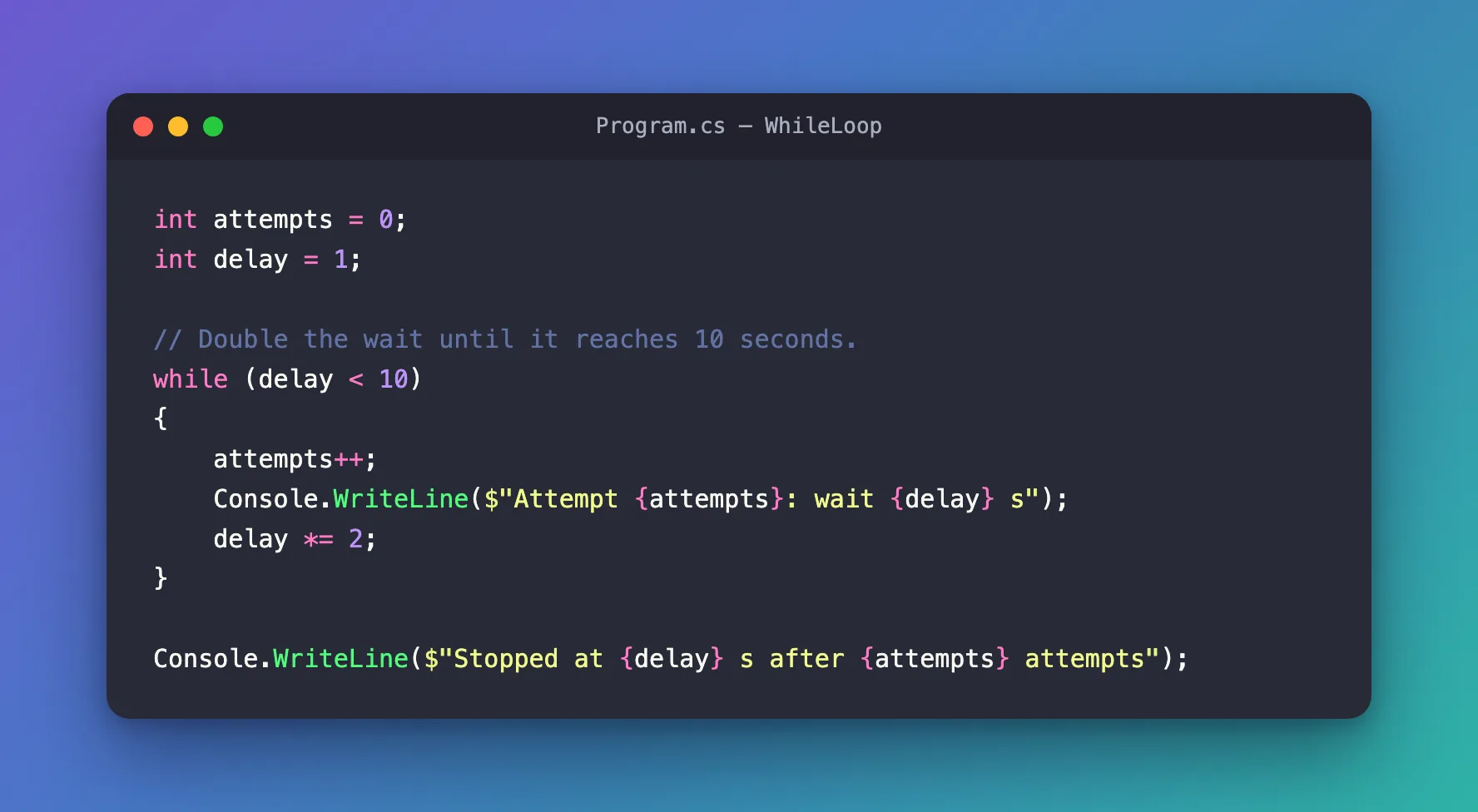
Replace everything in Program.cs. First the two variables:
int attempts = 0;
int delay = 1;
Then the loop and the line after it:
// Double the wait until it reaches 10 seconds.
while (delay < 10)
{
    attempts++;
    Console.WriteLine($"Attempt {attempts}: wait {delay} s");
    delay *= 2;
}

Console.WriteLine($"Stopped at {delay} s after {attempts} attempts");
while (delay < 10)checks the condition before each round.delay *= 2doubles the wait, so the condition becomesfalseafter a few rounds.attempts++adds 1 to the count.
Step 3: Run It
Run it in VS Code's terminal, or press Ctrl+F5 in Visual Studio:
dotnet run
Attempt 1: wait 1 s
Attempt 2: wait 2 s
Attempt 3: wait 4 s
Attempt 4: wait 8 s
Stopped at 16 s after 4 attempts
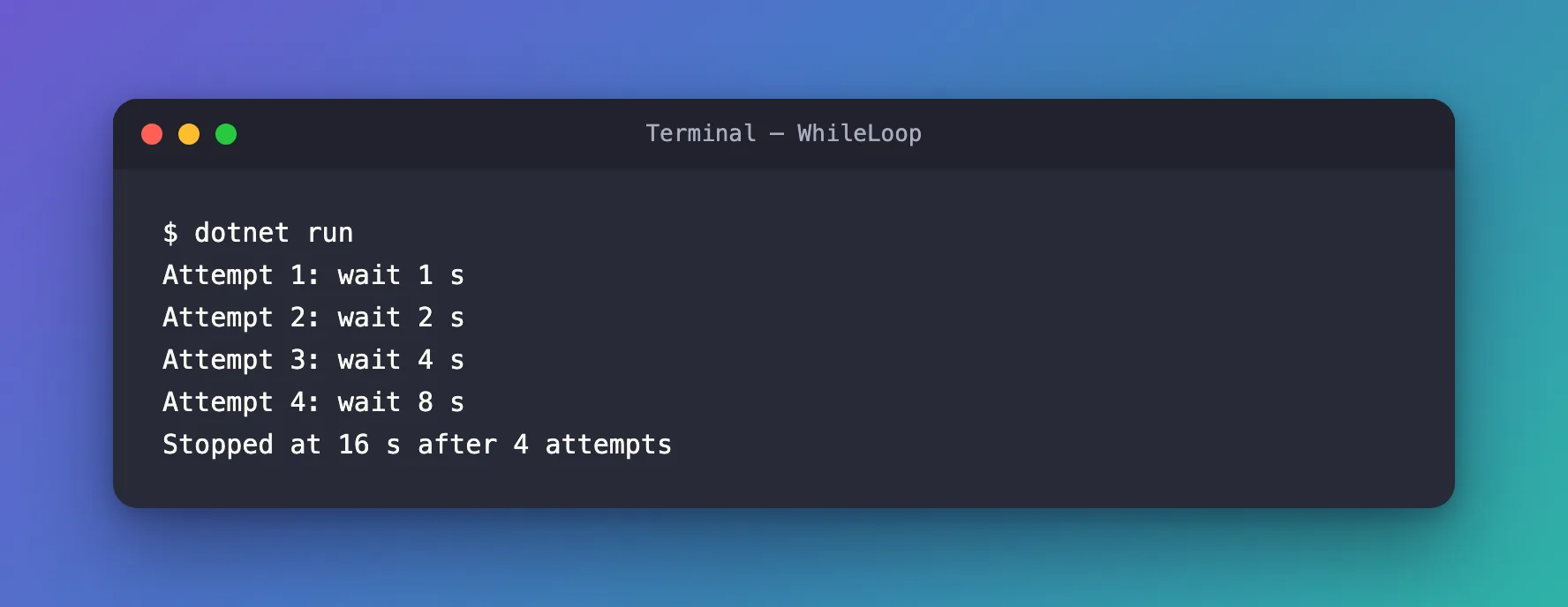
After the fourth round delay was 16, so delay < 10 was false and the loop stopped. The line after the loop ran next.
The Complete File
int attempts = 0;
int delay = 1;

// Double the wait until it reaches 10 seconds.
while (delay < 10)
{
    attempts++;
    Console.WriteLine($"Attempt {attempts}: wait {delay} s");
    delay *= 2;
}

Console.WriteLine($"Stopped at {delay} s after {attempts} attempts");
Common Mistakes
| Mistake | What happens | Do this instead |
|---|---|---|
| A block that never changes the condition | The loop never ends: without delay *= 2, a check was still looping, with delay still 1, after a million rounds, when a break stopped it | Change the variable that the condition checks inside the block |
A semicolon right after while (...) | warning CS0642: Possible mistaken empty statement. The semicolon becomes the loop's whole body, and the block below it isn't part of the loop: it ran once, after the loop | Remove the semicolon |
FAQ
What if the block must run at least once?
Use a do loop, which checks the condition after each round. The reference: The while loop differs from the do loop, which executes one or more times. With a condition that was false from the start, the while block ran 0 times and the do block ran once.
How do I leave a while loop early?
Use break. The reference: The break statement terminates the closest enclosing iteration statement (that is, for, foreach, while, or do loop) or switch statement. That's how the check above stopped its endless loop.
Conclusion
A while loop repeats its block for as long as its condition is true, checking it before every round. Make sure the block moves the condition toward false, and use a do loop when the block must run at least once.
Additional Resources
- Iteration statements — while, do, for and foreach.
- Jump statements — break and continue.
