How to Rename Columns in a pandas DataFrame

Column names that come from a file or another program are often longer or clumsier than you want, such as price_usd where price would do. pandas renames columns with one call, rename, and a dictionary from old names to new ones. This guide renames two columns, shows that the original table is untouched, and makes a misspelled name raise an error instead of passing silently, with real output from pandas 3.1.1.
Syntax
new_frame = frame.rename(columns={"<old name>": "<new name>"})
| Part | What it means |
|---|---|
frame | The DataFrame whose columns you rename |
columns={...} | A dictionary: each key is a current column name, each value its new name. List only the columns you want to change |
new_frame | rename returns a new DataFrame; frame keeps its old names |
errors="raise" | Optional: raise a KeyError when a name in the dictionary isn't a column. By default such names are skipped |
Step 1: Rename Two Columns
The example is a table of two fruits and their prices in US dollars. Create rename_columns.py:
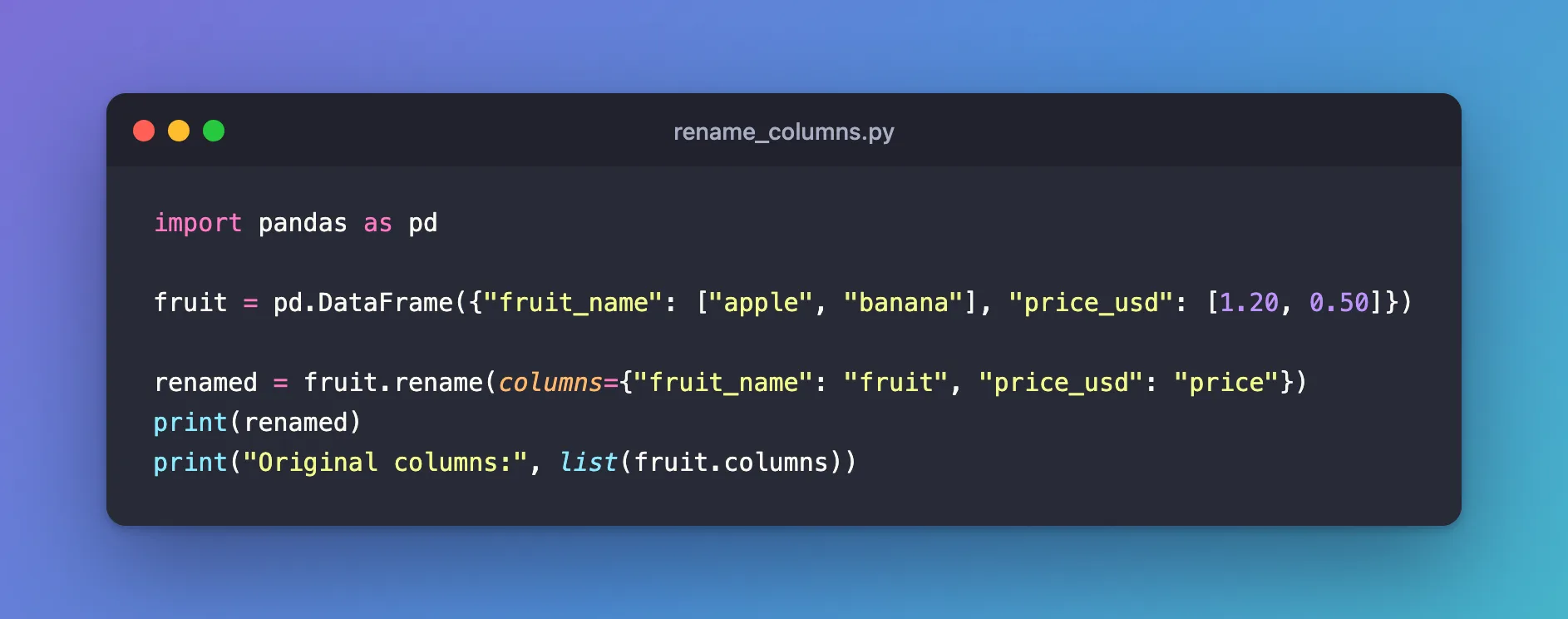
import pandas as pd

fruit = pd.DataFrame({"fruit_name": ["apple", "banana"], "price_usd": [1.20, 0.50]})

renamed = fruit.rename(columns={"fruit_name": "fruit", "price_usd": "price"})
print(renamed)
print("Original columns:", list(fruit.columns))
uv run python rename_columns.py
    fruit  price
0   apple    1.2
1  banana    0.5
Original columns: ['fruit_name', 'price_usd']
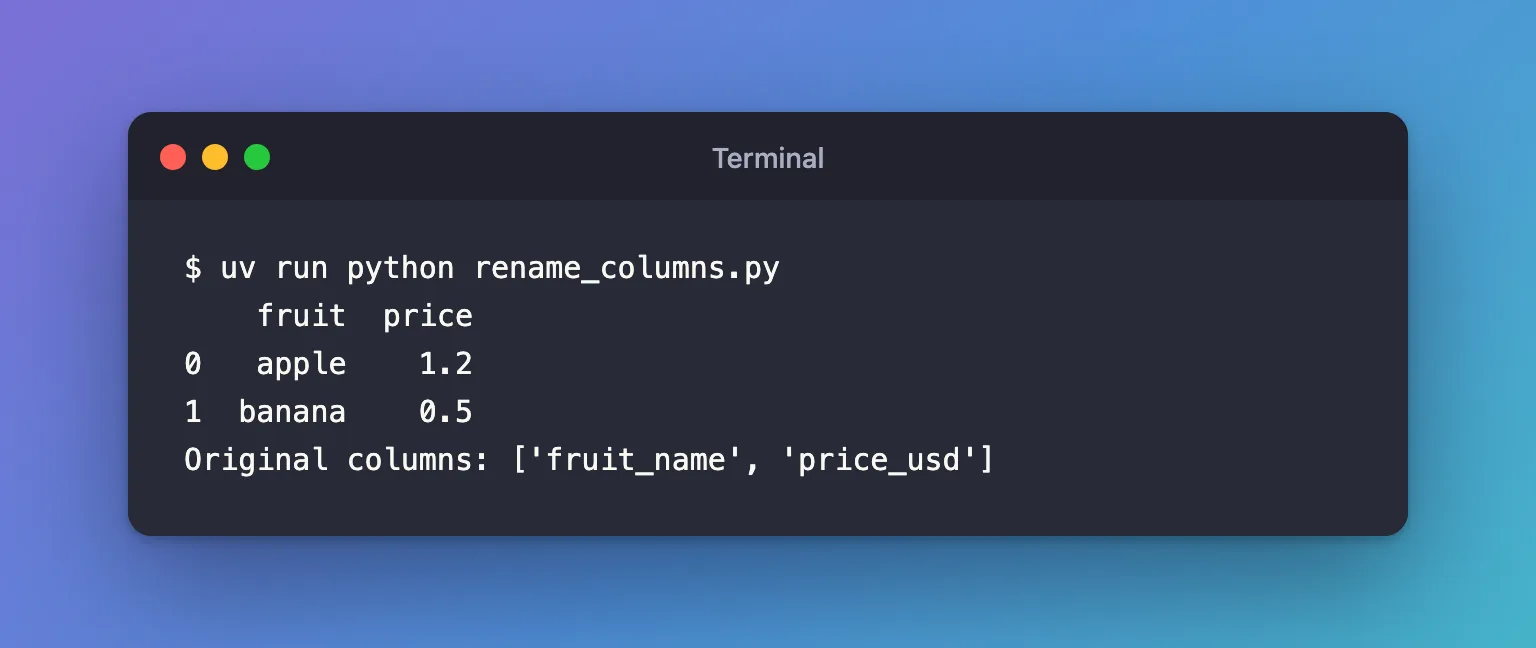
The new table has the short names; the original, fruit, still has the old ones. To keep the new names, assign the result, here to renamed, or back to the same variable: fruit = fruit.rename(...).
Step 2: Make a Misspelled Name an Error
By default, a name in the dictionary that isn't a column is skipped without a word. Create rename_strict.py, which asks for a colour column that the table doesn't have:
import pandas as pd

fruit = pd.DataFrame({"fruit_name": ["apple", "banana"], "price_usd": [1.20, 0.50]})

print(list(fruit.rename(columns={"colour": "color"}).columns))
fruit.rename(columns={"colour": "color"}, errors="raise")
uv run python rename_strict.py
['fruit_name', 'price_usd']
KeyError: "['colour'] not found in axis"
The first call changed nothing and said nothing. With errors="raise", the same call stops with a KeyError that names the missing column, so a typo can't slip through.
Common Mistakes
| Mistake | What happens | Do this instead |
|---|---|---|
Calling fruit.rename(...) without keeping the result | fruit keeps its old names | fruit = fruit.rename(...) |
| Misspelling an old name | Nothing is renamed, and no error | Pass errors="raise" |
rename({"fruit_name": "fruit"}) without columns= | pandas renames row labels instead | Write columns={...} |
Troubleshooting
| Symptom | Likely cause | Fix |
|---|---|---|
KeyError: "['colour'] not found in axis" | errors="raise" and a name that isn't a column | Check the names with list(frame.columns) |
| The new name doesn't appear | The result wasn't assigned | Assign it to a variable |
| Two columns end up with the same name | Two old names were mapped to one new name | Give each a distinct new name |
FAQ
How do I rename every column at once?
List every column in the dictionary, or assign a new list of names: fruit.columns = ["fruit", "price"], which must have one name per column.
Can I rename with a function?
Yes: columns= also takes a function that receives each name, such as str.upper.
Does rename change the data?
No. Only the column labels change; the values stay the same.
Conclusion
frame.rename(columns={"fruit_name": "fruit", "price_usd": "price"}) returned a new DataFrame with the short names and left the original alone. Assign the result to keep it, and add errors="raise" so a misspelled name raises a KeyError instead of being skipped.
Additional Resources
- pandas.DataFrame.rename — the method's reference.
