How to Rename a SharePoint Library Without Changing Its URL

A SharePoint library's name does two jobs at creation: it's the name people see and the start of its web address. Spaces in the name become %20 in the address. The way round it is to create the library without spaces and rename it afterwards: the name changes, the address doesn't.
In the Overtime Timesheet series, the payroll library was created as PayrollExports and renamed Payroll Exports. People see the friendly name; flows and links use the short address.
Prerequisites
- A library created without spaces in its name: How to Create a Document Library in SharePoint Online.
- Owner permissions on the site.
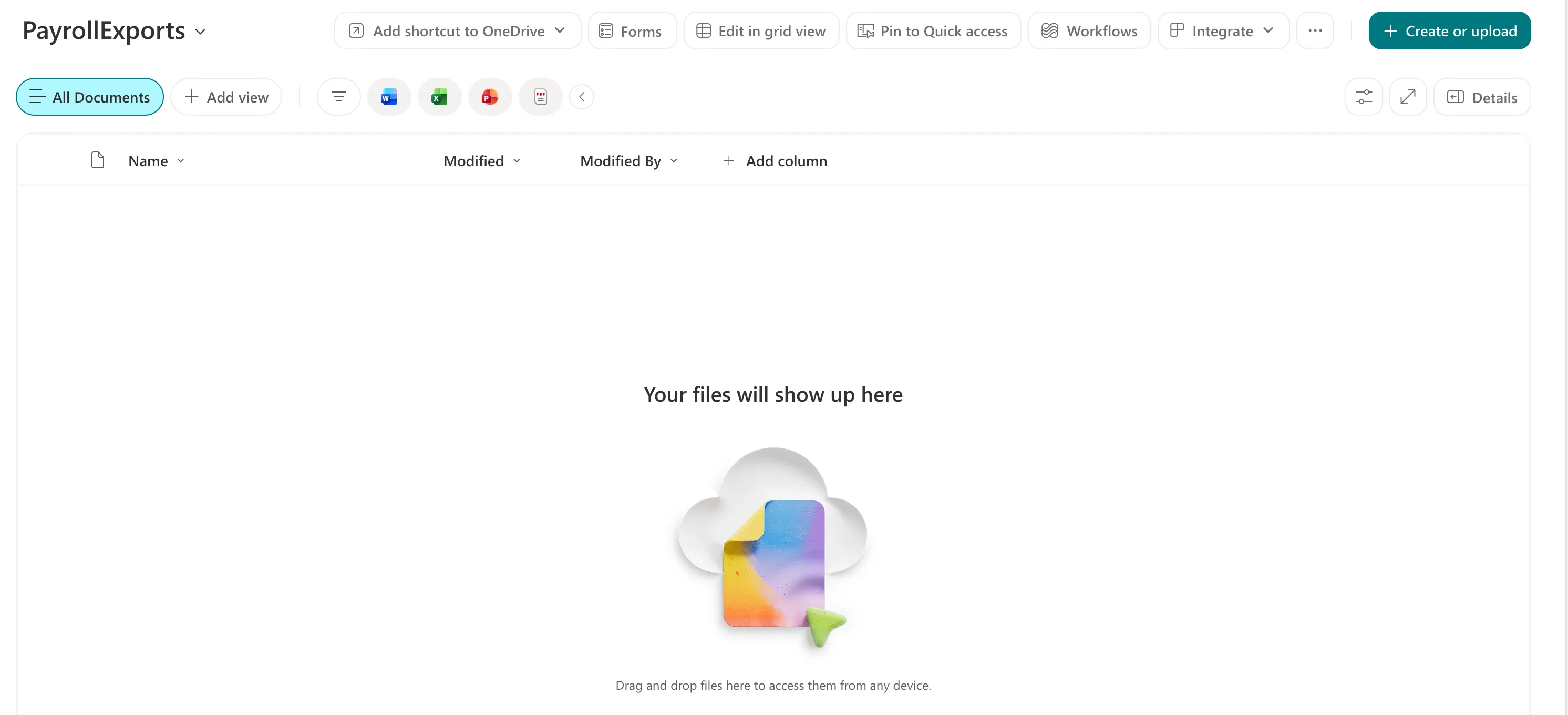
Before: One Word
Created as PayrollExports, the library shows that name at the top:
Step 1: Open Library Settings
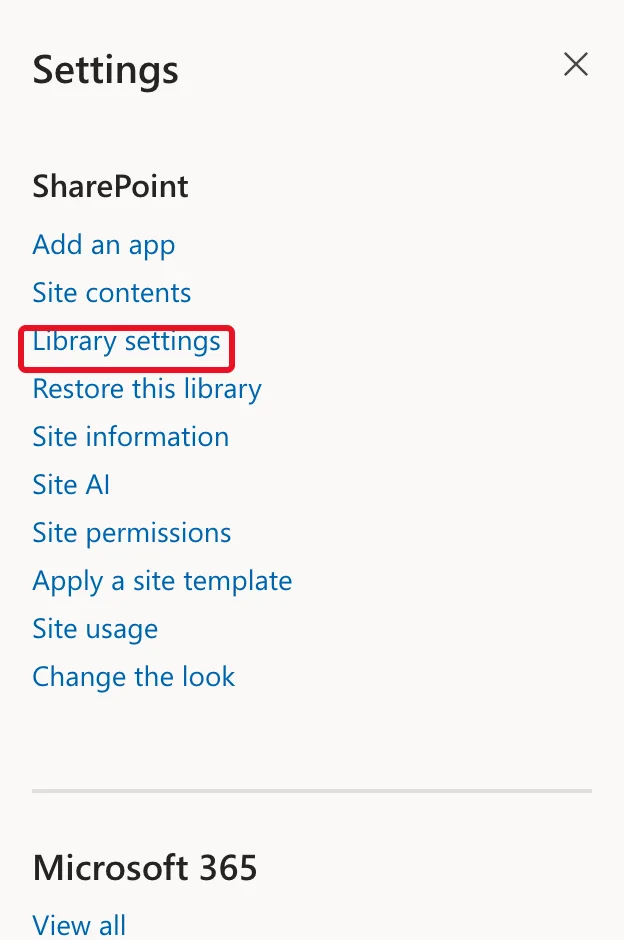
In the library, select Settings (the gear) → Library settings:
Step 2: Change the Name
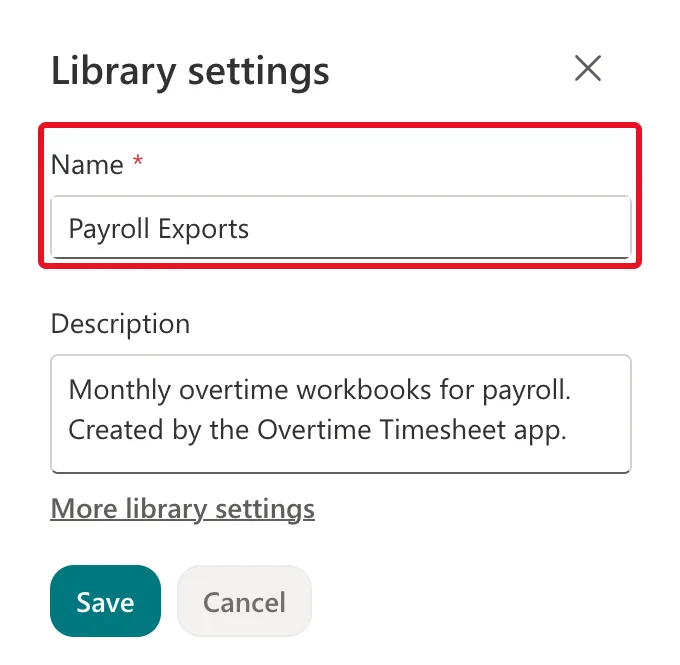
The Library settings panel opens with Name and Description. Change Name to Payroll Exports and select Save:
The library's heading changes straight away:

Step 3: Check the Web Address
Open Library settings again and select More library settings. The classic settings page lists both, under List Information:

The name has a space; the address still ends /PayrollExports/. Microsoft's Create a list says the same of lists: "You can change the name of a list, but the web address will remain the same."
Common Mistakes
| Mistake | What happens | Do this instead |
|---|---|---|
| Creating the library with spaces | The address has %20 for each space | Create it without spaces, then rename |
| Expecting the rename to change the address | It doesn't | Choose the address-friendly name at creation |
| Renaming a library a flow already uses, and checking nothing | The flow may refer to it by name | Check flows and apps after any rename |
Troubleshooting
| Symptom | Likely cause | Fix |
|---|---|---|
| The old name still shows somewhere | A page or link was opened before the rename | Reload it |
| You want the address changed too | Renaming never changes it | Create a new library with the address you want and move the files |
FAQ
Does this work for lists too?
Yes. Lists have the same split between name and address, as Microsoft's quote above says. The two lists of the Overtime Timesheet series keep names without spaces, because apps use list names in formulas.
Where else can I rename it?
The classic page from More library settings has List name, description and navigation, where the same name can be changed.
Conclusion
Create a library with a one-word name, then Library settings → Name → a friendly name → Save. The heading changes and the web address stays exactly as it was.
