How to Rename a Registered Model in MLflow

A registered model often starts with a working name, such as iris-draft, and earns a proper one later. MlflowClient.rename_registered_model changes the name in one call, and the versions and aliases go with it. This guide renames a model and checks what moved and what didn't, with real output from MLflow 3.18.0.
Syntax
MlflowClient().rename_registered_model(name, new_name)
| Part | What it means |
|---|---|
name | The registered model's current name |
new_name | The name it should have; no other registered model may have it |
MLflow's Model Registry workflows page: "you can rename an existing registered model using rename_registered_model()". The reference describes rename_registered_model as "Update registered model name."
Prerequisites
- An MLflow tracking server with a database backend at
http://127.0.0.1:8080, such asmlflow server --port 8080with its default SQLite database. The registry needs one. mlflowandscikit-learnin your project, for example withuv add mlflow scikit-learn pandas.
Step 1: Rename the Model and Check It
The example registers an iris classifier as iris-draft and points production at its version 1. It renames the model to iris-flower-classifier, then prints the new name, its aliases and versions, and searches for the old name:
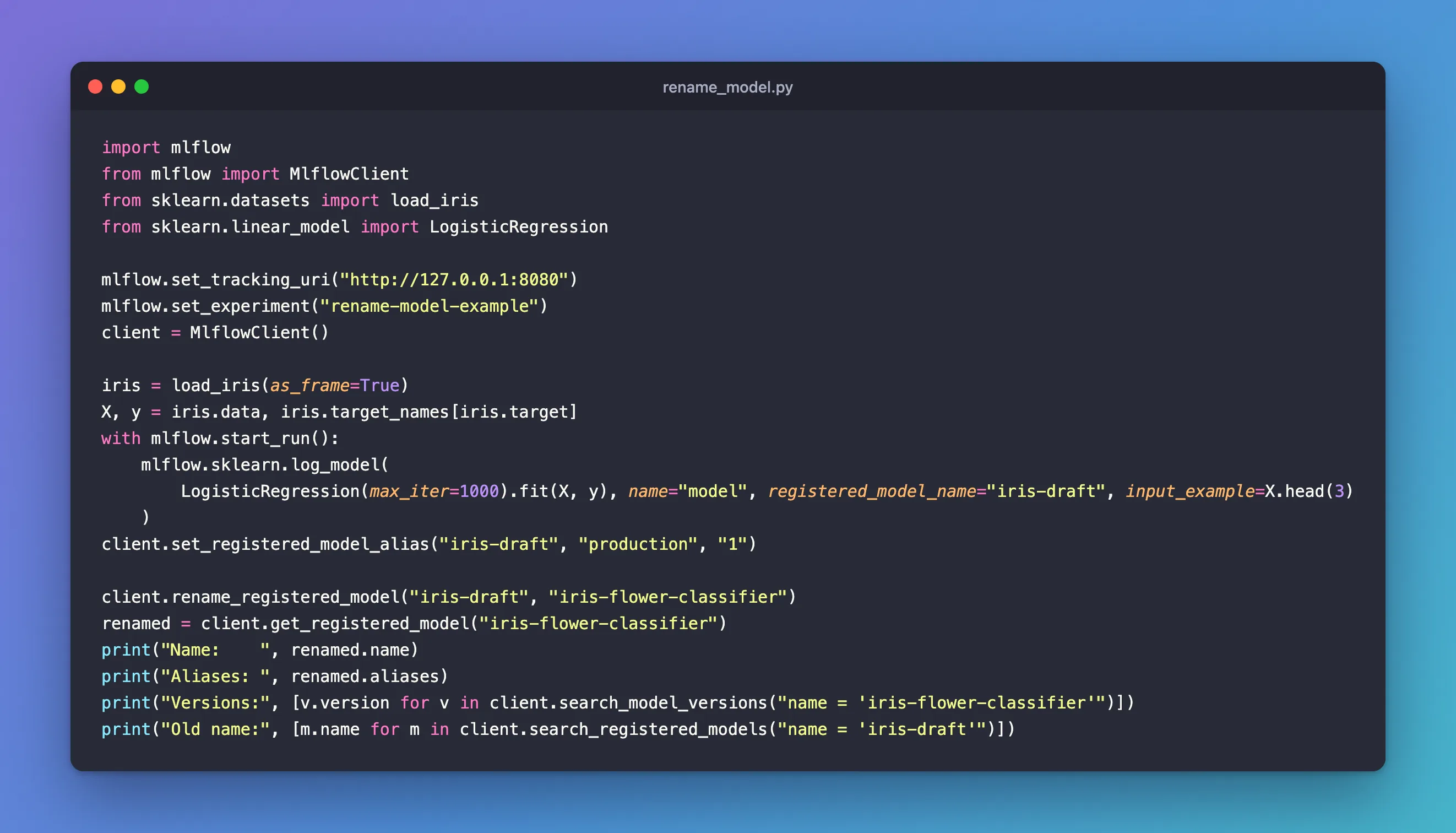
import mlflow
from mlflow import MlflowClient
from sklearn.datasets import load_iris
from sklearn.linear_model import LogisticRegression

mlflow.set_tracking_uri("http://127.0.0.1:8080")
mlflow.set_experiment("rename-model-example")
client = MlflowClient()

iris = load_iris(as_frame=True)
X, y = iris.data, iris.target_names[iris.target]
with mlflow.start_run():
    mlflow.sklearn.log_model(
        LogisticRegression(max_iter=1000).fit(X, y), name="model", registered_model_name="iris-draft", input_example=X.head(3)
    )
client.set_registered_model_alias("iris-draft", "production", "1")

client.rename_registered_model("iris-draft", "iris-flower-classifier")
renamed = client.get_registered_model("iris-flower-classifier")
print("Name:    ", renamed.name)
print("Aliases: ", renamed.aliases)
print("Versions:", [v.version for v in client.search_model_versions("name = 'iris-flower-classifier'")])
print("Old name:", [m.name for m in client.search_registered_models("name = 'iris-draft'")])
uv run python rename_model.py
Name:     iris-flower-classifier
Aliases:  {'production': '1'}
Versions: ['1']
Old name: []
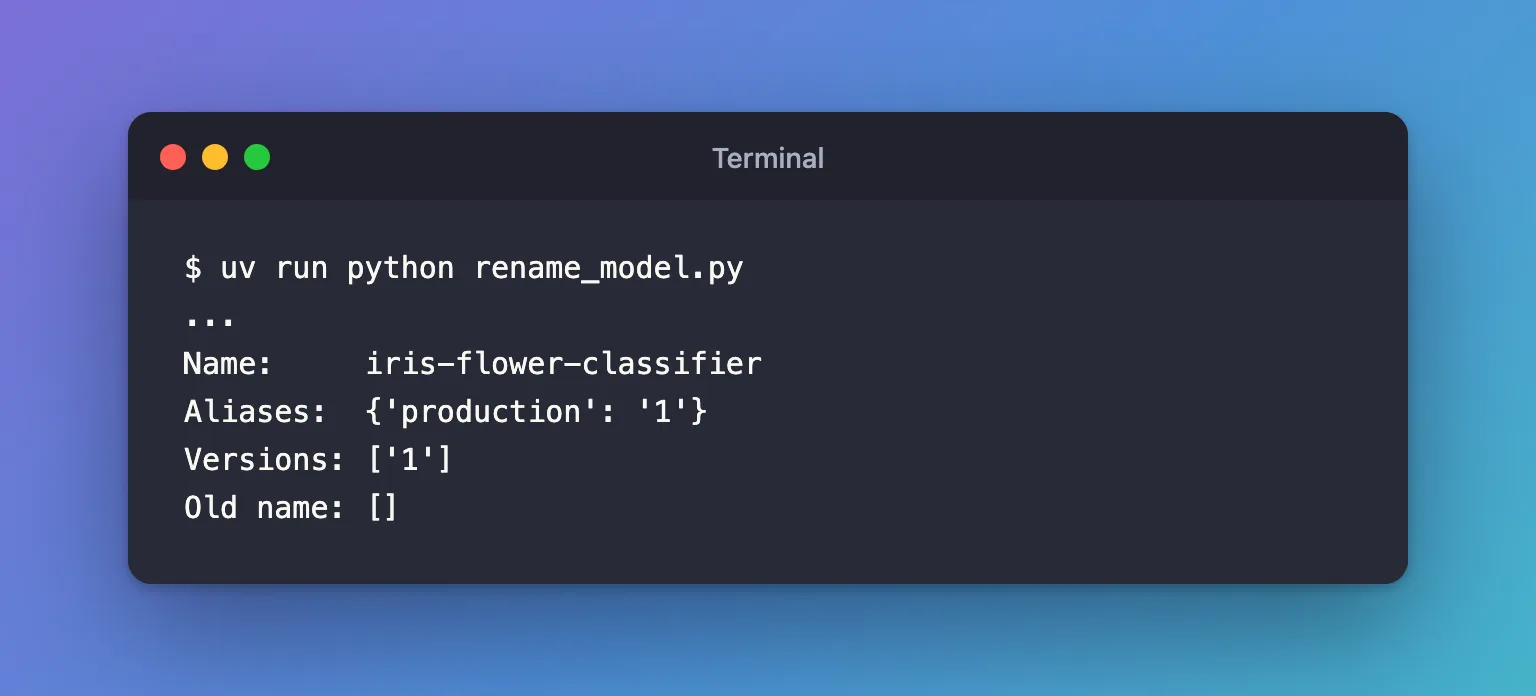
- Aliases and Versions:
productionand version 1 came along with the rename. - Old name: nothing is registered as
iris-draftany more.
Common Mistakes
| Mistake | What happens | Do this instead |
|---|---|---|
| Renaming a model that running code loads by name | Loads of models:/iris-draft@production fail with RESOURCE_DOES_NOT_EXIST | Change the code's model name in the same release |
| Picking a name another registered model already has | The rename fails, and nothing changes | Check that the name is free with search_registered_models first |
Troubleshooting
| Symptom | Likely cause | Fix |
|---|---|---|
RESOURCE_ALREADY_EXISTS: Registered Model (name=iris-species) already exists. | Another registered model has the new name | Pick a free name, or rename or delete the other one first |
RESOURCE_DOES_NOT_EXIST: Registered Model with name=iris-draft not found | Something still uses the old name | Use the new name |
FAQ
Do the versions keep their numbers?
Yes. Version 1 is still version 1, now under the new name, as the output shows.
Can I rename a single version?
No. Versions have numbers, not names; to put a version under another name, copy it: How to Copy a Model Version to Another Registered Model in MLflow.
Conclusion
client.rename_registered_model("iris-draft", "iris-flower-classifier") moved the model, its version 1 and its production alias to the new name, and left nothing under the old one.
Additional Resources
- Model Registry workflows — renaming a model.
- MlflowClient.rename_registered_model — the call and an example.
