How to Rename a Connection Reference in Power Apps

A connection reference called MSN Weather says which connector it uses, but not what it's for. Give it a clear name in a minute from its solution, without touching anything that uses it.
A connection reference is the solution component that stands between a flow, or some canvas apps, and the connection they use. The ones the flow designer creates for you can be named after nothing but their connector, such as Office 365 Outlook. The display name is what people see when they import your solution and pick a connection for each reference (How to Import a Solution in Power Apps), so it's worth making it say what the reference is for.
Microsoft's advice, in Use a connection reference in a solution, is that "the display name of a connection reference should be unique so different connection references can be differentiated by name alone", and to "consider adjusting the connection reference name to something unique and something that explains what it will be used for."
A reference has two names:
| Name | Example | Can you change it? |
|---|---|---|
| Display name | MSN Weather | Yes. This guide changes it. |
| Name | dewiride_MSNWeather | No. It's fixed when the reference is created, and it starts with the solution publisher's prefix. Flows find the reference by this name. |
The example is a solution called How-to Examples with one reference, MSN Weather, renamed to How-to Examples MSN Weather so it says which solution it belongs to.
Step 1: Open the Solution's Connection References
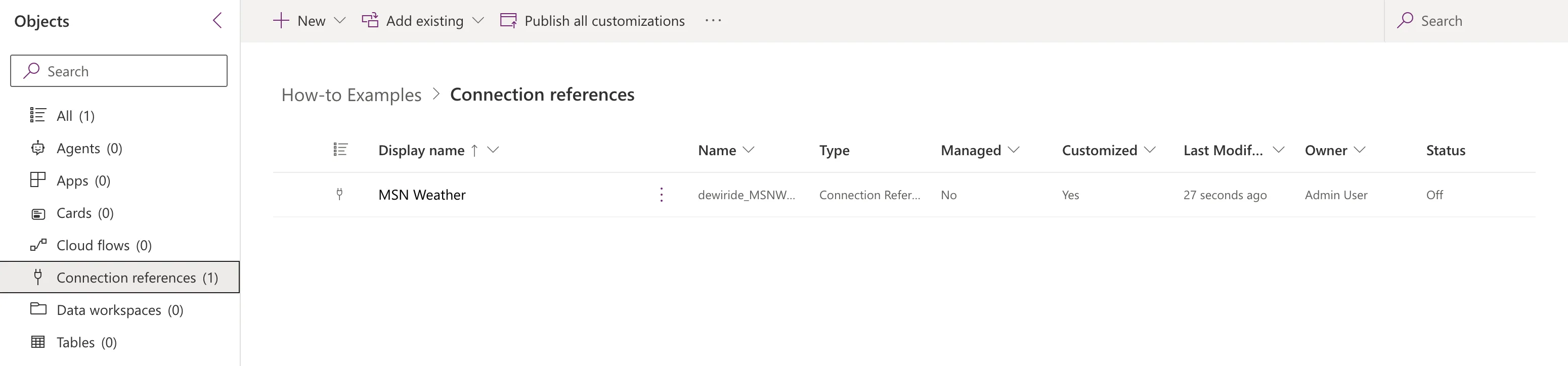
In Power Apps, select Solutions, open your solution, and in Objects select Connection references:
Step 2: Open the Reference
Select the reference's display name. The Edit panel opens:
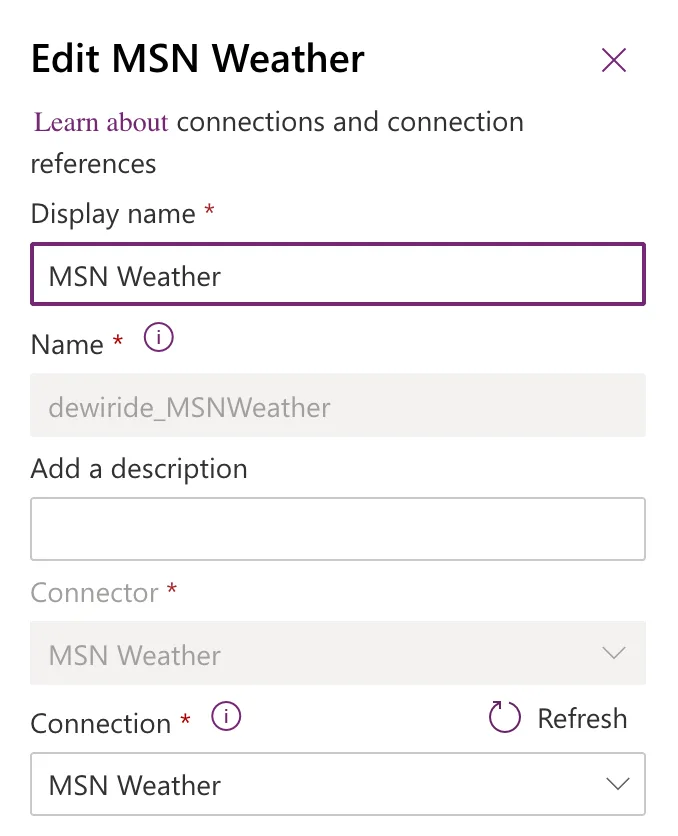
Only Display name, the description and Connection can be changed. Name and Connector are greyed out.
Step 3: Type the New Display Name
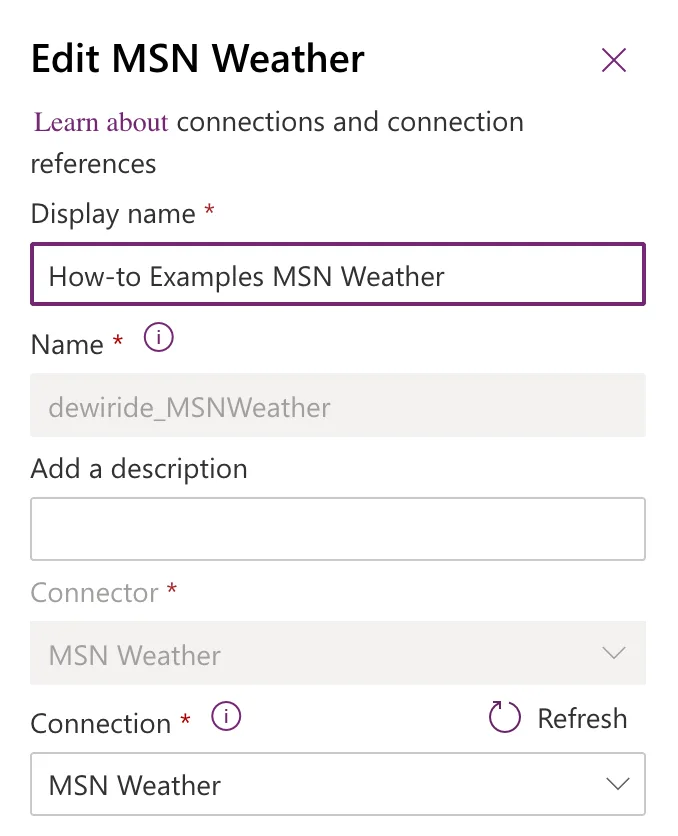
Replace Display name with a name that says what the reference is for. Here it's How-to Examples MSN Weather:
Step 4: Save and Confirm
Select Save at the bottom of the panel. A dialog asks you to confirm:
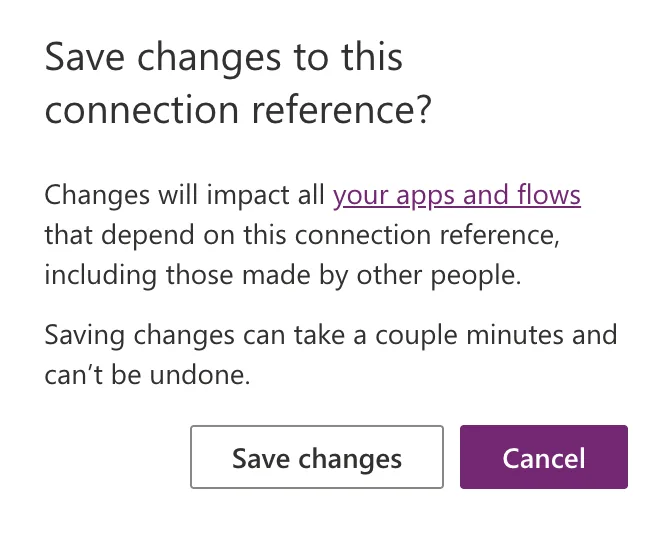
The warning is about the apps and flows that use the reference. A new display name doesn't change what any of them connect to. Select Save changes.
Step 5: Check the New Name
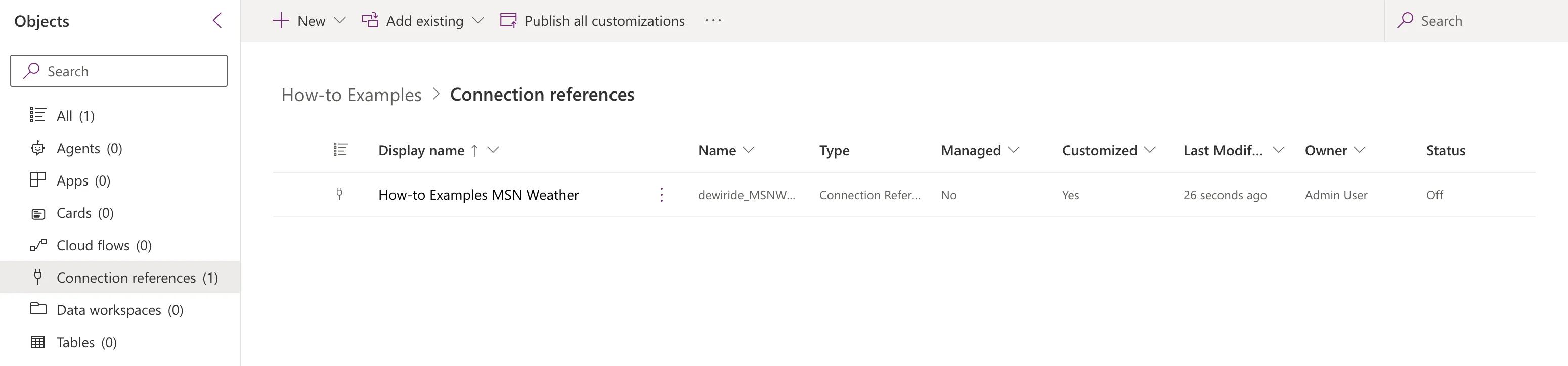
The panel closes, and the list shows the new display name, with the same Name as before:
What Happens to Flows That Use It
Nothing that changes how they run. A flow's definition stores the reference's Name, which a rename leaves alone.
The example's reference had no flows. When I renamed references that seven flows used, Power Apps showed one banner per reference: Cloud flows are being updated for object '…'. See cloud flow updates. Microsoft's article says connection references are saved asynchronously, and that this banner links to the update details. The Cloud flow updates panel it opened stayed empty, even after Refresh. All seven flows stayed On, and their Last Modified didn't change.
Common Mistakes
| Mistake | What happens | Do this instead |
|---|---|---|
| Changing Connection while renaming | Every app and flow that uses the reference switches to that connection | Change only Display name |
| Giving two references the same display name | Installers can't tell them apart | Make each name unique, for example with the solution's name in it |
| Trying to rename by editing Name | It's greyed out | Change Display name |
Troubleshooting
| Symptom | Likely cause | Fix |
|---|---|---|
| Save stays greyed out | Nothing in the panel has changed yet | Type the new name |
| A Cloud flows are being updated banner stays | The update runs in the background | Close it; the flows keep running |
FAQ
Can I change the Name too?
No. To get a different Name, create a new reference in the solution (How to Create a Connection Reference in a Solution in Power Apps), switch each action to it (How to Change an Action's Connection Reference in Power Automate), and then remove the old one.
Why do some references start with new_?
The Name starts with a publisher's prefix. References that the designer creates for you can get a different prefix from your solution's publisher. Renaming changes only the display name, so a new_ reference keeps its new_ name.
Can I add more than a name?
The same panel has Add a description, for a longer note on what the reference is for.
Conclusion
Open the reference from its solution, change Display name, select Save, and confirm with Save changes. The new name is what people see when they pick connections, and nothing that uses the reference changes.
Additional Resources
- Use a connection reference in a solution: naming, adding and limits.
