How to Remove the Last EF Core Migration

You ran dotnet ef migrations add, looked at the result, and it's wrong: a missing setting, a typo in the name, a change you didn't mean to include. dotnet ef migrations remove undoes it cleanly, as long as the migration hasn't been applied. This guide removes an unapplied migration, shows the error when it was applied, and the two ways forward from there.
What Removing Does
EF Core's tools reference says the command "Removes the last migration, rolling back the code changes that were done for the latest migration." That's three things: the migration's .cs file, its .Designer.cs file, and the change it made to the model snapshot.
The managing migrations page gives the typical case: "Sometimes you add a migration and realize you need to make additional changes to your EF Core model before applying it."
Prerequisites
- A .NET C# project with EF Core migrations. The examples use EF Core 10 with Oracle's
MySql.EntityFrameworkCoreand MySQL 9.7, with theDbContextin a class library. dotnet ef: How to Install dotnet-ef as a Local Tool in a .NET C# Project.
Step 1: Remove a Migration That Isn't Applied
I added a unique index to a category name and created the migration, AddCategoryNameIndex. Reading it showed EF Core had also changed the column from longtext to varchar(255), a length nobody chose. The migration wasn't applied yet:
20261103043401_CreateCatalogTables
20261103043533_LowercaseTableNames
20261103043612_AddCategoryNameIndex (Pending)
Remove it:
dotnet ef migrations remove --project src/Dewiride.Inventory.Data --startup-project src/Dewiride.Inventory.Api
Build started...
Build succeeded.
Removing migration '20261103043612_AddCategoryNameIndex'.
Reverting the model snapshot.
Done.
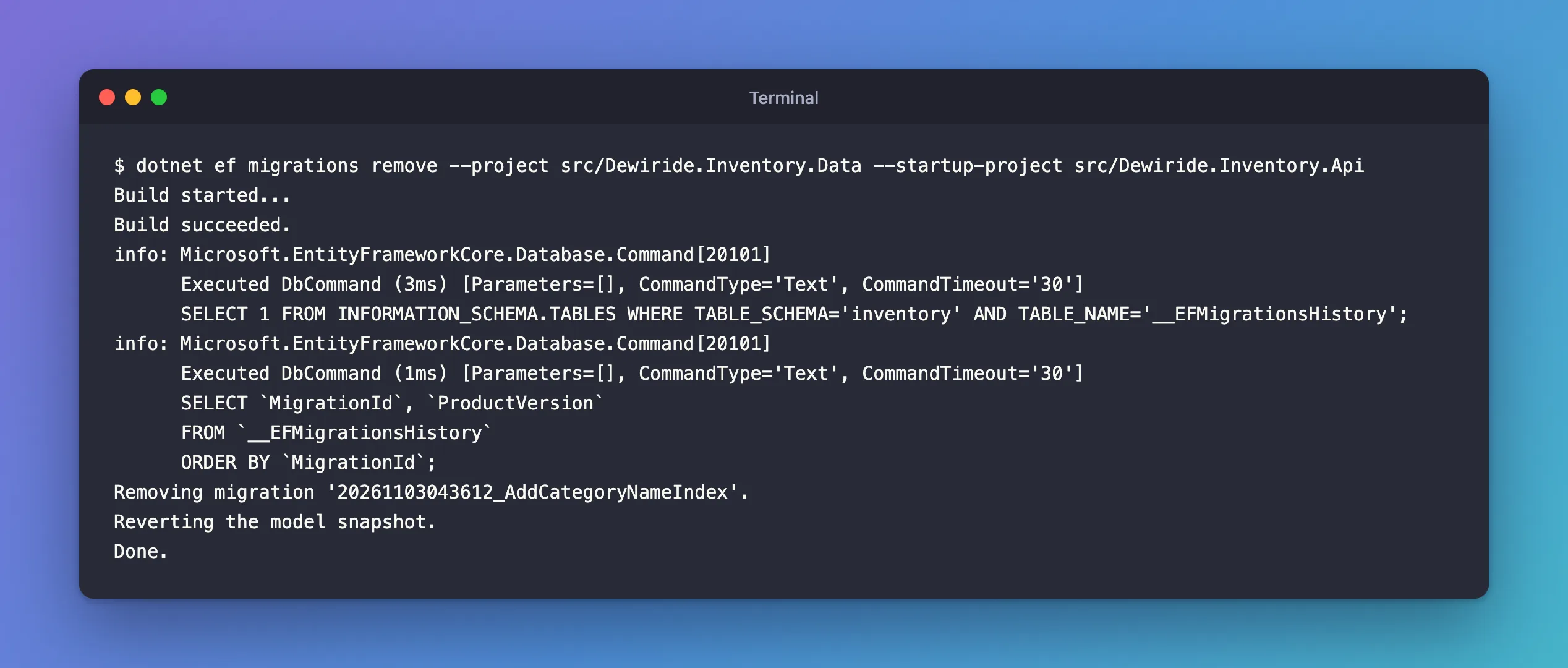
Before removing, the command read __EFMigrationsHistory from the database to make sure the migration wasn't applied. Then it deleted both migration files and put the snapshot back. Your model code, the entity or configuration change you made, stays as it is: fix it, then add the migration again.
Step 2: Try to Remove an Applied Migration
Here's what happens with a migration that is applied, MakeDescriptionRequired:
Build started...
Build succeeded.
The migration '20261103044430_MakeDescriptionRequired' has already been applied to the database. Revert it and try again. If the migration has been applied to other databases, consider reverting its changes using a new migration instead.
EF Core refuses, because removing the files would leave the database with changes no migration describes. The message gives both ways forward.
Step 3: Revert, Then Remove
On your own development database, revert first, by updating the database to the migration before it:
dotnet ef database update RestrictCategoryDelete --project src/Dewiride.Inventory.Data --startup-project src/Dewiride.Inventory.Api
Reverting migration '20261103044430_MakeDescriptionRequired'.
      ALTER TABLE `products` MODIFY `Description` longtext NULL;
      DELETE FROM `__EFMigrationsHistory`
      WHERE `MigrationId` = '20261103044430_MakeDescriptionRequired';
Done.
The migration's Down method ran, and its history row was deleted, so it's pending again. Now remove works:
Removing migration '20261103044430_MakeDescriptionRequired'.
Reverting the model snapshot.
Done.
Remember to undo the model change too; here, Description went back to string?. has-pending-model-changes then confirmed the code and the migrations agreed again.
Step 4: Or Do Both with --force
The docs offer a shortcut: "Alternatively, --force performs both steps". The tools reference describes it as "Revert the latest migration, rolling back both code and database changes". A throwaway migration, applied and then removed in one command:
dotnet ef migrations remove --force --project src/Dewiride.Inventory.Data --startup-project src/Dewiride.Inventory.Api
Acquiring an exclusive lock for migration application. See https://aka.ms/efcore-docs-migrations-lock for more information if this takes too long.
Reverting migration '20261103045409_TryLongerCategoryName'.
      ALTER TABLE `categories` MODIFY `Name` varchar(100) NOT NULL;
Removing migration '20261103045409_TryLongerCategoryName'.
Reverting the model snapshot.
Done.
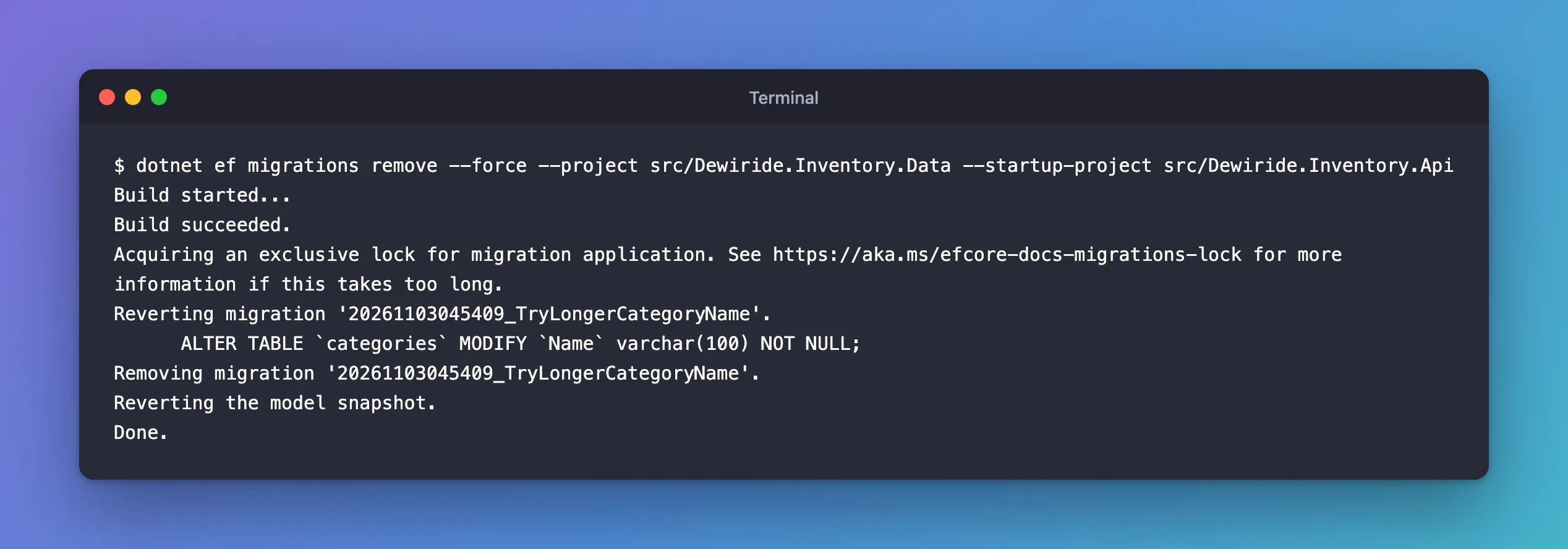
It reverted the database change and removed the files. The lock line is EF Core 9 and later protecting against two migrations running at once.
When Not to Remove
The docs warn: "Avoid removing any migrations which have already been applied to production databases. Doing so means you won't be able to revert those migrations from the databases, and may break the assumptions made by subsequent migrations." Once a migration has reached a shared or production database, leave it in place and create a new migration that undoes it, as the error message suggests. Removing is for your own work in progress.
Common Mistakes
| Mistake | What happens | Do this instead |
|---|---|---|
| Deleting the migration files by hand | The snapshot still contains the change; the next migration is wrong | Use dotnet ef migrations remove |
| Removing an applied migration on a shared database | Other databases keep changes no migration describes | Add a new migration that undoes it |
| Forgetting to undo the model change after removing | The next migrations add creates the same migration again | Fix or undo the model first |
| Removing a migration that isn't the last one | Not possible: the command only removes the last | Remove from the newest down, or add a corrective migration |
Troubleshooting
| Symptom | Likely cause | Fix |
|---|---|---|
The migration '…' has already been applied to the database. | It's applied | Revert first, or --force on a development database |
| The revert fails | The Down method can't undo the data as it is now | Fix Down, then revert |
remove can't reach the database | The database is down | Start it; with --force, the tools fall back to removing only the code |
The last row comes from the reference's description of --force: it "Continues to roll back only the code changes if an error occurs while connecting to the database."
FAQ
Does removing a migration delete data?
No. Removing only touches files. Reverting, with database update or --force, runs the migration's Down method, which can drop columns or tables and their data.
Can I remove several migrations?
One at a time: each remove takes the newest. To undo several applied ones, revert to the oldest one you want to keep, then run remove once per migration.
Conclusion
dotnet ef migrations remove deletes the last migration's files and reverts the snapshot, after checking that the migration isn't applied. When it is, revert first with dotnet ef database update <previous migration> and then remove, or use --force to do both on a development database. Once a migration has reached a shared database, don't remove it: add a new migration that undoes it.
