How to Reload MySQL TLS Certificates Without a Restart

MySQL reads its certificate files when it starts, so replacing a file changes nothing by itself. ALTER INSTANCE RELOAD TLS makes it read them again, with no restart, and connections already open aren't touched.
What You Need
A MySQL account with the CONNECTION_ADMIN right, such as root, and new certificate files in place, under the same names MySQL already uses. For a certificate with a new name, see How to Give a MySQL Docker Container a Certificate with the Right Host Name.
Step 1: Reload, and Check
Compare the certificate's end date, before and after:
SHOW GLOBAL STATUS LIKE 'Ssl_server_not_after';
ALTER INSTANCE RELOAD TLS;
SHOW GLOBAL STATUS LIKE 'Ssl_server_not_after';
+----------------------+--------------------------+
| Variable_name        | Value                    |
+----------------------+--------------------------+
| Ssl_server_not_after | Nov  3 06:02:30 2036 GMT |
+----------------------+--------------------------+
1 row in set (0.007 sec)
Query OK, 0 rows affected (0.001 sec)

+----------------------+--------------------------+
| Variable_name        | Value                    |
+----------------------+--------------------------+
| Ssl_server_not_after | Feb  8 06:04:42 2029 GMT |
+----------------------+--------------------------+
1 row in set (0.000 sec)
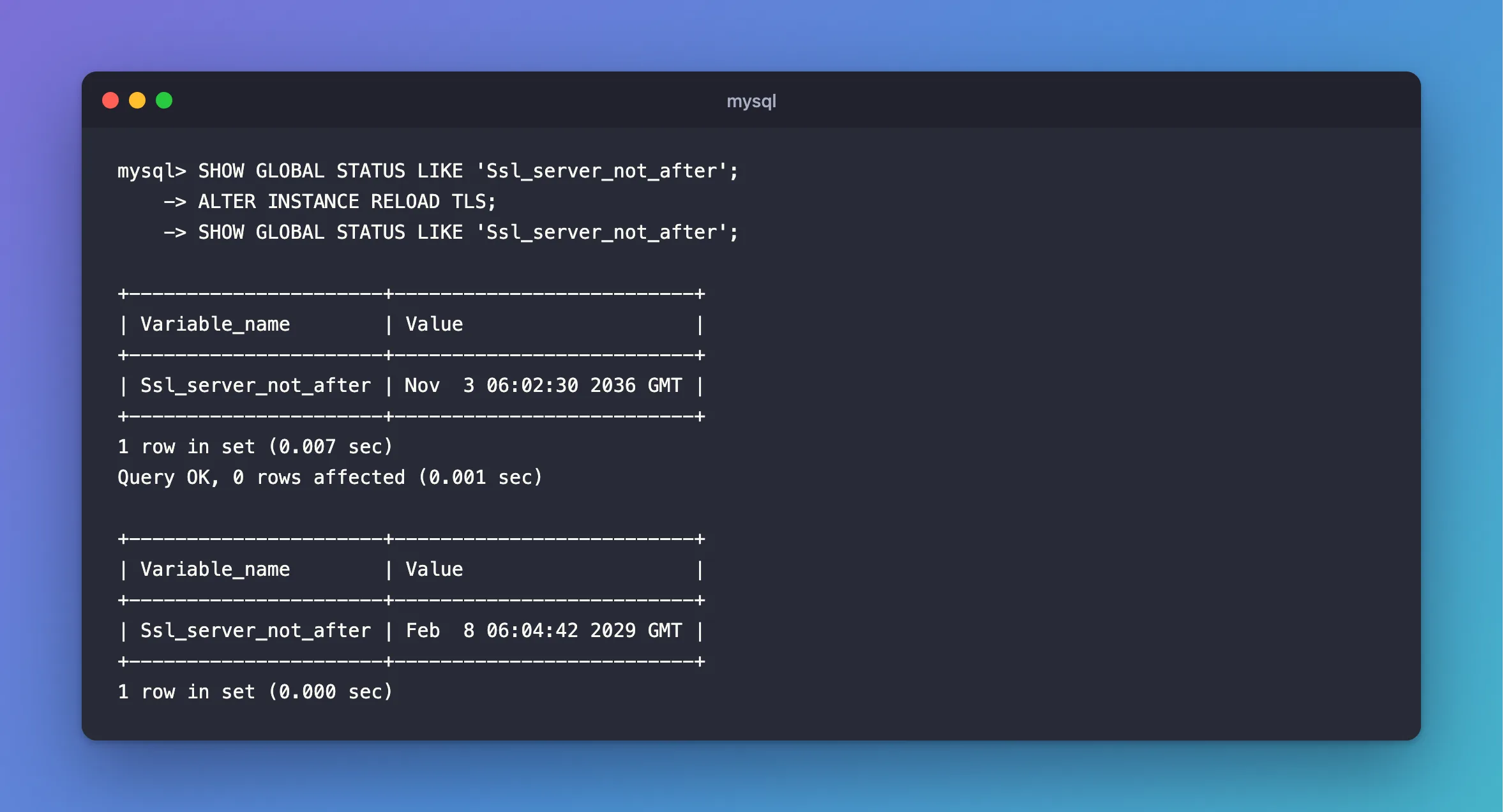
The date changed, so new connections now get the new certificate.
Step 2: Know What Happens If the Files Are Bad
The plain statement is safe. With the wrong key in place, it refuses, and it changes nothing:
ERROR 3888 (HY000): Failed to set up SSL because of the following SSL library error: Unable to get private key
The manual says it "rolls back with an error and has no effect", and "The previous context values continue to be used for new connections."
There's also an option to skip that protection, and you'll rarely want it:
Query OK, 0 rows affected, 1 warning (0.001 sec)
That looks like it worked. In fact, the warning says MySQL couldn't load the files, and now it has no TLS at all for new connections.
Who Can Run It
An ordinary account gets this:
ERROR 1227 (42000): Access denied; you need (at least one of) the CONNECTION_ADMIN privilege(s) for this operation
It Doesn't Survive on Its Own
The statement reads the files named by the ssl_ca, ssl_cert and ssl_key variables. If you've changed those with SET GLOBAL, a restart forgets them, so keep them in your configuration or use SET PERSIST. If you've only replaced the files themselves, as here, a restart reads the same new files.
Common Mistakes
| Mistake | What happens | Do this instead |
|---|---|---|
| Replacing a file and not reloading | MySQL keeps using the old certificate | Reload, and check Ssl_server_not_after |
Adding NO ROLLBACK ON ERROR out of habit | Bad files turn TLS off | Leave it out |
| Restarting instead | Every connection drops | Reload |
Treating 1 warning as nothing | That warning can be the failure itself | Run SHOW WARNINGS |
Troubleshooting
| Symptom | Likely cause | Fix |
|---|---|---|
ERROR 3888 … Unable to get private key | The key doesn't match, or can't be read | The fix |
ERROR 1227 … CONNECTION_ADMIN | Your account can't reload | Use an administrator |
| A client still sees the old certificate | It's using a connection from before | New connections get the new one |
Conclusion
Replace the files, run ALTER INSTANCE RELOAD TLS, and check Ssl_server_not_after. If anything's wrong with the files, the old certificate stays in use.
Additional Resources
- ALTER INSTANCE —
RELOAD TLSand its options. - Configuring MySQL to Use Encrypted Connections — the variables involved.
