How to Reject a Microsoft Agent Framework Tool Call with a Reason in C#

A rejected tool call shouldn't leave the model guessing. In Microsoft Agent Framework, CreateResponse takes a reason next to the rejection, and the model receives it in the call's result, so it can tell the user why the action didn't happen.
When a tool is wrapped in ApprovalRequiredAIFunction, a call to it doesn't run until a person answers its ToolApprovalRequestContent. A rejection without a reason tells the model only that the call was rejected. A rejection with one tells it what the person said.
Syntax
ToolApprovalResponseContent <answer> = <request>.CreateResponse(approved: false, reason: "<reason>");
<response> = await <agent>.RunAsync(new ChatMessage(ChatRole.User, [<answer>]), <session>);
| Part | What it is |
|---|---|
<request> | A ToolApprovalRequestContent from the response: the call that waits for approval |
approved: false | Rejects the call: it never runs |
reason: "<reason>" | Why. The reference calls it An optional reason for the approval or rejection |
<answer> | The ToolApprovalResponseContent for that request |
<agent>.RunAsync(..., <session>) | Sends the answer back as a user message, in the session that asked |
When a run asked for several approvals, answer each of them, in one message: a request without an answer is rejected for you, with no reason from the person.
The Example
A meeting-room agent has one tool, book_room, which needs approval. Someone asks it to book the large meeting room for Friday, and the app rejects the booking with the reason The large room is closed for cleaning on Friday., then prints what the model was told and what it answered.
Prerequisites
- A model deployment in a Microsoft Foundry project, and the Foundry User role on the Foundry resource for your account.
- The .NET 10 SDK (
dotnet --versionprints a version that starts with10.0) and the Azure CLI, signed in withaz login.
Step 1: Create a Console App
dotnet new console -n RoomBooking
cd RoomBooking
dotnet add package Microsoft.Agents.AI.Foundry --version 1.28.0-preview.261106.1
dotnet add package Azure.Identity --version 1.21.0
log  : Restored /Users/you/source/RoomBooking/RoomBooking.csproj (in 2.48 sec).
log  : Restored /Users/you/source/RoomBooking/RoomBooking.csproj (in 984 ms).
Step 2: Reject the Call with a Reason
Replace everything in Program.cs:
using System.ComponentModel;
using Azure.AI.Projects;
using Azure.Identity;
using Microsoft.Agents.AI;
using Microsoft.Extensions.AI;

// Booking a room changes the calendar, so every call waits for approval.
AITool bookTool = new ApprovalRequiredAIFunction(AIFunctionFactory.Create(BookRoom, name: "book_room"));

AIAgent agent = new AIProjectClient(
        new Uri("https://foundry-devblogs-exp.services.ai.azure.com/api/projects/proj-devblogs-exp"),
        new AzureCliCredential())
    .AsAIAgent(
        model: "gpt-5.6-luna",
        instructions: "You book meeting rooms. Answer in one sentence.",
        name: "RoomBooking",
        tools: [bookTool]);

AgentSession session = await agent.CreateSessionAsync();
AgentResponse response = await agent.RunAsync("Book the large meeting room for Friday.", session);

// Reject every booking the agent asked for, and say why: the reason reaches the model.
List<AIContent> answers = [];
foreach (ToolApprovalRequestContent request in response.Messages.SelectMany(message => message.Contents).OfType<ToolApprovalRequestContent>())
{
    FunctionCallContent call = (FunctionCallContent)request.ToolCall;
    Console.WriteLine($"Rejecting {call.Name}({string.Join(", ", call.Arguments?.Select(a => $"{a.Key}: {a.Value}") ?? [])})");
    answers.Add(request.CreateResponse(approved: false, reason: "The large room is closed for cleaning on Friday."));
}

response = await agent.RunAsync(new ChatMessage(ChatRole.User, answers), session);

// What the model was told about the call, and its answer.
foreach (FunctionResultContent result in response.Messages.SelectMany(message => message.Contents).OfType<FunctionResultContent>())
{
    Console.WriteLine($"  result: {result.Result}");
}

Console.WriteLine(response.Text);

[Description("Books a meeting room for a day.")]
static string BookRoom(
    [Description("The room, such as large or small.")] string room,
    [Description("The day to book it for.")] string day) => $"Booked the {room} room for {day}.";
new ApprovalRequiredAIFunction(...)makesbook_roomwait for approval.- The loop answers every request in the first response, so none is left without an answer.
request.CreateResponse(approved: false, reason: ...)rejects the call and gives the reason. In a real app, the person types it, as in the Tool Approval tutorial.- The
FunctionResultContentloop prints what the model received for the rejected call.
Use your own Foundry project endpoint and model deployment.
Step 3: Run It
Run dotnet run in VS Code's terminal, or press Ctrl+F5 in Visual Studio:
Rejecting book_room(room: large, day: Friday)
  result: Tool call invocation was rejected by the approver and must not be retried. The large room is closed for cleaning on Friday.
I couldn’t book the large meeting room for Friday because it’s closed for cleaning.
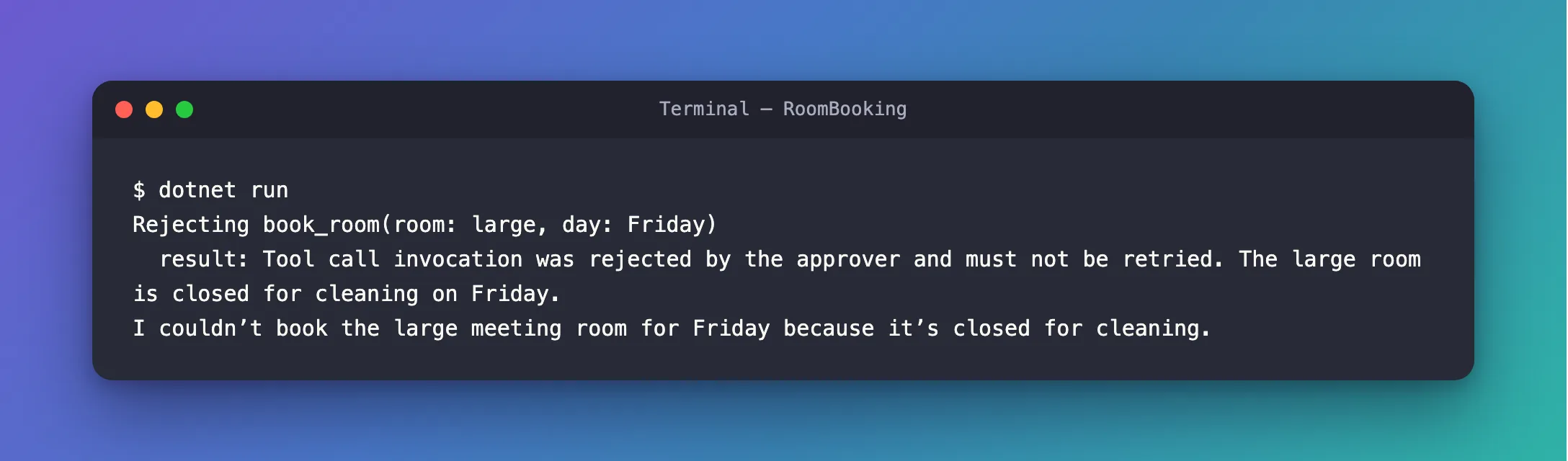
BookRoom never ran. The model received a result written by Agent Framework: a fixed sentence, Tool call invocation was rejected by the approver and must not be retried., followed by the reason. Nothing else told the model about cleaning, so its answer came from the reason.
The Complete File
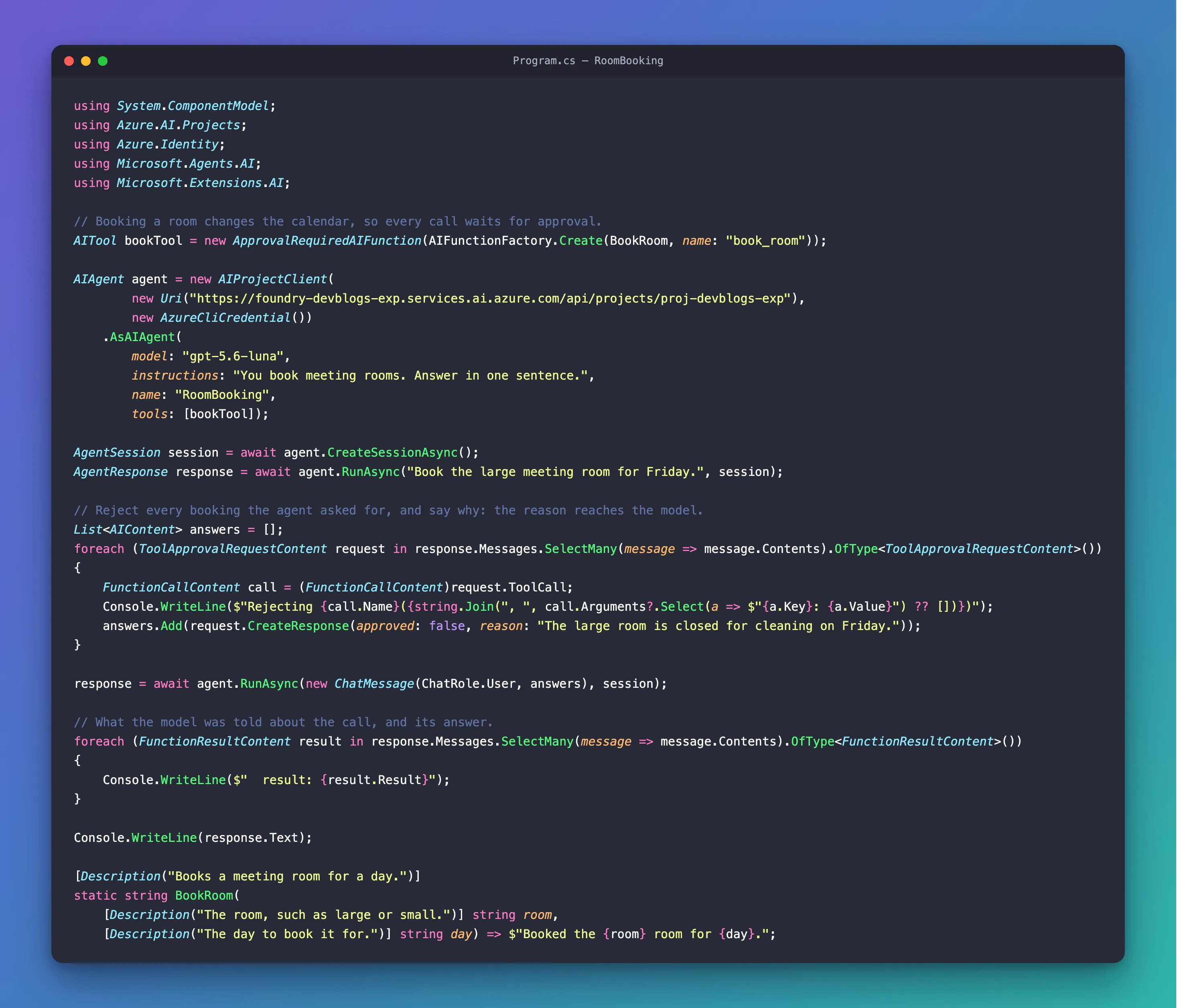
Program.cs from Step 2 is the whole program.
Common Mistakes
| Mistake | What happens | Do this instead |
|---|---|---|
| Rejecting without a reason | The model only knows the call was rejected, and has to guess why | Pass the person's reason |
| Putting private details in the reason | The reason becomes part of the conversation the model reads | Write it for the model and the user to see |
| Answering in a new session | The answer matches no waiting call, and the run fails | Send it in the session that asked |
FAQ
Does the model obey "must not be retried"?
It's an instruction in the result, not a lock. The lock is the approval: if the model called the tool again, the call would wait for approval again.
Can I give a reason when I approve?
CreateResponse(approved: true, reason: ...) accepts one too. This example only rejects.
Conclusion
To tell the model why a tool call was rejected, answer its ToolApprovalRequestContent with CreateResponse(approved: false, reason: "...") and send the answer back in the same session. Agent Framework gives the model the rejection with your reason, and the model can explain it to the user instead of guessing.
Additional Resources
- Using function tools with human in the loop approvals — the approval loop.
- ToolApprovalRequestContent.CreateResponse — the answer and its reason.
