How to Register Services with an IServiceCollection Extension Method in ASP.NET Core (AddXyz Pattern)

builder.Services.AddDbContext(...), options binding, validation, retries, health checks: Program.cs fills up fast, and the database setup ends up scattered between other features. ASP.NET Core's own answer is the AddXyz method: AddControllers, AddHealthChecks, AddOpenApi. You can write your own the same way, as an extension method on IServiceCollection. This guide builds one for an EF Core database, calls it with one line, and shows its startup checks catching mistakes.
The Convention
Microsoft's dependency injection docs: "The ASP.NET Core framework convention for registering a group of related services is to use a single Add{GROUP NAME} extension method to register all of the services required by a framework feature". And for your own code: "Related groups of registrations can be moved to an extension method to register services."
Prerequisites
- An ASP.NET Core app, here a .NET 10 Web API, and optionally a class library that owns the services. In this example the library holds the EF Core
DbContext; How to Create a .NET C# Web API Solution with a Class Library sets that up.
Step 1: Write the Extension Method
In the class library, a static class with one static method:
using Microsoft.EntityFrameworkCore;
using Microsoft.Extensions.Configuration;
using Microsoft.Extensions.DependencyInjection;
using Microsoft.Extensions.Options;

namespace Dewiride.Inventory.Data;

/// <summary>
/// Registers the inventory database with dependency injection.
/// </summary>
public static class InventoryDataServiceCollectionExtensions
{
    /// <summary>The name of the connection string, read from ConnectionStrings:Inventory.</summary>
    public const string ConnectionStringName = "Inventory";

    /// <summary>
    /// Adds <see cref="InventoryDbContext"/>, connected to MySQL through Oracle's EF Core provider,
    /// and validates the <see cref="DatabaseOptions"/> when the app starts.
    /// </summary>
    public static IServiceCollection AddInventoryData(
        this IServiceCollection services,
        IConfiguration configuration)
    {
        ArgumentNullException.ThrowIfNull(services);
        ArgumentNullException.ThrowIfNull(configuration);

        services.AddOptions<DatabaseOptions>()
            .Bind(configuration.GetSection(DatabaseOptions.SectionName))
            .ValidateDataAnnotations()
            .ValidateOnStart();

        // Fail at startup with a clear message, not on the first request.
        var connectionString = configuration.GetConnectionString(ConnectionStringName);
        if (string.IsNullOrWhiteSpace(connectionString))
        {
            throw new InvalidOperationException(
                $"The connection string 'ConnectionStrings:{ConnectionStringName}' is missing. " +
                "In development, set it with dotnet user-secrets. Everywhere else, set the " +
                $"ConnectionStrings__{ConnectionStringName} environment variable.");
        }

        services.AddDbContext<InventoryDbContext>((serviceProvider, options) =>
        {
            var database = serviceProvider.GetRequiredService<IOptions<DatabaseOptions>>().Value;

            options.UseMySQL(connectionString, mySql =>
            {
                // Retry operations that fail because of a short outage, such as a dropped connection.
                mySql.EnableRetryOnFailure(
                    maxRetryCount: database.MaxRetryCount,
                    maxRetryDelay: TimeSpan.FromSeconds(database.MaxRetryDelaySeconds),
                    errorNumbersToAdd: []);

                mySql.CommandTimeout(database.CommandTimeoutSeconds);
            });
        });

        return services;
    }
}
The parts that make it an extension method, and a good one:
public static classwith apublic staticmethod: C# requires both for extension methods.this IServiceCollection services: thethismakes the method callable asbuilder.Services.AddInventoryData(…), as if it were part ofIServiceCollection.IConfiguration configuration: the method gets settings passed in, so it doesn't depend on how the app loads them.return services;allows chaining furtherAdd…calls, like the framework's own methods.
And what it registers:
- Options with validation:
DatabaseOptionsis bound from theDatabasesection, checked against its[Range]attributes, andValidateOnStart()runs those checks when the app starts instead of on first use. How to Read from appsettings.json in ASP.NET Core covers the Options pattern. - A clear error if the connection string is missing, naming where to set it.
- The
DbContext, with MySQL, retries and a command timeout taken from the validated options.
Step 2: Call It from Program.cs
using Dewiride.Inventory.Data;

var builder = WebApplication.CreateBuilder(args);

builder.Services.AddOpenApi();

// The MySQL database, through EF Core. The connection string comes from configuration:
// dotnet user-secrets in development, an environment variable everywhere else.
builder.Services.AddInventoryData(builder.Configuration);
One line for the whole database setup, and it reads like the framework's own calls next to it.
Step 3: Watch Its Checks Work
A missing connection string. In development, the connection string comes from user-secrets, which ASP.NET Core loads only in the Development environment. Starting the API without its launch profile runs it as Production, so the connection string wasn't there:
dotnet run --project src/Dewiride.Inventory.Api --no-launch-profile
Unhandled exception. System.InvalidOperationException: The connection string 'ConnectionStrings:Inventory' is missing. In development, set it with dotnet user-secrets. Everywhere else, set the ConnectionStrings__Inventory environment variable.
   at Dewiride.Inventory.Data.InventoryDataServiceCollectionExtensions.AddInventoryData(IServiceCollection services, IConfiguration configuration) in /Users/you/projects/dewiride-inventory-api/src/Dewiride.Inventory.Data/InventoryDataServiceCollectionExtensions.cs:line 36
   at Program.<Main>$(String[] args) in /Users/you/projects/dewiride-inventory-api/src/Dewiride.Inventory.Api/Program.cs:line 15
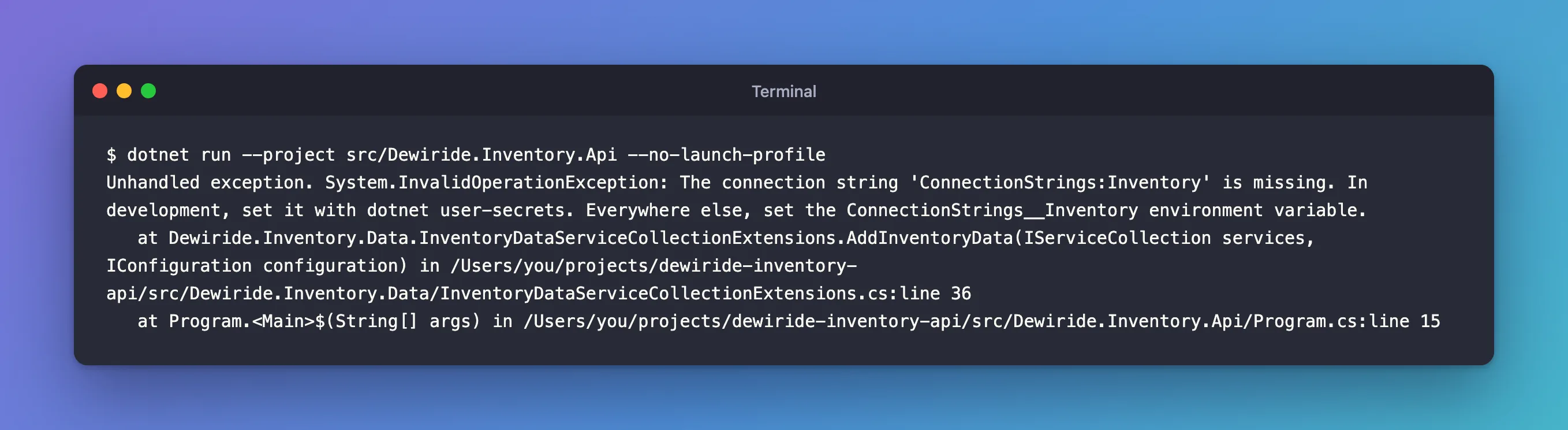
The app stopped before it listened on any port, with a message that says what to do.
An invalid setting. MaxRetryCount has [Range(0, 10)]. I set it to 50 with an environment variable, which overrides appsettings.json:
Database__MaxRetryCount=50 dotnet run --project src/Dewiride.Inventory.Api
fail: Microsoft.Extensions.Hosting.Internal.Host[11]
      Hosting failed to start
      Microsoft.Extensions.Options.OptionsValidationException: DataAnnotation validation failed for 'DatabaseOptions' members: 'MaxRetryCount' with the error: 'The field MaxRetryCount must be between 0 and 10.'.
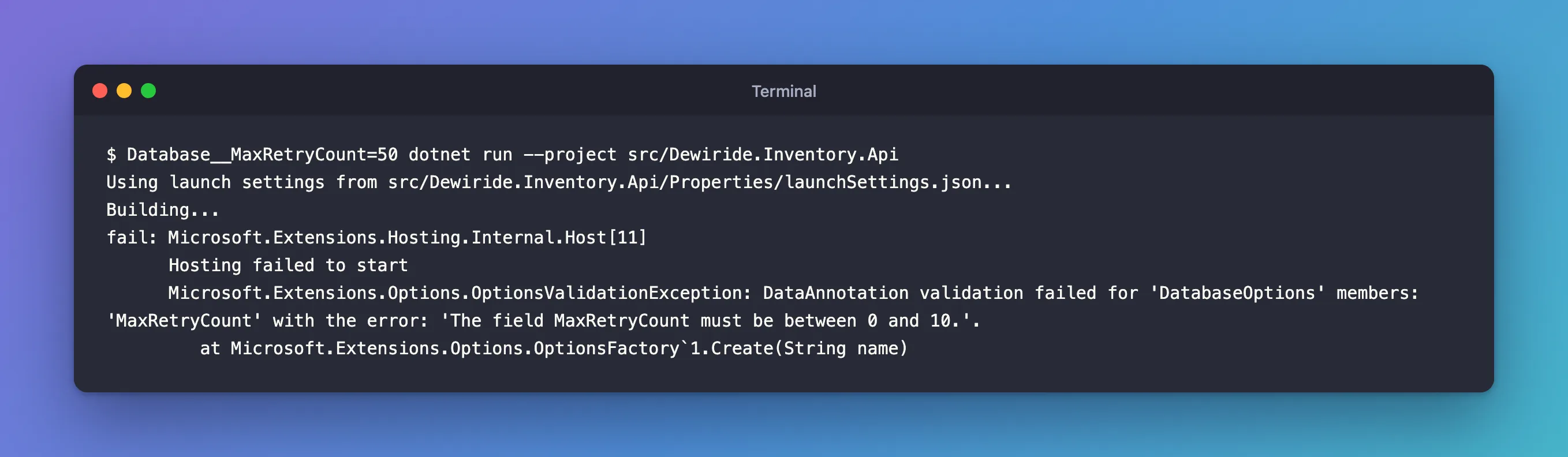
ValidateOnStart did its job: the bad value stopped the app at startup, not on the first database call hours later. The __ in the variable name stands for :, so Database__MaxRetryCount is Database:MaxRetryCount.
Which Namespace?
The DI docs recommend "creating extension methods in the Microsoft.Extensions.DependencyInjection namespace", which "Provides convenient IntelliSense access to the service": the method shows up wherever IServiceCollection is used, with no extra using. This project keeps it in the library's own namespace instead, so Program.cs needs using Dewiride.Inventory.Data;, which also makes it obvious where the method comes from. Both work; pick one and use it consistently.
Common Mistakes
| Mistake | What happens | Do this instead |
|---|---|---|
Forgetting this before IServiceCollection | It's a normal static method; builder.Services.AddInventoryData(…) doesn't compile | this IServiceCollection services |
| Reading configuration through a static or global instead of a parameter | The method is hard to test and reuse | Pass IConfiguration in |
| Validating options only when they're first used | A bad value surfaces on the first request | ValidateOnStart() |
| Putting the method in the web project | Other apps using the library can't call it | Keep it next to the services it registers |
FAQ
Can the method take an options delegate instead?
Yes, that's another common shape: AddInventoryData(Action<DatabaseOptions> configure). Passing IConfiguration, as here, suits settings that come from appsettings and environment variables.
Does this work outside ASP.NET Core?
Yes. IServiceCollection is the same in worker services and console apps that use the generic host, so the same method registers the database there too.
Conclusion
An AddXyz extension method on IServiceCollection turns a group of registrations into one readable line in Program.cs, the way the framework's own features work. Make it public static in a static class, take this IServiceCollection and the configuration it needs, return the collection, and let it check its own inputs: here, a missing connection string and an out-of-range option both stopped the app at startup with a clear message.
Additional Resources
- Dependency injection in ASP.NET Core: Register groups of services with extension methods
- Options pattern in ASP.NET Core
