How to Register a Model with mlflow.register_model

Logging a model saves it in a run; registering it gives it a name and a version number in the MLflow Model Registry, so other code can load "version 2 of iris-classifier" instead of a run ID. mlflow.register_model does that for a model you've already logged. This guide registers a model twice and reads what MLflow 3.18.0 prints each time.
Syntax
version = mlflow.register_model(model_uri, name, tags={"key": "value"})
| Part | What it means |
|---|---|
model_uri | The logged model, such as info.model_uri from log_model, which looks like models:/m-... |
name | The registered model's name; MLflow creates it the first time |
tags | Optional tags for the new version, such as {"validation_status": "pending"} |
version | A ModelVersion: its name, its version number and its source |
The reference for mlflow.register_model: "Create a new model version in model registry for the model files specified by model_uri." On name: "If a registered model with the given name does not exist, it will be created automatically." A models:/<model_id> address registers "a logged model (for example, one returned by log_model)".
Prerequisites
- An MLflow tracking server with a database backend at
http://127.0.0.1:8080, such asmlflow server --port 8080with its default SQLite database. The registry needs one. mlflowandscikit-learnin your project, for example withuv add mlflow scikit-learn pandas.
Step 1: Log and Register a Model
The example trains a logistic regression on scikit-learn's iris flowers, with the species names as labels, logs it, and registers it as iris-classifier:
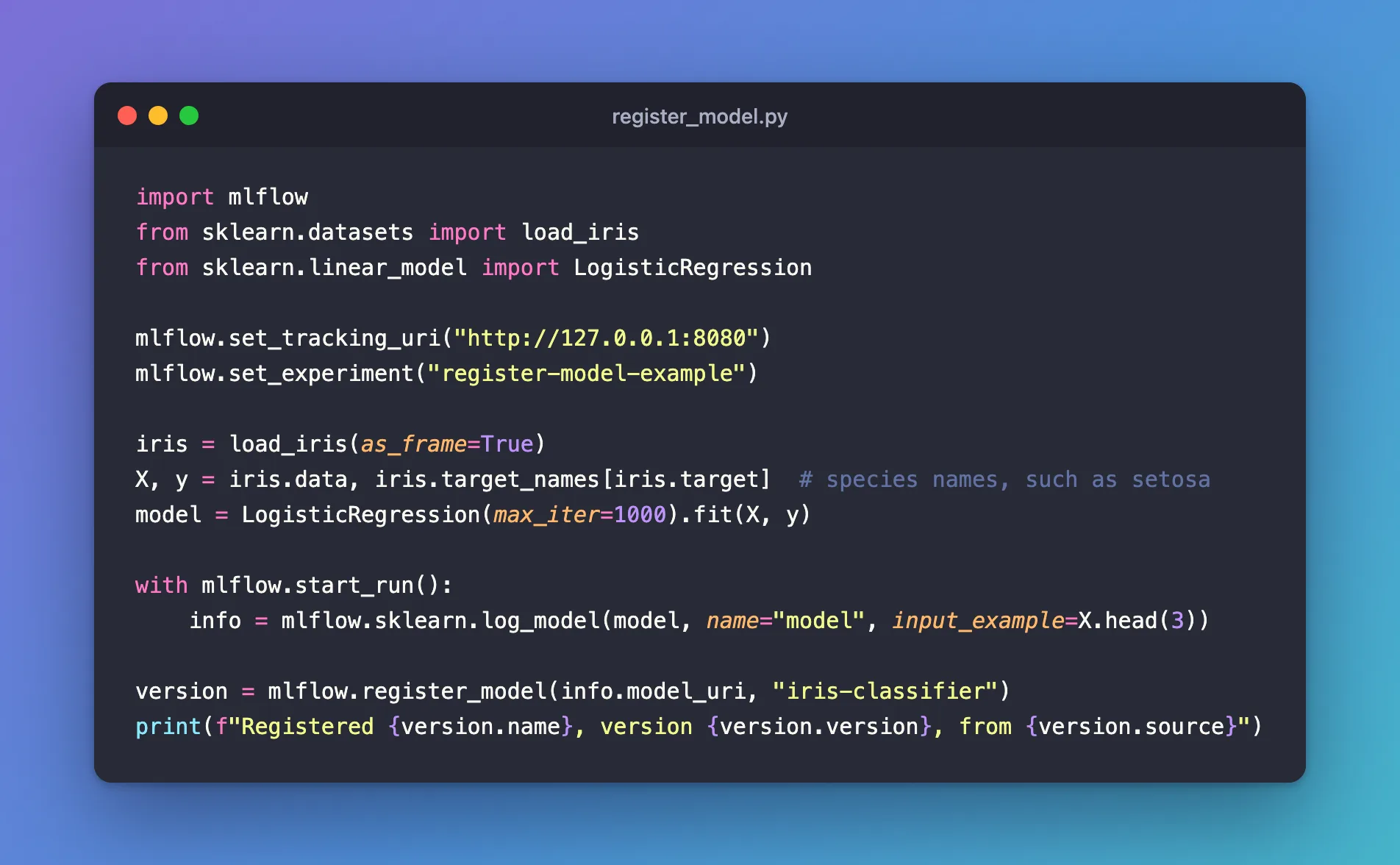
import mlflow
from sklearn.datasets import load_iris
from sklearn.linear_model import LogisticRegression

mlflow.set_tracking_uri("http://127.0.0.1:8080")
mlflow.set_experiment("register-model-example")

iris = load_iris(as_frame=True)
X, y = iris.data, iris.target_names[iris.target]  # species names, such as setosa
model = LogisticRegression(max_iter=1000).fit(X, y)

with mlflow.start_run():
    info = mlflow.sklearn.log_model(model, name="model", input_example=X.head(3))

version = mlflow.register_model(info.model_uri, "iris-classifier")
print(f"Registered {version.name}, version {version.version}, from {version.source}")
uv run python register_model.py
Successfully registered model 'iris-classifier'.
2026/11/25 09:43:26 INFO mlflow.store.model_registry.abstract_store: Waiting up to 300 seconds for model version to finish creation. Model name: iris-classifier, version 1
Created version '1' of model 'iris-classifier'.
Registered iris-classifier, version 1, from models:/m-25c3a789faf847ea975b066eff58b048
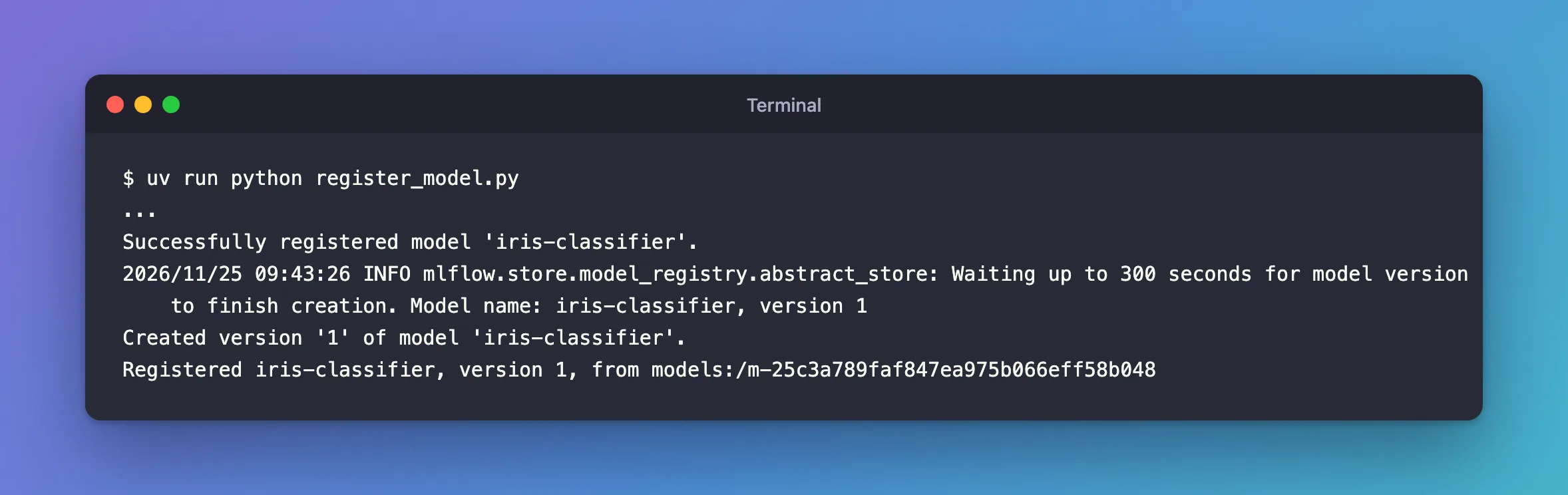
Successfully registered model 'iris-classifier'.: the name didn't exist, so MLflow created the registered model.Waiting up to 300 seconds:register_modelwaits until the version is ready, five minutes at most, set by itsawait_registration_forargument.Created version '1': the logged model is now version 1.from models:/m-...: the version'ssourceis the logged model it holds.
Step 2: Register Another Version
Run the script again. It trains and logs a new model, and registers it under the same name:
uv run python register_model.py
Registered model 'iris-classifier' already exists. Creating a new version of this model...
2026/11/25 09:43:30 INFO mlflow.store.model_registry.abstract_store: Waiting up to 300 seconds for model version to finish creation. Model name: iris-classifier, version 2
Created version '2' of model 'iris-classifier'.
Registered iris-classifier, version 2, from models:/m-d3a71dde61844dc0a5573153ec972113
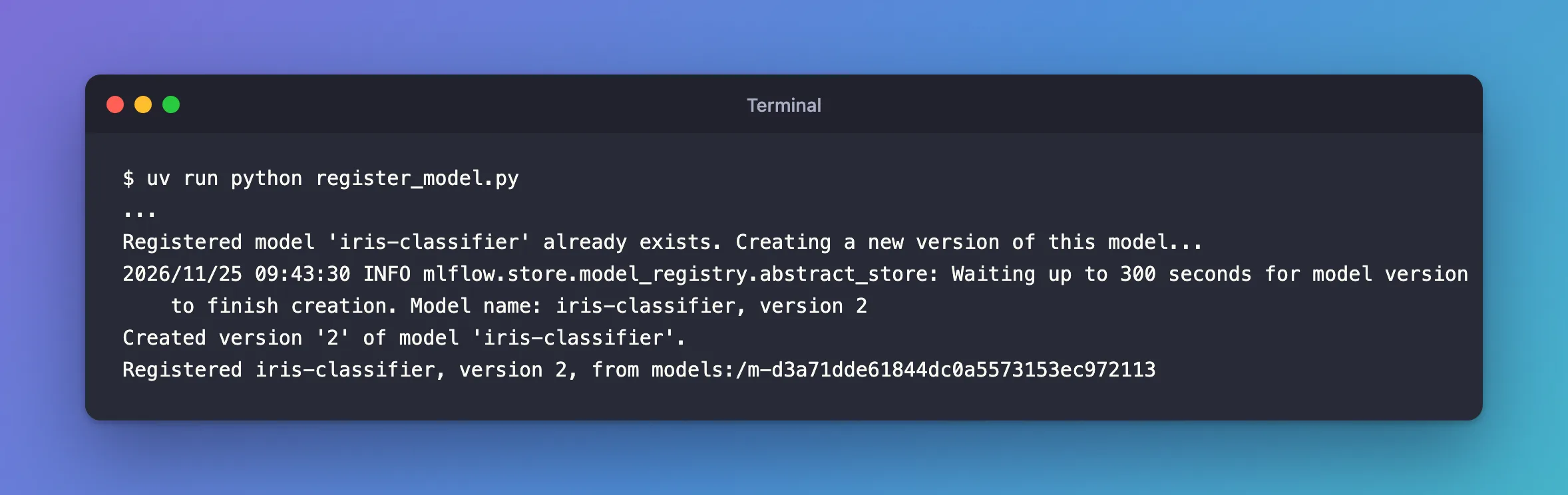
The name existed, so MLflow added version 2, from the new logged model. Version 1 stays as it was: versions are never overwritten.
Common Mistakes
| Mistake | What happens | Do this instead |
|---|---|---|
| Expecting the second call to replace version 1 | It adds version 2 | Use an alias, such as champion, to mark the version in use |
| Typing the name slightly differently | A second registered model | Keep the name in one place, such as a setting |
Troubleshooting
| Symptom | Likely cause | Fix |
|---|---|---|
| The call waits a long time | It waits for the version to be ready, up to await_registration_for seconds | Pass await_registration_for=0 to return at once |
| The registry calls fail on your own server | The server stores runs in files, not a database | Start it with a database backend, such as its default SQLite database |
FAQ
Can I register while logging instead?
Yes, with registered_model_name= on log_model: How to Register a Model When You Log It in MLflow.
Which run does the version point to?
The run that logged the model. The returned ModelVersion has it in run_id, next to source: How to Find the Run and Logged Model Behind a Model Version in MLflow.
Conclusion
mlflow.register_model(info.model_uri, "iris-classifier") created the registered model and version 1 on the first run, and version 2 on the second, each pointing to the logged model it came from.
Additional Resources
- mlflow.register_model — every argument.
- Model Registry workflows — the ways to add a model to the registry.
