How to Register a Model When You Log It in MLflow

When every model you train should land in the Model Registry, you don't need a separate registration step: log_model takes a registered_model_name and registers the model as it logs it. This guide logs and registers a classifier in one call, then reads the new version number from what log_model returns. Real output from MLflow 3.18.0.
Syntax
info = mlflow.sklearn.log_model(model, name="model", registered_model_name="registered-model-name")
info.registered_model_version
| Part | What it means |
|---|---|
registered_model_name | The registered model to add a version to; MLflow creates it if it doesn't exist |
info | A ModelInfo, the same object log_model always returns |
info.registered_model_version | The version number this call created |
Every flavor's log_model takes the argument; the reference for mlflow.sklearn.log_model: "If given, create a model version under registered_model_name, also creating a registered model if one with the given name does not exist." The Model Registry tutorial suggests it over a separate mlflow.register_model call "because it's more concise".
Prerequisites
- An MLflow tracking server with a database backend at
http://127.0.0.1:8080, such asmlflow server --port 8080with its default SQLite database. The registry needs one. mlflowandscikit-learnin your project, for example withuv add mlflow scikit-learn pandas.
Step 1: Log and Register in One Call
The example is a logistic regression on scikit-learn's breast cancer data that predicts whether a tumour is malignant. One log_model call logs it and registers it as tumour-classifier:
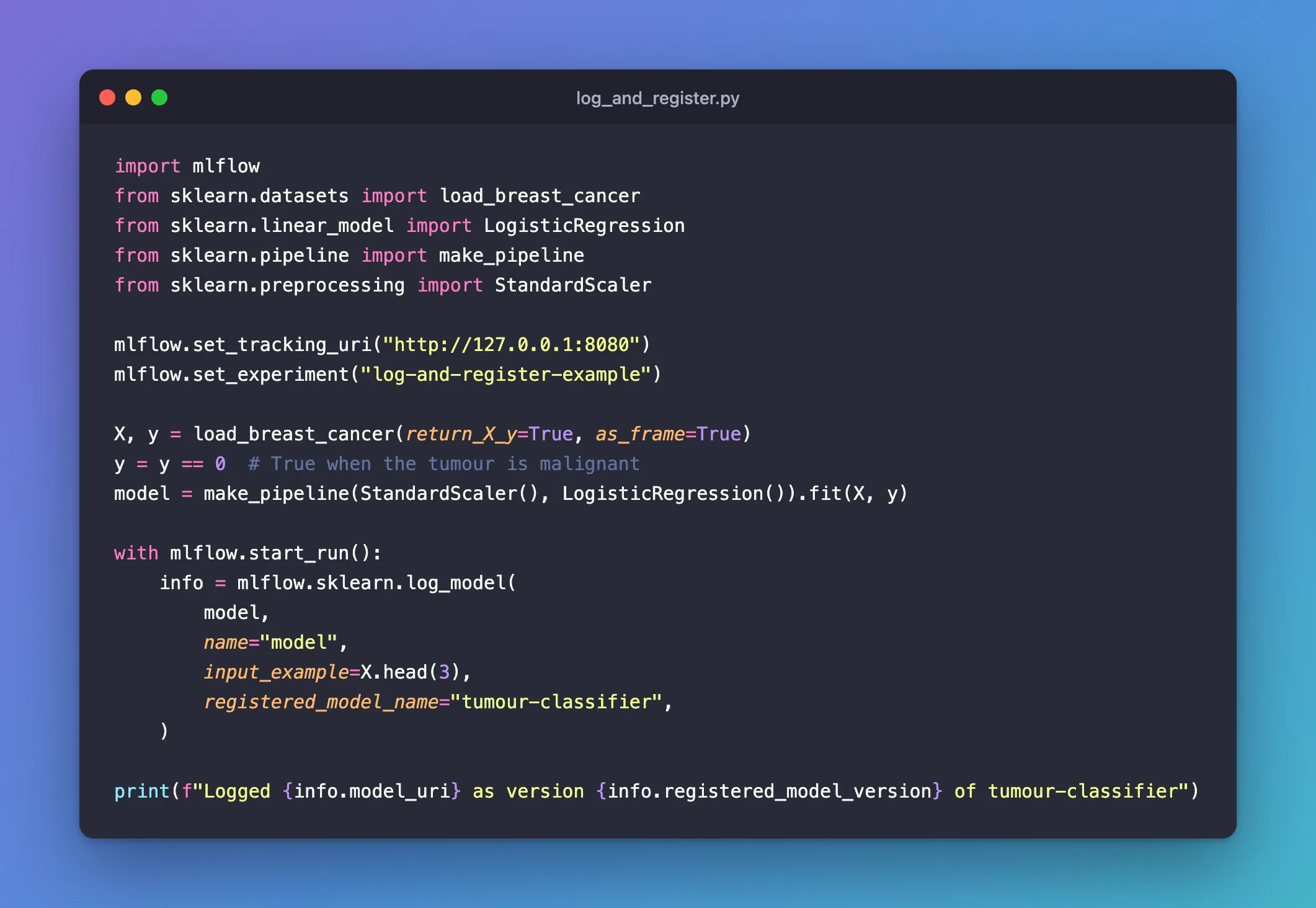
import mlflow
from sklearn.datasets import load_breast_cancer
from sklearn.linear_model import LogisticRegression
from sklearn.pipeline import make_pipeline
from sklearn.preprocessing import StandardScaler

mlflow.set_tracking_uri("http://127.0.0.1:8080")
mlflow.set_experiment("log-and-register-example")

X, y = load_breast_cancer(return_X_y=True, as_frame=True)
y = y == 0  # True when the tumour is malignant
model = make_pipeline(StandardScaler(), LogisticRegression()).fit(X, y)

with mlflow.start_run():
    info = mlflow.sklearn.log_model(
        model,
        name="model",
        input_example=X.head(3),
        registered_model_name="tumour-classifier",
    )

print(f"Logged {info.model_uri} as version {info.registered_model_version} of tumour-classifier")
uv run python log_and_register.py
Successfully registered model 'tumour-classifier'.
2026/11/25 09:43:34 INFO mlflow.store.model_registry.abstract_store: Waiting up to 300 seconds for model version to finish creation. Model name: tumour-classifier, version 1
Created version '1' of model 'tumour-classifier'.
🏃 View run sneaky-bee-268 at: http://127.0.0.1:8080/#/experiments/9/runs/bbc13d941de14ad9adef66b880c9c699
🧪 View experiment at: http://127.0.0.1:8080/#/experiments/9
Logged models:/m-c3edfa496ca146eca3b8c5ce05738c5d as version 1 of tumour-classifier
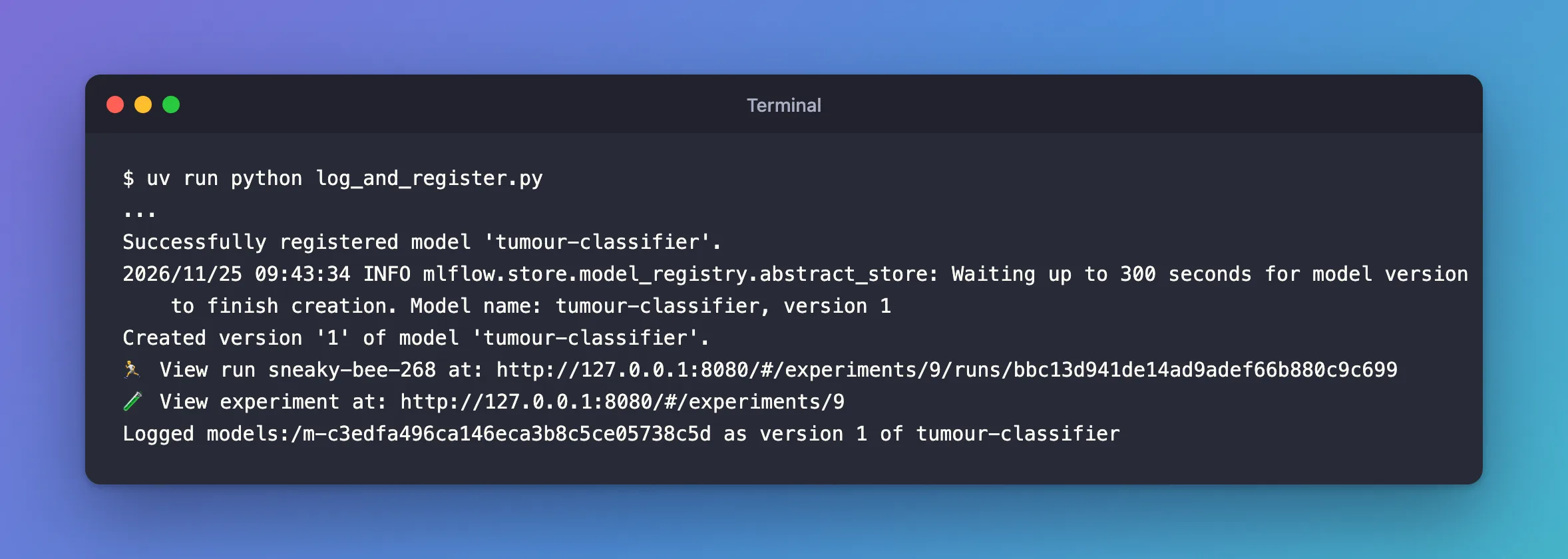
Successfully registered model 'tumour-classifier'.: the name was new, so MLflow created the registered model.Created version '1': the model was registered before the run ended, which is why these lines come before the run's link.as version 1:info.registered_model_versionholds the number; it'sNonewhenlog_modeldoesn't register.
When the name already exists, log_model adds the next version instead, and the first line reads Registered model '...' already exists. Creating a new version of this model....
Common Mistakes
| Mistake | What happens | Do this instead |
|---|---|---|
| Using it for every experiment run | The registry fills with versions nobody will use | Register only models that might be used, or use mlflow.register_model after choosing |
| Reading the version from the registry by "latest" right after | Another run may have registered one in between | Keep info.registered_model_version |
Troubleshooting
| Symptom | Likely cause | Fix |
|---|---|---|
info.registered_model_version is None | registered_model_name wasn't passed | Pass it to log_model |
| The registry calls fail on your own server | The server stores runs in files, not a database | Start it with a database backend, such as its default SQLite database |
FAQ
When should I register after logging instead?
When you decide later which model deserves a version, such as after comparing runs: How to Register a Model with mlflow.register_model.
Does autologging register models too?
mlflow.sklearn.autolog also takes a registered_model_name; its reference says "each time a model is trained, it is registered as a new model version".
Conclusion
log_model(..., registered_model_name="tumour-classifier") logged the classifier and registered it as version 1 in the same call, and info.registered_model_version returned the number.
Additional Resources
- mlflow.sklearn.log_model —
registered_model_nameand the other arguments. - Model Registry tutorial — registering while logging.
