How to Refuse to Load Untrusted Models in MLflow

Loading a machine learning model can run code. A pickle file runs whatever it holds, and even the safer skops format trusts the types its own file lists. MLflow has one switch that refuses all such models: the environment variable MLFLOW_ALLOW_MODEL_CODE_EXECUTION. This guide turns it off and on, with real output from MLflow 3.18.0.
What the Setting Covers
MLflow's reference describes MLFLOW_ALLOW_MODEL_CODE_EXECUTION as whether "to allow loading models that run code supplied by the model": "pickle or cloudpickle artifacts, code directories logged with code_paths, models from code, models on the Python path, Transformers custom code, LlamaIndex settings that name classes to construct, and all PyFunc models, because a PyFunc model names the Python module that loads it."
- Default:
true. MLflow loads these models. false. MLflow refuses them. The reference: "Set it to false to refuse such models. Only set it to true for models you trust."
An older variable, MLFLOW_ALLOW_PICKLE_DESERIALIZATION, is deprecated in its favor; it refused only pickle and cloudpickle models.
Prerequisites
- An MLflow tracking server at
http://127.0.0.1:8080. MLflow's tracking server guide shows how to start one.
Step 1: Load a Model with the Setting Off
The example model is a linear regression trained on scikit-learn's diabetes data and logged in the skops format, models:/m-563cd9af3b2a46dd8f9e3ed8f4c583c5. load_model.py loads it as a scikit-learn model:
import sys

import mlflow

mlflow.set_tracking_uri("http://127.0.0.1:8080")

model = mlflow.sklearn.load_model(sys.argv[1])
print("Loaded", type(model).__name__)
Run it with the variable set to false:
- macOS / Linux
- Windows (PowerShell)
export MLFLOW_ALLOW_MODEL_CODE_EXECUTION=false
uv run python load_model.py models:/m-563cd9af3b2a46dd8f9e3ed8f4c583c5
$env:MLFLOW_ALLOW_MODEL_CODE_EXECUTION = "false"
uv run python load_model.py models:/m-563cd9af3b2a46dd8f9e3ed8f4c583c5
mlflow.exceptions.MlflowException: Deserializing this model is disallowed. Loading a model can execute arbitrary code from the model artifact, including models saved in the 'skops' format, whose trusted-types allow-list is read from the model itself. Only load models from trusted sources; set 'MLFLOW_ALLOW_MODEL_CODE_EXECUTION' to 'true' to allow loading.
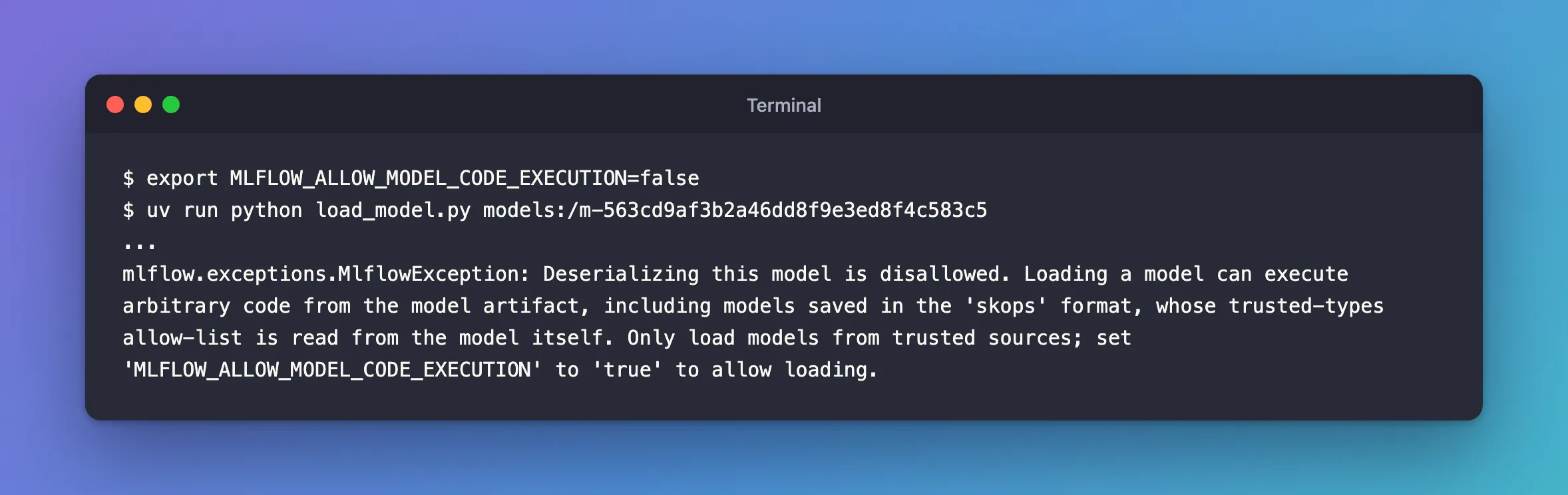
Refused, even though the model is in the skops format. The message gives the reason: skops checks types against a trusted list, but that list comes from the model's own MLmodel file, written by whoever logged it.
Step 2: Load It with the Setting On
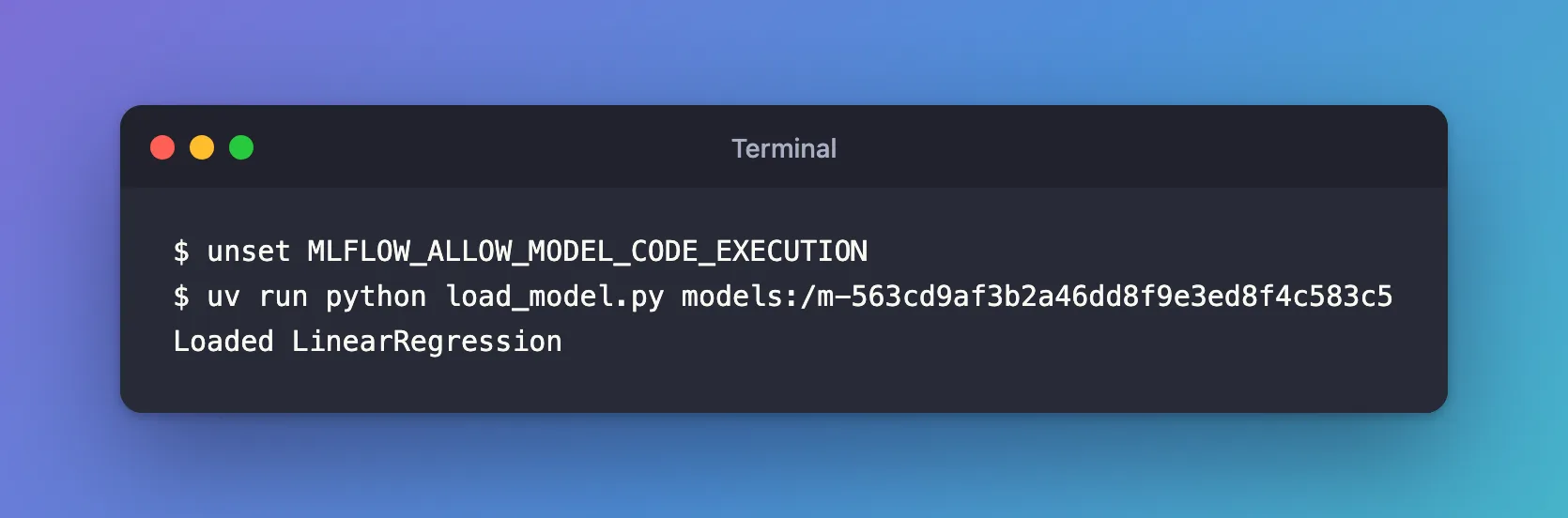
Turn the variable back to its default and run the same command:
- macOS / Linux
- Windows (PowerShell)
unset MLFLOW_ALLOW_MODEL_CODE_EXECUTION
uv run python load_model.py models:/m-563cd9af3b2a46dd8f9e3ed8f4c583c5
Remove-Item Env:MLFLOW_ALLOW_MODEL_CODE_EXECUTION
uv run python load_model.py models:/m-563cd9af3b2a46dd8f9e3ed8f4c583c5
Loaded LinearRegression
When to Turn It Off
Turn it off where a process must never load a model from someone it doesn't trust, for example a service that accepts model URIs from users. Where you load only models you or your team logged, the default is what lets you work. Either way, the safest habit is the one MLflow's message ends with: "Only load models from trusted sources".
Common Mistakes
| Mistake | What happens | Do this instead |
|---|---|---|
| Expecting skops models to pass with the setting off | They're refused too: their trusted list comes from the model | Load them only from sources you trust |
Using MLFLOW_ALLOW_PICKLE_DESERIALIZATION | Deprecated, and it refused only pickle and cloudpickle | MLFLOW_ALLOW_MODEL_CODE_EXECUTION |
Troubleshooting
| Symptom | Likely cause | Fix |
|---|---|---|
Deserializing this model is disallowed... | MLFLOW_ALLOW_MODEL_CODE_EXECUTION is false in this environment | Load models you trust only where it's true |
Loading PyFunc models is disallowed because a PyFunc model names the Python module that loads it... | The same setting, with mlflow.pyfunc.load_model | The same |
WARNING mlflow.models.model: Failed to validate serving input example when logging | The setting is false while logging a model with an input example | Log models where the setting is true |
FAQ
Does it affect logging models?
The model is still logged, files and all, but MLflow can't check its input example, which loads the model. With the setting off, logging the same model printed WARNING mlflow.models.model: Failed to validate serving input example and Got error: Loading PyFunc models is disallowed because a PyFunc model names the Python module that loads it....
Does it change the default for everyone?
No: it's an environment variable, so it applies where you set it, for example in one terminal or one service.
Conclusion
With MLFLOW_ALLOW_MODEL_CODE_EXECUTION=false, MLflow refused to load even a skops model, because loading any model can run code its file chooses; with the default, true, it loaded. Set it to false wherever models from unknown sources could arrive.
Additional Resources
- mlflow.environment_variables —
MLFLOW_ALLOW_MODEL_CODE_EXECUTION.
