How to Read the Results of an MLflow Evaluation in Python

mlflow.models.evaluate logs its results to a run, and it also returns them, so a script can act on them straight away: print a score, check it, or pass a plot's address on. This guide reads the three parts of the returned EvaluationResult, and shows what result.tables holds for a classifier, with real output from MLflow 3.18.0.
Syntax
result = mlflow.models.evaluate(...)

result.metrics["metric_name"]
result.artifacts["artifact_name"].uri
result.run_id
| Part | What it means |
|---|---|
result.metrics | A dictionary of metric names and their values |
result.artifacts | A dictionary of artifact names and EvaluationArtifact objects, each with a uri, the file's address, and its content |
result.run_id | The ID of the run the results were logged to |
The reference for EvaluationResult: "Represents the model evaluation outputs of a mlflow.evaluate() API call, containing both scalar metrics and output artifacts such as performance plots."
Prerequisites
- An MLflow tracking server at
http://127.0.0.1:8080. MLflow's tracking server guide shows how to start one. mlflowandscikit-learnin your project, for example withuv add mlflow scikit-learn pandas.
Step 1: Read Metrics, Artifacts and the Run
The example evaluates a tumour classifier, then prints its run's ID, two metrics, and every artifact with its address:
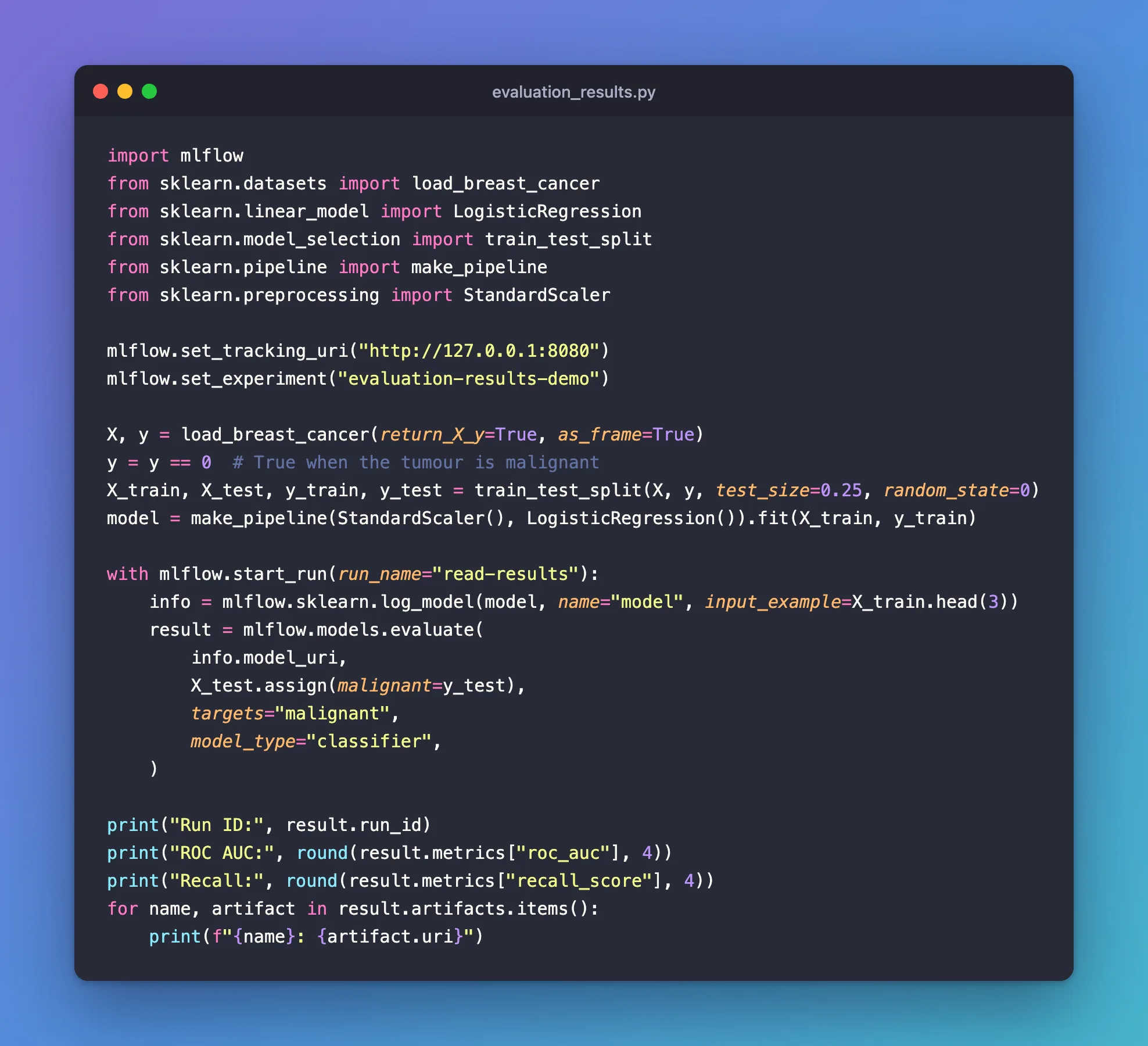
import mlflow
from sklearn.datasets import load_breast_cancer
from sklearn.linear_model import LogisticRegression
from sklearn.model_selection import train_test_split
from sklearn.pipeline import make_pipeline
from sklearn.preprocessing import StandardScaler

mlflow.set_tracking_uri("http://127.0.0.1:8080")
mlflow.set_experiment("evaluation-results-demo")

X, y = load_breast_cancer(return_X_y=True, as_frame=True)
y = y == 0  # True when the tumour is malignant
X_train, X_test, y_train, y_test = train_test_split(X, y, test_size=0.25, random_state=0)
model = make_pipeline(StandardScaler(), LogisticRegression()).fit(X_train, y_train)

with mlflow.start_run(run_name="read-results"):
    info = mlflow.sklearn.log_model(model, name="model", input_example=X_train.head(3))
    result = mlflow.models.evaluate(
        info.model_uri,
        X_test.assign(malignant=y_test),
        targets="malignant",
        model_type="classifier",
    )

print("Run ID:", result.run_id)
print("ROC AUC:", round(result.metrics["roc_auc"], 4))
print("Recall:", round(result.metrics["recall_score"], 4))
for name, artifact in result.artifacts.items():
    print(f"{name}: {artifact.uri}")
uv run python evaluation_results.py
🏃 View run read-results at: http://127.0.0.1:8080/#/experiments/12/runs/2a5ebc472d0948e0898f5107969dc156
🧪 View experiment at: http://127.0.0.1:8080/#/experiments/12
Run ID: 2a5ebc472d0948e0898f5107969dc156
ROC AUC: 0.9914
Recall: 0.9434
roc_curve_plot: mlflow-artifacts:/12/2a5ebc472d0948e0898f5107969dc156/artifacts/roc_curve_plot.png
precision_recall_curve_plot: mlflow-artifacts:/12/2a5ebc472d0948e0898f5107969dc156/artifacts/precision_recall_curve_plot.png
lift_curve_plot: mlflow-artifacts:/12/2a5ebc472d0948e0898f5107969dc156/artifacts/lift_curve_plot.png
calibration_curve_plot: mlflow-artifacts:/12/2a5ebc472d0948e0898f5107969dc156/artifacts/calibration_curve_plot.png
confusion_matrix: mlflow-artifacts:/12/2a5ebc472d0948e0898f5107969dc156/artifacts/confusion_matrix.png
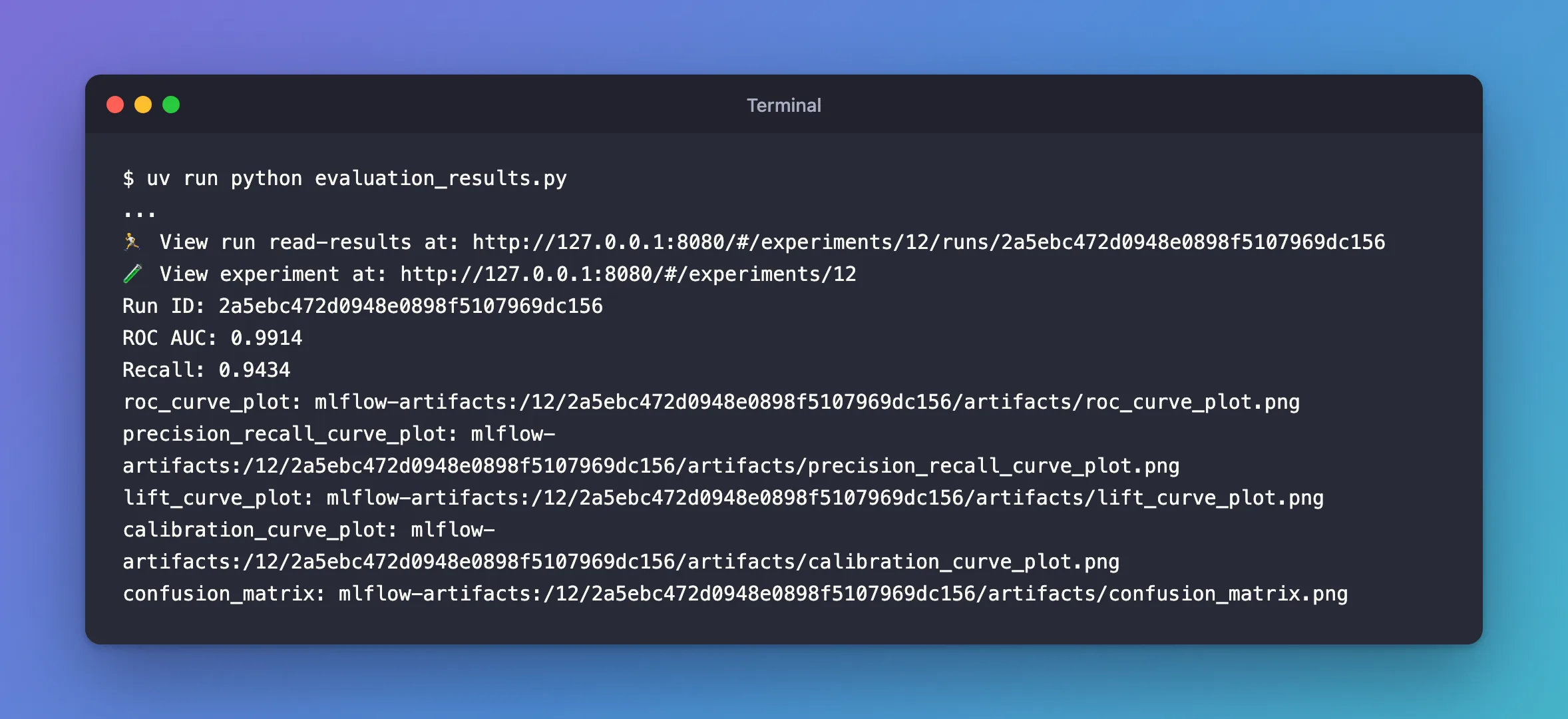
result.run_idis the run the evaluation logged to, the same as in theView runlink.result.metricsgives each score by name.result.artifactsnames the five plots; eachuriis the file's address on the tracking server, under the run'sartifactsfolder.
Step 2: Know That result.tables Is Empty for a Classifier
The evaluation guide's example reads a table from the result: eval_table = result.tables["eval_results_table"]. On a classifier's result, it doesn't work. Adding two lines to the script above:
print("tables:", result.tables)
print(result.tables["eval_results_table"])
uv run python evaluation_tables.py
2026/11/21 18:37:47 WARNING mlflow.tracking.client: Not all runs have the specified table artifact. Some runs will be skipped.
tables: {}
...
Traceback (most recent call last):
  File "/Users/you/source/mlflow-demo/evaluation_tables.py", line 26, in <module>
    print(result.tables["eval_results_table"])
          ~~~~~~~~~~~~~^^^^^^^^^^^^^^^^^^^^^^
KeyError: 'eval_results_table'
Each read of result.tables printed the warning five times, once per plot it tried to read as a table, then gave an empty dictionary, so the guide's line raised KeyError. MLflow's evaluation code logs that table "only ... if there are per row metrics recorded", and a classifier's built-in metrics are totals, not one value per row. I reported the guide's line to MLflow as issue #28014.
Common Mistakes
| Mistake | What happens | Do this instead |
|---|---|---|
result.tables["eval_results_table"] after a classifier's evaluation | Ten warnings and KeyError: 'eval_results_table' | Read result.metrics and result.artifacts |
Opening an artifact's uri as a local path | It's an address on the tracking server, not a file on your computer | Download it first, as in the FAQ |
Troubleshooting
| Symptom | Likely cause | Fix |
|---|---|---|
WARNING mlflow.tracking.client: Not all runs have the specified table artifact. | Reading result.tables on an evaluation without tables | Don't read tables for classic models |
KeyError on a metric name | A metric the model type doesn't compute | Print result.metrics.keys() |
FAQ
Can I open a plot from its URI?
Yes, by downloading it first: mlflow.artifacts.download_artifacts(artifact_uri=result.artifacts["roc_curve_plot"].uri, dst_path="downloaded") saved roc_curve_plot.png in a downloaded folder and returned its path.
Is result.metrics the same as the run's metrics?
Yes: the same names and values, which MLflow also logged to result.run_id.
Conclusion
The returned EvaluationResult gave the run's ID, every metric by name and every plot's address. Its tables was empty for the classifier, because MLflow logs the evaluation table only for per-row metrics.
Additional Resources
- EvaluationResult —
metrics,artifacts,tablesandrun_id.
