How to Read the MLmodel File of an MLflow Model

Every MLflow model comes with a small YAML file named MLmodel. It's the model's label: how to load it, in which format it's stored, which run made it, what input it takes. Every MLflow tool reads it before touching the model. This guide reads one, in the UI and from Python with mlflow.models.get_model_info, with a real file from MLflow 3.18.0.
Syntax
model_info = mlflow.models.get_model_info(model_uri)
| Part | What it means |
|---|---|
model_uri | Where the model is, such as models:/<model ID> |
model_info | The MLmodel file's contents as an object: flavors, model_id, run_id, signature, utc_time_created, mlflow_version and more |
MLflow's reference: it gets "metadata for the specified model, such as its input/output signature".
Prerequisites
- An MLflow tracking server at
http://127.0.0.1:8080. MLflow's tracking server guide shows how to start one. mlflowandscikit-learnin your project, for example withuv add mlflow scikit-learn pandas.
Step 1: Log a Model to Read
Any logged model will do. This script logs a linear regression on scikit-learn's diabetes data, with an input example, into the experiment named on the command line, and prints its URI:
import sys

import mlflow
from sklearn.datasets import load_diabetes
from sklearn.linear_model import LinearRegression

mlflow.set_tracking_uri("http://127.0.0.1:8080")
mlflow.set_experiment(sys.argv[1])

X, y = load_diabetes(return_X_y=True, as_frame=True)
model = LinearRegression().fit(X, y)

with mlflow.start_run():
    model_info = mlflow.sklearn.log_model(model, name="diabetes-model", input_example=X.head(3))

print("Model URI:", model_info.model_uri)
uv run python log_diabetes_model.py mlmodel-demo
🏃 View run persistent-carp-423 at: http://127.0.0.1:8080/#/experiments/11/runs/2a5a417427114f9fadc4b3cdc1587ed0
🧪 View experiment at: http://127.0.0.1:8080/#/experiments/11
Model URI: models:/m-5ad4afaee36c496cab22b7d59a8b6991
Step 2: Open MLmodel in the UI
Open the experiment's Models tab, click the model, then Artifacts and MLmodel:
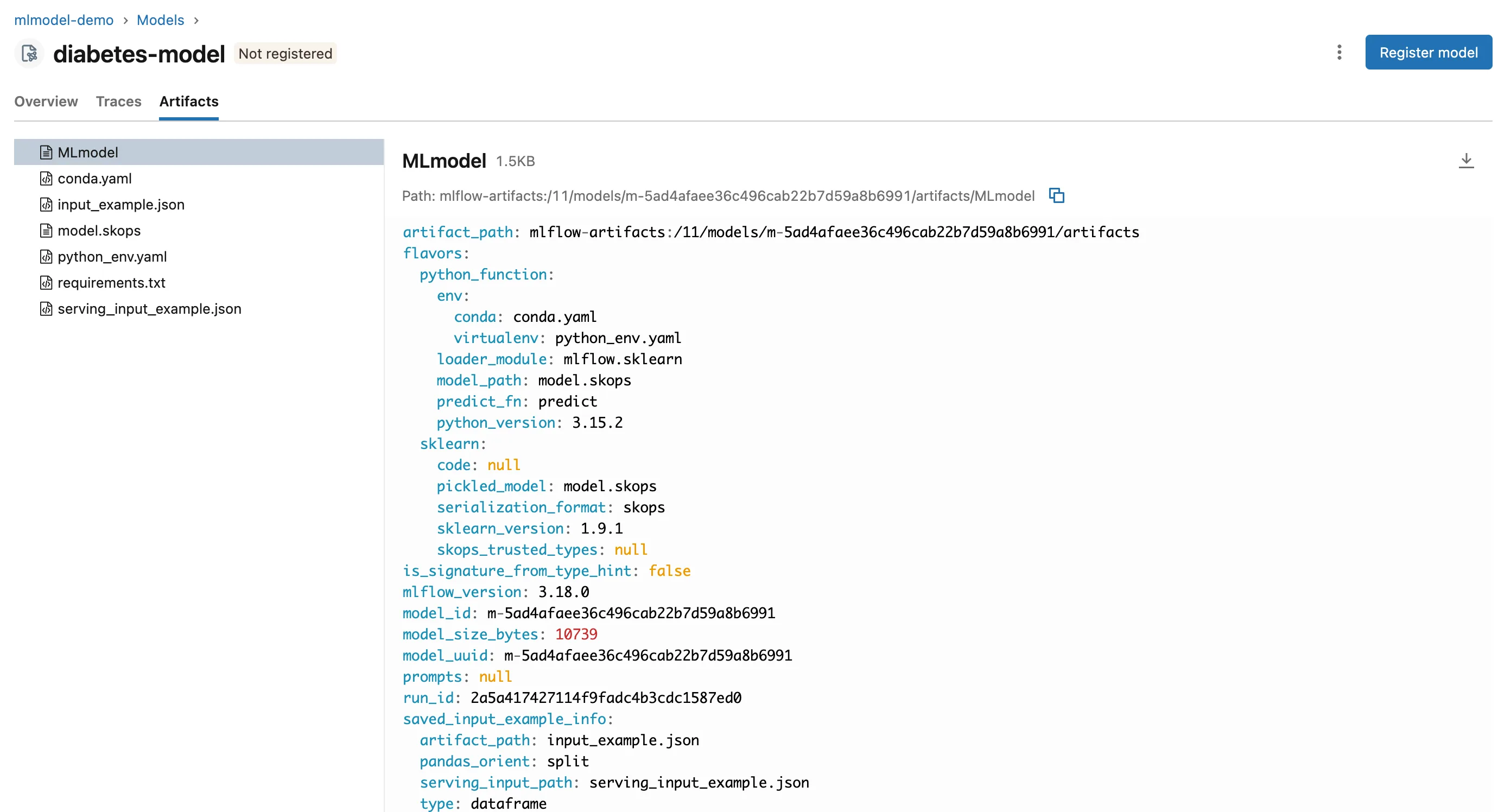
The whole file:
artifact_path: mlflow-artifacts:/11/models/m-5ad4afaee36c496cab22b7d59a8b6991/artifacts
flavors:
  python_function:
    env:
      conda: conda.yaml
      virtualenv: python_env.yaml
    loader_module: mlflow.sklearn
    model_path: model.skops
    predict_fn: predict
    python_version: 3.15.2
  sklearn:
    code: null
    pickled_model: model.skops
    serialization_format: skops
    sklearn_version: 1.9.1
    skops_trusted_types: null
is_signature_from_type_hint: false
mlflow_version: 3.18.0
model_id: m-5ad4afaee36c496cab22b7d59a8b6991
model_size_bytes: 10739
model_uuid: m-5ad4afaee36c496cab22b7d59a8b6991
prompts: null
run_id: 2a5a417427114f9fadc4b3cdc1587ed0
saved_input_example_info:
  artifact_path: input_example.json
  pandas_orient: split
  serving_input_path: serving_input_example.json
  type: dataframe
signature:
  inputs: '[{"type": "double", "name": "age", "required": true}, {"type": "double",
    "name": "sex", "required": true}, {"type": "double", "name": "bmi", "required":
    true}, {"type": "double", "name": "bp", "required": true}, {"type": "double",
    "name": "s1", "required": true}, {"type": "double", "name": "s2", "required":
    true}, {"type": "double", "name": "s3", "required": true}, {"type": "double",
    "name": "s4", "required": true}, {"type": "double", "name": "s5", "required":
    true}, {"type": "double", "name": "s6", "required": true}]'
  outputs: '[{"type": "double", "required": true}]'
  params: null
type_hint_from_example: false
utc_time_created: '2026-11-21 08:42:52.534435'
Read it top to bottom:
flavors: the ways the model can be loaded. MLflow's guide calls flavors "the key concept that makes MLflow Models powerful".python_functionis the generic one any MLflow tool can use: it names theloader_module(mlflow.sklearn), the file (model.skops), the functionpredictcalls (predict_fn), and the environment files.sklearnloads it back as the scikit-learn model itself, and records the format and scikit-learn's version.model_id,run_id: which logged model this is, and the run that logged it.model_size_bytes: the model's size, here about 10 KB.saved_input_example_info: where the input example is, and in which layout.signature: the input columns and their types, and the output.utc_time_created,mlflow_version: when, and with which MLflow, it was saved.
Step 3: Read It from Python
get_model_info reads the same file without downloading the model:
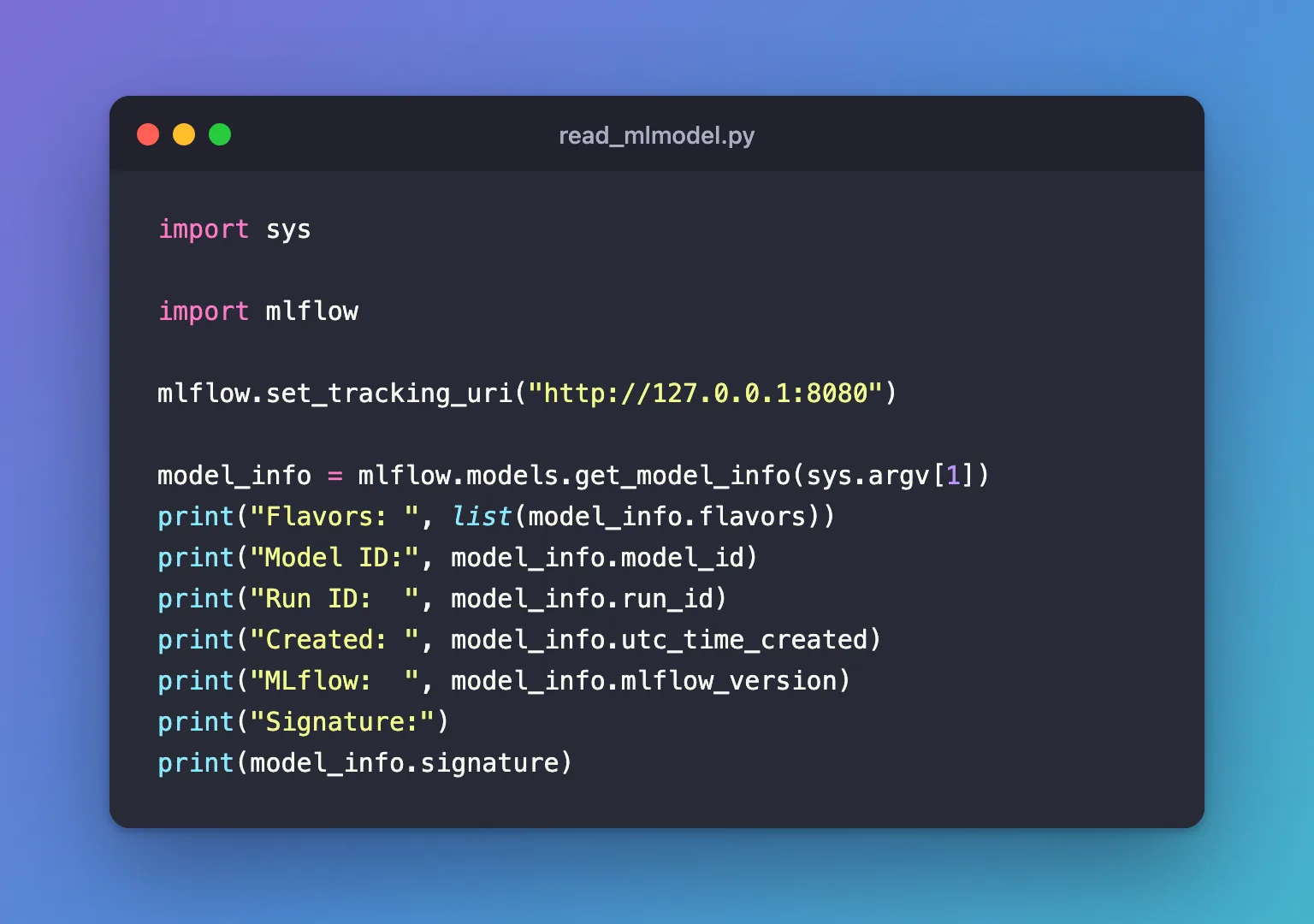
import sys

import mlflow

mlflow.set_tracking_uri("http://127.0.0.1:8080")

model_info = mlflow.models.get_model_info(sys.argv[1])
print("Flavors: ", list(model_info.flavors))
print("Model ID:", model_info.model_id)
print("Run ID:  ", model_info.run_id)
print("Created: ", model_info.utc_time_created)
print("MLflow:  ", model_info.mlflow_version)
print("Signature:")
print(model_info.signature)
uv run python read_mlmodel.py models:/m-5ad4afaee36c496cab22b7d59a8b6991
Flavors:  ['python_function', 'sklearn']
Model ID: m-5ad4afaee36c496cab22b7d59a8b6991
Run ID:   2a5a417427114f9fadc4b3cdc1587ed0
Created:  2026-11-21 08:42:52.534435
MLflow:   3.18.0
Signature:
inputs:
  ['age': double (required), 'sex': double (required), 'bmi': double (required), 'bp': double (required), 's1': double (required), 's2': double (required), 's3': double (required), 's4': double (required), 's5': double (required), 's6': double (required)]
outputs:
  [double (required)]
params:
  None
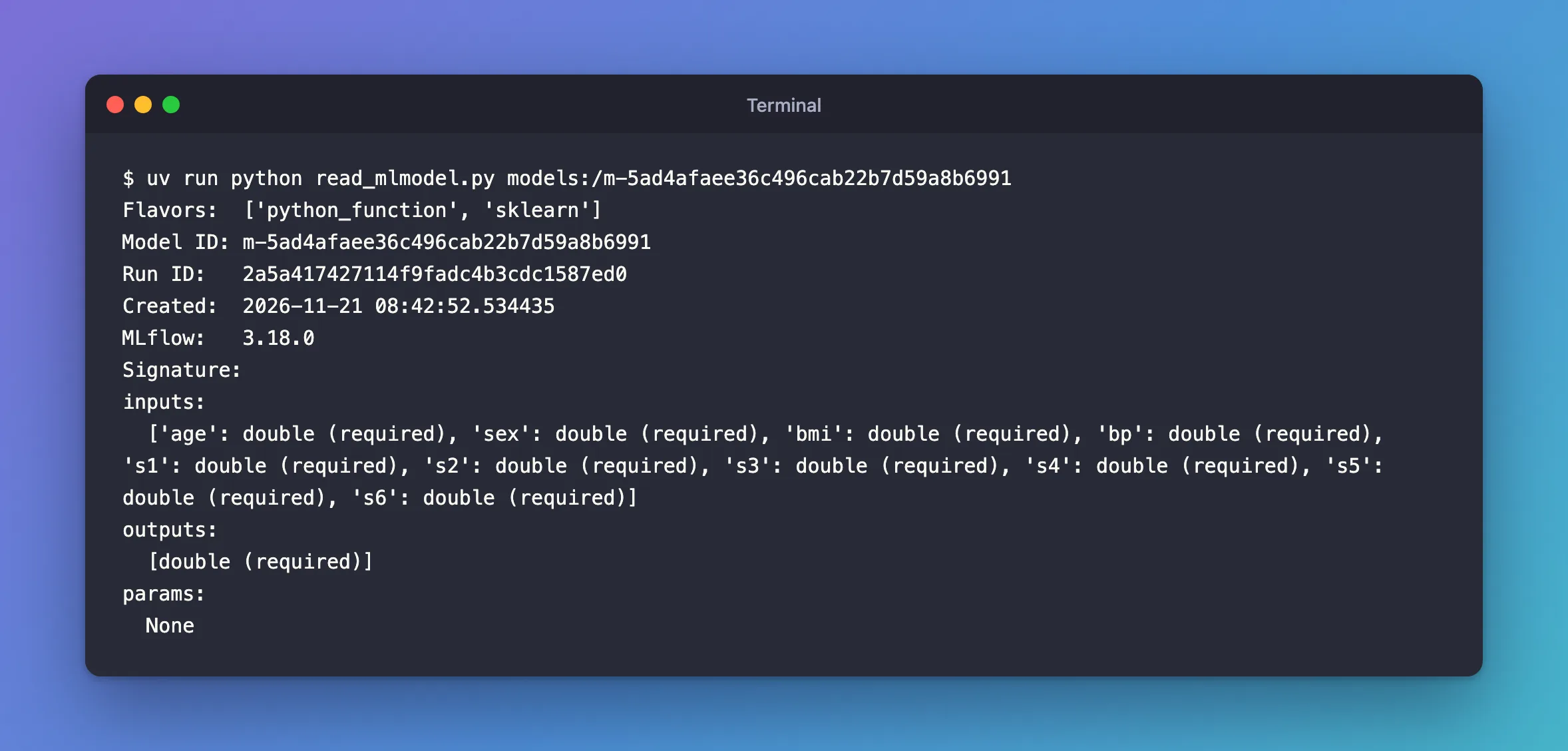
The same facts as the file, as Python values you can check in code, for example to refuse a model without a signature.
Common Mistakes
| Mistake | What happens | Do this instead |
|---|---|---|
| Downloading the whole model to check its signature | Slow for big models | get_model_info, which downloads only MLmodel |
Telling models apart by model_size_bytes | Models trained the same way have the same size: three such models here are all 10739 bytes | Use model_id |
Troubleshooting
| Symptom | Likely cause | Fix |
|---|---|---|
No signature section | The model was logged without a signature or input example | Add a signature when logging |
No saved_input_example_info | Logged without input_example | Add an input example |
FAQ
Is utc_time_created in my time zone?
No: as its name says, it's in UTC.
What is model_uuid?
In this file it's the same value as model_id.
Conclusion
The MLmodel file told how to load the model (two flavors, the skops file, predict), which run made it, its size, its input example and its signature. The UI's Artifacts tab shows it; mlflow.models.get_model_info gives it to your code.
Additional Resources
- MLflow Models — the storage format and the
MLmodelfields. - mlflow.models —
get_model_info.
