How to Read Environment Variables at Runtime in Next.js

A Next.js page that reads process.env can be built ahead of time — and then it shows the value from the build forever, whatever you set on the server later. await connection() tells Next.js to wait for a real request before reading it. This guide shows both, with one build started with a different value.
Why a Page Can Keep the Build's Value
next build prepares as much of every page as it can in advance. A page that doesn't depend on the request — no cookies, no headers, no connection() — is prerendered: Next.js runs it once during the build and stores the HTML. Reading process.env doesn't count as depending on the request, so the value at build time ends up in the stored HTML.
That is fine for settings that are fixed at build time. It breaks the moment you want one build that runs in several places — a test and a production environment, or one chat app for several agents — each with its own values. Next.js's guide describes the alternative: You can safely read environment variables on the server during dynamic rendering, and the way to make rendering dynamic is to wait for the request.
Prerequisites
- A Next.js app with the App Router. The examples use Next.js 16.4.6 with Cache Components on, as create-next-app sets it up.
- A terminal in the app's folder.
Step 1: A Page Without connection()
This page reads a setting called GREETING:
// Reads the setting without waiting for a request.
export default function AtBuild() {
  return (
    <main style={{ padding: 48 }}>
      <h1>Without connection()</h1>
      <p>GREETING is: {process.env.GREETING}</p>
    </main>
  );
}
Step 2: A Page With connection()
The same idea, with the reading moved into a component that waits for the request:
import { connection } from "next/server";
import { Suspense } from "react";

export default function Home() {
  return (
    <main style={{ padding: 48 }}>
      <h1>With connection()</h1>
      <Suspense>
        <Greeting />
      </Suspense>
    </main>
  );
}

// Waits for a real request, then reads the setting from the running server.
async function Greeting() {
  await connection();
  return <p>GREETING is: {process.env.GREETING}</p>;
}
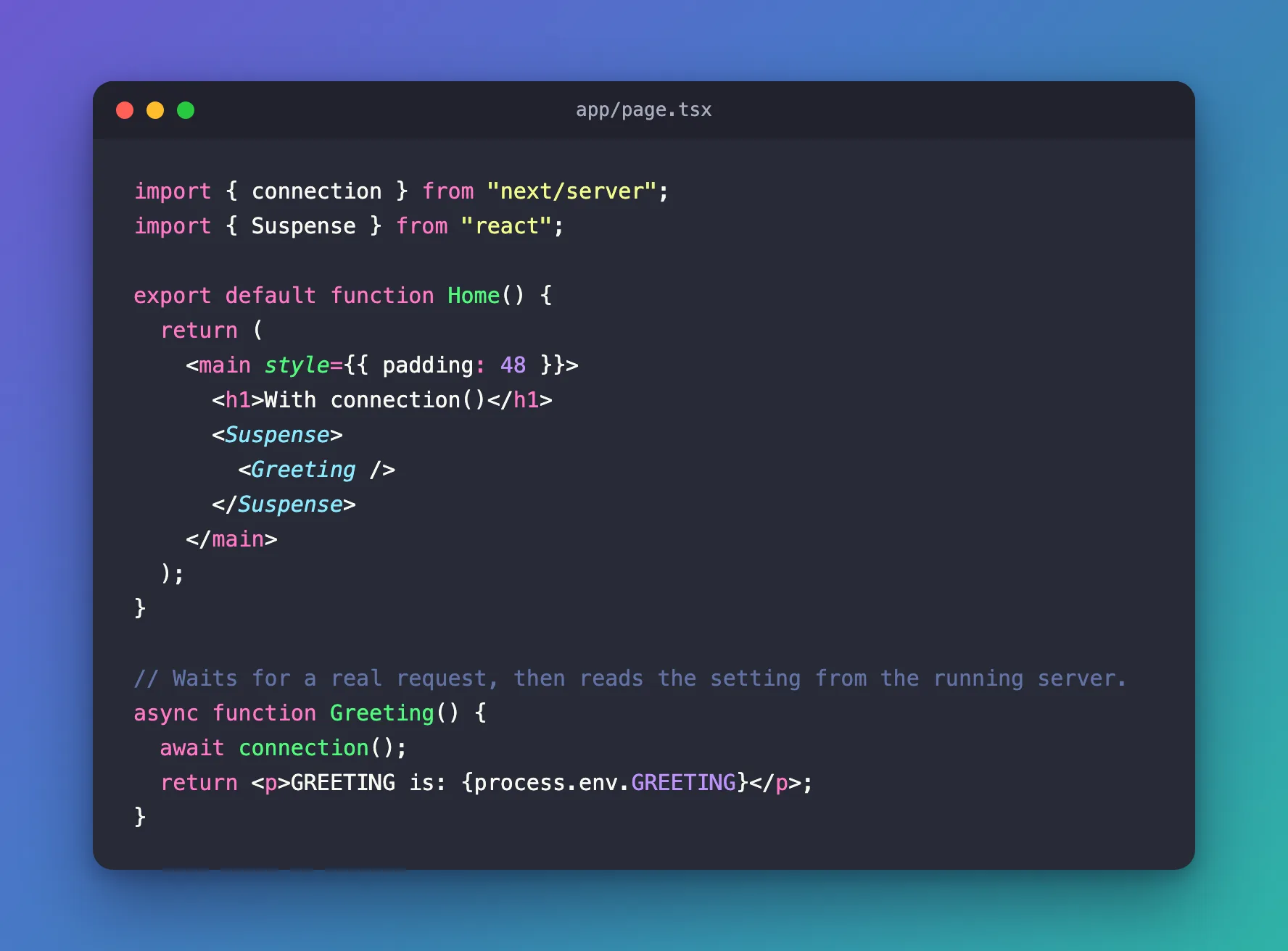
| Code | What it does |
|---|---|
await connection() | Waits until there is a real request. Everything after it runs for each request, on the running server |
<Suspense> | With Cache Components on, Next.js asks for the waiting part to be inside a Suspense boundary. The rest of the page is still prepared ahead and sent at once |
process.env.GREETING | Read after the wait, so it comes from the server's environment at that moment |
Step 3: Build With One Value, Start With Another
Build with GREETING set to one value:
- macOS / Linux
- Windows (PowerShell)
GREETING='Hello from the build' npm run build
$env:GREETING = 'Hello from the build'
npm run build
The end of the build output already shows the difference:
Route (app)
┌ ◐ /
├ ○ /_not-found
└ ○ /at-build


○  (Static)             prerendered as static content
◐  (Partial Prerender)  prerendered as static HTML with dynamic server-streamed content
/at-build is ○ Static: built once, with its value inside. / is ◐ Partial Prerender: its frame was built ahead, and the part after connection() runs for each request.
Now start the same build with a different value:
- macOS / Linux
- Windows (PowerShell)
GREETING='Hello from the server' npm start
$env:GREETING = 'Hello from the server'
npm start
Step 4: Compare the Two Pages
http://localhost:3000/at-build still shows the value from the build:

http://localhost:3000 shows the value the server is running with:

One build, started with another value, and only the page with connection() follows it.
npm run dev hides the difference
In development, npm run dev renders every page on request. Started with GREETING='Hello from npm run dev', both pages showed that value. The problem only appears in a production build — which is exactly why it is easy to miss.
Common Mistakes
| Mistake | What happens | Do this instead |
|---|---|---|
Reading process.env in a page without connection() | The value is fixed at build time in production | Read it after await connection() |
Calling connection() without a Suspense boundary around the component | npm run build fails: Next.js encountered uncached or runtime data during prerendering | Wrap the component in <Suspense> |
Prefixing the setting with NEXT_PUBLIC_ | Next.js copies the value into the browser's JavaScript at build time | Keep server settings without the prefix |
Testing only with npm run dev | Both versions look right | Check with npm run build and npm start |
Troubleshooting
| Symptom | Likely cause | Fix |
|---|---|---|
| The page shows an old value after changing a setting | The page was prerendered: the build output marks it ○ | Read the setting after await connection(), then build again |
| The page shows nothing where the value should be | The setting isn't set where the server runs | Set it in the hosting platform or in .env.local |
npm run build fails with Route "/": Next.js encountered uncached or runtime data during prerendering and connection() accessed outside of <Suspense> | The component that awaits connection() isn't inside <Suspense> | Move the reading into its own component and wrap it in <Suspense>, as in Step 2 |
FAQ
Does this work for metadata such as the page title?
Yes. generateMetadata can await connection() too, and then read the setting.
Is it slower?
Only the part after connection() runs for each request. With Partial Prerender, the rest of the page is still built ahead and sent at once.
What about Route Handlers?
A Route Handler that reads the request — like a POST handler — already runs for each request.
Conclusion
In a production build, Next.js runs pages ahead of time unless they depend on the request, and process.env doesn't count. Put the code that reads a setting after await connection(), inside <Suspense>, and the same build shows whatever the server runs with — check it with npm run build and npm start, because npm run dev hides the difference.
Additional Resources
- Next.js: connection — waiting for the request.
- Next.js: Environment variables — Runtime environment variables — reading settings while the app runs.
- Next.js: cacheComponents — what Cache Components changes.
