How to Read an Environment Variable in Rust

Settings that change between computers, such as a database address or an API key, belong in environment variables. Rust reads them with std::env::var, which returns the value as a Result, and unwrap_or_default() turns a missing variable into an empty string.
Syntax
let <value>: String = std::env::var("<NAME>").unwrap_or_default();
let <value>: String = std::env::var("<NAME>").unwrap_or(<default>);
| Part | What it does |
|---|---|
std::env::var("<NAME>") | Returns Ok with the variable's value as a String, or Err with a VarError when it can't. |
.unwrap_or_default() | The value, or an empty String on any error. |
.unwrap_or(<default>) | The value, or the String you pass as <default>. |
The standard library's documentation for std::env::var: "Fetches the environment variable key from the current process." It returns VarError::NotPresent when "The variable is not set", and VarError::NotUnicode "if the variable’s value is not valid Unicode".
The Example
The example reads GREETING with an empty default and prints it with {:?}, which shows the quotes, first with the variable set and then without it.
Prerequisites
- Rust, installed with rustup, which comes with Cargo. This guide uses Rust 1.100.0.
Step 1: Create a Project
cargo new demo
cd demo
    Creating binary (application) `demo` package
note: see more `Cargo.toml` keys and their definitions at https://doc.rust-lang.org/cargo/reference/manifest.html
cargo new demo creates a folder named demo with a Cargo.toml file, which describes the project, and src/main.rs, which holds the code. cd demo moves into it.
Step 2: Write the Code
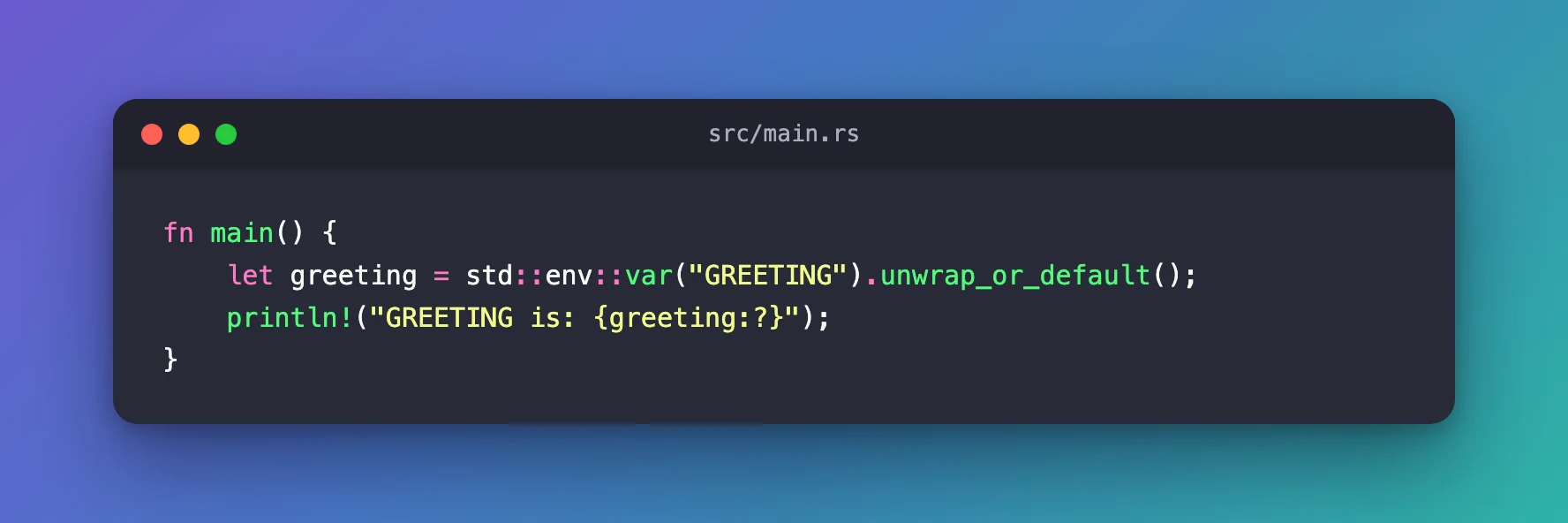
Replace the contents of src/main.rs with:
fn main() {
    let greeting = std::env::var("GREETING").unwrap_or_default();
    println!("GREETING is: {greeting:?}");
}
Step 3: Set the Variable and Run It
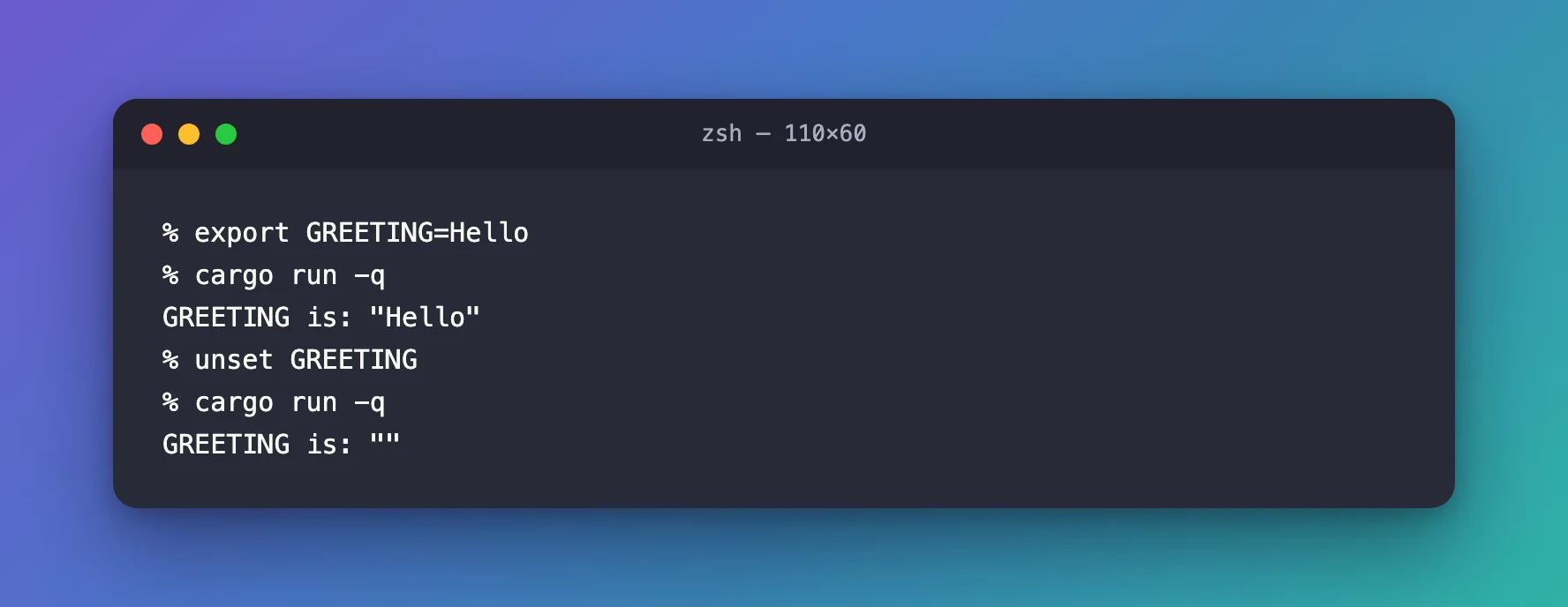
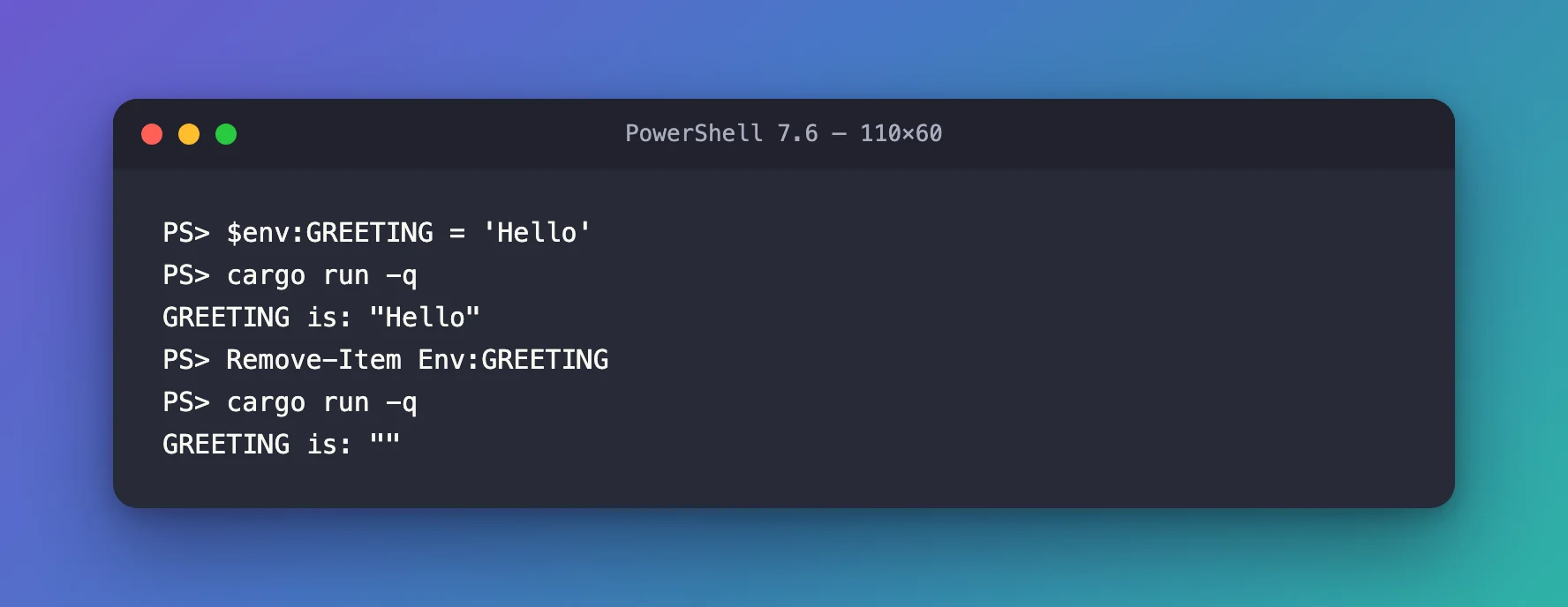
Set GREETING to Hello and run the program. Then remove the variable and run it again:
- macOS / Linux
- Windows (PowerShell)
export GREETING=Hello
cargo run -q
unset GREETING
cargo run -q
$env:GREETING = 'Hello'
cargo run -q
Remove-Item Env:GREETING
cargo run -q
GREETING is: "Hello"
GREETING is: ""
cargo run compiles the program and runs it, and -q hides Cargo's own status lines. With the variable set, var returned "Hello". Without it, var returned an error, and unwrap_or_default() replaced it with "".
What var Returns
Printing the Result itself, with println!("{:?}", std::env::var("GREETING"));, shows each case:
GREETING is | std::env::var("GREETING") returns |
|---|---|
Hello | Ok("Hello") |
| set, but empty | Ok("") |
| not set | Err(NotPresent) |
| set to bytes that aren't valid UTF-8 | Err(NotUnicode("\xFF")) |
unwrap_or_default() gives "" for both errors, so use the Result itself when you need to tell "not set" from "empty".
Common Mistakes
| Mistake | What happens | Do this instead |
|---|---|---|
unwrap() on a variable that may be missing | thread 'main' (…) panicked at src/main.rs:2:46: then called `Result::unwrap()` on an `Err` value: NotPresent | Use unwrap_or_default(), unwrap_or(…) or expect with a clear message |
| Expecting a number | var always returns text, a String | Convert it with parse, such as .parse::<u16>() |
| Setting the variable in one terminal and running the program in another | The default: each terminal has its own variables | Set it in the terminal that runs the program |
Troubleshooting
| Symptom | Likely cause | Fix |
|---|---|---|
called `Result::unwrap()` on an `Err` value: NotPresent | The variable isn't set | Set it, or use a default |
| The value is always the default | The variable isn't set in this terminal | Set it as in Step 3 |
FAQ
How do I use my own default?
unwrap_or takes it: std::env::var("PORT").unwrap_or(String::from("8080")) printed 8080 with PORT unset.
Where does cargo run get the variable?
From the terminal that runs it: Cargo starts your program with the same environment, so a variable you export (or set with $env: in PowerShell) reaches it.
Conclusion
std::env::var("NAME") returns Ok(value) or an Err that says why there's no value. Add unwrap_or_default() for an empty fallback, or unwrap_or(…) for your own.
Additional Resources
- std::env::var, in the standard library documentation.
- Result::unwrap_or_default, in the standard library documentation.
