How to Read an Environment Variable in Python

Settings that change from one computer to the next, such as a port, a database address or an API key, belong in environment variables. Python reads them from os.environ, and os.environ.get returns None instead of failing when a variable isn't set.
Syntax
import os

<value> = os.environ.get("<NAME>", <default>)
| Part | What it does |
|---|---|
os.environ | Holds the environment variables the program started with. |
.get("<NAME>") | Returns the variable's value as a string, or None when it isn't set. |
<default> | Optional. Returned instead of None when the variable isn't set. |
The os documentation describes os.environ as "A mapping object where keys and values are strings that represent the process environment."
The Example
The example prints the value of a variable named GREETING, once with the variable set and once without it.
Prerequisites
- uv and Python. This guide uses uv 0.13.10 with Python 3.15.2.
Step 1: Write the Code
Create a file named main.py:
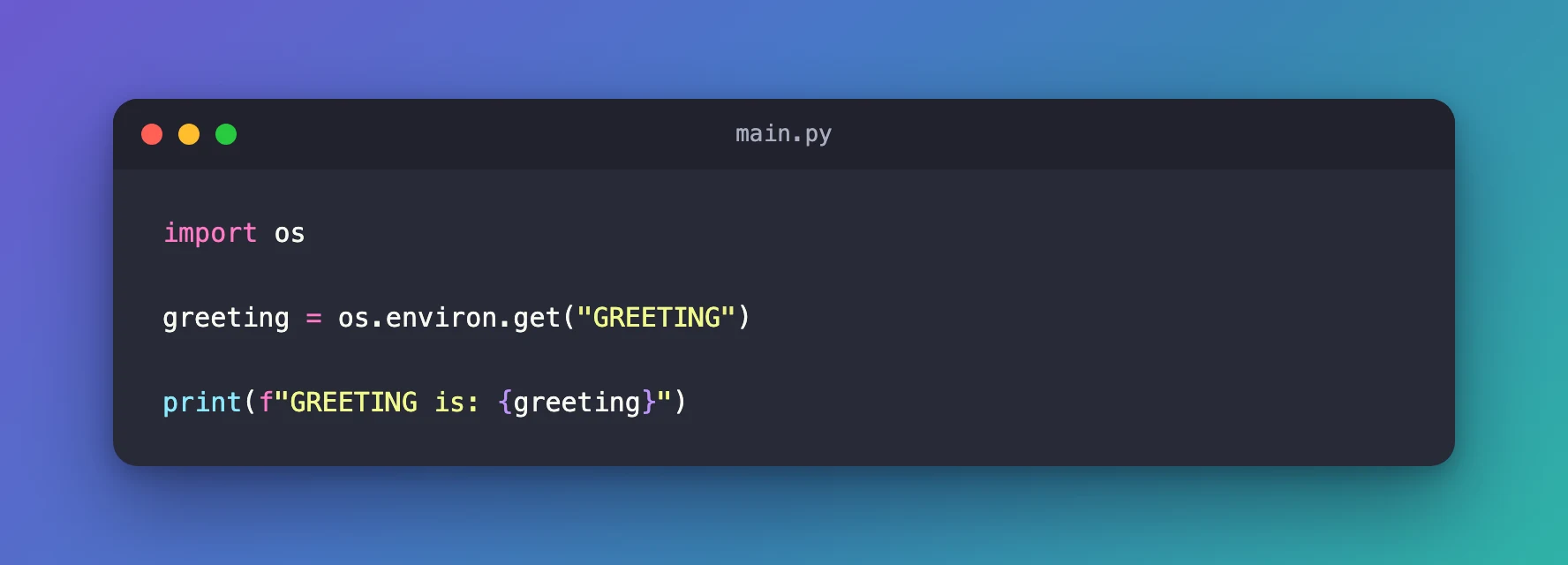
import os

greeting = os.environ.get("GREETING")

print(f"GREETING is: {greeting}")
Step 2: Set the Variable and Run It
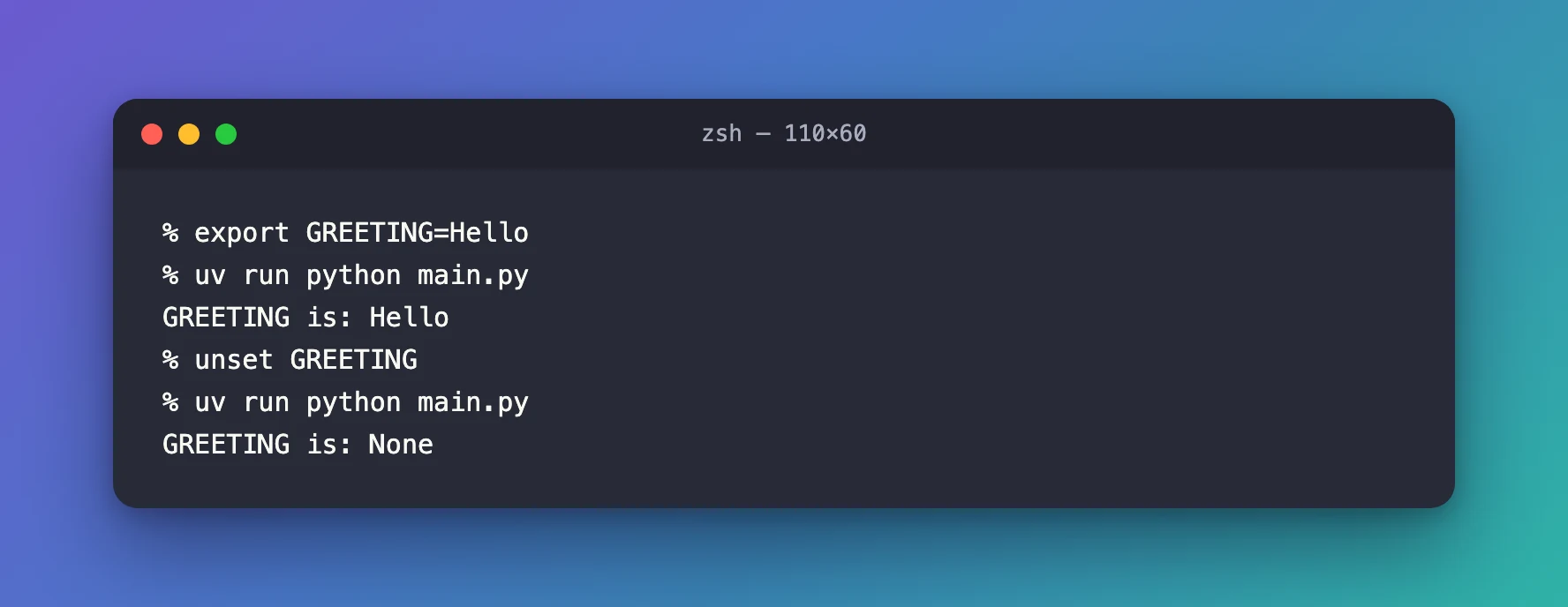
Set GREETING to Hello and run the script. Then remove the variable and run it again:
- macOS / Linux
- Windows (PowerShell)
export GREETING=Hello
uv run python main.py
unset GREETING
uv run python main.py
$env:GREETING = 'Hello'
uv run python main.py
Remove-Item Env:GREETING
uv run python main.py
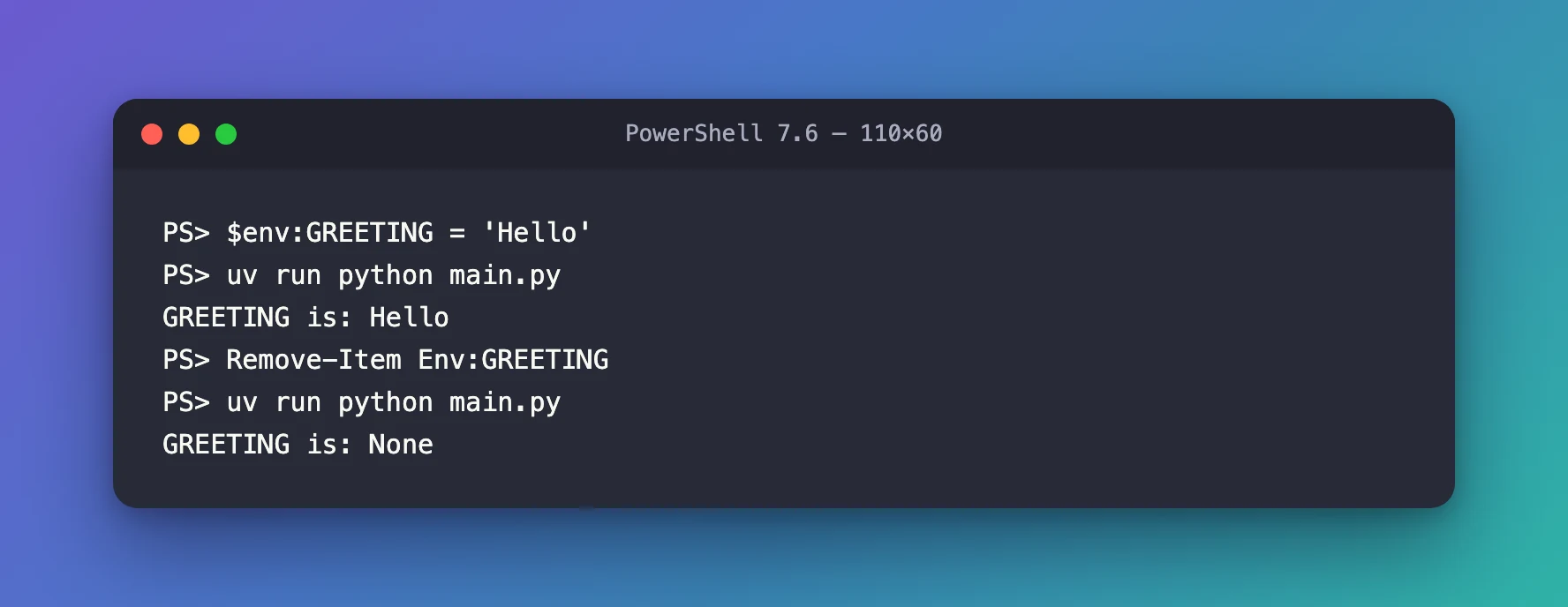
GREETING is: Hello
GREETING is: None
With the variable set, os.environ.get returned 'Hello'. Without it, the same call returned None and the script carried on, so check for None when the value is required.
A Default Value, or an Error
Pass a second argument for the value to use when the variable is missing: os.environ.get("GREETING", "Hi") gives 'Hi'. Square brackets work the other way round: os.environ["GREETING"] stops the script with a KeyError when the variable isn't set, which suits settings the program can't run without.
Common Mistakes
| Mistake | What happens | Do this instead |
|---|---|---|
| Using a number from the environment directly | It's a string: PORT=3000 gives '3000' | Convert it with int(...) |
| Setting the variable in one terminal and running Python in another | None: each terminal has its own variables | Set it in the terminal that runs the script |
Reading a required setting with .get and not checking it | The script carries on with None and fails later | Use os.environ["NAME"], or check for None |
Troubleshooting
| Symptom | Likely cause | Fix |
|---|---|---|
The value is None | The variable isn't set in this terminal | Set it as in Step 2 |
KeyError: 'GREETING' | os.environ["GREETING"] read a missing variable | Set the variable, or use .get with a default |
FAQ
What's the difference between os.getenv and os.environ.get?
For reading, they behave the same: both return None, or your default, when the variable is missing.
Can I change an environment variable from Python?
Yes, by assigning to os.environ["NAME"]. The change applies to this script and the programs it starts, not to the terminal that launched it.
Conclusion
os.environ.get("NAME") reads an environment variable as a string and returns None when it's missing; add a default as the second argument. Use os.environ["NAME"] when the script must stop without it.
Additional Resources
- os.environ, in the Python documentation.
- os.getenv, in the Python documentation.
