How to Read an Environment Variable in PHP

Settings that change between computers, such as a database address or an API key, belong in environment variables. PHP reads one with getenv('NAME'), which returns the value as a string, or false when the variable isn't set.
Syntax
$<value> = getenv('<NAME>');
| Part | What it does |
|---|---|
getenv('<NAME>') | Reads one environment variable. |
| Result | The value as a string, or false when the variable doesn't exist. |
The PHP manual for getenv: it "Returns the value of the environment variable name, or false if the environment variable name does not exist."
The Example
The example shows what getenv('GREETING') returns, with var_dump so the type is visible too, first with the variable set and then without it.
Prerequisites
- PHP for the command line. This guide uses PHP 8.6.0.
Step 1: Write the Code
Create a file named main.php:
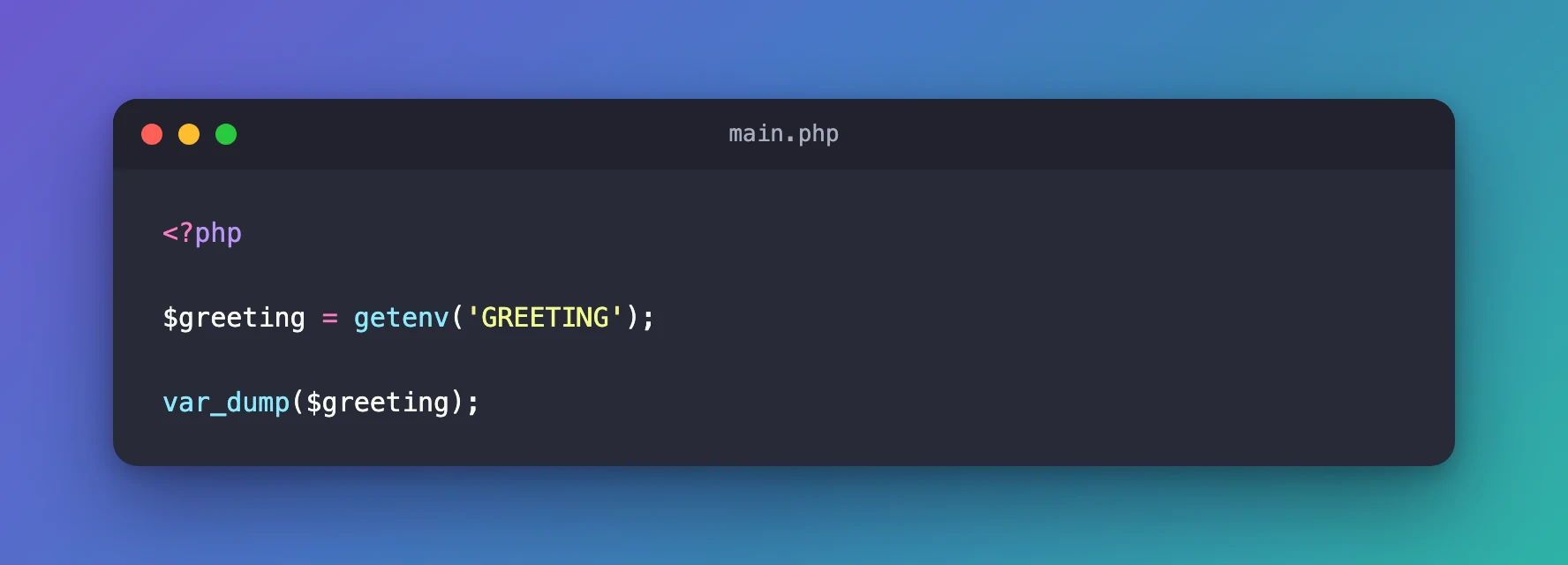
<?php

$greeting = getenv('GREETING');

var_dump($greeting);
Step 2: Set the Variable and Run It
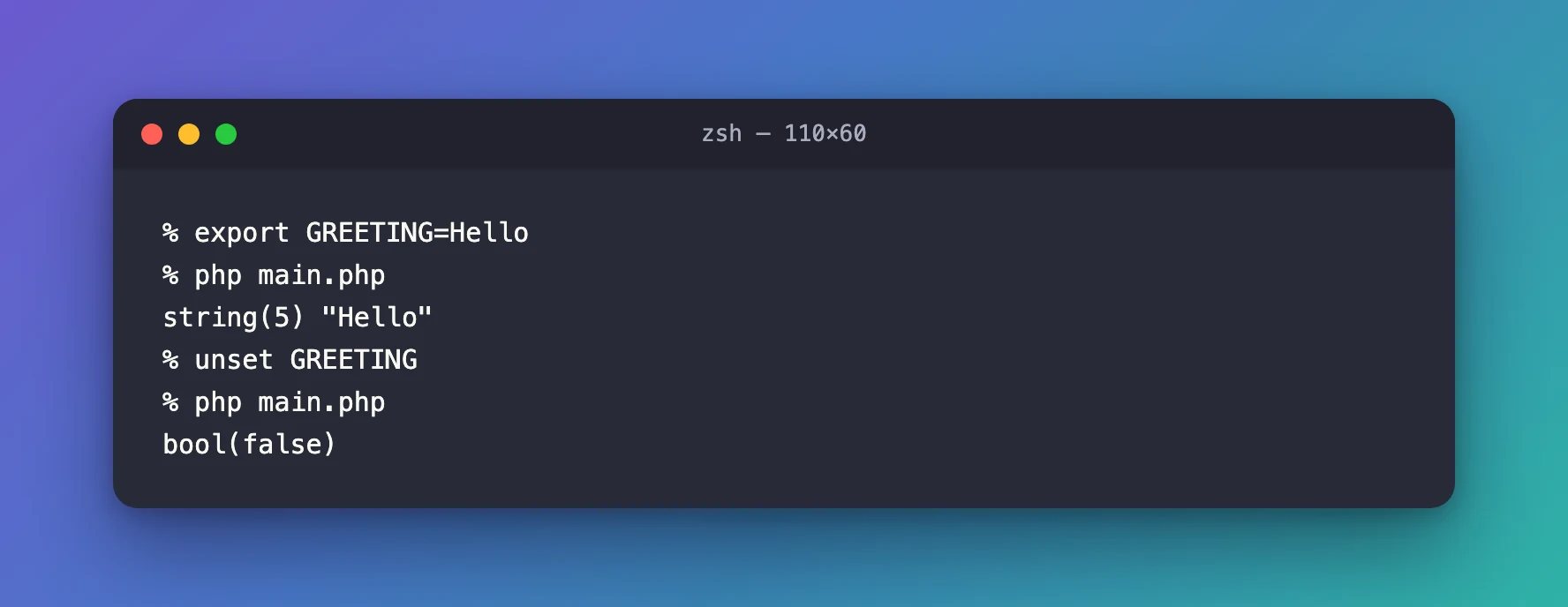
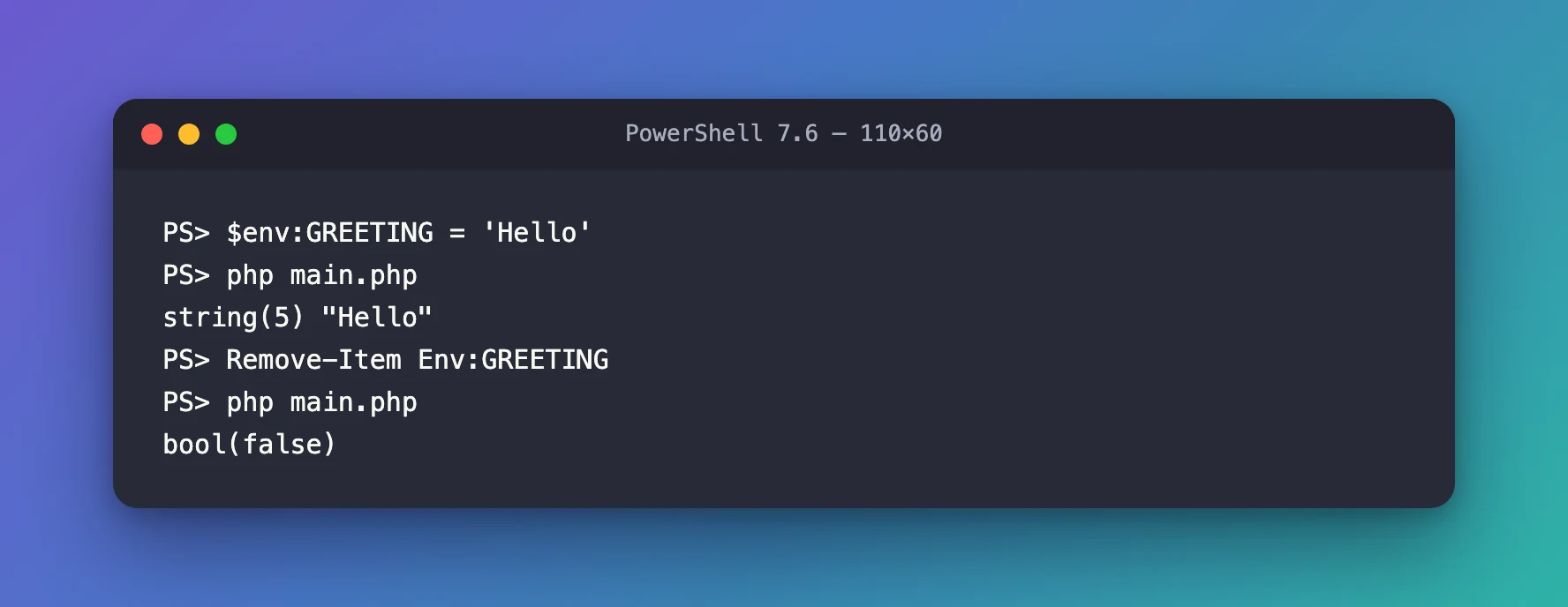
Set GREETING to Hello and run the script. Then remove the variable and run it again:
- macOS / Linux
- Windows (PowerShell)
export GREETING=Hello
php main.php
unset GREETING
php main.php
$env:GREETING = 'Hello'
php main.php
Remove-Item Env:GREETING
php main.php
string(5) "Hello"
bool(false)
With the variable set, getenv returned the string "Hello". Without it, it returned false, not an empty string, so test for false with ===.
What About $_ENV?
$_ENV is only filled in when the variables_order setting includes E. This PHP's php.ini sets variables_order to GPCS, so $_ENV had 0 entries and $_ENV['GREETING'] wasn't there, while getenv('GREETING') returned Hello. getenv doesn't depend on that setting.
Common Mistakes
| Mistake | What happens | Do this instead |
|---|---|---|
Testing with if ($value == '') | It's also true for false, hiding the difference | Compare with === false |
Reading $_ENV['NAME'] | Empty when variables_order has no E | Use getenv('NAME') |
| Setting the variable in one terminal and running PHP in another | false: each terminal has its own variables | Set it in the terminal that runs PHP |
Troubleshooting
| Symptom | Likely cause | Fix |
|---|---|---|
getenv returns false | The variable isn't set in this terminal, or the name differs | Set it as in Step 2 |
$_ENV is empty | variables_order is GPCS | Use getenv, or add E to variables_order |
FAQ
Are variable names case-sensitive?
On macOS and Linux, yes. Windows treats GREETING and greeting as the same variable.
What about web servers?
Under a web server, which variables PHP sees depends on the server's configuration; getenv still reads whatever reached the PHP process.
Conclusion
getenv('NAME') returns a variable's value as a string, or false when it isn't set. Compare the result with === false, and prefer getenv to $_ENV, which may be empty.
Additional Resources
- getenv(), in the PHP manual.
- variables_order, in the PHP manual.
