How to Read an Environment Variable in Node.js

Settings that change between computers, such as a port, a database address or an API key, belong in environment variables rather than in your code. Node.js gives you all of them in one object, process.env.
Syntax
const <value> = process.env.<NAME>;
| Part | What it does |
|---|---|
process.env | An object holding every environment variable the program started with. |
<NAME> | The variable's name. On macOS and Linux it must match exactly, capitals included. |
<value> | The variable's value as a string, or undefined when it isn't set. |
The Node.js documentation describes it in one line: "The process.env property returns an object containing the user environment."
The Example
The example prints the value of a variable named GREETING, first with the variable set and then without it.
Prerequisites
- Node.js. This guide uses Node.js 26.13.1.
Step 1: Write the Code
Create a file named main.js:
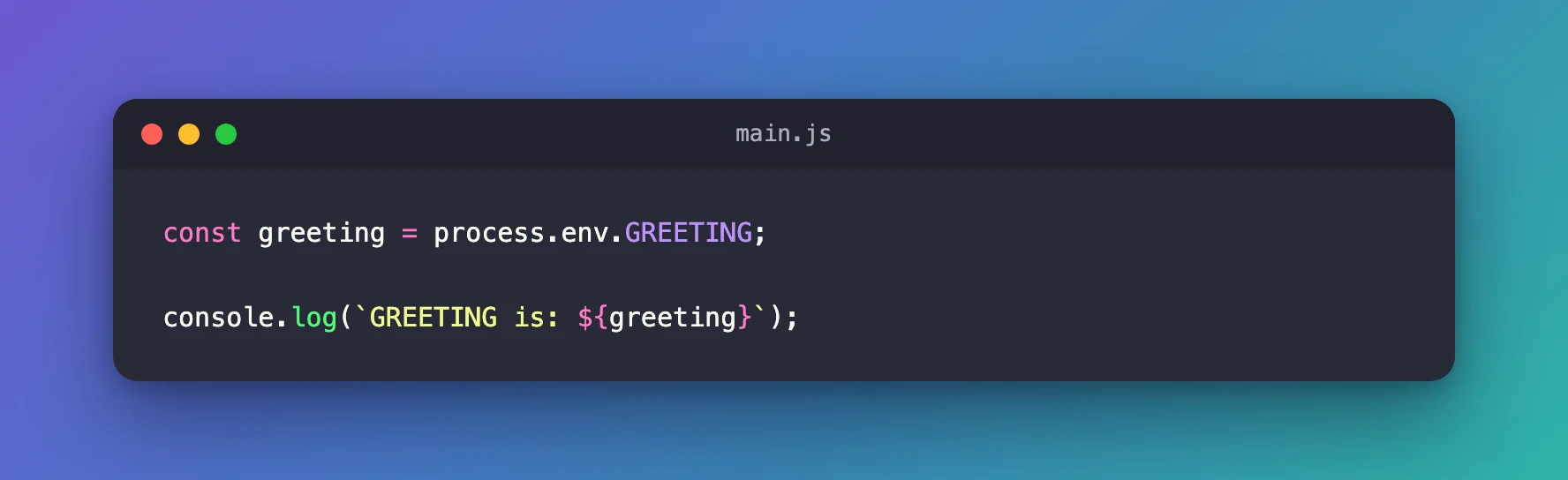
const greeting = process.env.GREETING;

console.log(`GREETING is: ${greeting}`);
Step 2: Set the Variable and Run It
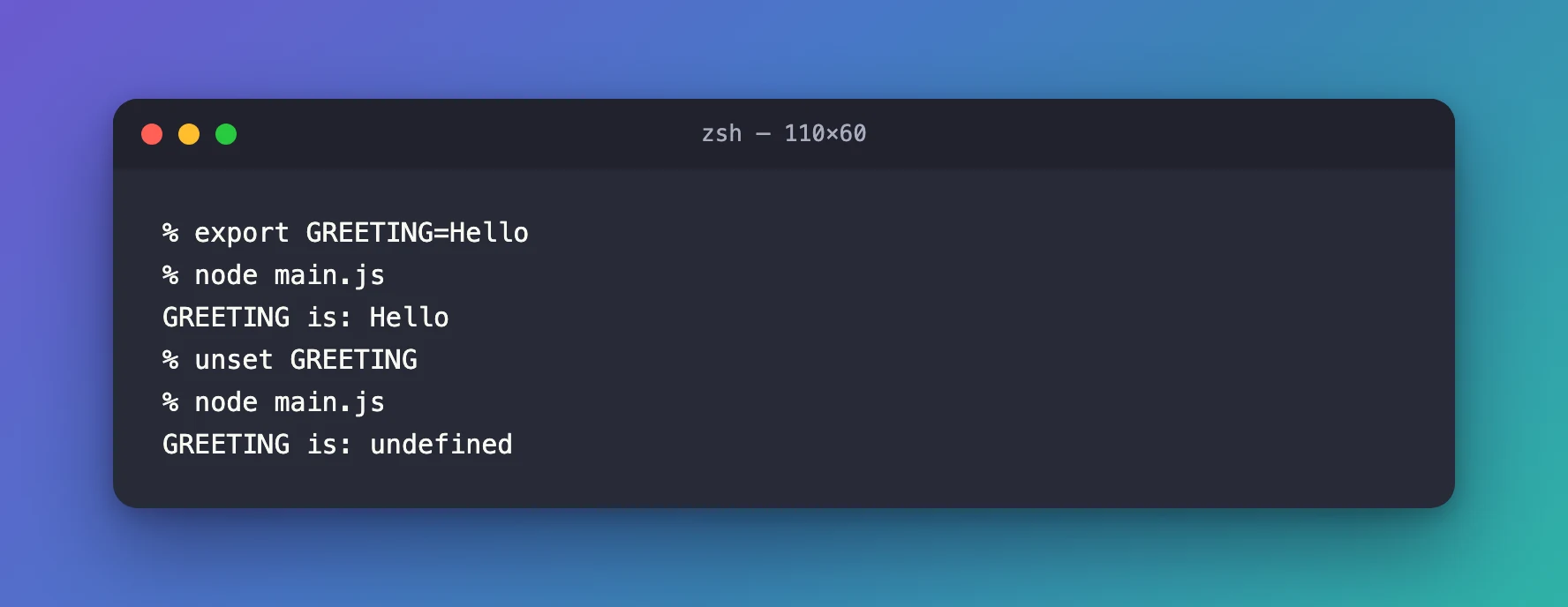
Set GREETING to Hello and run the program. Then remove the variable and run it again:
- macOS / Linux
- Windows (PowerShell)
export GREETING=Hello
node main.js
unset GREETING
node main.js
$env:GREETING = 'Hello'
node main.js
Remove-Item Env:GREETING
node main.js
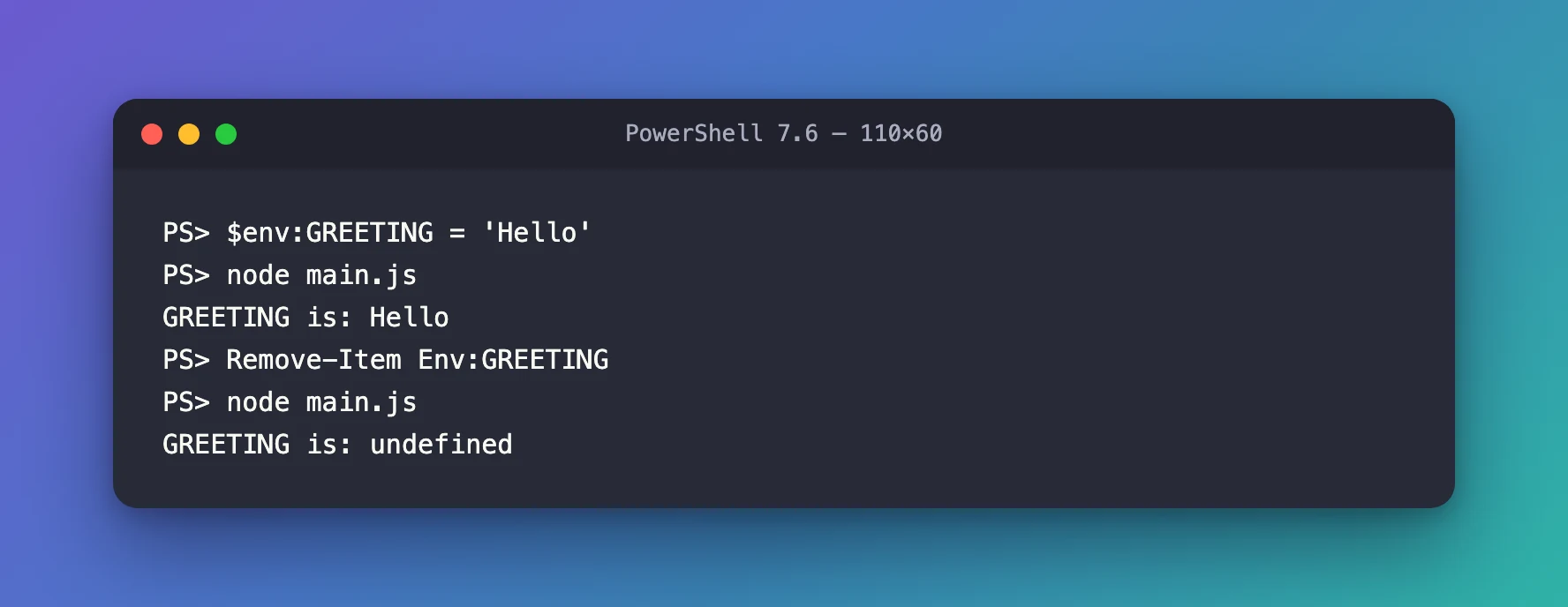
GREETING is: Hello
GREETING is: undefined
With the variable set, process.env.GREETING held 'Hello'. Once it was removed, the same line gave undefined: reading a missing variable isn't an error, so check for it when your program needs it.
Values Are Always Strings
Every value in process.env is a string, even when it looks like a number. Started as PORT=3000 node main.js, typeof process.env.PORT is 'string', so convert it with Number(process.env.PORT) before doing arithmetic.
Common Mistakes
| Mistake | What happens | Do this instead |
|---|---|---|
| Setting the variable in one terminal and running Node.js in another | undefined: each terminal has its own variables | Set it in the terminal that runs the program |
Using a number from process.env directly | '3000' + 1 is '30001' | Convert it first with Number(...) |
Changing the case, as in process.env.greeting on macOS or Linux | undefined | Use the exact name |
Troubleshooting
| Symptom | Likely cause | Fix |
|---|---|---|
The value is undefined | The variable isn't set in this terminal | Set it as in Step 2, then run again |
node: missing.env: not found | --env-file points at a file that doesn't exist | Fix the path, or use --env-file-if-exists |
FAQ
How do I load variables from a .env file?
Start Node.js with node --env-file=.env main.js. It reads lines such as GREETING=Hello from .env into process.env. With --env-file-if-exists, a missing file prints missing.env not found. Continuing without it. instead of stopping.
Are variable names case-sensitive?
On macOS and Linux, yes. The Node.js documentation notes that "On Windows operating systems, environment variables are case-insensitive."
Conclusion
process.env.NAME reads an environment variable as a string, and gives undefined when it isn't set. Set variables with export in zsh or bash and $env: in PowerShell, or load them from a file with --env-file.
Additional Resources
- process.env, in the Node.js documentation.
- --env-file, in the Node.js command-line documentation.
