How to Read an Environment Variable in Java

Settings that change between computers, such as a port, a database address or an API key, belong in environment variables. Java reads one with System.getenv("NAME"), which returns null when the variable isn't set.
Syntax
String <value> = System.getenv("<NAME>");
| Part | What it does |
|---|---|
System.getenv | Reads a variable from the environment the program started with. |
"<NAME>" | The variable's name. |
<value> | The value as a String, or null when the variable isn't set. |
The JDK 25 documentation for System.getenv: "Gets the value of the specified environment variable." It returns the value, or null if the variable is not defined.
The Example
The example prints the value of a variable named GREETING, first with the variable set and then without it.
Prerequisites
- A JDK, the Java Development Kit.
java Main.javaruns a single file without compiling it first. This guide uses OpenJDK 25.0.5.1.
Step 1: Write the Code
Create a file named Main.java:
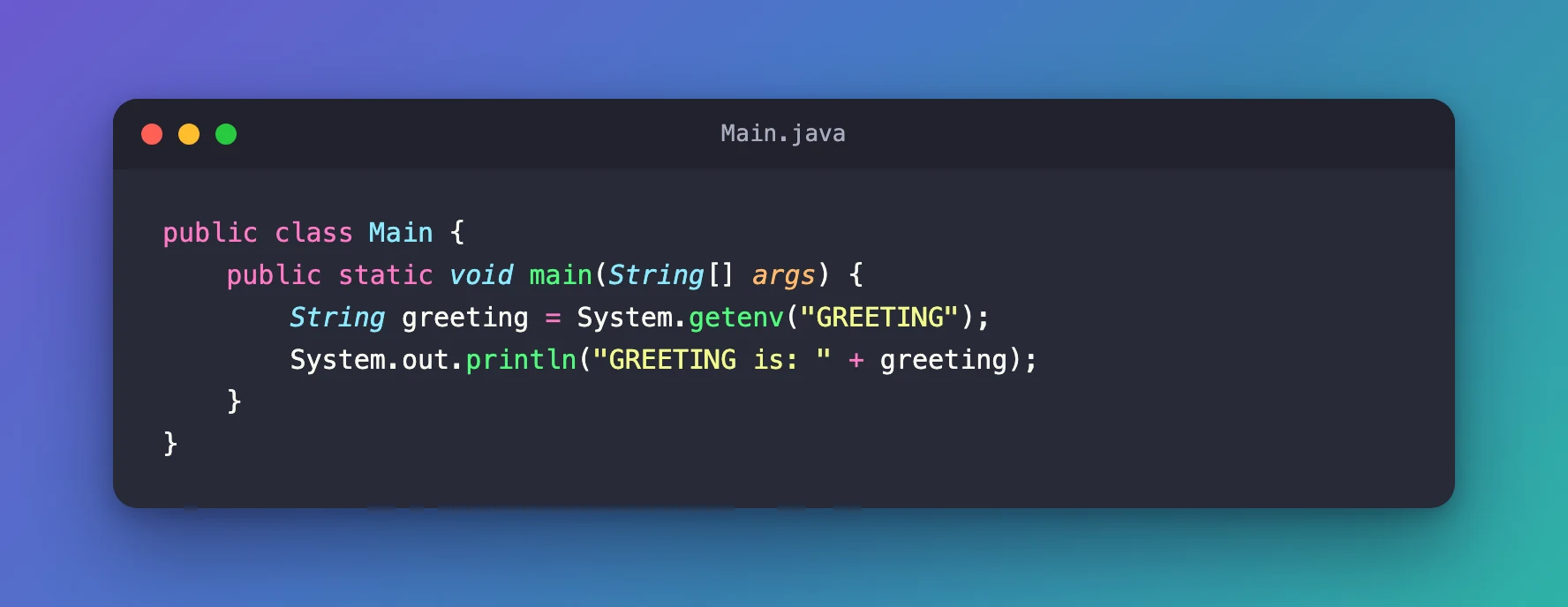
public class Main {
    public static void main(String[] args) {
        String greeting = System.getenv("GREETING");
        System.out.println("GREETING is: " + greeting);
    }
}
Step 2: Set the Variable and Run It
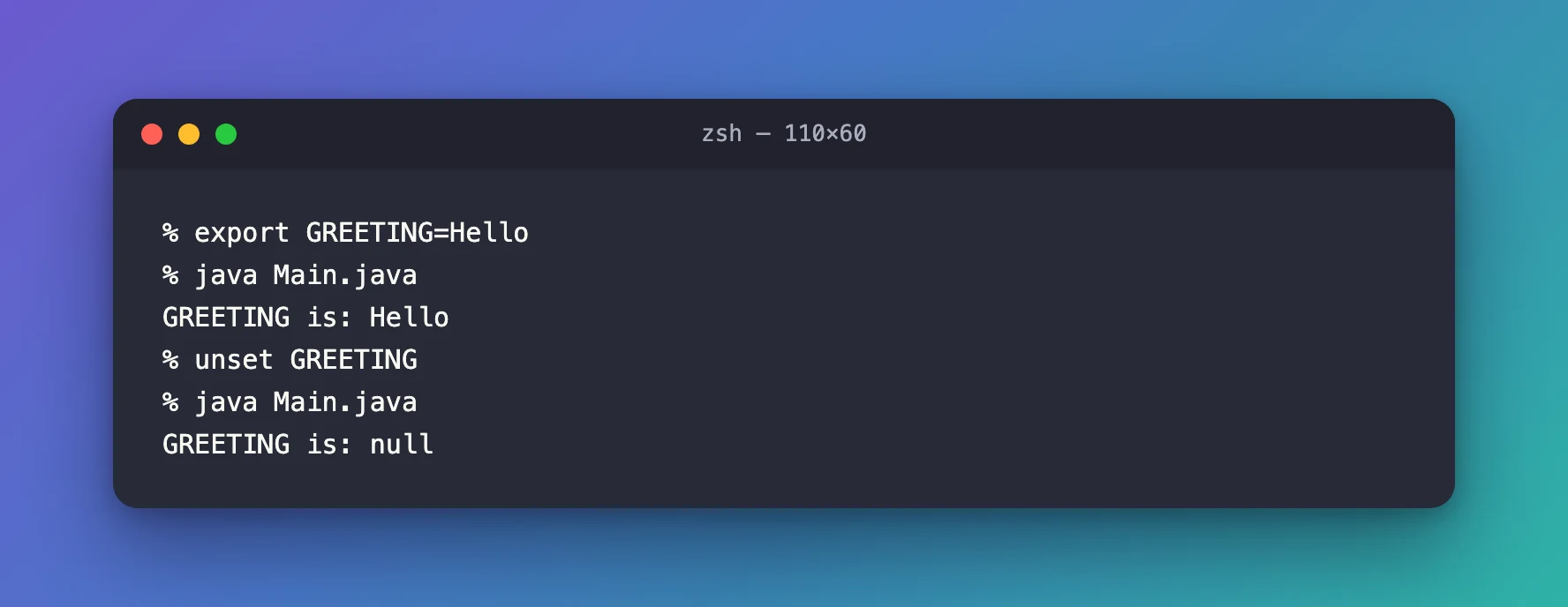
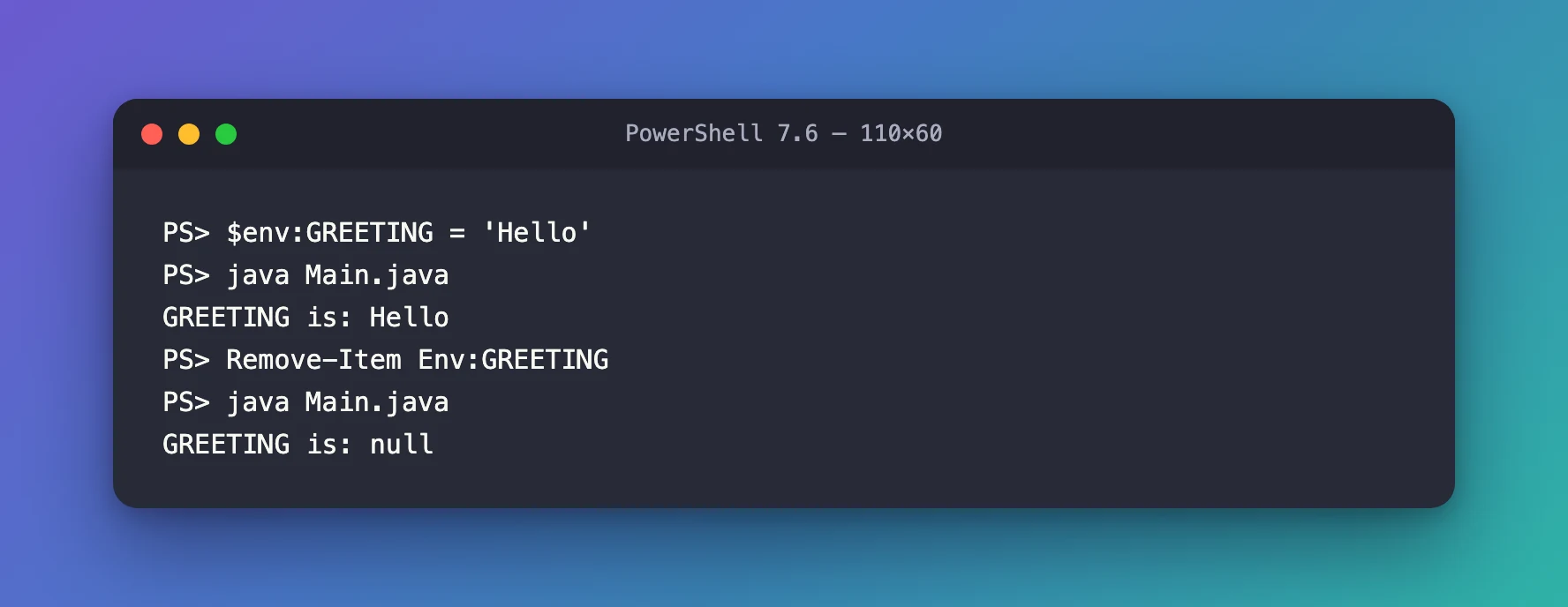
Set GREETING to Hello and run the program. Then remove the variable and run it again:
- macOS / Linux
- Windows (PowerShell)
export GREETING=Hello
java Main.java
unset GREETING
java Main.java
$env:GREETING = 'Hello'
java Main.java
Remove-Item Env:GREETING
java Main.java
GREETING is: Hello
GREETING is: null
With the variable set, System.getenv returned "Hello". Without it, it returned null, and string concatenation printed that as the word null. Check for null before using a value the program needs.
Names on Different Systems
The JDK documentation warns that environment variables "can have subtly different semantics, such as case insensitivity, on different operating systems." On macOS and Linux, System.getenv("greeting") won't find GREETING; on Windows, names aren't case-sensitive.
Common Mistakes
| Mistake | What happens | Do this instead |
|---|---|---|
Calling a method on the result without a null check | NullPointerException when the variable isn't set | Check for null first |
| Using a number from the environment directly | It's a String, such as "3000" | Convert it with Integer.parseInt |
| Setting the variable in one terminal and running Java in another | null: each terminal has its own variables | Set it in the terminal that runs the program |
Troubleshooting
| Symptom | Likely cause | Fix |
|---|---|---|
The output says null | The variable isn't set in this terminal, or the name's case differs | Set it as in Step 2 and match the name exactly |
NumberFormatException after reading a number | The variable holds text that isn't a number, or is missing | Check the value before parsing |
FAQ
What's the difference between getenv and getProperty?
System.getenv reads environment variables, set outside Java. System.getProperty reads Java system properties, set with -Dname=value when starting Java.
Can I read all variables at once?
Yes: System.getenv() without arguments returns all of them as a Map<String, String>.
Conclusion
System.getenv("NAME") returns an environment variable as a String, or null when it isn't set. Check for null, and match the name's case on macOS and Linux.
Additional Resources
- System.getenv(String), in the JDK 25 API documentation.
