How to Read an Array from appsettings.json in C#

Lists belong in configuration, not in code: allowed tenants, admin emails, feature names. In C#, GetSection("AllowedTenants").Get<string[]>() reads a JSON array from appsettings.json into a string[], and ?? [] covers the case where the section isn't there.
Syntax
string[] <values> = <configuration>.GetSection("<SectionName>").Get<string[]>() ?? [];
| Part | What it does |
|---|---|
<configuration> | An IConfiguration built from appsettings.json, such as builder.Configuration in an ASP.NET Core app. |
GetSection("<SectionName>") | Selects the part of the configuration with that name, such as AllowedTenants. |
.Get<string[]>() | Converts the section into a string[]. It returns null when the section doesn't exist. |
?? [] | Turns that null into an empty array. |
Get<T> comes from the Microsoft.Extensions.Configuration.Binder package. Microsoft's ConfigurationBinder.Get reference: "Attempts to bind the configuration instance to a new instance of type T." It returns "The new instance of T if successful, default(T) otherwise." For an array, default is null.
The Example
appsettings.json lists two allowed tenants, contoso and fabrikam. The example reads them into an array, prints how many there are and the first one, and then reads a BlockedTenants section that doesn't exist.
Prerequisites
- The .NET 10 SDK or newer, which runs a single
.csfile withdotnet run. This guide uses .NET SDK 10.0.404.
Step 1: Write the Code
Create an empty folder with two files. First appsettings.json:
{
  "AllowedTenants": [
    "contoso",
    "fabrikam"
  ]
}
Then main.cs:
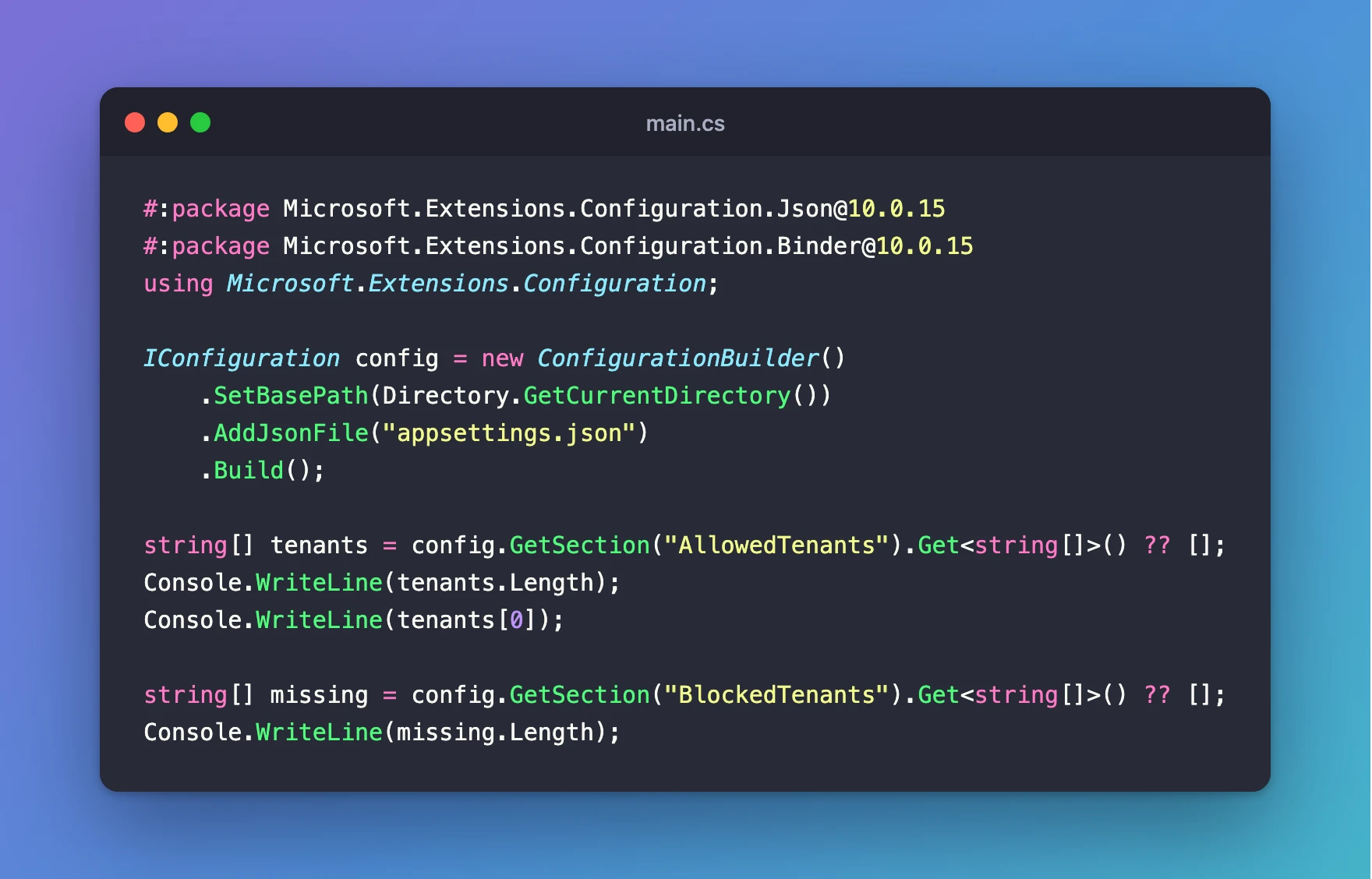
#:package Microsoft.Extensions.Configuration.Json@10.0.15
#:package Microsoft.Extensions.Configuration.Binder@10.0.15
using Microsoft.Extensions.Configuration;

IConfiguration config = new ConfigurationBuilder()
    .SetBasePath(Directory.GetCurrentDirectory())
    .AddJsonFile("appsettings.json")
    .Build();

string[] tenants = config.GetSection("AllowedTenants").Get<string[]>() ?? [];
Console.WriteLine(tenants.Length);
Console.WriteLine(tenants[0]);

string[] missing = config.GetSection("BlockedTenants").Get<string[]>() ?? [];
Console.WriteLine(missing.Length);
The two #:package lines add NuGet packages to a single-file app: one reads JSON files, the other provides Get<T>. Version 10.0.15 matches the .NET 10 runtime. SetBasePath(Directory.GetCurrentDirectory()) tells the JSON provider to look for appsettings.json in the folder you run the command from.
Step 2: Run It
dotnet run main.cs
2
contoso
0
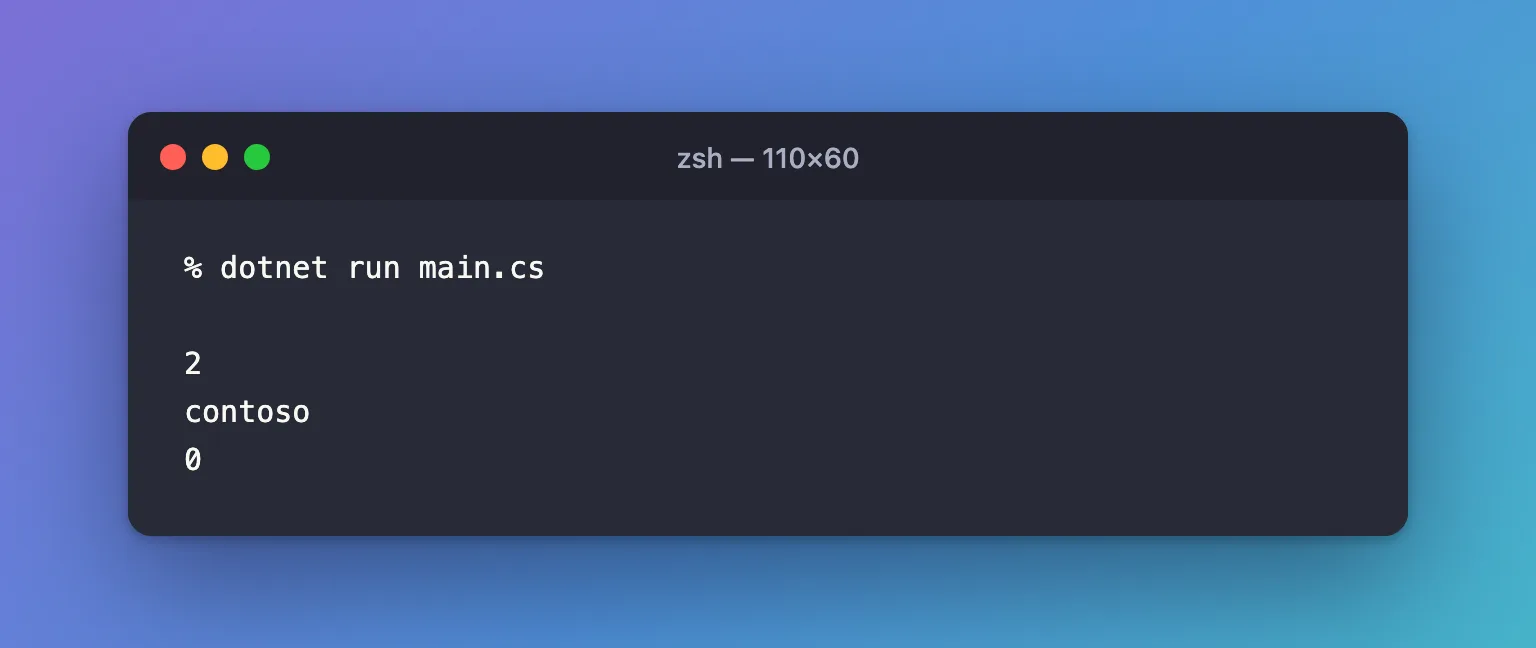
Two tenants, contoso first. BlockedTenants doesn't exist, so Get<string[]>() returned null and ?? [] made it an empty array: 0, with no exception. On the first run, dotnet run also restores the two packages. In the terminal, the build progress line is cleared when the program starts, which leaves the empty line above the output. The command is the same in zsh, bash and PowerShell.
What Happens Without SetBasePath
Leave out SetBasePath, and the provider looks next to the compiled program. dotnet run main.cs builds a single-file app into a folder of its own, not into the folder that holds main.cs:
Unhandled exception. System.IO.FileNotFoundException: The configuration file 'appsettings.json' was not found and is not optional. The expected physical path was '/Users/you/Library/Application Support/dotnet/runfile/main-a7af3fdb2ffe…/bin/debug/appsettings.json'.
   at Microsoft.Extensions.Configuration.FileConfigurationProvider.HandleException(ExceptionDispatchInfo info)
   at Microsoft.Extensions.Configuration.FileConfigurationProvider.Load(Boolean reload)
The message names the folder it searched. SetBasePath points the provider at the right one. Microsoft's SetBasePath reference: "Sets the FileProvider for file-based providers to a PhysicalFileProvider with the base path."
Common Mistakes
| Mistake | What happens | Do this instead |
|---|---|---|
Leaving out SetBasePath in a single-file app | FileNotFoundException: The configuration file 'appsettings.json' was not found and is not optional. | Add .SetBasePath(Directory.GetCurrentDirectory()) |
| Leaving out the Binder package | error CS1061: 'IConfigurationSection' does not contain a definition for 'Get' | Add Microsoft.Extensions.Configuration.Binder |
Using the result without ?? [] | A missing section gives null, and tenants.Length throws NullReferenceException | Add ?? [] |
Reading tenants[0] from a list that may be empty | IndexOutOfRangeException | Check tenants.Length first |
Troubleshooting
| Symptom | Likely cause | Fix |
|---|---|---|
FileNotFoundException naming a folder under dotnet/runfile | The provider searched the build folder | Set the base path to the current directory |
| The array is always empty | The section name is spelled differently, such as AllowedTenant without the s | Copy the name from the JSON file. Upper and lower case don't matter: configuration keys are case-insensitive |
FAQ
How does configuration store an array?
As numbered keys. Microsoft's configuration article: "When the element structure includes an array, the array index should be treated as an additional element name in the path." So config["AllowedTenants:0"] returned contoso and config["AllowedTenants:1"] returned fabrikam when tried on the same file.
Does the same line work in ASP.NET Core?
Yes. builder.Configuration is already an IConfiguration built from appsettings.json, so builder.Configuration.GetSection("AllowedTenants").Get<string[]>() ?? [] works without the ConfigurationBuilder part.
Conclusion
Put the list in appsettings.json as a JSON array and read it with GetSection("<Name>").Get<string[]>() ?? []. In a single-file app, set the base path so the file is found, and reference the Binder package for Get<T>.
Additional Resources
- ConfigurationBinder.Get, on Microsoft Learn.
- Configuration in .NET: binding, on Microsoft Learn.
