How to Read a Semicolon-Separated CSV File with pandas

Not every CSV file uses commas. Files exported in many European countries, and plenty of public datasets, separate their values with semicolons, and pandas.read_csv reads those as one long column unless you tell it otherwise. One argument fixes it: sep=";". This guide reads a small price list both ways, with real output from pandas 3.1.1.
Syntax
frame = pd.read_csv(path, sep=";")
| Part | What it means |
|---|---|
path | The file to read |
sep=";" | The character between the values on each line. The default is "," |
Step 1: Read the File With and Without sep
The example file, prices.csv, has three columns separated by semicolons:
item;price;stock
tea;2.5;10
coffee;3.1;4
Create read_prices.py, which reads it twice:
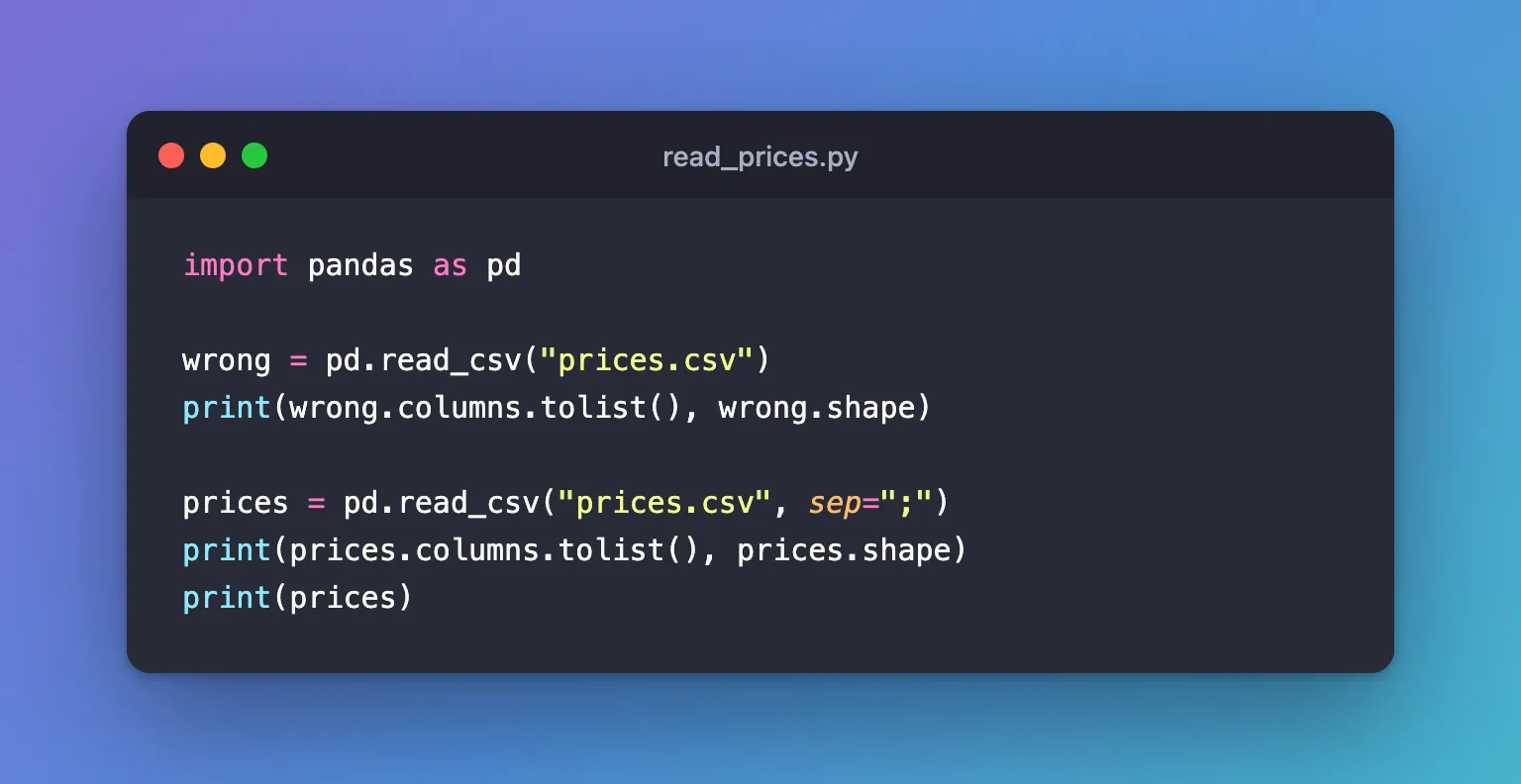
import pandas as pd

wrong = pd.read_csv("prices.csv")
print(wrong.columns.tolist(), wrong.shape)

prices = pd.read_csv("prices.csv", sep=";")
print(prices.columns.tolist(), prices.shape)
print(prices)
uv run python read_prices.py
['item;price;stock'] (2, 1)
['item', 'price', 'stock'] (2, 3)
     item  price  stock
0     tea    2.5     10
1  coffee    3.1      4
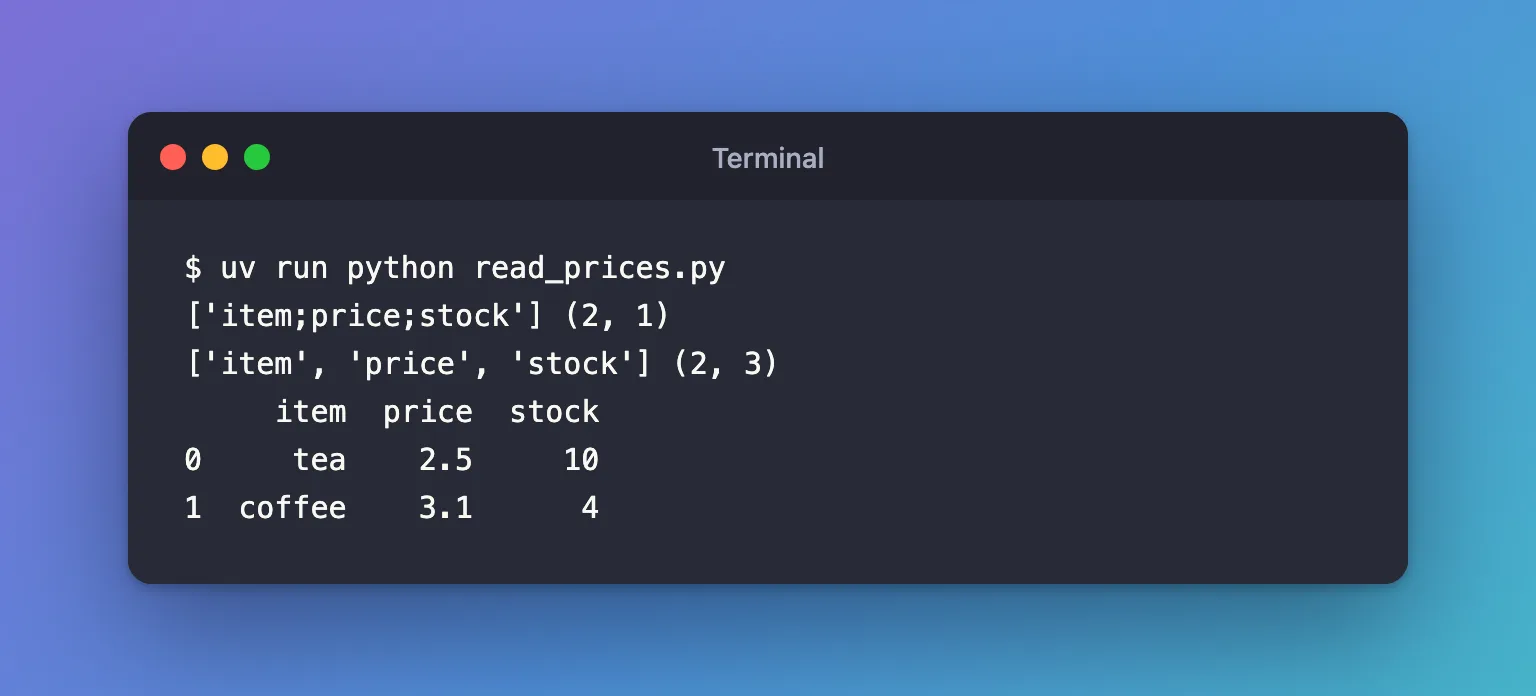
Without sep, pandas looked for commas, found none, and kept each line whole: one column named item;price;stock. With sep=";" it found the three columns, and price and stock came out as numbers.
Step 2: Read Decimal Commas
Where semicolons separate values, commas often mark decimals: 2,5 for two and a half. decimal="," tells pandas so. With prices_eu.csv:
item;price;stock
tea;2,5;10
coffee;3,1;4
import pandas as pd

prices = pd.read_csv("prices_eu.csv", sep=";")
print(prices["price"].tolist())

prices = pd.read_csv("prices_eu.csv", sep=";", decimal=",")
print(prices["price"].tolist())
uv run python read_prices_eu.py
['2,5', '3,1']
[2.5, 3.1]
Without decimal="," the prices stay text; with it, they're numbers you can add up.
Step 3: Let pandas Find the Separator
When you don't know the separator, sep=None tells pandas to guess it from the file's first row, with Python's own csv.Sniffer. Only the Python parsing engine can guess, so pass engine="python"; without it, pandas switches to that engine itself and warns about it:
prices = pd.read_csv("prices.csv", sep=None, engine="python")
For prices.csv it found the semicolons and returned the same three columns. Guessing can go wrong on unusual files, so when you know the separator, pass it.
Common Mistakes
| Mistake | What happens | Do this instead |
|---|---|---|
Leaving out sep for a semicolon file | One column, named after the whole first line | sep=";" |
Forgetting decimal="," with decimal commas | Numbers such as 2,5 stay text | Add decimal="," |
sep=None without engine="python" | ParserWarning: Falling back to the 'python' engine because the 'c' engine does not support sep=None | Add engine="python" |
Troubleshooting
| Symptom | Likely cause | Fix |
|---|---|---|
.shape shows one column, and its name contains ; | The separator is wrong | Pass sep=";" |
A numeric column has the type str | Decimal commas, or a stray character in some rows | Try decimal=",", then look for the rows that aren't numbers |
FAQ
What about tab-separated files?
Same argument: sep="\t".
Does to_csv write semicolons too?
Yes, frame.to_csv(path, sep=";"): How to Save a pandas DataFrame to a CSV File.
Conclusion
pd.read_csv("prices.csv", sep=";") read three columns where the default read one. Pass sep for any file not separated by commas, add decimal="," when its numbers use decimal commas, and check .shape after reading: one column is the sign of a wrong separator.
Additional Resources
- pandas.read_csv —
sep,decimaland the parsing engines.
