How to Read a Request Header in a Minimal API with FromHeader

To read a request header in a minimal API, add a parameter with [FromHeader]. One detail decides how it behaves: string? makes the header optional, and string makes it required, with a 400 if it's missing.
Prerequisites
- An ASP.NET Core minimal API. I used ASP.NET Core 10.
Step 1: Add the Parameter
g.MapGet("/header/optional", ([FromHeader(Name = "X-Request-Source")] string? source) =>
    Results.Ok(new { source }));
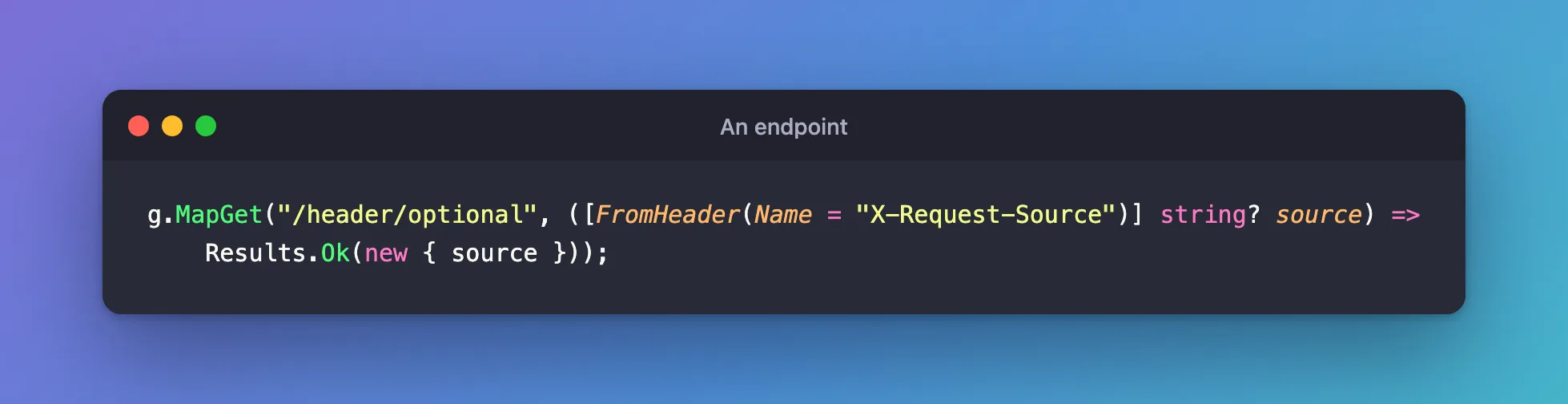
Name = gives the header's real name, because a C# parameter can't have a dash in it. [FromHeader] needs using Microsoft.AspNetCore.Mvc;.
Step 2: Call It With and Without
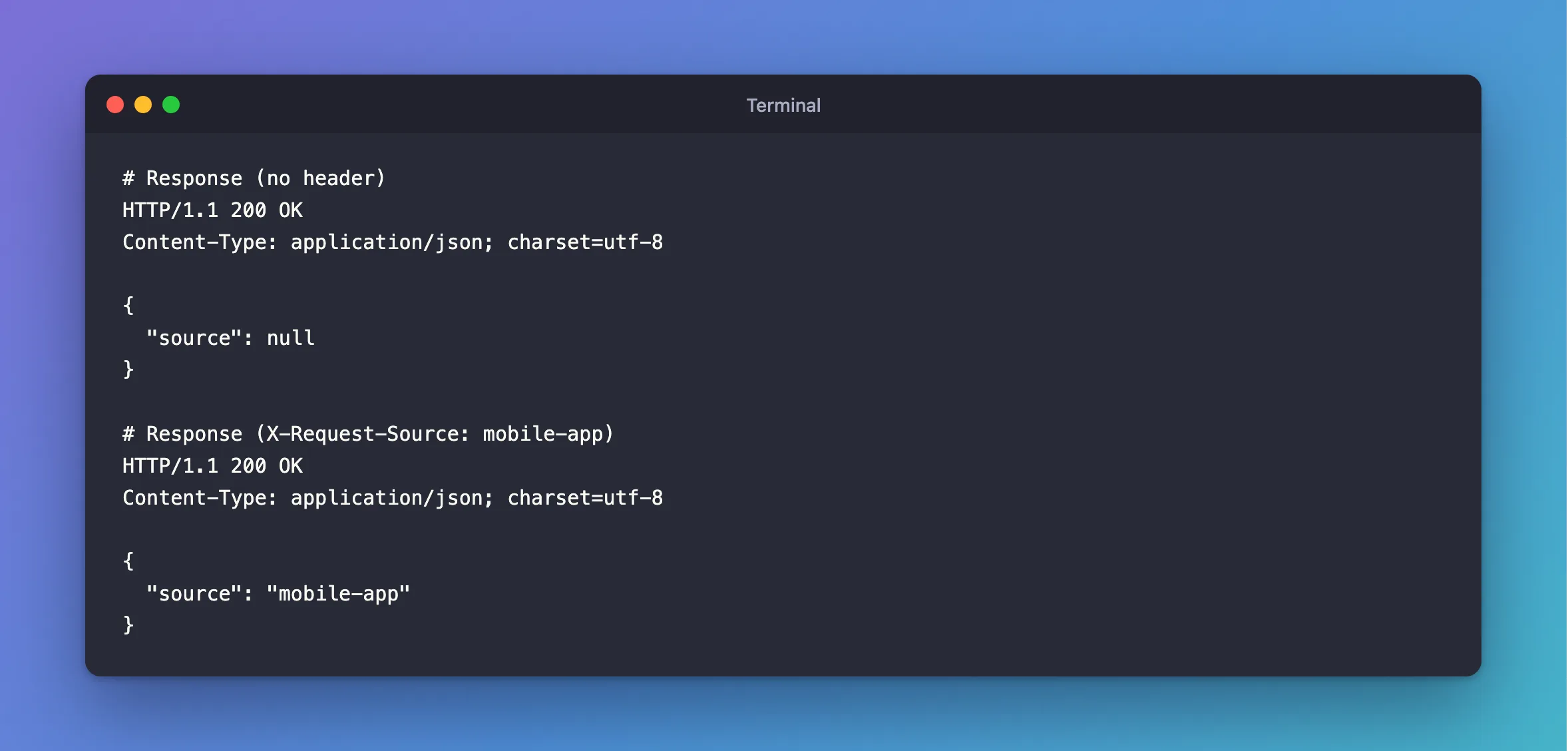
HTTP/1.1 200 OK
Content-Type: application/json; charset=utf-8

{
  "source": null
}
HTTP/1.1 200 OK
Content-Type: application/json; charset=utf-8

{
  "source": "mobile-app"
}
Step 3: Make It Required
Take away the ?:
g.MapGet("/header/required", ([FromHeader(Name = "X-Request-Source")] string source) =>
    Results.Ok(new { source }));
HTTP/1.1 400 Bad Request
Content-Type: application/problem+json

{
  "type": "https://tools.ietf.org/html/rfc9110#section-15.5.1",
  "title": "Bad Request",
  "status": 400,
  "traceId": "00-7eccd113fd241306bbae1c41eeee997d-00182afd897625c4-00"
}
The endpoint doesn't run. The log says why: Required parameter "string source" was not provided from header. With the header, it answers normally:
HTTP/1.1 200 OK
Content-Type: application/json; charset=utf-8

{
  "source": "mobile-app"
}
Step 4: Read It from HttpContext
If the name is only known at runtime, or you want all the values, use HttpContext. Names aren't case-sensitive:
g.MapGet("/header/noattr", (HttpContext context) =>
    Results.Ok(new { source = context.Request.Headers["X-Request-Source"].ToString() }));
HTTP/1.1 200 OK
Content-Type: application/json; charset=utf-8

{
  "source": "lower-case"
}
Step 5: Validate It
With AddValidation() on, attributes work on the parameter:
[FromHeader(Name = "Idempotency-Key"), StringLength(64)] string? idempotencyKey,
Common Mistakes
| Mistake | What happens | Do this instead |
|---|---|---|
Leaving out Name for a header with dashes | It looks for a header called source | Give the name |
Using string for an optional header | 400 when it's missing | Use string? |
| Putting secrets in a header without TLS | They travel in the clear | Use HTTPS |
Troubleshooting
| Symptom | Likely cause | Fix |
|---|---|---|
Required parameter ... was not provided from header | It's required, and missing | The fix |
It's always null | A different name | Check Name = |
The validation 400 names idempotencyKey | It uses the parameter's name | That's expected |
Conclusion
[FromHeader(Name = "...")] reads a header into a parameter. string? for optional, string for required, and HttpContext.Request.Headers for the rest.
Additional Resources
- Parameter binding in minimal APIs — binding from headers.
