How to Read a JWT's Claims Without Verifying It in Python with PyJWT

PyJWT's jwt.decode normally verifies a token. With options={"verify_signature": False} it only reads the claims, and jwt.get_unverified_header reads the header. Neither needs the key, which makes them right for reading a token and wrong for trusting one.
Syntax
<claims> = jwt.decode(<token>, options={"verify_signature": False})
<header> = jwt.get_unverified_header(<token>)
| Part | What it does |
|---|---|
options={"verify_signature": False} | Turns the signature check off. PyJWT then turns every claim check off too, the expiry included, unless you switch one back on. |
jwt.decode(...) | Returns the claims as a dictionary. No key or algorithms is needed in this mode. |
jwt.get_unverified_header(<token>) | Returns the header as a dictionary, for example to read its kid. |
The PyJWT documentation: "If you wish to read the claimset of a JWT without performing validation of the signature or any of the registered claim names, you can set the verify_signature option to False." It adds: "It is generally ill-advised to use this functionality unless you clearly understand what you are doing. Without digital signature information, the integrity or authenticity of the claimset cannot be trusted."
The Example
The example reads a token that another service signed with a key this program doesn't have. The token expired on 1 December 2025, and its header names the key that signed it, key-2025-12, in a kid.
Prerequisites
- uv and Python. This guide uses uv 0.13.10 with Python 3.15.2.
Step 1: Create the Project
uv init --no-package demo
cd demo
uv add pyjwt
uv init --no-package demo creates a project in a new demo folder, and uv add pyjwt installs PyJWT, version 2.15.1 here. The package is called PyJWT, but the code imports it as jwt.
Step 2: Write the Code
Replace the contents of main.py:
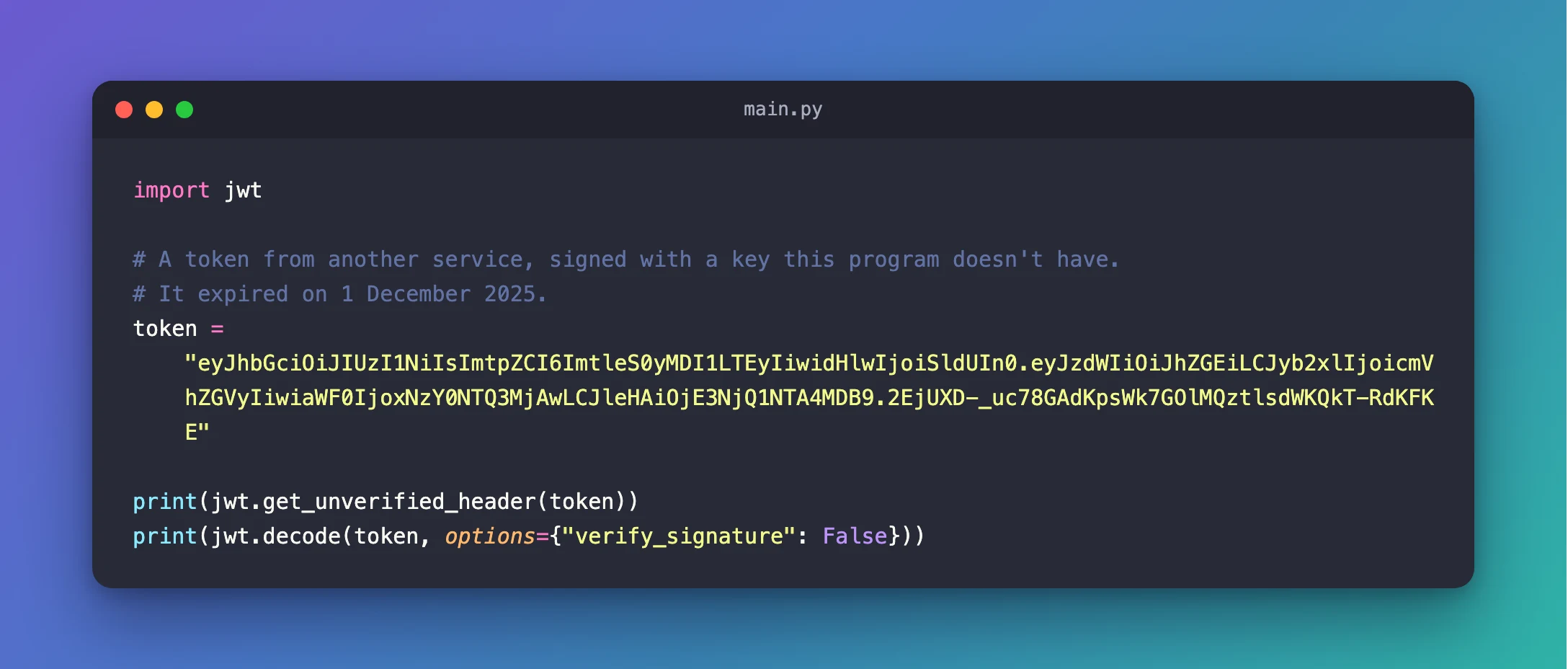
import jwt

# A token from another service, signed with a key this program doesn't have.
# It expired on 1 December 2025.
token = "eyJhbGciOiJIUzI1NiIsImtpZCI6ImtleS0yMDI1LTEyIiwidHlwIjoiSldUIn0.eyJzdWIiOiJhZGEiLCJyb2xlIjoicmVhZGVyIiwiaWF0IjoxNzY0NTQ3MjAwLCJleHAiOjE3NjQ1NTA4MDB9.2EjUXD-_uc78GAdKpsWk7GOlMQztlsdWKQkT-RdKFKE"

print(jwt.get_unverified_header(token))
print(jwt.decode(token, options={"verify_signature": False}))
Step 3: Run It
uv run main.py
{'alg': 'HS256', 'kid': 'key-2025-12', 'typ': 'JWT'}
{'sub': 'ada', 'role': 'reader', 'iat': 1764547200, 'exp': 1764550800}
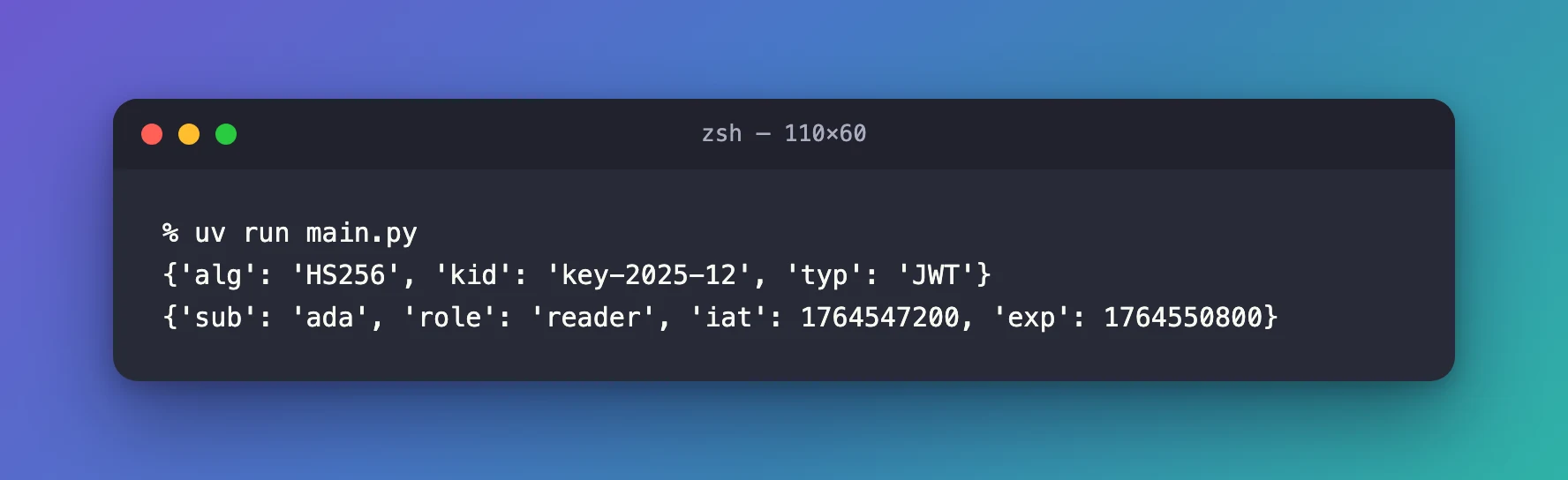
Both calls returned what the token says, without the key and without a complaint about the expiry: exp is 1764550800, 1 December 2025 at 01:00 UTC.
Decoding Is Not Verifying
Anyone can write a token with any claims, so these claims prove nothing. Use them to read, never to decide who someone is or what they may do. To trust a token, verify it with the key and the algorithm you expect:
claims = jwt.decode(token, key, algorithms=["HS256"])
That call checks the signature and the expiry, and raises an error when either fails.
Reading the header first is the one common server-side use: a service with several keys reads kid with get_unverified_header and picks that key from its own list. The header is just as forgeable as the claims, so look it up only among keys you already trust.
Common Mistakes
| Mistake | What happens | Do this instead |
|---|---|---|
Using the claims from verify_signature: False to grant access | Anyone can send a token with any claims, and the code believes them | Decode with the key and algorithms |
| Thinking only the signature is skipped | PyJWT skips the expiry and every other claim check as well | Verify properly when you need the checks |
Calling jwt.decode(token, key) without algorithms to verify | DecodeError: It is required that you pass in a value for the "algorithms" argument when calling decode(). | Add algorithms=["HS256"] |
Troubleshooting
| Symptom | Likely cause | Fix |
|---|---|---|
jwt.exceptions.DecodeError: Not enough segments | The string isn't a JWT with three pieces | Check what you passed |
ModuleNotFoundError: No module named 'jwt' | PyJWT isn't installed in the environment running the script | Run it with uv run inside the project |
FAQ
Is it safe to read a token this way?
For reading, yes, for example to show what a sign-in service put in a token while debugging. Just keep the claims away from any decision about the user.
Why is the option called verify_signature when it skips more?
The signature is what everything else rests on: without it, the claims could say anything, so PyJWT doesn't check them either.
Conclusion
jwt.decode(token, options={"verify_signature": False}) reads a token's claims and jwt.get_unverified_header(token) reads its header, without a key and without any checks. Use them to look inside a token; decode with the key and algorithms before you trust it.
Additional Resources
- Reading the Claimset without Validation and Reading Headers without Validation, in the PyJWT documentation.
- RFC 8725, section 3.10: Do Not Trust Received Claims.
