How to Read a JWT Without Validating It in C# with ReadJsonWebToken

JsonWebTokenHandler.ReadJsonWebToken turns a JWT string into a JsonWebToken object you can read: its algorithm, its key ID, its subject, its expiry and any other claim. It needs no key and checks nothing, which makes it right for reading a token and wrong for trusting one.
Syntax
using Microsoft.IdentityModel.JsonWebTokens;

JsonWebToken <jwt> = new JsonWebTokenHandler().ReadJsonWebToken(<token>);
| Part | What it does |
|---|---|
ReadJsonWebToken(<token>) | Parses the token's header and payload without validating anything. |
<jwt>.Alg, <jwt>.Kid | Values from the header: the algorithm and the key ID. |
<jwt>.Subject, <jwt>.ValidTo | Values from the payload: sub, and exp as a UTC DateTime. |
Microsoft Learn on ReadJsonWebToken: "Converts a string into an instance of JsonWebToken." And in its remarks: "The token is NOT validated and no security decisions should be made about the contents. Use ValidateToken(String, TokenValidationParameters) or ValidateTokenAsync(String, TokenValidationParameters) to ensure the token is acceptable."
The Example
The example reads a token that another service signed with a key this program doesn't have. The token expired on 1 December 2025, and its header names the key that signed it, key-2025-12, in a kid.
Prerequisites
- .NET SDK. This guide uses .NET SDK 10.0.404.
Step 1: Create the Project
dotnet new console -o demo
cd demo
dotnet package add Microsoft.IdentityModel.JsonWebTokens
dotnet new console creates a console app in a new demo folder, and dotnet package add adds Microsoft.IdentityModel.JsonWebTokens, version 8.23.0 here.
Step 2: Write the Code
Replace the contents of Program.cs:
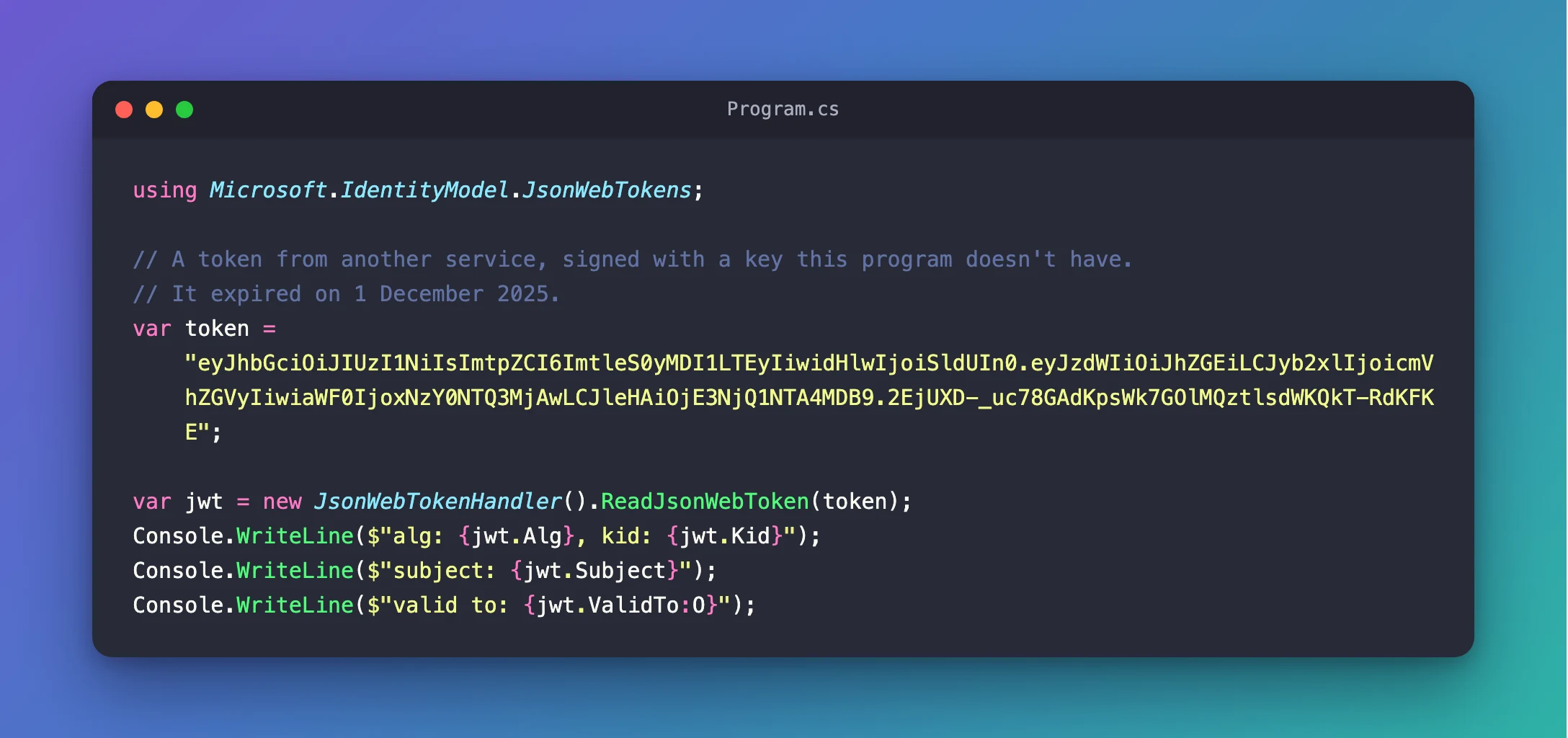
using Microsoft.IdentityModel.JsonWebTokens;

// A token from another service, signed with a key this program doesn't have.
// It expired on 1 December 2025.
var token = "eyJhbGciOiJIUzI1NiIsImtpZCI6ImtleS0yMDI1LTEyIiwidHlwIjoiSldUIn0.eyJzdWIiOiJhZGEiLCJyb2xlIjoicmVhZGVyIiwiaWF0IjoxNzY0NTQ3MjAwLCJleHAiOjE3NjQ1NTA4MDB9.2EjUXD-_uc78GAdKpsWk7GOlMQztlsdWKQkT-RdKFKE";

var jwt = new JsonWebTokenHandler().ReadJsonWebToken(token);
Console.WriteLine($"alg: {jwt.Alg}, kid: {jwt.Kid}");
Console.WriteLine($"subject: {jwt.Subject}");
Console.WriteLine($"valid to: {jwt.ValidTo:O}");
Step 3: Run It
dotnet run
alg: HS256, kid: key-2025-12
subject: ada
valid to: 2025-12-01T01:00:00.0000000Z
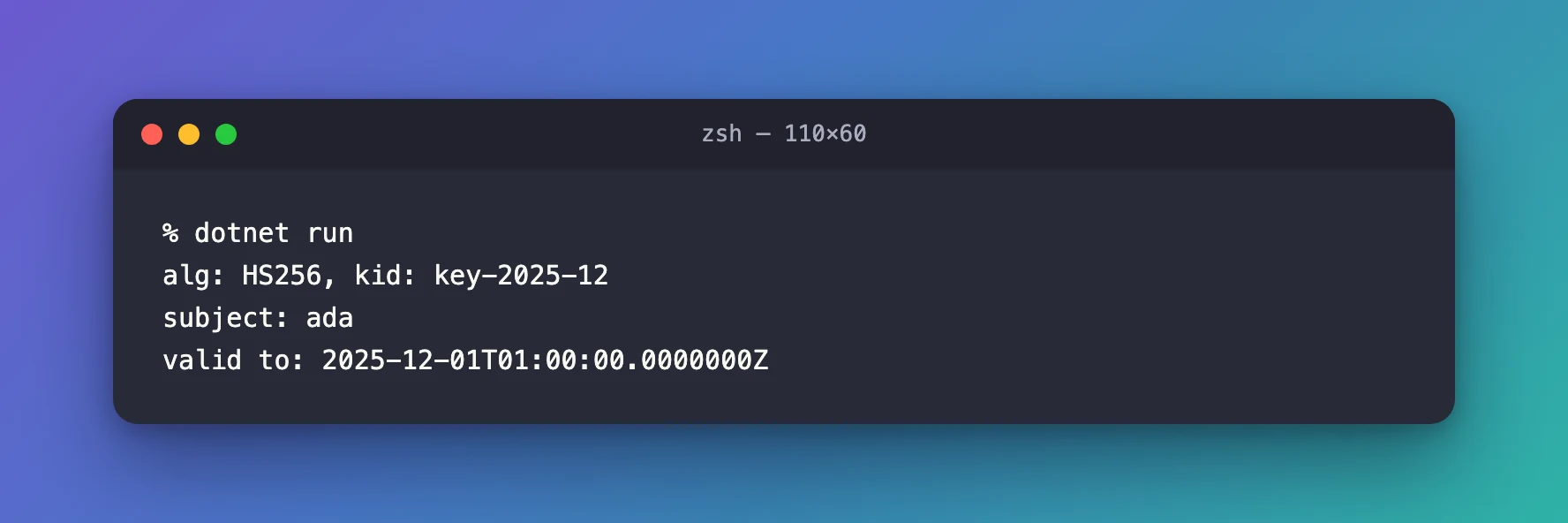
The command is the same in zsh, bash and PowerShell.
ReadJsonWebToken read every value without the key, and didn't mind that ValidTo lies in the past.
Reading Is Not Validating
Anyone can write a token with any claims, so what ReadJsonWebToken returns proves nothing. Use it to look, never to decide who someone is or what they may do. To trust a token, validate it:
var result = await new JsonWebTokenHandler().ValidateTokenAsync(token, parameters);
ValidateTokenAsync checks the signature with the key in parameters, the algorithm and the lifetime, and result.IsValid says whether the token passed.
Reading the header first is the one common server-side use: a service with several keys reads Kid and picks that key from its own list. The header is just as forgeable as the claims, so look it up only among keys you already trust.
Common Mistakes
| Mistake | What happens | Do this instead |
|---|---|---|
| Making decisions from the claims of a token you only read | Anyone can send a token with any claims | Validate with ValidateTokenAsync first |
Expecting ReadJsonWebToken to reject an expired token | It read a token whose ValidTo had passed, without an error | Validate; the lifetime check is on by default |
Passing the whole Authorization header value | ArgumentException: IDX14102: Unable to decode the header ... | Remove Bearer first |
Troubleshooting
| Symptom | Likely cause | Fix |
|---|---|---|
SecurityTokenMalformedException: IDX14100: JWT is not well formed, there are no dots (.). | The string isn't a JWT | Check what you passed |
[PII of type '...' is hidden] in a message | IdentityModel hides personal data in its messages by default | Read the message without the hidden part; it still names the problem |
FAQ
What's the difference between ReadJsonWebToken and ReadToken?
ReadToken returns the general SecurityToken type, while ReadJsonWebToken returns JsonWebToken, whose properties you can read without a cast.
How do I read a claim that has no property, such as role?
Call GetPayloadValue<string>("role") on the JsonWebToken.
Conclusion
new JsonWebTokenHandler().ReadJsonWebToken(token) reads a token's header and claims without a key and without any checks. Use it to look inside a token; validate with ValidateTokenAsync before you trust it.
Additional Resources
- JsonWebTokenHandler.ReadJsonWebToken and JsonWebToken, on Microsoft Learn.
- RFC 8725, section 3.10: Do Not Trust Received Claims.
