How to Read a JSON Property Safely with TryGetProperty in C#

JSON from the outside world doesn't always contain every property you expect. With System.Text.Json, GetProperty throws when a property is missing, while TryGetProperty returns false and lets your code carry on.
Syntax
if (<element>.TryGetProperty("<propertyName>", out JsonElement <value>))
{
    <code that uses value>
}
| Part | What it does |
|---|---|
<element> | A JsonElement that holds a JSON object, such as document.RootElement. |
"<propertyName>" | The property to look for. Names are compared exactly, including upper and lower case. |
out JsonElement <value> | Receives the property's value when it exists. |
| Return value | true when the property exists, false when it doesn't. |
Microsoft's JsonElement.TryGetProperty reference: "Looks for a property named propertyName in the current object, returning a value that indicates whether or not such a property exists. When the property exists, its value is assigned to the value argument."
The Example
The JSON is {"tenant": {"id": "contoso"}, "count": 2}. The example reads the nested tenant.id, then asks for a property called missing, which isn't there.
Prerequisites
- The .NET 10 SDK or newer, which runs a single
.csfile withdotnet run. This guide uses .NET SDK 10.0.404. System.Text.Json is part of .NET, so there's no package to add.
Step 1: Write the Code
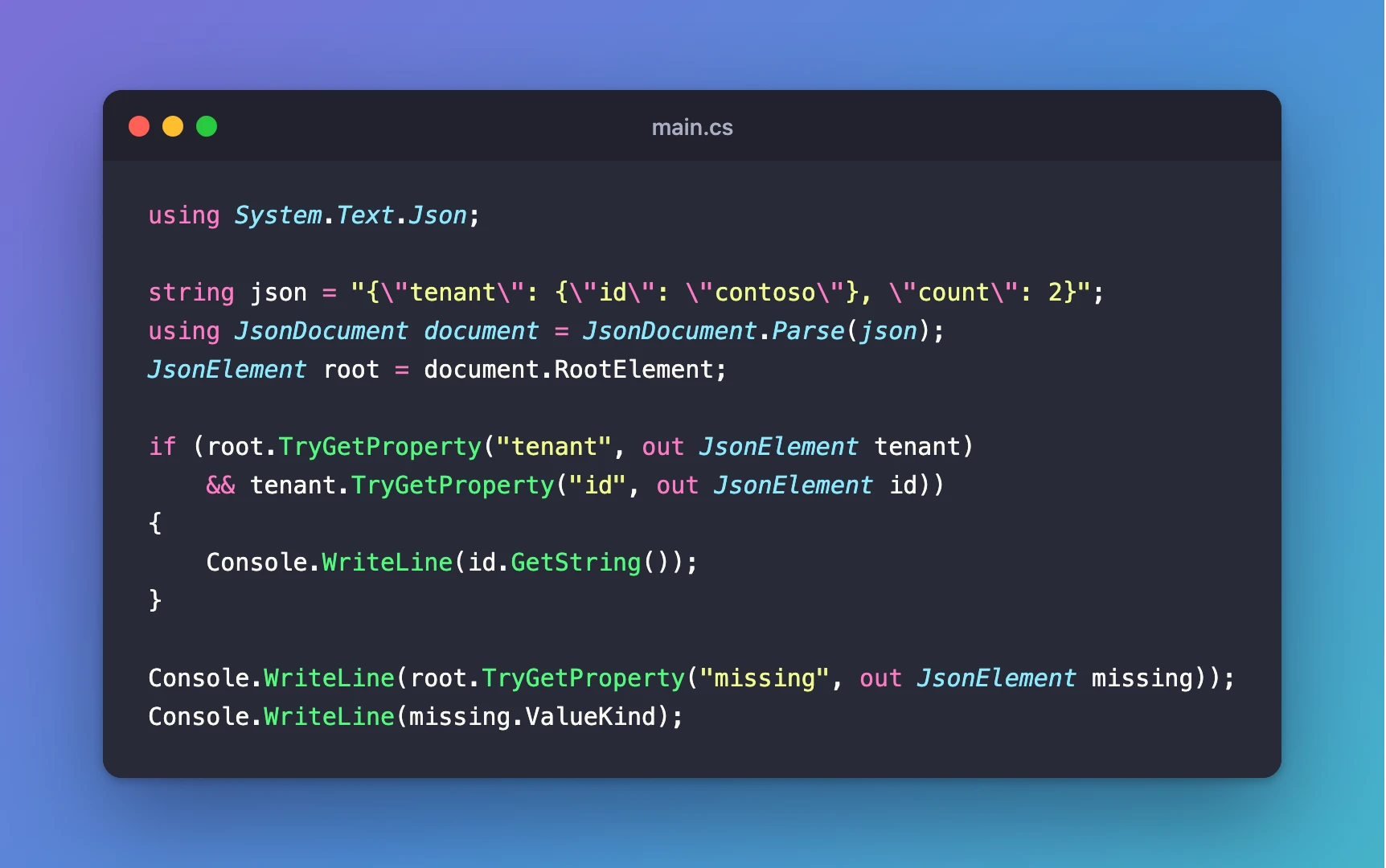
Create a file named main.cs in an empty folder:
using System.Text.Json;

string json = "{\"tenant\": {\"id\": \"contoso\"}, \"count\": 2}";
using JsonDocument document = JsonDocument.Parse(json);
JsonElement root = document.RootElement;

if (root.TryGetProperty("tenant", out JsonElement tenant)
    && tenant.TryGetProperty("id", out JsonElement id))
{
    Console.WriteLine(id.GetString());
}

Console.WriteLine(root.TryGetProperty("missing", out JsonElement missing));
Console.WriteLine(missing.ValueKind);
JsonDocument.Parse reads the JSON text, and using releases the document when the program ends. The if chains two lookups with &&: the second runs only when the first found tenant. GetString() returns the value of a JSON string.
Step 2: Run It
dotnet run main.cs
contoso
False
Undefined
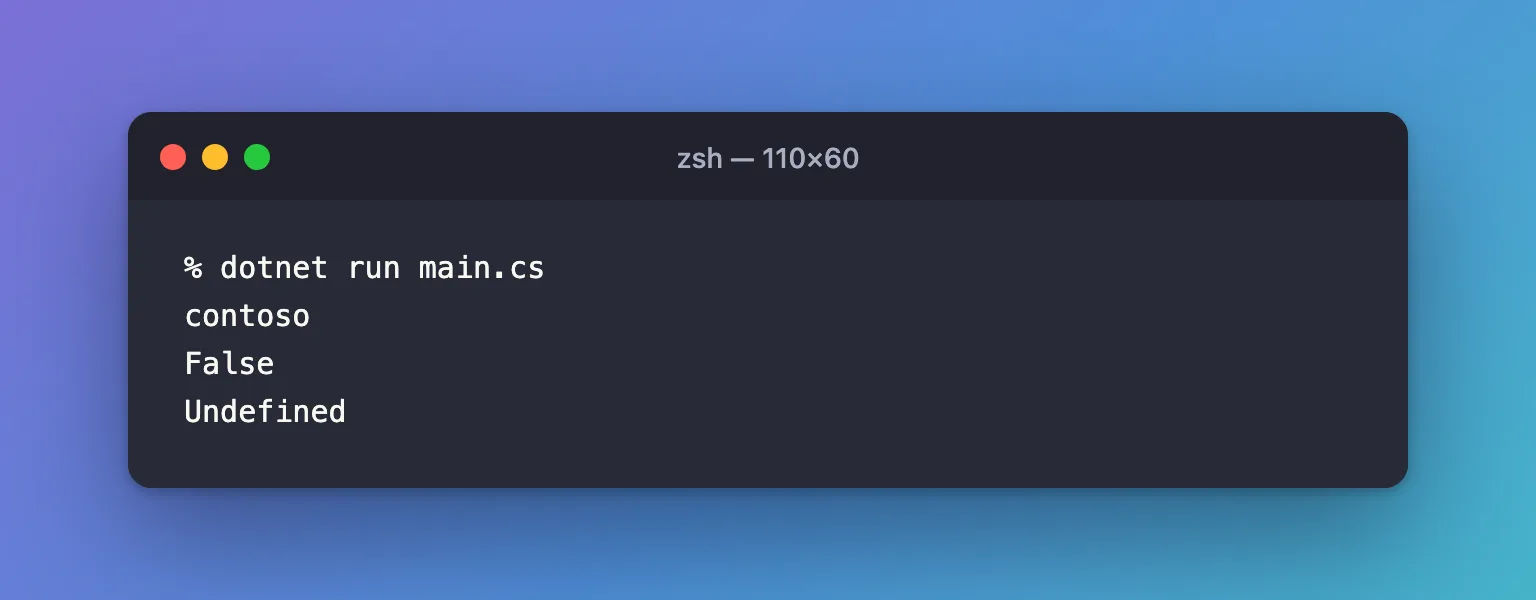
Both lookups succeeded, so the nested id printed contoso. The lookup for missing returned False without throwing, and the out variable was left empty: its ValueKind is Undefined, which the JsonValueKind reference describes as "There is no value (as distinct from Null)." The command is the same in zsh, bash and PowerShell.
What GetProperty Does with a Missing Property
GetProperty expects the property to be there:
using System.Text.Json;

using JsonDocument document = JsonDocument.Parse("{\"count\": 2}");
Console.WriteLine(document.RootElement.GetProperty("missing"));
Unhandled exception. System.Collections.Generic.KeyNotFoundException: The given key was not present in the dictionary.
   at System.Text.Json.JsonElement.GetProperty(String propertyName)
   at Program.<Main>$(String[] args) in /Users/you/demo/main.cs:line 4
Use GetProperty only for properties the JSON is guaranteed to have, and TryGetProperty for everything else.
Common Mistakes
| Mistake | What happens | Do this instead |
|---|---|---|
Calling GetProperty for a property that may be missing | KeyNotFoundException: The given key was not present in the dictionary. | Use TryGetProperty |
Looking up "Tenant" when the JSON says "tenant" | TryGetProperty returns false: names are case-sensitive | Use the exact spelling from the JSON |
Calling TryGetProperty on an array or a value | InvalidOperationException: The requested operation requires an element of type 'Object', but the target element has type 'Array'. | Check ValueKind == JsonValueKind.Object first |
Troubleshooting
| Symptom | Likely cause | Fix |
|---|---|---|
TryGetProperty returns false for a property you can see | Different upper or lower case | Match the case exactly |
InvalidOperationException from TryGetProperty | The element isn't a JSON object | Look one level up, or check ValueKind |
KeyNotFoundException | GetProperty on a missing property | Switch to TryGetProperty |
FAQ
Is TryGetProperty case-sensitive?
Yes. The reference: "Property name matching is performed as an ordinal, case-sensitive comparison." A quick check on {"tenant": "contoso"} returned True for "tenant" and False for "Tenant".
What's in the out variable when the property is missing?
An empty JsonElement whose ValueKind is Undefined, as the example printed. Use it only when TryGetProperty returned true.
Conclusion
element.TryGetProperty("name", out JsonElement value) returns true and the value when the property exists, and false when it doesn't. Chain lookups with && for nested properties, match the name's case exactly, and keep GetProperty for properties that are always there.
Additional Resources
- JsonElement.TryGetProperty, on Microsoft Learn.
- JsonElement.GetProperty, on Microsoft Learn.
