How to Read a JSON or Text Artifact from MLflow in Python

When code needs a value from a file another run logged, such as a setting from its configuration, downloading the file first is a detour. mlflow.artifacts.load_dict() returns a JSON or YAML file as a Python dictionary, and load_text() returns any text file as a string, in one call each. This guide reads a run's settings back both ways, with real output from MLflow 3.18.0.
Syntax
<dictionary> = mlflow.artifacts.load_dict("runs:/<run ID>/<path in the run>")
<text> = mlflow.artifacts.load_text("runs:/<run ID>/<path in the run>")
| Part | What it means |
|---|---|
"runs:/<run ID>/<path>" | The file's address: the run's ID, then the file's place in the run's artifacts, such as settings.json or evaluation/notes.md |
load_dict | "Loads the artifact contents as a dictionary." A .yml or .yaml file is read as YAML, anything else as JSON, mirroring mlflow.log_dict |
load_text | "Loads the artifact contents as a string." |
Both download the file into a temporary folder, read it, and delete the folder. The run's own run.info.artifact_uri, such as mlflow-artifacts:/9/<run ID>/artifacts, followed by /settings.json, works as an address too.
Prerequisites
- An MLflow tracking server at
http://127.0.0.1:8080. MLflow's tracking server guide shows how to start one.
The Run Used Here
The run log-a-dict logged one dictionary as settings.json and as settings.yaml: a model's kind, number of trees, a depth limit that isn't set, and its features. How to Log a Dictionary to MLflow as a JSON or YAML File creates it.
Step 1: Read Both Files
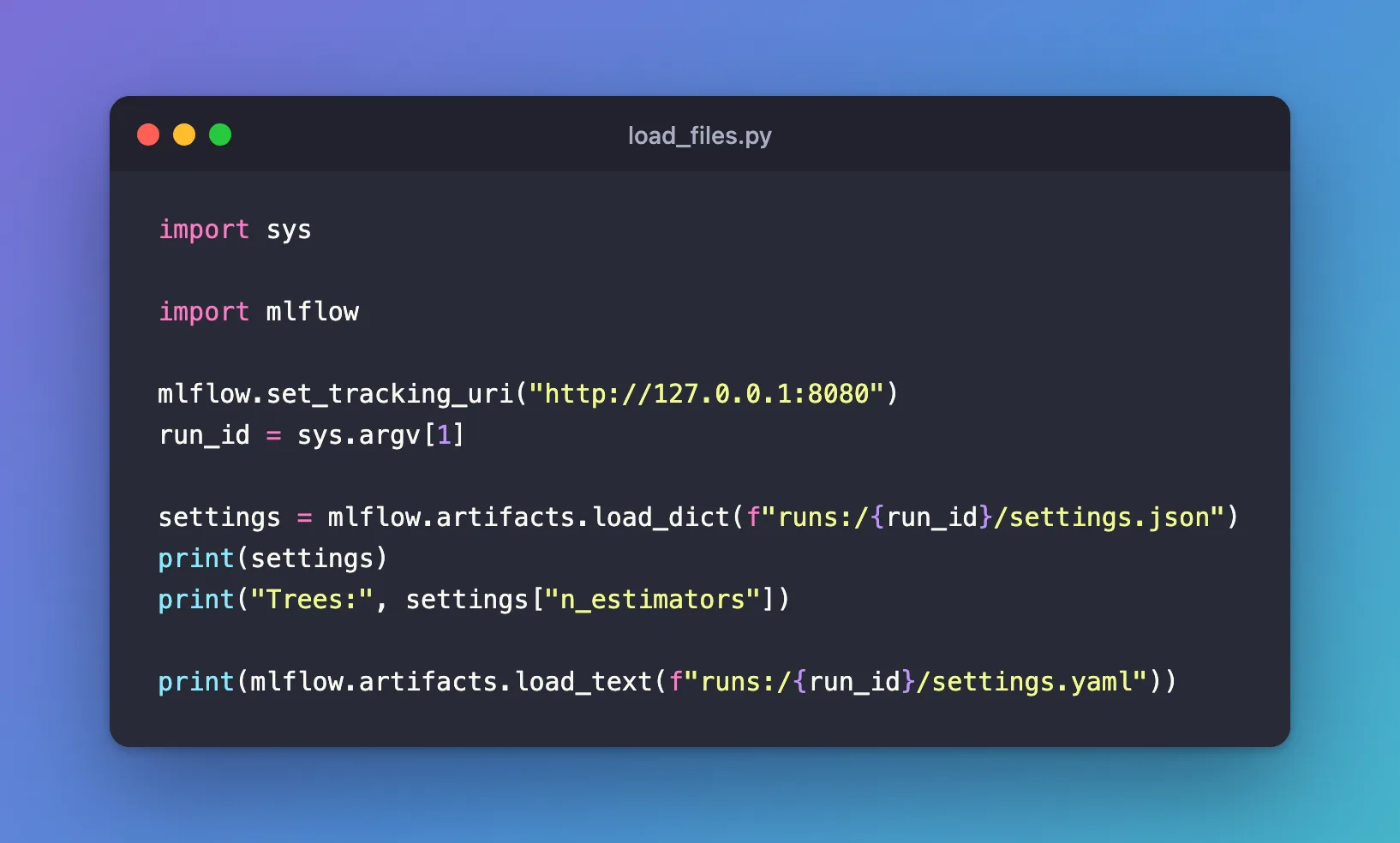
The script reads settings.json as a dictionary and uses one of its values, then reads settings.yaml as text. Create load_files.py, which takes the run ID on the command line:
import sys

import mlflow

mlflow.set_tracking_uri("http://127.0.0.1:8080")
run_id = sys.argv[1]

settings = mlflow.artifacts.load_dict(f"runs:/{run_id}/settings.json")
print(settings)
print("Trees:", settings["n_estimators"])

print(mlflow.artifacts.load_text(f"runs:/{run_id}/settings.yaml"))
| Line | What it does |
|---|---|
f"runs:/{run_id}/settings.json" | Builds the file's address from the run ID |
load_dict(...) | Returns the JSON file as a dictionary |
settings["n_estimators"] | Reads one value, like any dictionary |
load_text(...) | Returns the YAML file exactly as it was written, as one string |
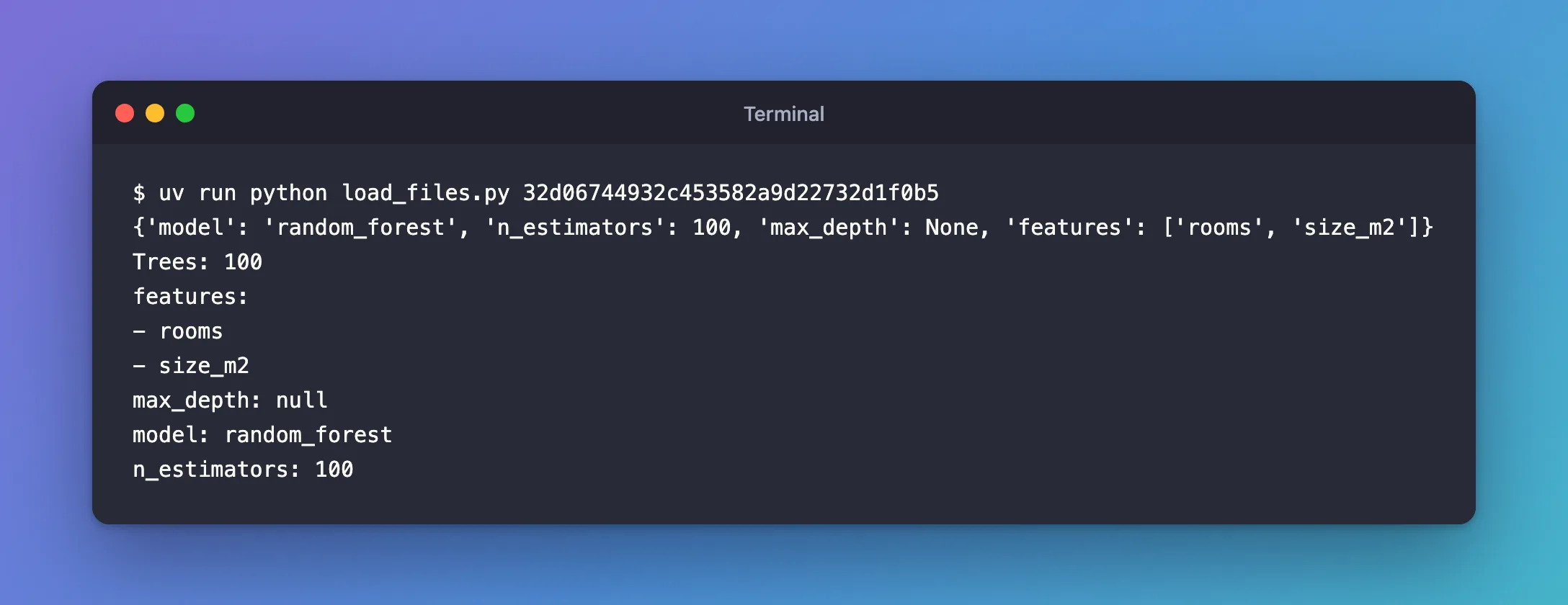
Step 2: Run It
uv run python load_files.py 32d06744932c453582a9d22732d1f0b5
{'model': 'random_forest', 'n_estimators': 100, 'max_depth': None, 'features': ['rooms', 'size_m2']}
Trees: 100
features:
- rooms
- size_m2
max_depth: null
model: random_forest
n_estimators: 100
- The dictionary came back with its Python types:
100is a number and JSON'snullisNoneagain, in the order it was logged. Trees: 100reads one value straight from it.- The YAML text is the file as stored, keys in alphabetical order.
load_dict(".../settings.yaml")would return it as a dictionary instead.
Your run ID will differ: copy it from the run page or the View run link.
Common Mistakes
| Mistake | What happens | Do this instead |
|---|---|---|
| A path that isn't in the run | MlflowException: Failed to download artifacts from path 'nothere.json', please ensure that the path is correct. | Copy the path from the run's Artifacts tab |
load_dict on a file that isn't JSON or YAML, such as summary.txt | MlflowException: Unable to form a JSON object from file content | Use load_text for plain text |
Reading a table logged with log_table with load_dict | You get its raw layout, columns and data, rather than a table | Use mlflow.load_table() for tables |
Troubleshooting
| Symptom | Likely cause | Fix |
|---|---|---|
Run with id=... not found | The run ID is wrong, or the tracking URI points to another server | Check both against the run page |
| The dictionary's keys are in alphabetical order | It was read from a YAML file, which MLflow writes with sorted keys | Read the .json copy if the order matters |
FAQ
Can I read images the same way?
Yes: mlflow.artifacts.load_image("runs:/<run ID>/<path>.png") returns a picture as a PIL.Image object. It needs the Pillow package.
Is anything left on my disk?
No. Both functions download into a temporary folder, read the file and delete the folder.
How do I read a table?
mlflow.load_table("<file name>", run_ids=[...]) returns it as a pandas DataFrame: How to Load a Logged Table from MLflow with load_table.
Conclusion
mlflow.artifacts.load_dict("runs:/<run ID>/settings.json") returned a logged JSON file as a dictionary, with None and numbers restored, and load_text() returned a YAML file as the text that was stored. Use runs:/ addresses with the path from the Artifacts tab, load_dict for JSON and YAML, and load_text for everything else.
Additional Resources
- mlflow.artifacts.load_dict — the function's reference.
- mlflow.artifacts.load_text — the function's reference.
