How to Read a Certificate with openssl

A certificate is a small text file, but you can't read it by opening it. One openssl command tells you who it's for, who signed it, when it ends and which host names it covers, which answers most TLS questions.
What You Need
- A certificate file, usually ending in
.pemor.crt. It starts with-----BEGIN CERTIFICATE-----. - OpenSSL. It's on macOS and Linux. On Windows, you can run it from any Docker image that has it. The examples here run it inside the MySQL container, so they work everywhere, and use a certificate from a MySQL server.
Step 1: Read the Fields That Matter
docker compose exec mysql openssl x509 -in /var/lib/mysql/server-cert.pem -noout -subject -issuer -dates -ext subjectAltName,basicConstraints
If you have OpenSSL on your computer and the file beside you, that's just openssl x509 -in server-cert.pem -noout -subject -issuer -dates -ext subjectAltName,basicConstraints.
subject=CN=inventory-mysql
issuer=CN=MySQL_Server_9.7.4_Auto_Generated_CA_Certificate
notBefore=Nov  6 06:18:35 2026 GMT
notAfter=Feb  8 06:18:35 2029 GMT
X509v3 Subject Alternative Name:
    DNS:localhost, IP Address:127.0.0.1
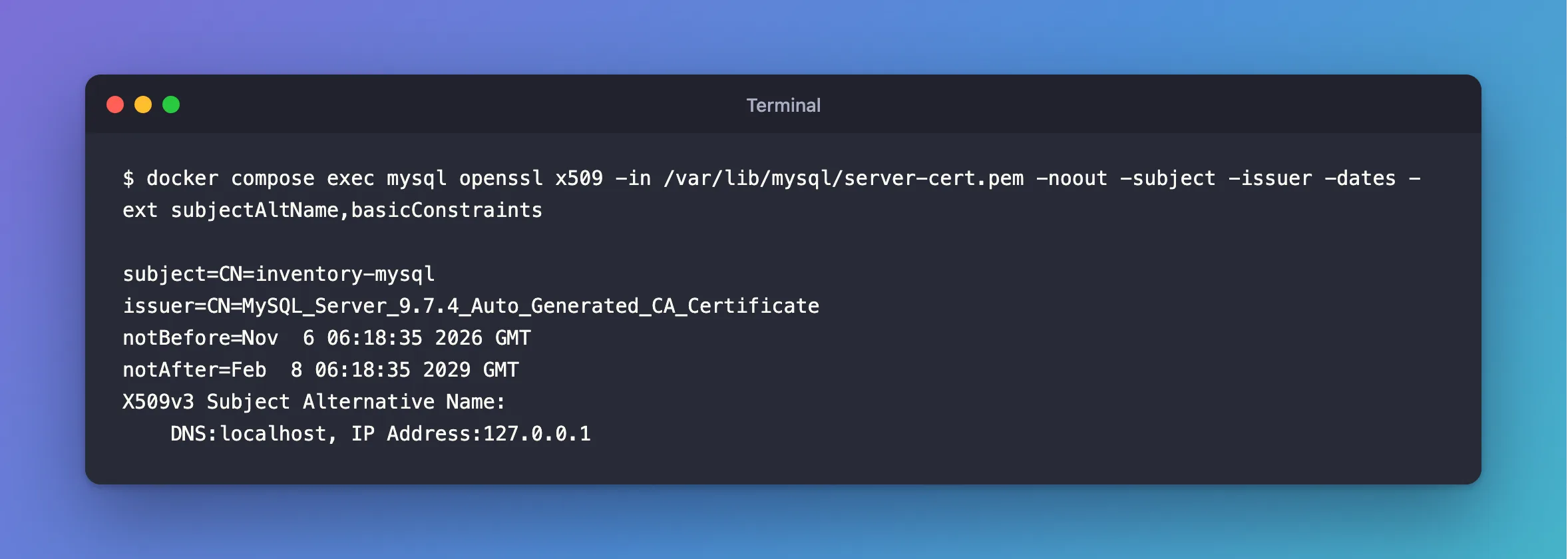
Line by line:
| Line | What it tells you |
|---|---|
subject | Who the certificate is for |
issuer | Who signed it, which is the CA |
notBefore, notAfter | When it starts and ends |
Subject Alternative Name | The host names and IP addresses it's valid for |
CA:TRUE in Basic Constraints | It can sign other certificates. Shown here only if the certificate has that extension |
The options: x509 works with certificates, -in names the file, and -noout stops it printing the certificate back at you. Each of the others asks for one field.
Step 2: Recognize Each Kind of Certificate
Here's a server certificate that MySQL generated by itself. It has no Subject Alternative Name, and CA:FALSE:
subject=CN=MySQL_Server_9.7.4_Auto_Generated_Server_Certificate
issuer=CN=MySQL_Server_9.7.4_Auto_Generated_CA_Certificate
notBefore=Nov  6 06:03:38 2026 GMT
notAfter=Nov  3 06:03:38 2036 GMT
X509v3 Basic Constraints: critical
    CA:FALSE
And here's the CA that signed it. Its subject and issuer are the same, because a root CA signs itself, and it says CA:TRUE:
subject=CN=MySQL_Server_9.7.4_Auto_Generated_CA_Certificate
issuer=CN=MySQL_Server_9.7.4_Auto_Generated_CA_Certificate
notBefore=Nov  6 06:03:38 2026 GMT
notAfter=Nov  3 06:03:38 2036 GMT
X509v3 Basic Constraints: critical
    CA:TRUE
So a certificate's issuer should equal its CA's subject. When a connection fails with a message about the CA, comparing those two lines is the first check.
Step 3: See Everything
-text prints the whole certificate. It's long, so here's the top of it:
docker compose exec mysql openssl x509 -in /var/lib/mysql/server-cert.pem -noout -text
Certificate:
    Data:
        Version: 3 (0x2)
        Serial Number:
            6d:2d:03:59:af:21:f3:94:13:be:fc:1f:e8:ec:b8:da:d4:dc:61:0f
        Signature Algorithm: sha256WithRSAEncryption
        Issuer: CN=MySQL_Server_9.7.4_Auto_Generated_CA_Certificate
        Validity
            Not Before: Nov  6 06:18:35 2026 GMT
            Not After : Feb  8 06:18:35 2029 GMT
        Subject: CN=inventory-mysql
Step 4: Check It Against Its CA
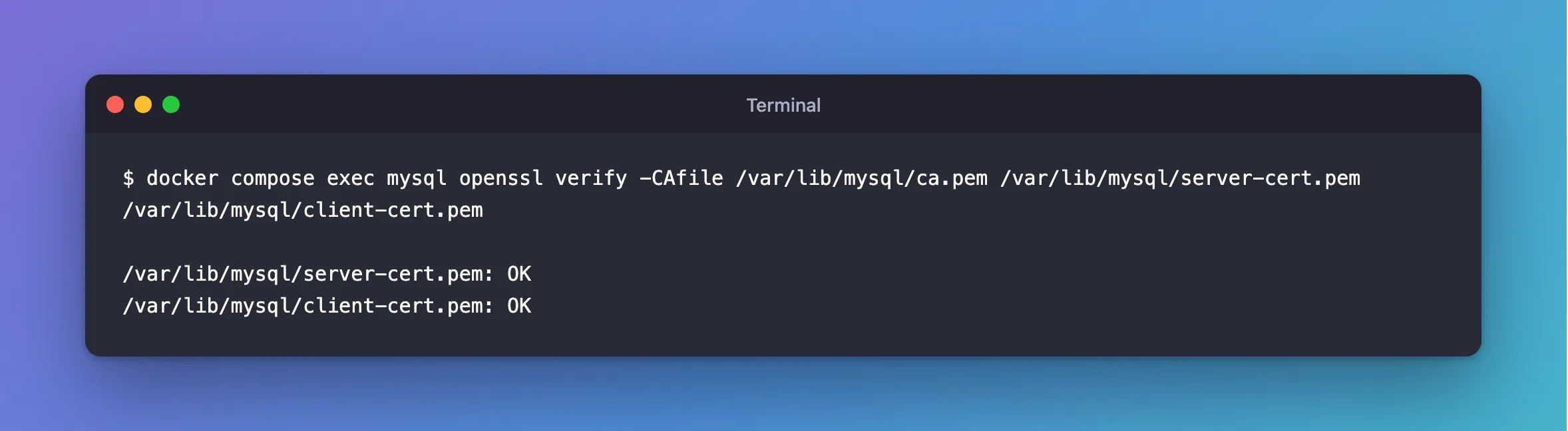
openssl verify does the check a client would do with a CA file:
docker compose exec mysql openssl verify -CAfile /var/lib/mysql/ca.pem /var/lib/mysql/server-cert.pem /var/lib/mysql/client-cert.pem
/var/lib/mysql/server-cert.pem: OK
/var/lib/mysql/client-cert.pem: OK
Step 5: Check Whether It's About to End
-checkend takes a number of seconds. 2,592,000 seconds is 30 days:
docker compose exec mysql openssl x509 -in /var/lib/mysql/server-cert.pem -noout -checkend 2592000
Certificate will not expire
For a certificate that ended in 2021, it says:
Certificate will expire
It also sets its exit code, so a script can act on the answer: 0 if it won't end in that time, and 1 if it will.
Common Mistakes
| Mistake | What happens | Do this instead |
|---|---|---|
Pointing -in at the private key | Could not find certificate from server-key.pem | A certificate starts with BEGIN CERTIFICATE |
Reading only subject | Clients look at the SAN first | Use -ext subjectAltName too |
Comparing issuer with the wrong file | You blame the wrong certificate | Compare it with the CA's subject |
Troubleshooting
| Symptom | Likely cause | Fix |
|---|---|---|
No extensions in certificate | It has none of the extensions you asked for | That's an answer, not an error |
error 79 at 1 depth lookup: invalid CA certificate | The CA isn't marked as one | The fix |
error 20 at 0 depth lookup: unable to get local issuer certificate | That CA didn't sign it | Compare issuer with the CA's subject |
error 10 at 0 depth lookup: certificate has expired | It has ended | Check notAfter |
Conclusion
openssl x509 -noout -subject -issuer -dates -ext subjectAltName answers most certificate questions in one command. openssl verify then checks it the way a client would.
Additional Resources
- openssl-x509 documentation — every option.
- openssl-verify documentation — checking a certificate.
