How to Put Variables in a String in Ruby

In a double-quoted Ruby string, # followed by an expression in curly braces drops the expression's value into the text. Any expression works there, from a variable to a calculation; in single quotes, nothing is replaced.
Syntax
"Text #{<expression>} more text"
| Part | What it does |
|---|---|
"..." | A double-quoted string: interpolation works. |
#{<expression>} | Runs the expression and inserts its value, converted to text. |
'...' | A single-quoted string: printed exactly as written. |
The Ruby literals documentation: "Double-quoted strings allow interpolation of other values". It adds that interpolation "may be disabled by escaping the "#" character or using single-quoted strings".
The Example
The example builds an order summary from an item, a quantity and a price, calculating the total inside the string, then shows a single-quoted string for comparison.
Prerequisites
- Ruby. This guide uses Ruby 4.0.10.
Step 1: Write the Code
Create a file named main.rb:
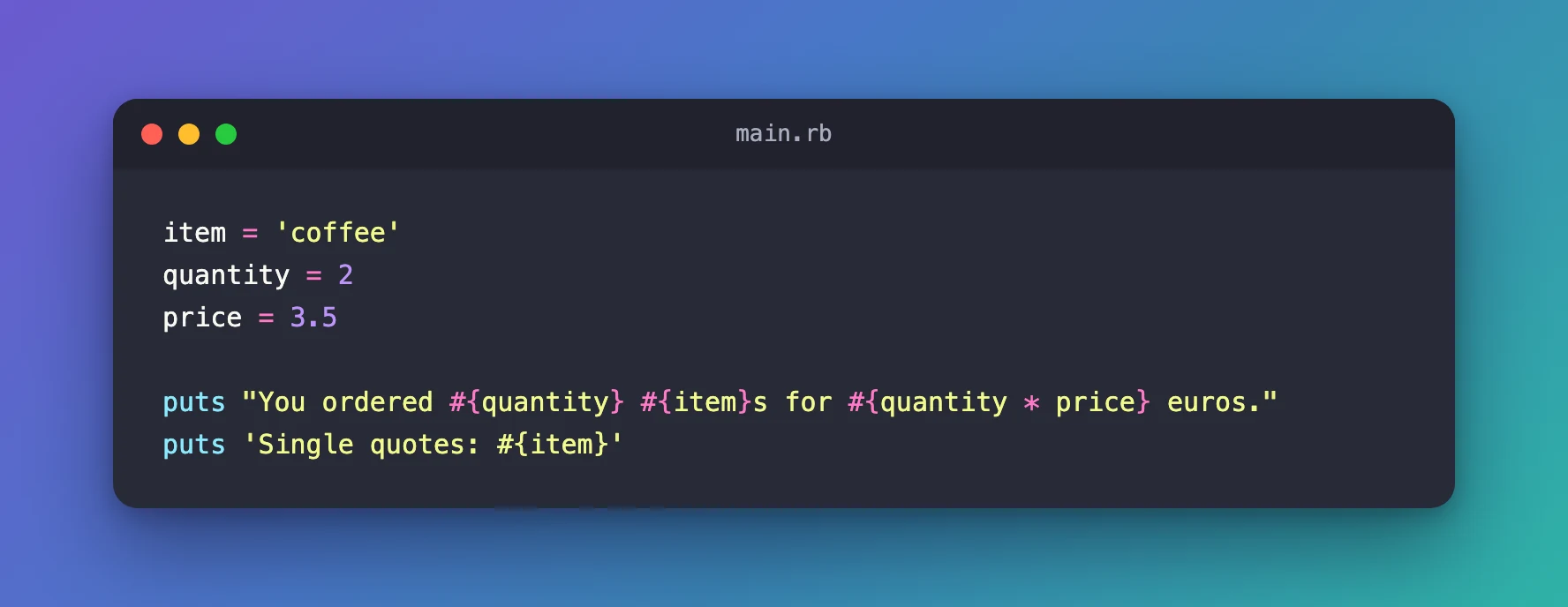
item = 'coffee'
quantity = 2
price = 3.5

puts "You ordered #{quantity} #{item}s for #{quantity * price} euros."
puts 'Single quotes: #{item}'
Step 2: Run It
ruby main.rb
You ordered 2 coffees for 7.0 euros.
Single quotes: #{item}
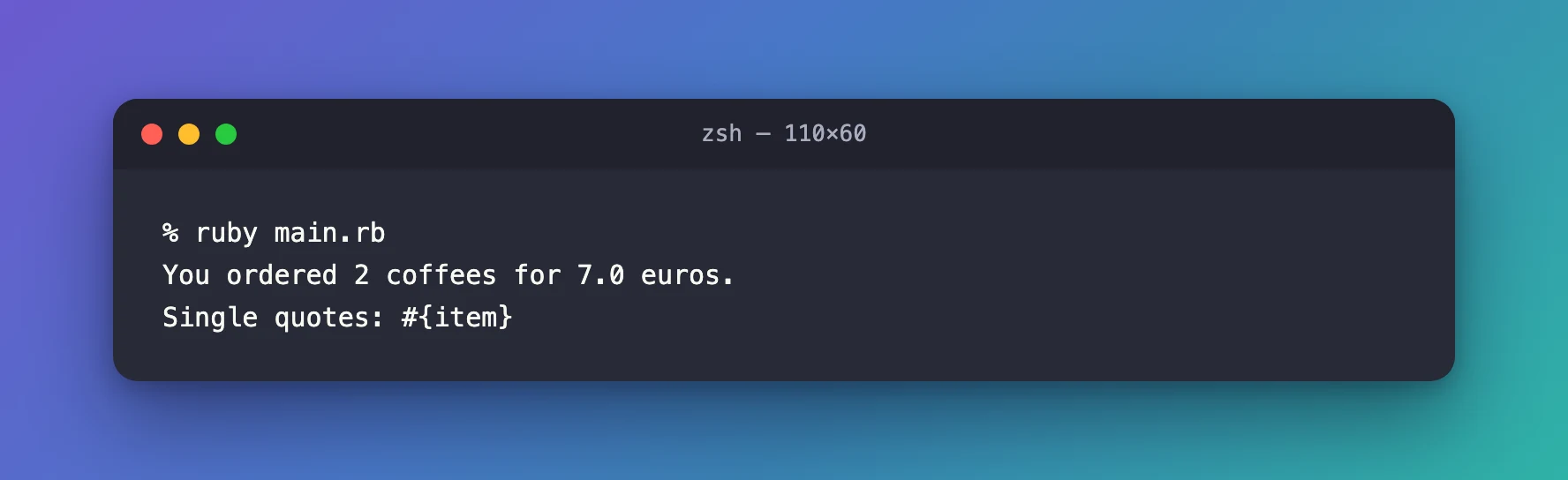
#{quantity * price}ran the calculation and inserted7.0: anIntegertimes aFloatis aFloat.- In single quotes, the placeholder stayed as written.
The command is the same in zsh, bash and PowerShell.
Common Mistakes
| Mistake | What happens | Do this instead |
|---|---|---|
| Using single quotes | The placeholder is printed literally | Use double quotes |
Joining a number with +, as in 'Total: ' + 7 | no implicit conversion of Integer into String (TypeError) | Interpolate it: "Total: #{7}" |
| Putting a long calculation inside the braces | The string becomes hard to read | Calculate first, then interpolate the variable |
Troubleshooting
| Symptom | Likely cause | Fix |
|---|---|---|
| The placeholder appears in the output | The string is single-quoted | Switch to double quotes |
no implicit conversion of … into String | + between a string and another type | Use interpolation |
FAQ
Does interpolation call to_s?
Yes. The inserted value is converted with to_s, which is why numbers and nil work; nil becomes an empty string.
How do I keep a placeholder literal in a double-quoted string?
Escape the # with a backslash: "\#{item}" prints the placeholder itself instead of the value.
Conclusion
Double-quoted strings replace each interpolation placeholder with the expression's value; single-quoted strings never do. Keep the expressions short and readable.
Additional Resources
- Double-quoted string literals, in the Ruby documentation.
