How to Put Values into a String in Python with an f-string

An f-string is a string with an f in front of its opening quote. Anything you write between braces inside it is evaluated as Python and its value is put into the text: f"{name} was born in {year}."
Syntax
f"<text> {<expression>} <text>"
f"{<expression>:<format spec>}"
f"{<expression>=}"
| Part | What it does |
|---|---|
f"..." | Marks the string as an f-string. |
{<expression>} | A variable or any expression. Its value goes into the text. |
:<format spec> | Optional. How to format the value, such as .2f for two decimal places. |
= | Optional. Puts the expression's text, an = and its value into the string, which helps when debugging. |
The Python tutorial on formatted string literals: "Formatted string literals (also called f-strings for short) let you include the value of Python expressions inside a string by prefixing the string with f or F and writing expressions as {expression}."
The Example
The example puts a name and a year into a sentence, works out an age inside the braces, formats pi to two decimal places, and prints a variable with its name.
Prerequisites
- uv and Python. This guide uses uv 0.13.10 with Python 3.15.2.
Step 1: Write the Code
Create a file named main.py:
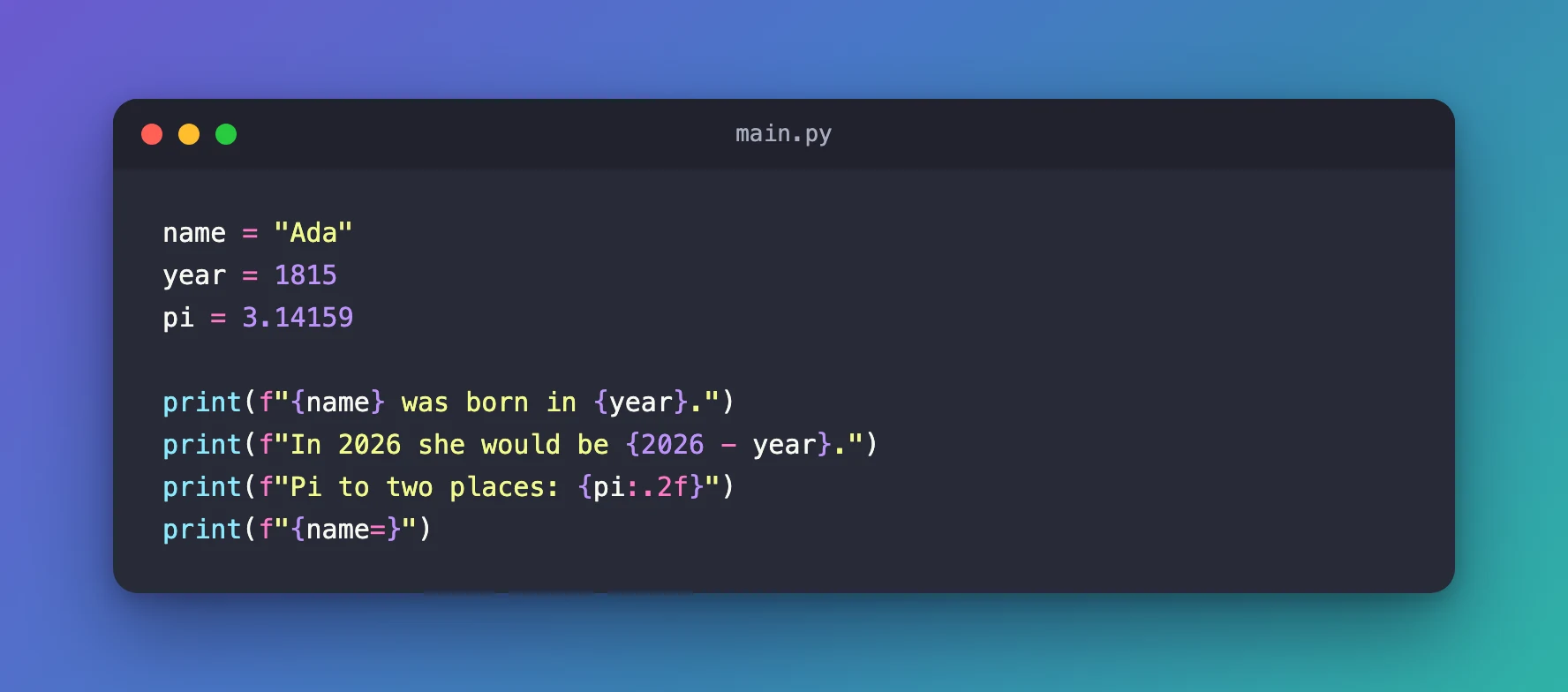
name = "Ada"
year = 1815
pi = 3.14159

print(f"{name} was born in {year}.")
print(f"In 2026 she would be {2026 - year}.")
print(f"Pi to two places: {pi:.2f}")
print(f"{name=}")
Step 2: Run It
uv run python main.py
Ada was born in 1815.
In 2026 she would be 211.
Pi to two places: 3.14
name='Ada'
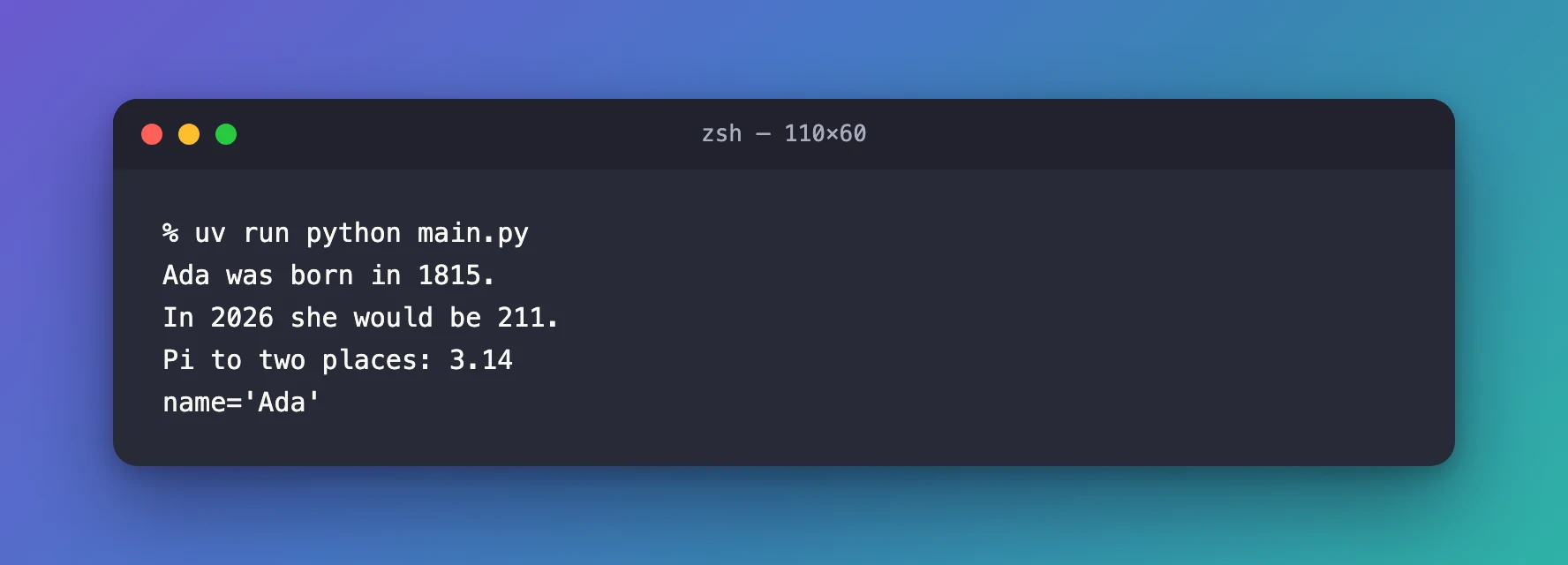
The command is the same in zsh, bash and PowerShell.
What Happened
{name}and{year}were replaced by the values of those variables.{2026 - year}ran the subtraction first and put in the result.{pi:.2f}formatted the number with two digits after the point.{name=}printed the expression, an=and the value'srepr, with its quotes.
Common Mistakes
| Mistake | What happens | Do this instead |
|---|---|---|
Forgetting the f | The braces and names are printed as they are | Put f right before the opening quote |
Leaving a brace open, as in f"{name" | SyntaxError: f-string: expecting '}' | Close every { with } |
Writing a literal brace as { | Python reads it as the start of an expression | Double it: f"{{name}}" printed {name} |
Troubleshooting
| Symptom | Likely cause | Fix |
|---|---|---|
{name} appears in the output | The string has no f prefix | Add the f |
NameError: name '...' is not defined | A name in the braces doesn't exist yet | Define the variable before the f-string |
FAQ
Can I call a function inside an f-string?
Yes. Any expression works, including calls: f"{name.upper()}" puts in the uppercase name.
What's the difference from str.format?
"{} was born in {}.".format(name, year) gives the same text, but the values sit away from the places they go. f-strings put each value right where it appears.
Conclusion
An f before the quote turns a string into an f-string, where {expression} puts a value into the text, {value:.2f} formats it, and {value=} labels it for debugging.
Additional Resources
- Formatted string literals, in the Python tutorial.
- f-strings, in the Python language reference.
