How to Put Special Characters in a MySQL Password in a .NET C# Connection String

A connection string is a list of name=value pairs, split by ;. So a ; in your password ends the value early, and the rest looks like a strange option. Here's every case I tested, and the way to avoid thinking about it.
The Rules
| Password | Write it as | Result |
|---|---|---|
a=b | Password=a=b | Connects: no quotes needed |
a b | Password=a b | Connects: a space in the middle is fine |
abc;def | Password='abc;def' or Password="abc;def" | Connects |
abc;def | Password=abc;def | Option not supported |
| A space at each end | Password=' ab ' | Connects. With no quotes, the spaces are dropped, and you get Access denied |
a'b | Password="a'b" or Password='a''b' | Connects: double a ' inside single quotes |
a"b | Password='a"b' or Password="a""b" | Connects: double a " inside double quotes |
So the simple habit is single quotes around the password, with any ' inside it doubled.
See the Failure
With the password abc;def and no quotes:
Unhandled exception. System.ArgumentException: Option not supported (Parameter 'def;sslmode')
Notice what's in that message: def is the end of the password. In an app, that exception lands in your log. If that's happened, treat the password as exposed.
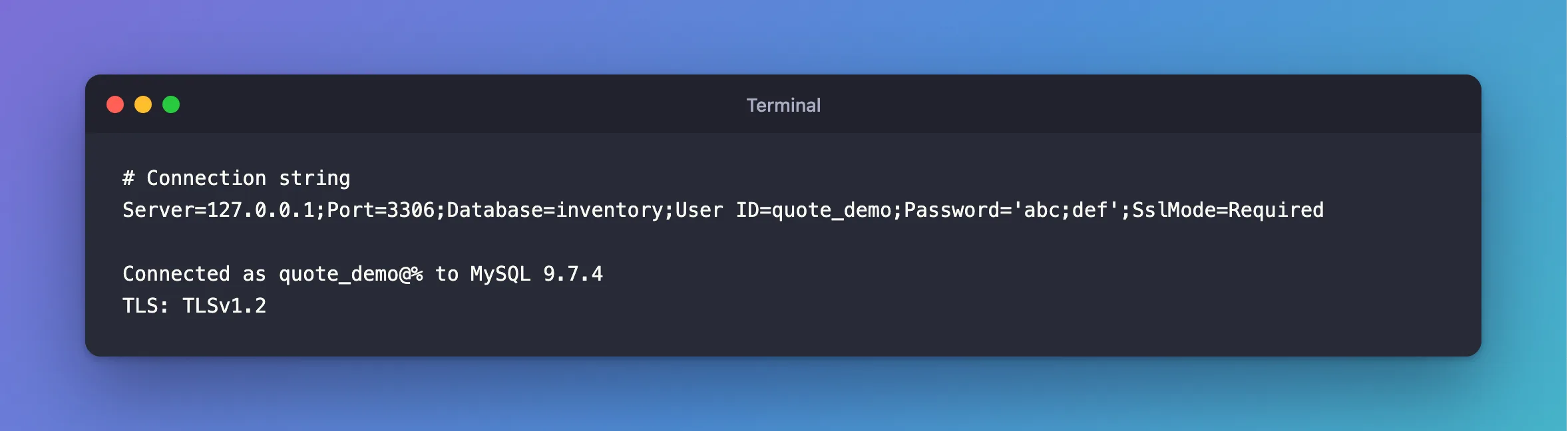
Fix It with Quotes
Server=127.0.0.1;Port=3306;Database=inventory;User ID=quote_demo;Password='abc;def';SslMode=Required
Connected as quote_demo@% to MySQL 9.7.4
TLS: TLSv1.2
And a password with both an apostrophe and a semicolon, it's;ok, doubled:
…;Password='it''s;ok';SslMode=Required
Connected as quote_demo@% to MySQL 9.7.4
TLS: TLSv1.2
These quotes are part of the connection string, and are separate from whatever your shell does. To set it from a terminal, put the whole string in double quotes, and those single quotes inside it.
Or Let the Driver Do It
If you build the string in code, MySqlConnectionStringBuilder handles every case. This one has ', " and ; together:
// The builder quotes every value for you, whatever characters it holds.
var builder = new MySqlConnectionStringBuilder
{
    Server = "127.0.0.1",
    Port = 3306,
    Database = "inventory",
    UserID = "inventory_app",
    Password = "a'b\"c;d",
    SslMode = MySqlSslMode.Required,
};

Console.WriteLine(builder.ConnectionString);
server=127.0.0.1;port=3306;database=inventory;user id=inventory_app;password="a'b""c;d";sslmode=Required
Or Avoid the Problem
A hex password has no special characters at all, and it's just as strong:
- macOS / Linux
- Windows (PowerShell)
openssl rand -hex 24
$bytes = [byte[]]::new(24); [System.Security.Cryptography.RandomNumberGenerator]::Create().GetBytes($bytes); -join ($bytes | ForEach-Object { $_.ToString('x2') })
How to Generate a Strong Random Password in the Terminal explains it. MySQL's own IDENTIFIED BY RANDOM PASSWORD is the opposite: it can produce all of these characters.
Common Mistakes
| Mistake | What happens | Do this instead |
|---|---|---|
| Escaping with a backslash | The ; still ends the value | Quote the value |
| Quoting only in the shell | The shell removes those quotes | Quote inside the string |
Building the string with $"…Password={password}…" | It breaks on the first odd password | Use the builder |
Troubleshooting
| Symptom | Likely cause | Fix |
|---|---|---|
Option not supported (Parameter …) | An unquoted ; | The fix |
Incorrect value in Connection String near 'Password' | An opening quote with no closing quote | Check the quotes match |
Access denied | A character changed on its way through a shell, or spaces at the ends | The fix |
Conclusion
Put the password in single quotes, and double any ' inside. Or use MySqlConnectionStringBuilder, or generate hex passwords and skip the problem.
Additional Resources
- Creating a Connector/NET Connection String — the format.
- Connector/NET Connection Options — every option.
