How to Protect an ASP.NET Core Minimal API with Microsoft.Identity.Web

An ASP.NET Core minimal API answers anyone who can reach it. Microsoft.Identity.Web changes that in a few lines: the API accepts only access tokens that Microsoft Entra ID issued for it, and only with the permission you require. This guide protects a one-endpoint API and shows what callers get back: 401 without a token, 200 with one and 403 without the permission.
What Microsoft.Identity.Web Checks
A caller proves who they are with an access token from Microsoft Entra ID, Microsoft's identity service, sent in an Authorization: Bearer header. Microsoft recommends the Microsoft.Identity.Web package for checking these tokens in ASP.NET Core web APIs. Its protected web API guide lists what every token is checked for:
| Check | In Microsoft's words |
|---|---|
| Audience | "The token is targeted for the web API" — issued for this API, not another one |
| Issuer | "It was issued by a trusted security token service (STS)" — Microsoft Entra ID, for your organization |
| Expiry | "Its lifetime is in range" |
| Signature | "It wasn't tampered with" |
A token can pass all four and still not be allowed to call your API. That's what a scope is for: a permission your API defines, such as access_as_user, which the token lists in its scp claim. This guide checks both.
The example is a new, empty API with one endpoint, GET /hello, which greets the caller by name. It runs on .NET 10 with Microsoft.Identity.Web 4.18.0, and starts from the empty web template:
dotnet new web -n HelloApi -o HelloApi
cd HelloApi
The template "ASP.NET Core Empty" was created successfully.

Processing post-creation actions...
Restoring /Users/you/source/HelloApi/HelloApi.csproj:
  Determining projects to restore...
  Restored /Users/you/source/HelloApi/HelloApi.csproj (in 44 ms).
Restore succeeded.
dotnet new web gives every new app a random port, in Properties/launchSettings.json. I set the example's to 5301; use your own port wherever you see 5301.
Prerequisites
- An app registration for your API in Microsoft Entra ID, with an Application ID URI and a scope named
access_as_user. Step 2 shows where its values go. - The Azure CLI, signed in to your organization with
az login, to get a token for the test in Step 6.
Step 1: Add the Package
In the project folder, run:
dotnet add package Microsoft.Identity.Web
The command is the same in every shell. The important lines of its output:
info : Adding PackageReference for package 'Microsoft.Identity.Web' into project '/Users/you/source/HelloApi/HelloApi.csproj'.
info : PackageReference for package 'Microsoft.Identity.Web' version '4.18.0' added to file '/Users/you/source/HelloApi/HelloApi.csproj'.
log  : Restored /Users/you/source/HelloApi/HelloApi.csproj (in 1.11 sec).
With no --version, the command picked the newest stable release, 4.18.0. The project file now lists it:
<Project Sdk="Microsoft.NET.Sdk.Web">

  <PropertyGroup>
    <TargetFramework>net10.0</TargetFramework>
    <Nullable>enable</Nullable>
    <ImplicitUsings>enable</ImplicitUsings>
  </PropertyGroup>

  <ItemGroup>
    <PackageReference Include="Microsoft.Identity.Web" Version="4.18.0" />
  </ItemGroup>

</Project>
Microsoft.Identity.Web brings ASP.NET Core's JWT bearer handler and Microsoft's token libraries with it, so this is the only package you add.
Step 2: Add the Settings
Open appsettings.json and add an AzureAd section with your API registration's values:
{
  "Logging": {
    "LogLevel": {
      "Default": "Information",
      "Microsoft.AspNetCore": "Warning"
    }
  },
  "AllowedHosts": "*",
  "AzureAd": {
    "Instance": "https://login.microsoftonline.com/",
    "TenantId": "11111111-1111-1111-1111-111111111111",
    "ClientId": "22222222-2222-2222-2222-222222222222"
  }
}
| Setting | What it means |
|---|---|
Instance | Microsoft Entra ID's sign-in address for the public cloud |
TenantId | Your organization's Directory (tenant) ID. Microsoft's guide: "You need to specify the TenantId only if you want to accept access tokens from a single tenant." With your tenant's ID, the API accepts tokens from your organization only |
ClientId | Your API's Application (client) ID |
Both IDs are on the Overview page of the API's app registration; How to Register a Web API in Microsoft Entra ID shows where. The 22222222-… and 11111111-… values here stand in for mine.
There's no Audience setting, and that's deliberate. In Microsoft's words: "If you've accepted the default App ID URI proposed by the Azure portal, you don't need to specify the audience. Otherwise, add an Audience property whose value is the App ID URI for your web API." The default App ID URI is api:// followed by the client ID. How to Expose an API Scope in Microsoft Entra ID sets it, together with the access_as_user scope.
Notice what isn't here either: a password, certificate or other secret. The API checks each token's signature with Microsoft's public signing keys, which Microsoft.Identity.Web downloads by itself.
Step 3: Accept Only Tokens Issued for This API
Open Program.cs and add three using lines at the top:
using System.Security.Claims;
using Microsoft.AspNetCore.Authentication.JwtBearer;
using Microsoft.Identity.Web;
Then, below var builder = WebApplication.CreateBuilder(args);, turn on authentication:
// Accept only access tokens that Microsoft Entra ID issued for this API.
builder.Services.AddAuthentication(JwtBearerDefaults.AuthenticationScheme)
    .AddMicrosoftIdentityWebApi(builder.Configuration.GetSection("AzureAd"));
| Code | What it does |
|---|---|
AddAuthentication(JwtBearerDefaults.AuthenticationScheme) | Turns on authentication with the bearer scheme: a caller proves who they are with a token in the Authorization: Bearer header |
AddMicrosoftIdentityWebApi(...) | Configures that scheme for Microsoft Entra ID from the AzureAd section, with the four checks from the start of this guide |
You don't call app.UseAuthentication() or app.UseAuthorization() anywhere. ASP.NET Core's minimal API documentation explains why: "WebApplication automatically registers the authentication and authorization middleware if certain authentication and authorization services are enabled."
Step 4: Require the Scope
A valid token isn't enough on its own. Below the authentication, add an authorization policy, a named set of rules that endpoints can require:
// A policy: the token must also carry the access_as_user scope.
builder.Services.AddAuthorizationBuilder()
    .AddPolicy("ApiUser", policy => policy.RequireScope("access_as_user"));
| Code | What it does |
|---|---|
AddAuthorizationBuilder() | Registers ASP.NET Core's authorization and returns a builder for policies. It's the form the minimal API documentation uses |
.AddPolicy("ApiUser", ...) | Adds a policy named ApiUser. The name is yours to choose |
policy.RequireScope("access_as_user") | From Microsoft.Identity.Web: the token's scope claim, scp, must contain access_as_user |
Write the scope's short name, access_as_user, not the full api://…/access_as_user that a caller asks for. The token's scp claim holds the short name, and with the full name in RequireScope every caller gets 403 Forbidden; I tried it.
Step 5: Protect the Endpoint
Replace the template's endpoint, the app.MapGet("/", ...) line, with:
app.MapGet("/hello", (ClaimsPrincipal user) => $"Hello, {user.Identity?.Name}!")
    .RequireAuthorization("ApiUser");
| Code | What it does |
|---|---|
(ClaimsPrincipal user) | The caller, built from the token's claims. A minimal API endpoint gets it just by asking for a ClaimsPrincipal parameter |
user.Identity?.Name | The caller's name from the token; with these tokens, their sign-in name |
.RequireAuthorization("ApiUser") | The endpoint requires the policy: a valid token and the scope |
An endpoint without .RequireAuthorization(...) stays open to anyone, even with authentication turned on. Add it to every endpoint that needs a signed-in caller.
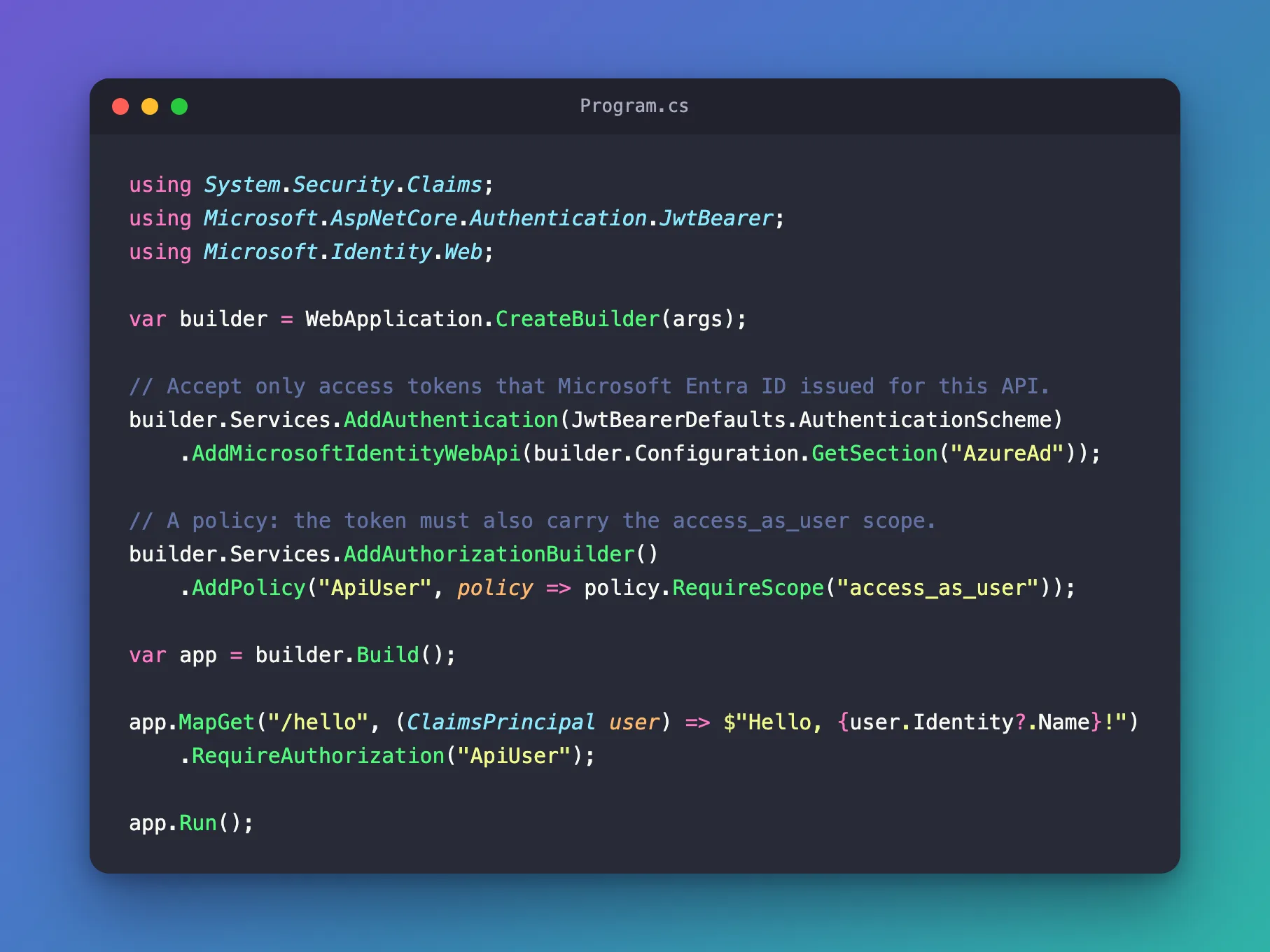
The complete file:
using System.Security.Claims;
using Microsoft.AspNetCore.Authentication.JwtBearer;
using Microsoft.Identity.Web;

var builder = WebApplication.CreateBuilder(args);

// Accept only access tokens that Microsoft Entra ID issued for this API.
builder.Services.AddAuthentication(JwtBearerDefaults.AuthenticationScheme)
    .AddMicrosoftIdentityWebApi(builder.Configuration.GetSection("AzureAd"));

// A policy: the token must also carry the access_as_user scope.
builder.Services.AddAuthorizationBuilder()
    .AddPolicy("ApiUser", policy => policy.RequireScope("access_as_user"));

var app = builder.Build();

app.MapGet("/hello", (ClaimsPrincipal user) => $"Hello, {user.Identity?.Name}!")
    .RequireAuthorization("ApiUser");

app.Run();
Step 6: Run It and Call It
Start the API from a terminal in the project folder: VS Code's terminal, or View > Terminal in Visual Studio.
dotnet run
Using launch settings from /Users/you/source/HelloApi/Properties/launchSettings.json...
Building...
info: Microsoft.Hosting.Lifetime[14]
      Now listening on: http://localhost:5301
info: Microsoft.Hosting.Lifetime[0]
      Application started. Press Ctrl+C to shut down.
info: Microsoft.Hosting.Lifetime[0]
      Hosting environment: Development
info: Microsoft.Hosting.Lifetime[0]
      Content root path: /Users/you/source/HelloApi
In a second terminal, call /hello without a token. -i makes curl show the response's status and headers:
- macOS / Linux
- Windows (PowerShell)
curl -i http://localhost:5301/hello
curl.exe -i http://localhost:5301/hello
HTTP/1.1 401 Unauthorized
Content-Length: 0
Date: Thu, 19 Nov 2026 13:03:45 GMT
Server: Kestrel
WWW-Authenticate: Bearer
401 Unauthorized with an empty body. WWW-Authenticate: Bearer tells the caller what's missing: a bearer token. The endpoint's code never ran.
Now get a token for your API's scope, api:// plus your client ID plus /access_as_user, and send it. How to Get an Access Token for Your Own API with the Azure CLI explains the first command. If it fails with AADSTS9002313, your API hasn't authorized the Azure CLI yet: How to Pre-Authorize a Client Application for Your API in Microsoft Entra ID.
- macOS / Linux
- Windows (PowerShell)
TOKEN=$(az account get-access-token --scope "api://22222222-2222-2222-2222-222222222222/access_as_user" --query accessToken --output tsv)
curl -i http://localhost:5301/hello -H "Authorization: Bearer $TOKEN"
$token = az account get-access-token --scope "api://22222222-2222-2222-2222-222222222222/access_as_user" --query accessToken --output tsv
curl.exe -i http://localhost:5301/hello -H "Authorization: Bearer $token"
HTTP/1.1 200 OK
Content-Type: text/plain; charset=utf-8
Date: Thu, 19 Nov 2026 13:03:49 GMT
Server: Kestrel
Transfer-Encoding: chunked

Hello, user@example.com!
The token passed all four checks and carries access_as_user, so the endpoint ran and greeted the caller by their sign-in name.
Last, a token that Microsoft signed for a different API. Without --scope, az account get-access-token returns a token for Azure Resource Manager, whose audience is https://management.core.windows.net/:
- macOS / Linux
- Windows (PowerShell)
OTHER_TOKEN=$(az account get-access-token --query accessToken --output tsv)
curl -i http://localhost:5301/hello -H "Authorization: Bearer $OTHER_TOKEN"
$otherToken = az account get-access-token --query accessToken --output tsv
curl.exe -i http://localhost:5301/hello -H "Authorization: Bearer $otherToken"
HTTP/1.1 401 Unauthorized
Content-Length: 0
Date: Thu, 19 Nov 2026 13:03:50 GMT
Server: Kestrel
WWW-Authenticate: Bearer error="invalid_token", error_description="The audience '(null)' is invalid"
A genuine token from Microsoft, refused, because it wasn't issued for this API. The description shows the audience as (null) instead of the one the token carried, but the audience check is what failed.
The API's terminal shows the checks as well. Each request with a valid token adds four info lines, such as IDX10239: Lifetime of the token is valid., and the refused token added this one:
fail: Microsoft.IdentityModel.LoggingExtensions.IdentityLoggerAdapter[0]
      IDX10214: Audience validation failed. See https://aka.ms/identitymodel/app-context-switches
How to Set Microsoft.Identity.Web Log Levels in ASP.NET Core shows every one of these lines and how to keep only the failures.
401 or 403?
The API answers the two kinds of failure differently. Microsoft.Identity.Web's authorization guide puts authentication failures at "401 Unauthorized" and missing permissions at "403 Forbidden":
| The caller sends | The API answers |
|---|---|
| No token, or a token that fails one of the four checks | 401 Unauthorized: prove who you are first |
| A valid token without the scope the policy requires | 403 Forbidden: you're signed in, but not allowed to do this |
To see the second, I changed the policy to require a scope my token didn't have, RequireScope("access_as_admin"), restarted the API and sent the same request with the same token:
HTTP/1.1 403 Forbidden
Content-Length: 0
Date: Thu, 19 Nov 2026 13:04:34 GMT
Server: Kestrel
The token itself was fine: the API's terminal logged the same four successful checks as before. Only the scope was missing. With the policy back on access_as_user, the same token gets 200 OK again.
Common Mistakes
| Mistake | What happens | Do this instead |
|---|---|---|
Leaving .RequireAuthorization(...) off an endpoint | The endpoint answers anyone, with or without a token | Add it to every endpoint that needs a signed-in caller |
The full scope in RequireScope, "api://…/access_as_user" | Every caller gets 403 Forbidden | Use the short name, "access_as_user" |
The tenant ID in ClientId | Every token gets 401 with The audience '(null)' is invalid | Copy the Application (client) ID from the registration's Overview page |
Getting the token without --scope | 401 with The audience '(null)' is invalid | Ask for api://<client ID>/access_as_user |
| Pasting a token into code, a ticket or a chat | Anyone with it can call the API as you until it expires | Get a new token whenever you need one |
Troubleshooting
| Symptom | Likely cause | Fix |
|---|---|---|
401 with WWW-Authenticate: Bearer and nothing else | The request has no Authorization header | Send Authorization: Bearer followed by the token |
401 with error_description="The token expired at '11/19/2026 11:59:10'" (your own time) | The token is past its lifetime, 60 to 90 minutes for these tokens | Get a new token |
401 with error_description="The audience '(null)' is invalid" | The token was issued for another API, or ClientId holds the wrong ID | Check the token's scope and the ClientId setting |
403 Forbidden | The token is valid but lacks the scope the policy requires | Ask for the scope when you get the token, and use its short name in RequireScope |
AADSTS9002313 from az account get-access-token | The Azure CLI isn't authorized for your API's scope | Fixed: AADSTS9002313 When the Azure CLI Gets a Token for Your Own API |
warn: … XmlKeyManager[35] No XML encryptor configured at the first start on macOS or Linux | AddAuthentication turns on ASP.NET Core Data Protection, which created a new key | Nothing to do on your own machine |
FAQ
Does the API need a client secret?
No. Checking a token needs only Microsoft's public signing keys. An API needs credentials of its own only when it calls another API on its own behalf or for the user.
Does every request ask Microsoft Entra ID whether the token is valid?
No. The API checks each token itself, with the signing keys that Microsoft.Identity.Web downloads and keeps up to date. That's also why a token keeps working until it expires.
How long does a token last?
Microsoft's access token documentation says a token's default lifetime is a random value "between 60-90 minutes (75 minutes on average)". The one I used in this guide was valid for 74.
Where is this used in a real app?
Part 8 of the Microsoft Agent Framework series protects an AI agent's API the same way, and adds one conversation store per signed-in user.
Conclusion
Three additions protect a minimal API: AddMicrosoftIdentityWebApi with the AzureAd section accepts only tokens Microsoft Entra ID issued for your API, a policy with RequireScope("access_as_user") requires the permission, and .RequireAuthorization("ApiUser") puts both on the endpoint. Without a token the API answered 401, with a token for another API 401 again, with the right token 200 OK, and with a valid token missing the scope 403.
Additional Resources
- Protected web API: Code configuration — the settings and the checks on every token.
- Implement authorization in web APIs with Microsoft.Identity.Web — scopes, policies, 401 and 403.
- Authentication and authorization in Minimal APIs — policies and
RequireAuthorization. - Access token claims reference —
aud,scpand the other claims.
