How to Print to Standard Error in Rust with eprintln!

println! writes to standard output, where a program's real result goes. eprintln! writes to standard error, the channel for errors and warnings, so they still reach the screen when the output is redirected to a file.
Syntax
eprintln!("<format string>", <arguments>);
| Part | What it does |
|---|---|
eprintln! | Prints a line to standard error. |
"<format string>" | The text, with {} or {name} places for values, exactly as in println!. |
<arguments> | Optional. The values for the {} places. |
The standard library's documentation for eprintln!: "Prints to the standard error, with a newline. Equivalent to the println! macro, except that output goes to io::stderr instead of io::stdout." It adds: "Use eprintln! only for error and progress messages. Use println! instead for the primary output of your program."
The Example
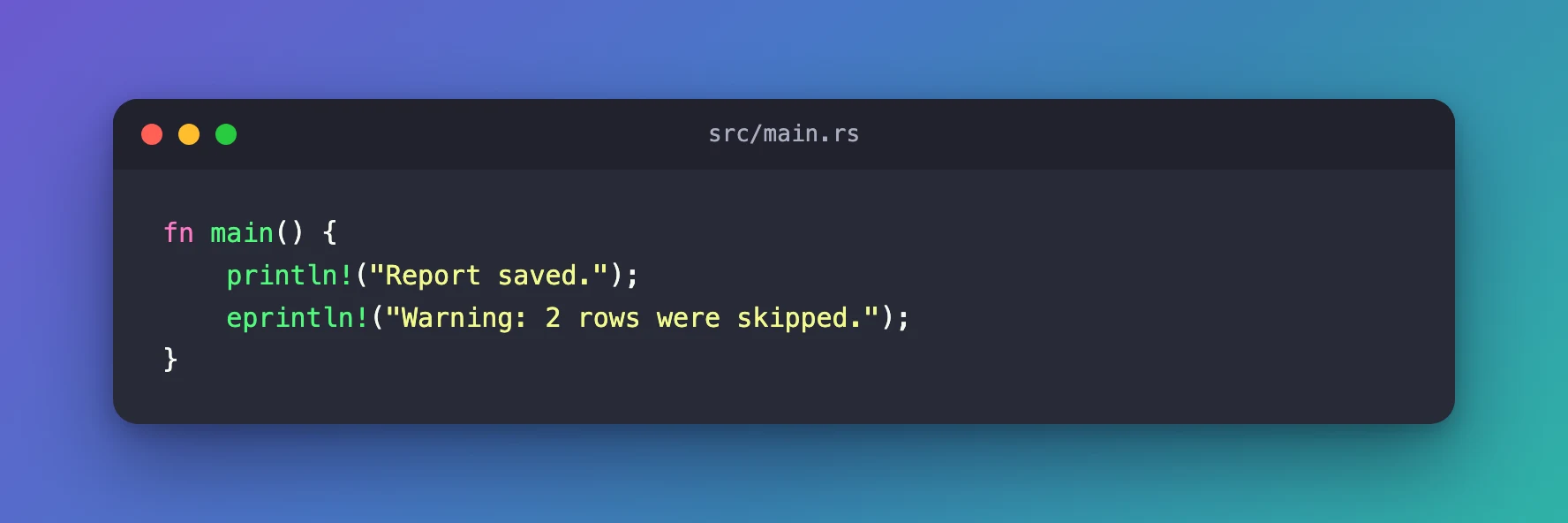
The example is a tiny report job: it prints its result, Report saved., with println!, and a warning about skipped rows with eprintln!.
Prerequisites
- Rust, installed with rustup, which comes with Cargo. This guide uses Rust 1.100.0.
Step 1: Create a Project
cargo new demo
cd demo
    Creating binary (application) `demo` package
note: see more `Cargo.toml` keys and their definitions at https://doc.rust-lang.org/cargo/reference/manifest.html
cargo new demo creates a folder named demo with a Cargo.toml file, which describes the project, and src/main.rs, which holds the code. cd demo moves into it.
Step 2: Write the Code
Replace the contents of src/main.rs with:
fn main() {
    println!("Report saved.");
    eprintln!("Warning: 2 rows were skipped.");
}
Step 3: Run It, Then Redirect the Output
Run the program, then run it again with its output sent to a file, and look at the file:
cargo run -q
cargo run -q > report.txt
cat report.txt
Report saved.
Warning: 2 rows were skipped.
Warning: 2 rows were skipped.
Report saved.
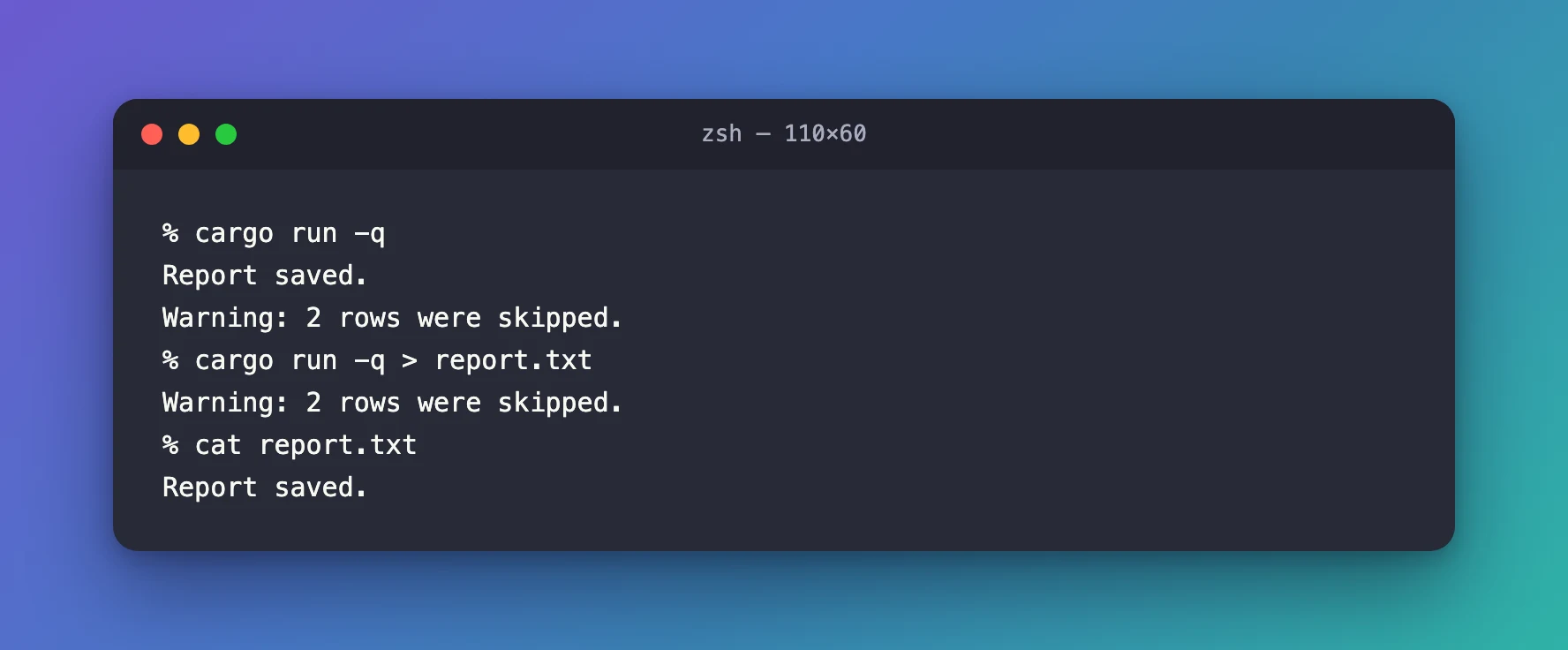
cargo run compiles the program and runs it, and -q hides Cargo's own status lines. The first run shows both lines. In the second, > sent standard output into report.txt, so only the warning stayed on screen. cat then shows the report line inside the file. In PowerShell 7.6 the same commands behave the same way: > redirects only standard output, and on Windows cat is an alias of Get-Content.
Capture the Warnings Instead
2> redirects standard error. With cargo run -q 2> errors.txt, the screen shows only Report saved., and the file holds the warning:
Report saved.
Warning: 2 rows were skipped.
Common Mistakes
| Mistake | What happens | Do this instead |
|---|---|---|
Printing errors with println! | They end up in the output file, mixed with the results | Use eprintln! for errors and warnings |
Printing the program's result with eprintln! | > doesn't capture it | Use println! for the result |
Expecting eprintln! to stop the program | It only prints | End with std::process::exit(1) when the program has to fail |
Troubleshooting
| Symptom | Likely cause | Fix |
|---|---|---|
| A message shows on screen although the output is redirected | It goes to standard error | That's the intent; redirect it with 2> if you need it in a file |
| The output file contains error messages | They were printed with println! | Switch them to eprintln! |
FAQ
Can eprintln! print values?
Yes. It takes the same format string as println!, so eprintln!("Skipped {count} rows") works.
Where do Cargo's own messages go?
Without -q, Cargo prints its status lines, such as Compiling, to standard error too, so they don't end up in a redirected output file.
Conclusion
Use println! for a program's result and eprintln! for errors, warnings and progress. Redirecting with > then captures only the result, and 2> captures only the messages.
