How to Print Text to the Console with Console.WriteLine in C#

Console.WriteLine is how a C# console app shows anything: give it text, a variable or a number, and it prints that followed by a line break. Console.Write does the same without the line break.
Microsoft's reference: Console.WriteLine writes the specified string value, followed by the current line terminator, to the standard output stream. The standard output stream is the terminal the app runs in. Console.Write writes the specified string value to the standard output stream, with no line terminator.
Syntax
Console.WriteLine(<value>);
Console.WriteLine();
Console.Write(<value>);
| Part | What it is |
|---|---|
<value> | What to print: text in quotes, a variable, a number or any other value, which is turned into text first |
Console.WriteLine(<value>) | Prints the value, then ends the line |
Console.WriteLine() | Ends the line without printing anything: on its own, an empty line |
Console.Write(<value>) | Prints the value and stays on the same line |
The Example
A console app called PrintText prints a greeting, a name, a number, a sentence built from both, an empty line, and one line made of two Write calls.
Prerequisites
- The .NET 10 SDK.
dotnet --versionprints a version that starts with10.0.
Step 1: Create a Console App
dotnet new console -n PrintText
cd PrintText
The template "Console App" was created successfully.

Processing post-creation actions...
Restoring /Users/you/source/PrintText/PrintText.csproj:
  Determining projects to restore...
  Restored /Users/you/source/PrintText/PrintText.csproj (in 49 ms).
Restore succeeded.
dotnet new console -n PrintText creates a folder named PrintText with a project file and a Program.cs, and cd moves into it. Everything this example uses is part of .NET, so there's no package to add. Open the folder in VS Code, or PrintText.csproj in Visual Studio.
Step 2: Write the Code
Replace everything in Program.cs. First two values to print:
string name = "Asha";
int tickets = 3;
Then the printing:
Console.WriteLine("Hello!");
Console.WriteLine(name);
Console.WriteLine(tickets);
Console.WriteLine($"{name} has {tickets} open tickets.");
Console.WriteLine();
Console.Write("Write doesn't end the line, ");
Console.Write("so this follows on the same one.");
Console.WriteLine();
Console.WriteLine(tickets)prints the number3without any conversion on your side.$"{name} has {tickets} open tickets."puts both values into one sentence.Console.WriteLine()with nothing in the brackets prints the empty line.- The two
Console.Writecalls print on the same line, and the lastConsole.WriteLine()ends it.
Step 3: Run It
Run it in VS Code's terminal, or press Ctrl+F5 in Visual Studio:
dotnet run
Hello!
Asha
3
Asha has 3 open tickets.

Write doesn't end the line, so this follows on the same one.
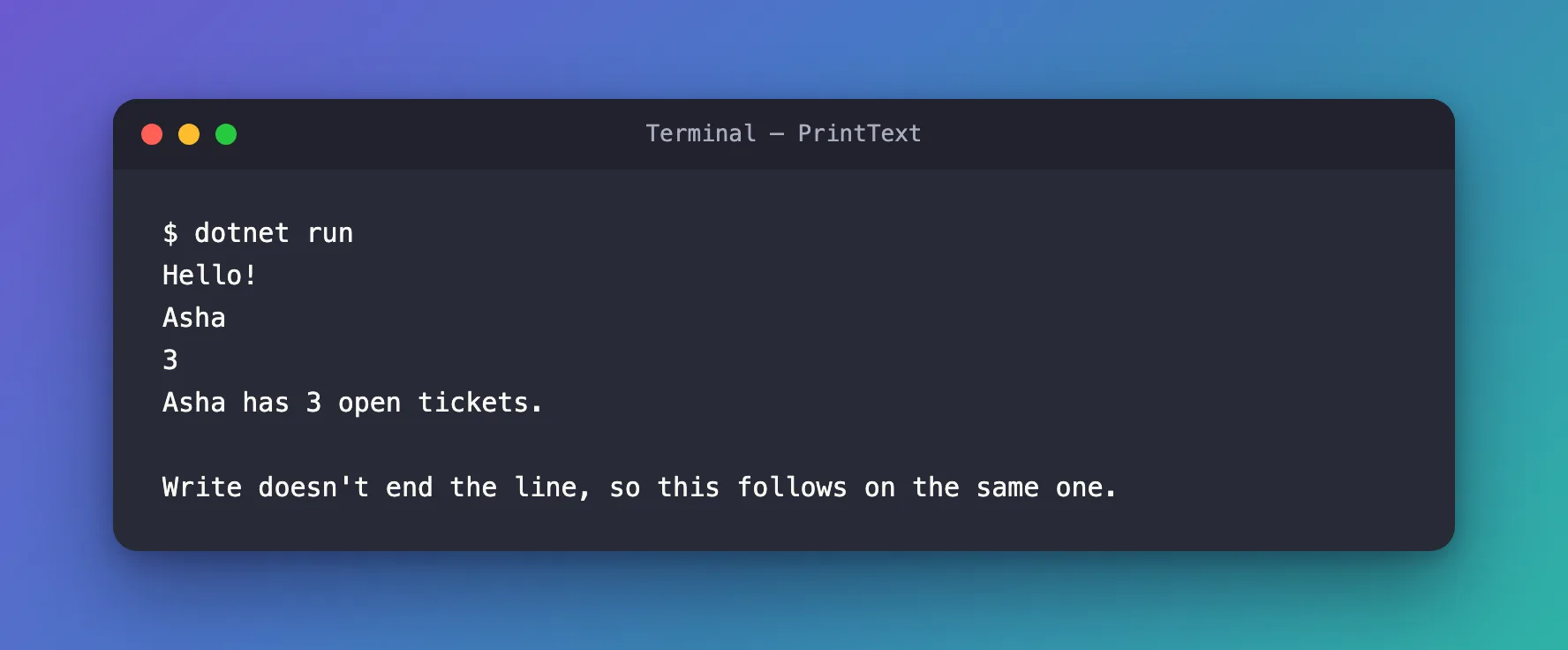
Every WriteLine started a new line, the empty WriteLine() left a blank one, and the two Write calls came out as one line.
The Complete File
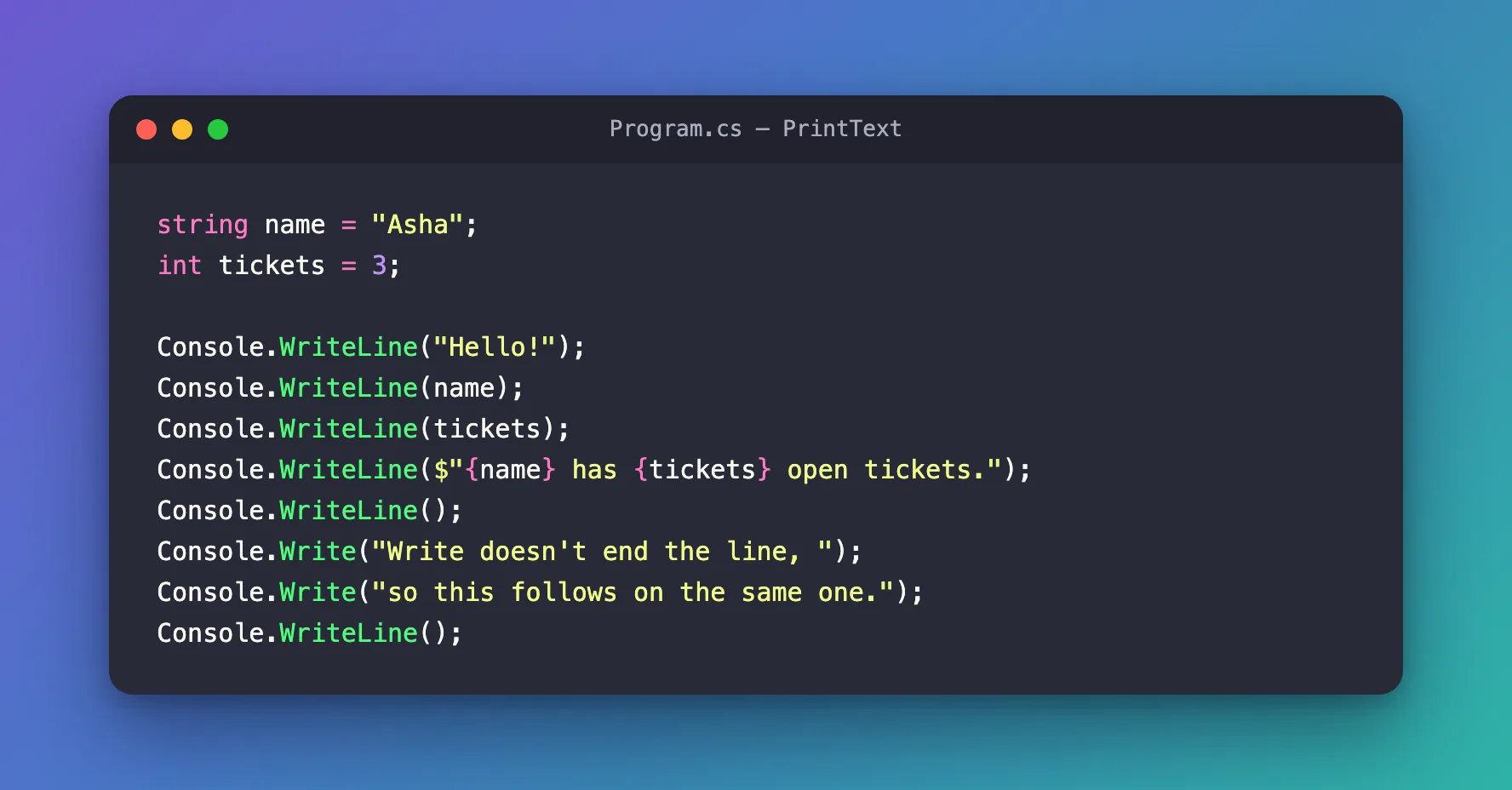
string name = "Asha";
int tickets = 3;

Console.WriteLine("Hello!");
Console.WriteLine(name);
Console.WriteLine(tickets);
Console.WriteLine($"{name} has {tickets} open tickets.");
Console.WriteLine();
Console.Write("Write doesn't end the line, ");
Console.Write("so this follows on the same one.");
Console.WriteLine();
Common Mistakes
| Mistake | What happens | Do this instead |
|---|---|---|
Using braces as text in a format string, such as Console.WriteLine("Use {curly} braces", 1) | Braces start a placeholder, so the line fails: FormatException: Input string was not in a correct format. Failure to parse near offset 5. Expected an ASCII digit. | Double them, as in the FAQ below |
Using Write where you meant WriteLine | The next output continues on the same line | Use WriteLine, or end the line with Console.WriteLine() |
FAQ
What is the older style with numbered placeholders?
Composite formatting: numbered placeholders filled with the values after the text. Console.WriteLine("{0} has {1} open tickets.", name, tickets) printed the same sentence as the interpolated string.
How do I print a brace?
Write it twice. Microsoft's guide: To display a literal opening brace or closing brace, you must use an escape sequence, which is two opening braces, {{, for one {, and two closing braces, }}, for one }. In an interpolated string, $"{{name}} is {name}" printed {name} is Asha.
Conclusion
Console.WriteLine(value) prints a value and ends the line, Console.WriteLine() prints an empty line, and Console.Write(value) prints without ending the line. To show a brace as text, write it twice.
Additional Resources
- Console.WriteLine — every form of the method.
- Console.Write — printing without a line break.
- Composite formatting — numbered placeholders and escaping braces.
