How to Print Output in Python with print

print is the first thing most Python programs use: it writes values to the terminal, each call on its own line. Two optional settings, sep and end, control what goes between the values and what comes after them.
Syntax
print(<value>, <value>, sep="<separator>", end="<ending>")
| Part | What it does |
|---|---|
<value>, <value> | What to print. Each is turned into text the way str() would. |
sep="<separator>" | Optional. Goes between the values. The default is one space. |
end="<ending>" | Optional. Goes after the last value. The default is a new line, "\n". |
The Python documentation for print: "Print objects to the text stream file, separated by sep and followed by end. sep, end, file, and flush, if present, must be given as keyword arguments."
The Example
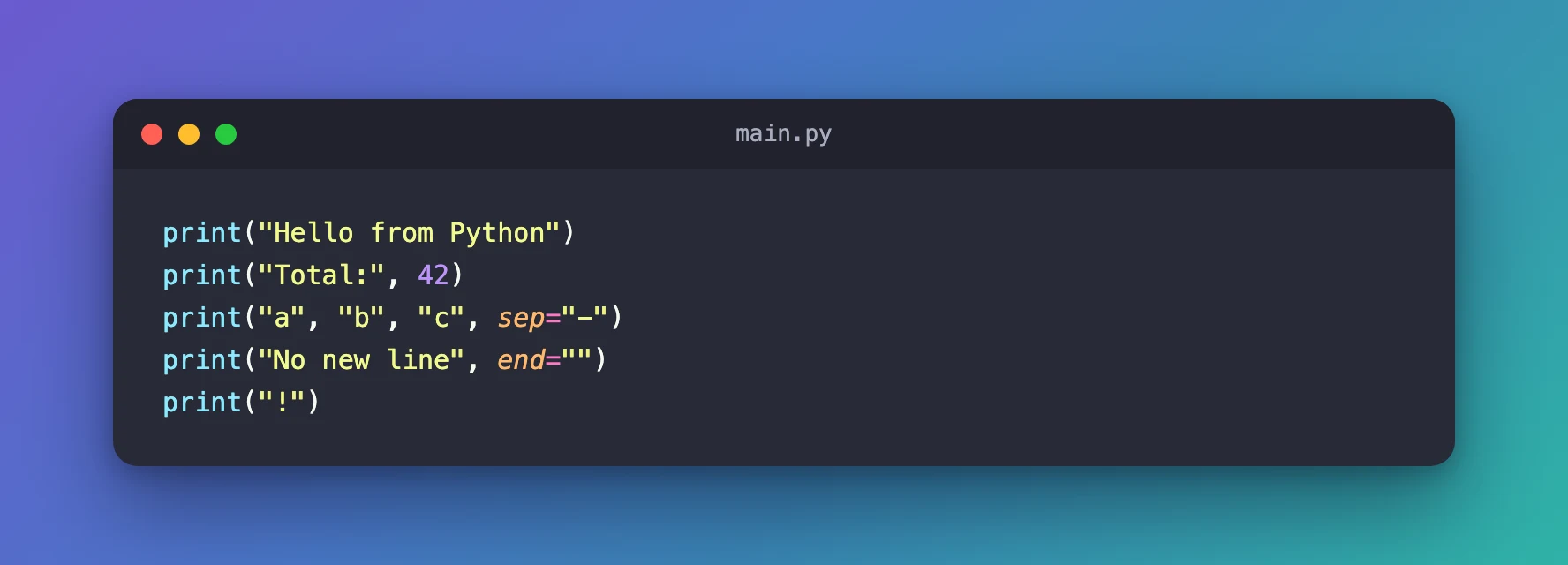
The example prints a sentence, a label with a number, three letters joined by hyphens, and two calls that end up on one line.
Prerequisites
- uv and Python. This guide uses uv 0.13.10 with Python 3.15.2.
Step 1: Write the Code
Create a file named main.py:
print("Hello from Python")
print("Total:", 42)
print("a", "b", "c", sep="-")
print("No new line", end="")
print("!")
Step 2: Run It
uv run python main.py
Hello from Python
Total: 42
a-b-c
No new line!
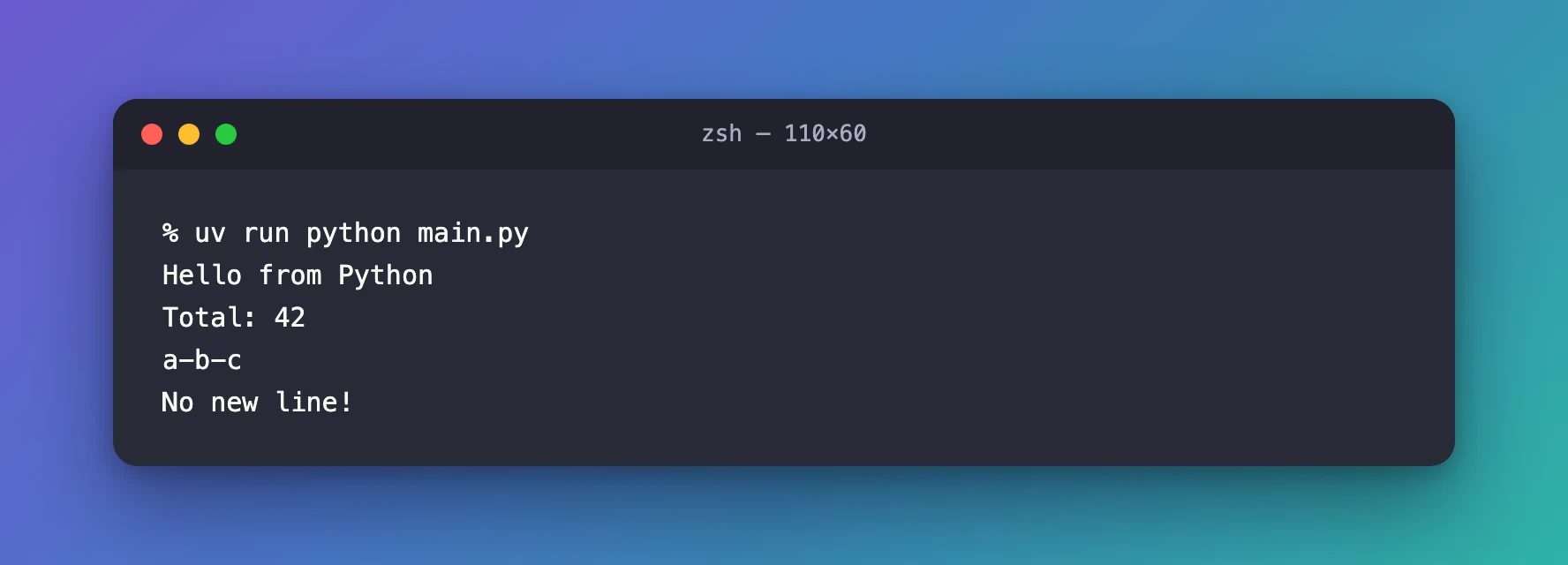
"Total:", 42printed with a space between them, the defaultsep.sep="-"put hyphens betweena,bandc.end=""stopped the new line, so the nextprintcontinued on the same line.
The command is the same in zsh, bash and PowerShell.
Printing an Error Message
print writes to standard output. Messages about problems belong on standard error, where they stay visible when the output is redirected to a file:
import sys

print("Warning: 2 rows were skipped.", file=sys.stderr)
Common Mistakes
| Mistake | What happens | Do this instead |
|---|---|---|
Writing print "Hello" | SyntaxError: Missing parentheses in call to 'print'. Did you mean print(...)? | Write print("Hello"): print is a function |
Joining a number with +, as in "Total: " + 42 | TypeError: can only concatenate str (not "int") to str | Pass it as a separate value: print("Total:", 42) |
Expecting print to return the text | It returns None | Build the string first, then print it |
Troubleshooting
| Symptom | Likely cause | Fix |
|---|---|---|
| Two outputs run together on one line | An earlier print used end="" | Leave end at its default, or print an empty print() |
| Error messages end up in a redirected file | They were printed to standard output | Print them with file=sys.stderr |
FAQ
How do I print a blank line?
Call print() with nothing in it. It prints just the end, a new line.
Why is some output delayed when I pipe it?
Python buffers output that goes to a file or a pipe. print(..., flush=True) writes it immediately.
Conclusion
print writes its values with spaces between them and a new line after. Change those with sep and end, and send problems to sys.stderr with file=.
Additional Resources
- print(), in the Python documentation.
