How to Print an Error Message to Standard Error in Java

A Java program has two output streams: System.out for its results and System.err for problems. Print a warning with System.err.println and it still reaches the screen when the results are redirected into a file.
Syntax
System.err.println(<message>);
| Part | What it does |
|---|---|
System.err | The standard error stream. |
.println(<message>) | Prints the message and ends the line, as with System.out. |
The JDK 25 documentation for System.err: "By convention, this output stream is used to display error messages or other information that should come to the immediate attention of a user even if the principal output stream, the value of the variable out, has been redirected to a file or other destination that is typically not continuously monitored."
The Example
The example prints a result with System.out and a warning with System.err, then sends the output to a file to show which line goes where.
Prerequisites
- A JDK, the Java Development Kit.
java Main.javaruns a single file without compiling it first. This guide uses OpenJDK 25.0.5.1.
Step 1: Write the Code
Create a file named Main.java:
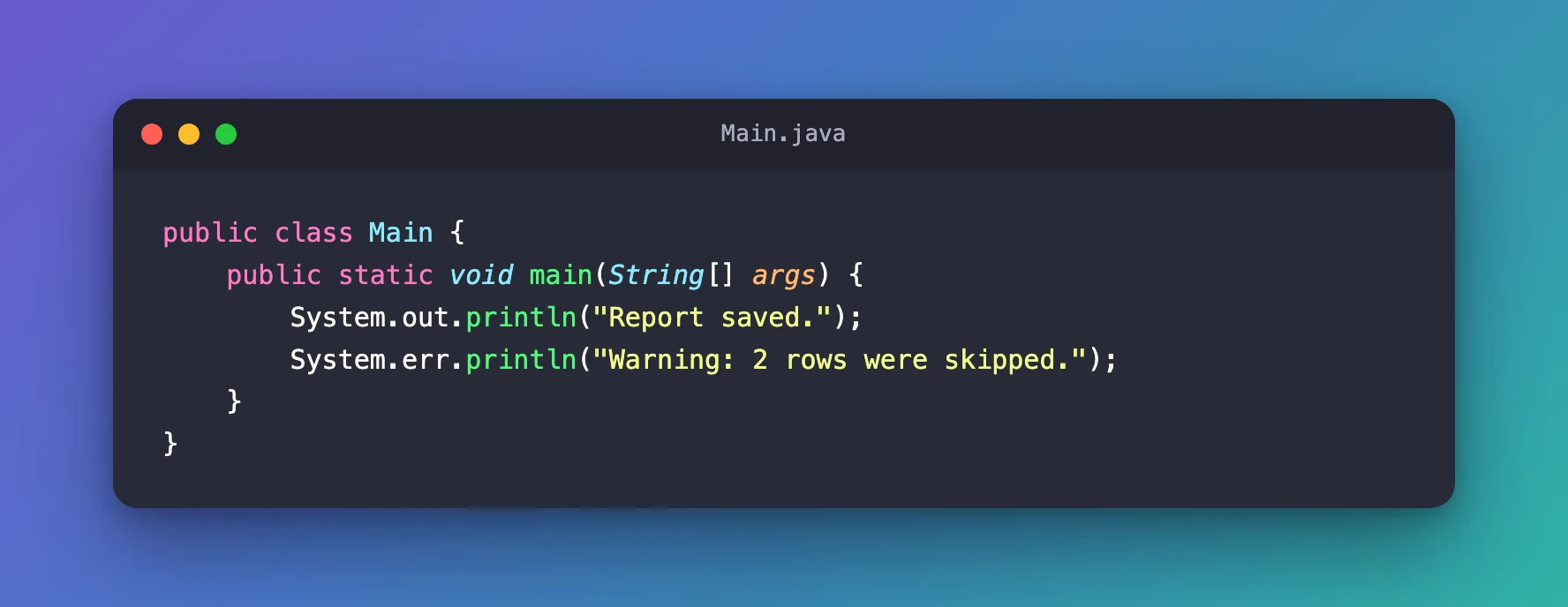
public class Main {
    public static void main(String[] args) {
        System.out.println("Report saved.");
        System.err.println("Warning: 2 rows were skipped.");
    }
}
Step 2: Run It, Then Redirect the Output
Run it, then send standard output to a file with > and look inside the file:
java Main.java
java Main.java > report.txt
cat report.txt
Report saved.
Warning: 2 rows were skipped.
Warning: 2 rows were skipped.
Report saved.
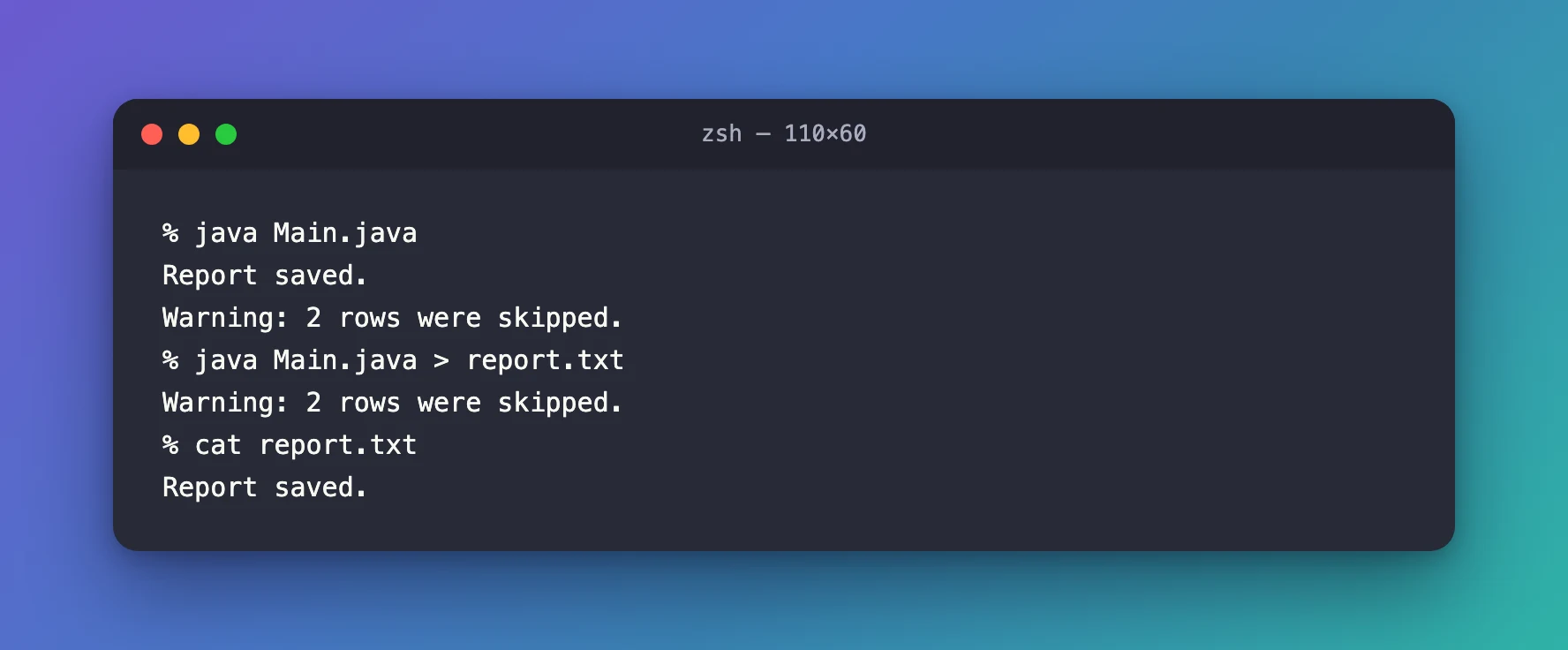
The first run shows both lines. In the second, > sent standard output into report.txt, so only the warning stayed on screen; cat then shows the report line inside the file. I ran the same commands in PowerShell 7.6 with the same result: there, too, > redirects only standard output, and on Windows cat is an alias of Get-Content.
Common Mistakes
| Mistake | What happens | Do this instead |
|---|---|---|
Printing warnings with System.out | They end up in the redirected file, mixed with the results | Use System.err |
Printing results with System.err | They don't reach the file or the next program in a pipe | Keep results on System.out |
Expecting System.err to stop the program | It only prints; the code carries on | Exit with a non-zero code when the program can't continue |
Troubleshooting
| Symptom | Likely cause | Fix |
|---|---|---|
| Error messages are missing from a log file | Only standard output was redirected | Add 2> errors.txt to save standard error too |
| Output and errors appear in a surprising order | The two streams are separate and can interleave | Don't rely on their relative order |
FAQ
Does System.err print in red?
No. It prints plain text; some editors color it, but the terminal doesn't.
How do I save standard error to a file?
Redirect it with 2>, as in java Main.java 2> errors.txt. It works the same in zsh, bash and PowerShell.
Conclusion
System.out.println writes results and System.err.println writes problems. Redirect the results and the warnings still show up on screen.
Additional Resources
- System.err, in the JDK 25 API documentation.
