How to Prepare an MLflow Model's Environment Before Serving It

Before mlflow models serve can start a model, it builds an environment with the model's Python version and packages. mlflow models prepare-env does that step on its own, ahead of time, so serve finds the environment ready. This guide prepares one and serves the model after it, with real output and times from MLflow 3.18.0 on a Mac.
Syntax
mlflow models prepare-env -m MODEL_URI --env-manager uv
| Part | What it means |
|---|---|
-m MODEL_URI | The model whose environment to build, such as models:/<model ID> |
--env-manager uv | Build it with uv, as serve --env-manager uv would; the default is virtualenv, which needs pyenv |
The CLI reference: "Performs any preparation necessary to predict or serve the model, for example downloading dependencies or initializing a conda environment. After preparation, calling predict or serve should be fast."
Prerequisites
- An MLflow tracking server at
http://127.0.0.1:8080, such asmlflow server --port 8080. mlflowandscikit-learnin your project, for example withuv add mlflow scikit-learn pandas.
Step 1: Log a Model
The example logs a Ridge regression on scikit-learn's diabetes data:
import mlflow
from sklearn.datasets import load_diabetes
from sklearn.linear_model import Ridge

mlflow.set_tracking_uri("http://127.0.0.1:8080")
mlflow.set_experiment("prepare-env-example")

X, y = load_diabetes(return_X_y=True, as_frame=True)
with mlflow.start_run():
    info = mlflow.sklearn.log_model(Ridge().fit(X, y), name="model", input_example=X.head(3))
print("Model URI:", info.model_uri)
uv run python log_prepare_model.py
Model URI: models:/m-b2582afb949f4649b0e981b9122d2cb8
Step 2: Prepare the Environment
- macOS / Linux
- Windows (PowerShell)
export MLFLOW_TRACKING_URI=http://127.0.0.1:8080
uv run mlflow models prepare-env -m "models:/m-b2582afb949f4649b0e981b9122d2cb8" --env-manager uv
$env:MLFLOW_TRACKING_URI = "http://127.0.0.1:8080"
uv run mlflow models prepare-env -m "models:/m-b2582afb949f4649b0e981b9122d2cb8" --env-manager uv
2026/11/26 05:03:00 INFO mlflow.utils.virtualenv: Creating a new environment in /Users/you/.mlflow/envs/mlflow-1a8495c475783fb241f6a7a3da8ec77fb2802018 with python version 3.15.2 using uv
Using CPython 3.15.2 interpreter at: /Library/Frameworks/Python.framework/Versions/3.15/bin/python3.15
...
Installed 87 packages in 972ms
2026/11/26 05:03:02 INFO mlflow.utils.environment: === Running command '['bash', '-c', 'source /Users/you/.mlflow/envs/mlflow-1a8495c475783fb241f6a7a3da8ec77fb2802018/bin/activate && python -c ""']'
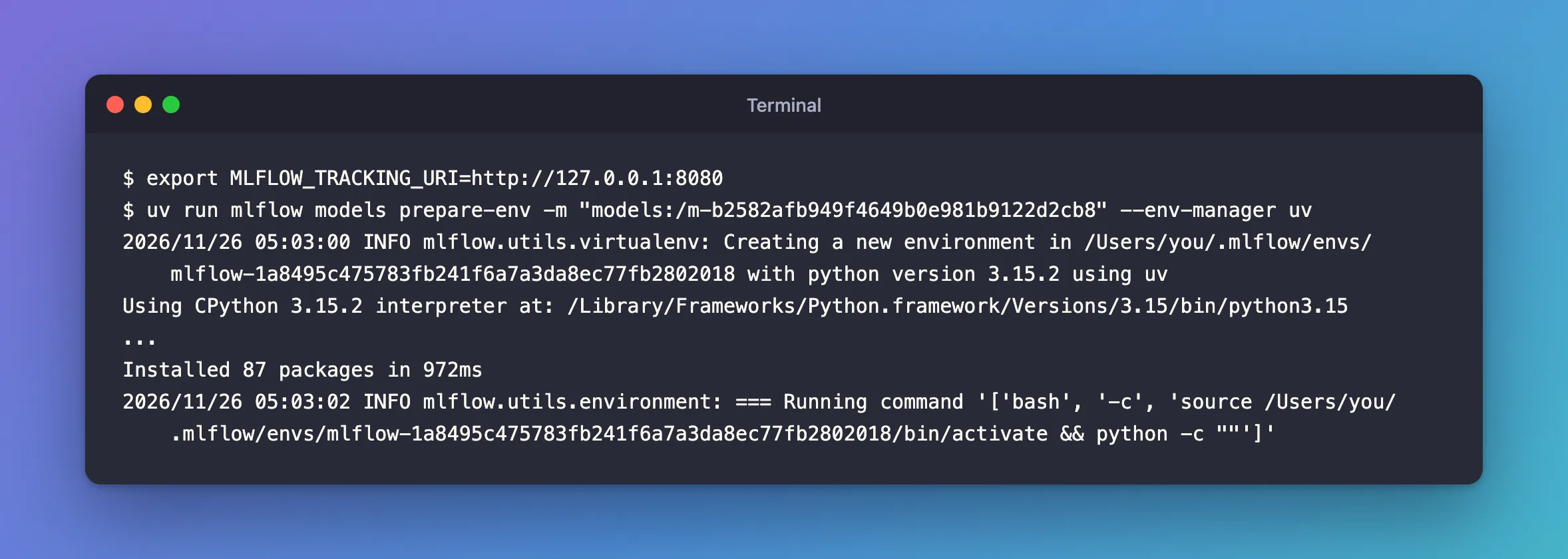
The command took about six seconds. It built the environment in your home folder's .mlflow/envs, under a name made from the model's requirements, mlflow-1a8495c4..., installed the 87 packages saved with the model, and checked that Python starts in it.
Step 3: Serve the Model
uv run mlflow models serve -m "models:/m-b2582afb949f4649b0e981b9122d2cb8" -p 5001 --env-manager uv
2026/11/26 05:03:06 INFO mlflow.models.flavor_backend_registry: Selected backend for flavor 'python_function'
2026/11/26 05:03:06 INFO mlflow.utils.virtualenv: Environment /Users/you/.mlflow/envs/mlflow-1a8495c475783fb241f6a7a3da8ec77fb2802018 already exists
...
INFO:     Started server process [23813]
INFO:     Waiting for application startup.
INFO:     Application startup complete.
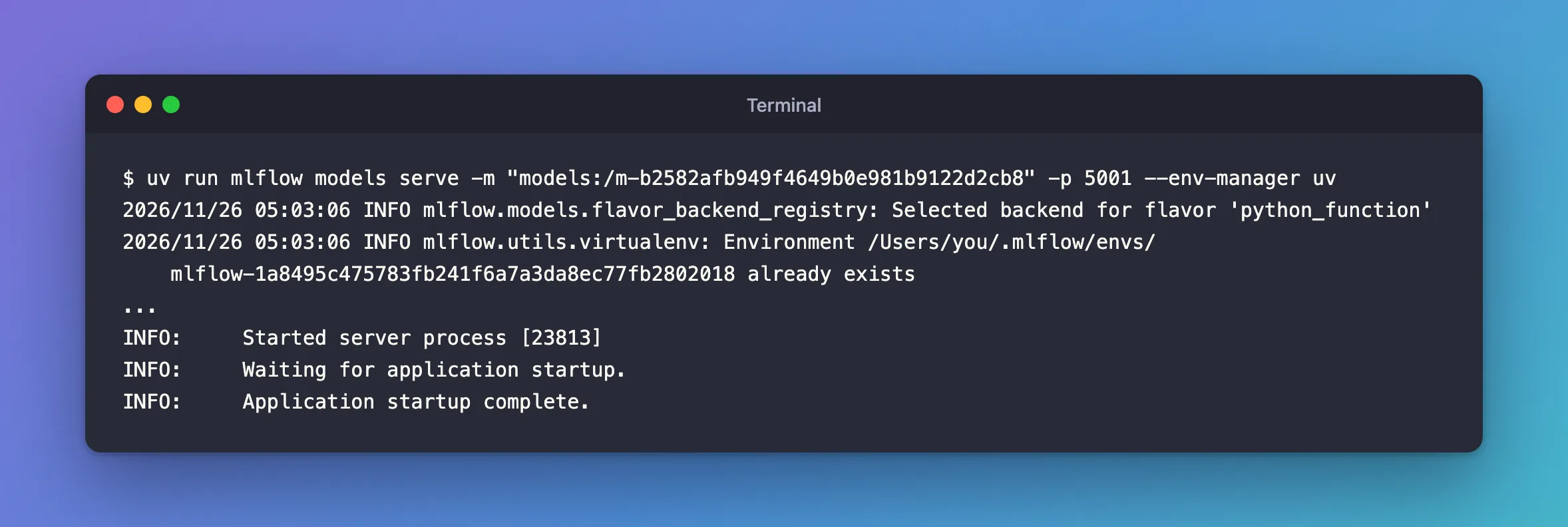
Environment ... already exists: serve found the prepared environment and skipped building it.
The first start still took about a minute and a half on my Mac: what took the time was Python loading the new environment's packages for the first time, not the environment. I timed it: importing the model's main packages in a fresh environment took 75.5 seconds the first time and 3.3 seconds the second. Later starts of this environment were up in under ten seconds.
Common Mistakes
| Mistake | What happens | Do this instead |
|---|---|---|
Expecting prepare-env to start a server | It builds the environment and exits | Run mlflow models serve afterwards |
Leaving out --env-manager | The default virtualenv needs pyenv: Could not find the pyenv binary | --env-manager uv |
Troubleshooting
| Symptom | Likely cause | Fix |
|---|---|---|
serve says Creating a new environment again | The model's requirements differ from the prepared one, so its name differs | Prepare the model you serve |
The first start is slow even after prepare-env | Python loads the new environment's packages for the first time | Expected once; later starts are quick |
FAQ
Do models share environments?
When their requirements are the same, yes: the name comes from them. Here every small example model logged from the same project got the same environment, mlflow-1a8495c4....
How do I remove an environment?
Delete its folder in ~/.mlflow/envs with the server stopped. The next serve or prepare-env builds it again.
Conclusion
mlflow models prepare-env --env-manager uv built the diabetes model's environment in six seconds, in ~/.mlflow/envs, and serve then reported Environment ... already exists and skipped that step. The first start still waited for Python to load the new packages once; after that, the server started in seconds.
Additional Resources
- mlflow models prepare-env — the command and its options.
- Managing dependencies in MLflow models — how a model records its packages.
