How to Predict with an MLflow Model from the Command Line

You don't need a Python script to try a logged model. mlflow models predict takes a model and a file of input, builds the environment the model needs and prints its predictions, all from the terminal. That makes it a quick check before deployment, and a simple way to score a batch. This guide runs it, with real output from MLflow 3.18.0.
Syntax
mlflow models predict -m MODEL_URI -i INPUT_FILE -t json|csv [--env-manager uv] [-o OUTPUT_FILE]
| Part | What it means |
|---|---|
-m MODEL_URI | The model, such as models:/<model ID> |
-i INPUT_FILE | The file to predict |
-t json or -t csv | The file's format. JSON uses the same layouts as MLflow's REST API, such as dataframe_split |
--env-manager uv | Build the model's environment with uv. Without it, MLflow uses virtualenv, which needs pyenv; local uses your current environment |
-o OUTPUT_FILE | Write the predictions to a file instead of printing them |
The command finds the tracking server through the MLFLOW_TRACKING_URI environment variable.
Prerequisites
- An MLflow tracking server at
http://127.0.0.1:8080. MLflow's tracking server guide shows how to start one.
Step 1: Write the Input File
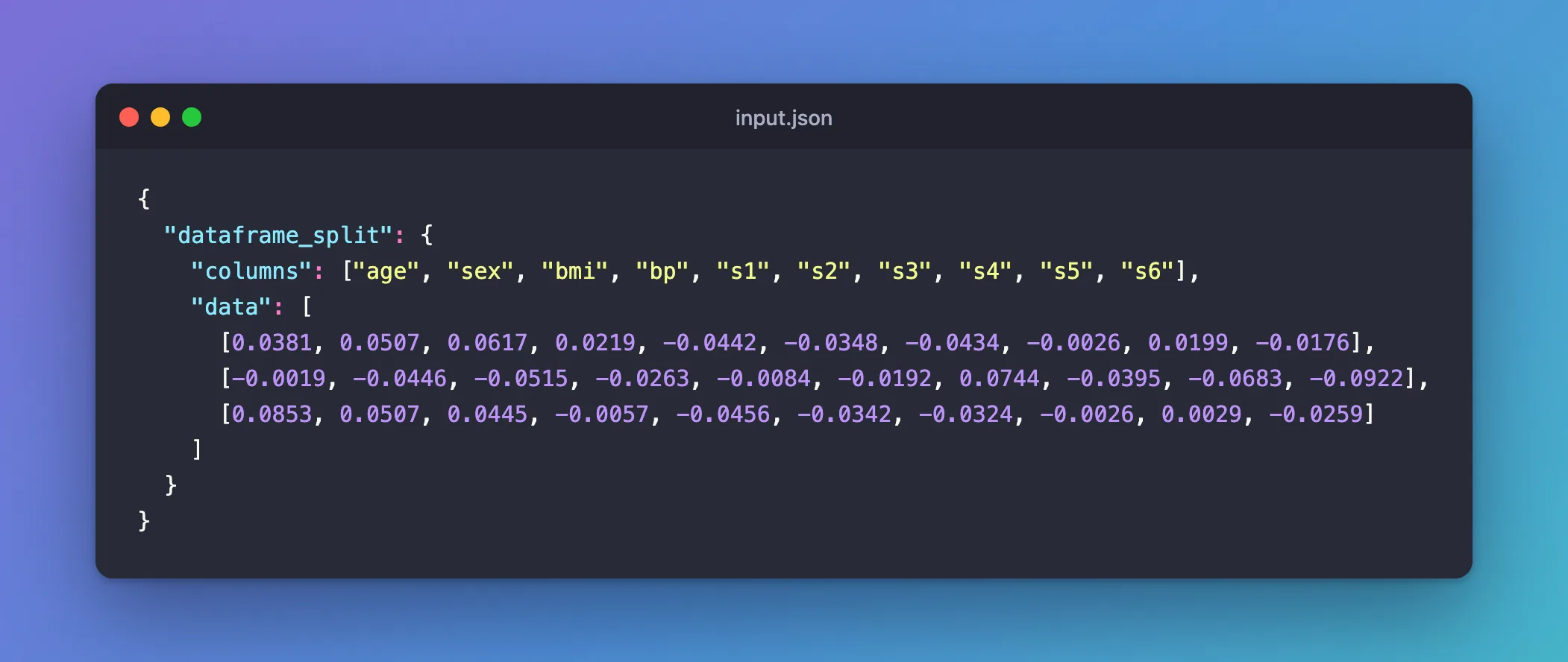
The example model is a linear regression trained on scikit-learn's diabetes data, models:/m-fe0cc2dee6ba41a2872771567885d2c9. input.json holds three rows of its ten columns, in the dataframe_split layout: the column names, then the rows.
{
  "dataframe_split": {
    "columns": ["age", "sex", "bmi", "bp", "s1", "s2", "s3", "s4", "s5", "s6"],
    "data": [
      [0.0381, 0.0507, 0.0617, 0.0219, -0.0442, -0.0348, -0.0434, -0.0026, 0.0199, -0.0176],
      [-0.0019, -0.0446, -0.0515, -0.0263, -0.0084, -0.0192, 0.0744, -0.0395, -0.0683, -0.0922],
      [0.0853, 0.0507, 0.0445, -0.0057, -0.0456, -0.0342, -0.0324, -0.0026, 0.0029, -0.0259]
    ]
  }
}
Step 2: Predict
Point the command at the server, then run it in your project, where MLflow is installed:
- macOS / Linux
- Windows (PowerShell)
export MLFLOW_TRACKING_URI=http://127.0.0.1:8080
uv run mlflow models predict -m models:/m-fe0cc2dee6ba41a2872771567885d2c9 -i input.json -t json --env-manager uv
$env:MLFLOW_TRACKING_URI = "http://127.0.0.1:8080"
uv run mlflow models predict -m models:/m-fe0cc2dee6ba41a2872771567885d2c9 -i input.json -t json --env-manager uv
2026/11/21 14:15:37 INFO mlflow.models.flavor_backend_registry: Selected backend for flavor 'python_function'
2026/11/21 14:15:37 INFO mlflow.utils.virtualenv: Creating a new environment in /var/folders/…/T/tmpr2b6y8kr/envs/virtualenv_envs/mlflow-7ce281718f4d3c0008005aff97ca470a54f7fb7a with python version 3.15.2 using uv
...
Resolved 88 packages in 23ms
Installed 87 packages in 921ms
...
{"predictions": [206.11009201186505, 68.0222322651614, 176.91687109801228]}
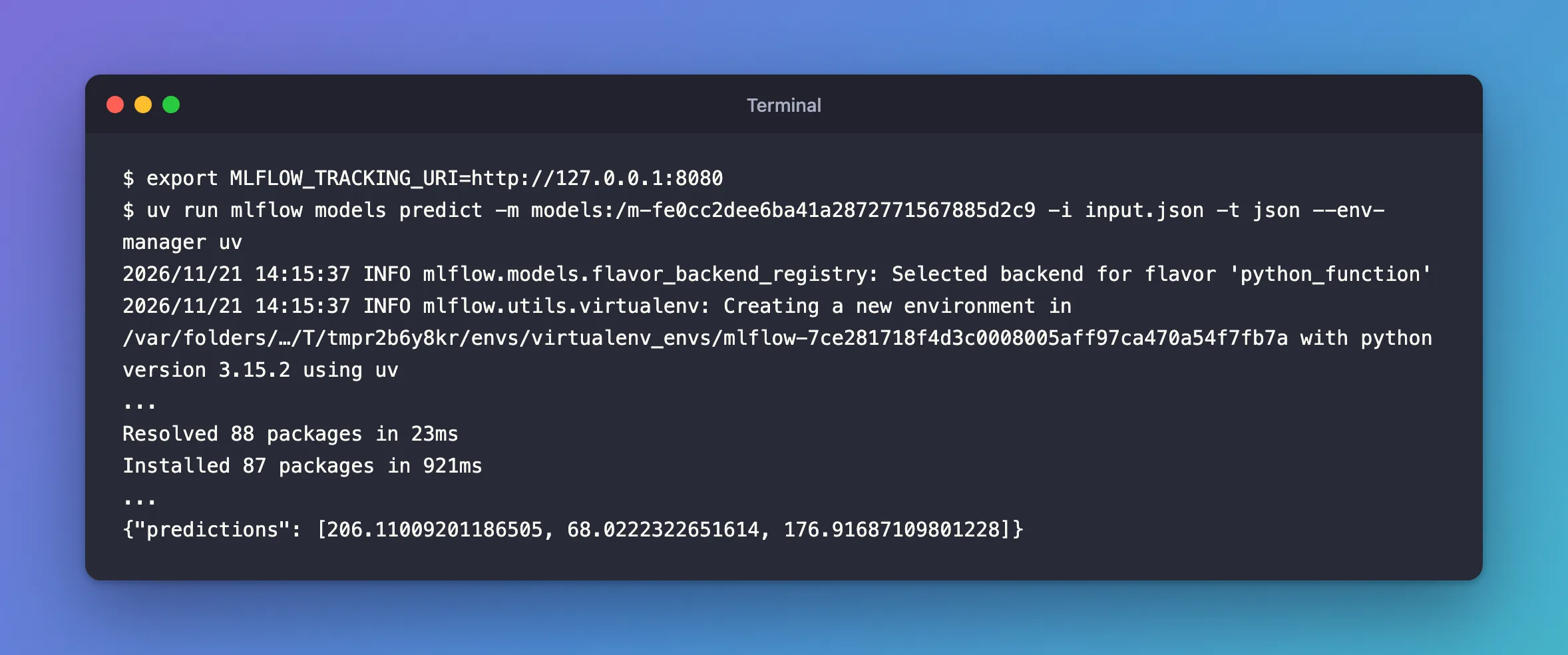
The command did what mlflow.models.predict does from Python: it built a new environment from the model's requirements, then predicted the three rows in it. The ... stand for the environment's setup lines and the list of installed packages.
Common Mistakes
| Mistake | What happens | Do this instead |
|---|---|---|
Leaving out --env-manager without pyenv | The default, virtualenv, uses pyenv for the Python version | --env-manager uv |
-t csv with whole numbers for decimal columns | The CSV is read without the signature's types: Incompatible input types for column ... Can not safely convert int64 to float64 | Fixed: Can not safely convert int64 to float64, or use JSON |
Running it without MLFLOW_TRACKING_URI set | MLflow looks in a local database instead, creates mlflow.db in the folder, and stops: MlflowException: Logged model with ID '...' not found. | Set it first, as above, and delete the stray mlflow.db |
Troubleshooting
| Symptom | Likely cause | Fix |
|---|---|---|
| The command waits a minute after installing | Python compiles the new environment's packages on first import | Wait; the reason |
Failed to enforce schema of data ... | The file's columns or types don't match the model's signature | Compare them with the model's input_example.json |
FAQ
Where do I get a valid input file?
From the model itself: a model logged with an input example has serving_input_example.json, in exactly this layout. How to Download an MLflow Model's Files gets it.
Can I save the predictions to a file?
Yes: add -o predictions.json.
Conclusion
mlflow models predict -m models:/m-… -i input.json -t json --env-manager uv built the model's environment and printed three predictions as JSON, without a line of Python: a quick check, or a batch run, from the terminal.
Additional Resources
- MLflow CLI: mlflow models predict — every option of the command.
