How to Pick a Random Item from an Array with Random.Shared in C#

Games, quizzes and lunch pickers all need to choose something at random. In C#, Random.Shared.Next(array.Length) returns a random index that is always valid for the array, so array[index] is a random item.
Syntax
int <index> = Random.Shared.Next(<maxValue>);
int <number> = Random.Shared.Next(<minValue>, <maxValue>);
| Part | What it does |
|---|---|
Random.Shared | A ready-made Random object that the whole program can use, from any thread. |
Next(<maxValue>) | Returns a random whole number from 0 up to, but not including, <maxValue>. |
Next(<minValue>, <maxValue>) | Returns a random whole number from <minValue> up to, but not including, <maxValue>. |
Microsoft's Random.Shared reference: "Provides a thread-safe Random instance that may be used concurrently from any thread." And on Random.Next: "Returns a non-negative random integer that is less than the specified maximum."
The Example
The example keeps three colors in an array and prints one of them, picked at random, together with its index.
Prerequisites
- The .NET 10 SDK or newer, which runs a single
.csfile withdotnet run. This guide uses .NET SDK 10.0.404.
Step 1: Write the Code
Create a file named main.cs in an empty folder:
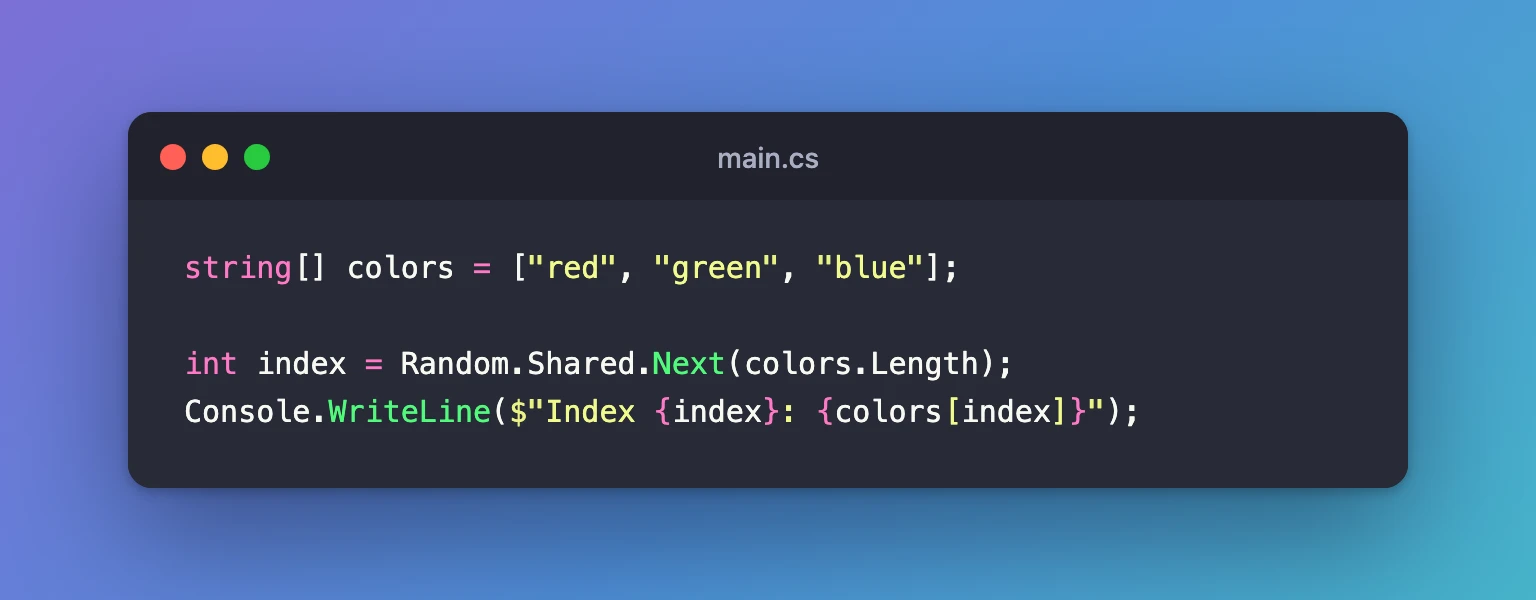
string[] colors = ["red", "green", "blue"];

int index = Random.Shared.Next(colors.Length);
Console.WriteLine($"Index {index}: {colors[index]}");
colors.Length is 3, so Next(3) returns 0, 1 or 2: every valid index of the array, and never 3.
Step 2: Run It
dotnet run main.cs
Index 2: blue
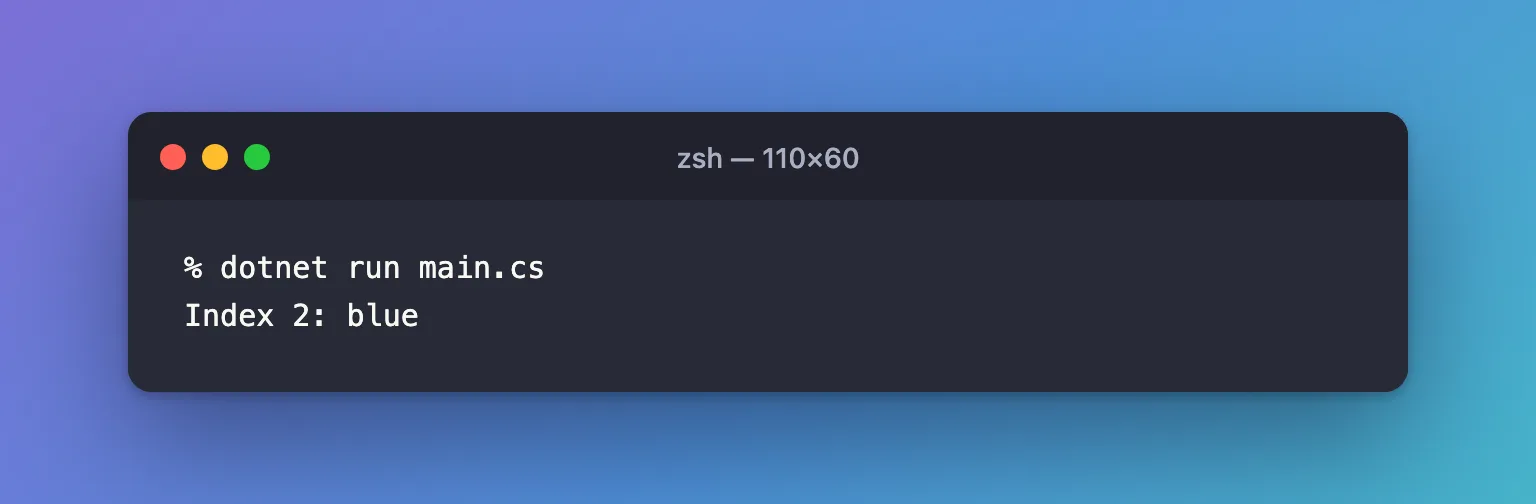
This run picked index 2, blue. Your result can differ, and it can change every time: two more runs here printed Index 0: red both times. Random doesn't mean "a different one each time". The command is the same in zsh, bash and PowerShell.
Why the Upper Bound Is Left Out
The reference describes maxValue as "The exclusive upper bound of the random number to be generated." Exclusive means the number itself never comes back. That's exactly what array indexes need: an array of 3 has the indexes 0, 1 and 2, so the array's length is the right maxValue. For a number from 1 to 6, like a die, write Random.Shared.Next(1, 7).
Common Mistakes
| Mistake | What happens | Do this instead |
|---|---|---|
Passing colors.Length - 1 | The last item is never picked, because the upper bound is excluded | Pass colors.Length |
Passing colors.Length + 1 | Next can return 3, and colors[3] doesn't exist, so it throws IndexOutOfRangeException | Pass colors.Length |
Writing Next(1, 6) for a die | 6 never comes up | Write Next(1, 7) |
Using Random for passwords, keys or tokens | Its numbers aren't meant to be secure | Use RandomNumberGenerator |
Troubleshooting
| Symptom | Likely cause | Fix |
|---|---|---|
| The last item never appears | The upper bound is one too small | Pass the length, not the length minus one |
IndexOutOfRangeException now and then | The upper bound is larger than the length | Pass exactly array.Length |
FAQ
Can I use Random.Shared for passwords or tokens?
No. Microsoft's Random reference: "To generate a cryptographically secure random number, such as one that's suitable for creating a random password, use one of the static methods in the RandomNumberGenerator class."
Why use Random.Shared instead of new Random()?
Random.Shared is one instance that's already created and safe to use from any thread, so you don't need to create and keep your own Random object. A Random you create yourself isn't safe that way: the reference notes that "Random objects are not thread safe."
Conclusion
array[Random.Shared.Next(array.Length)] picks a random item, because Next returns a number from 0 up to, but not including, the length. Use Next(min, max) for a range, remember that max is never returned, and use RandomNumberGenerator for anything secret.
Additional Resources
- Random.Shared property, on Microsoft Learn.
- Random.Next method, on Microsoft Learn.
