How to Pass Environment Variables to a Docker Container

Many programs read their settings from environment variables, and in a container those variables come from docker run. -e NAME=VALUE sets one, and -e NAME passes the value from your own terminal. This guide sets two and passes one in, with real output from Docker Desktop 4.100.1.
Syntax
docker run -e NAME=VALUE IMAGE
docker run -e NAME IMAGE
| Part | What it means |
|---|---|
-e NAME=VALUE, --env NAME=VALUE | Set NAME to VALUE inside the container |
-e NAME | Set NAME to its value in your own terminal |
The docker run reference: "-e, --env Set environment variables". Repeat -e for each variable.
Prerequisites
- Docker: Docker Desktop on Mac or Windows, running.
Step 1: Set Two Variables
alpine:latest is a tiny Linux image; sh -c runs one shell command in it. The command prints the two variables, which only exist inside the container:
docker run --rm -e GREETING=Hello -e NAME=Docker alpine:latest sh -c 'echo "$GREETING, $NAME!"'
Hello, Docker!
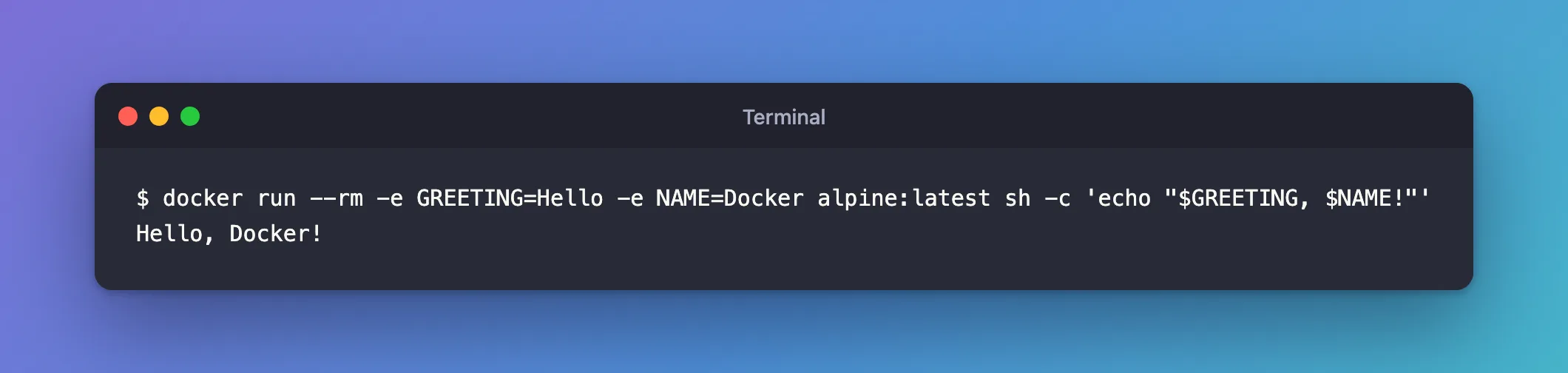
The single quotes keep your own shell from reading $GREETING, so the container's shell reads it instead. --rm removes the container when the command ends. The same command, quotes included, printed Hello, Docker! in PowerShell too.
Step 2: Pass a Variable from Your Terminal
Set the variable in your terminal, then name it without a value:
- macOS / Linux
- Windows (PowerShell)
export GREETING=Hi
docker run --rm -e GREETING alpine:latest printenv GREETING
$env:GREETING = "Hi"
docker run --rm -e GREETING alpine:latest printenv GREETING
Hi
printenv GREETING printed the container's value, Hi, taken from the terminal.
Common Mistakes
| Mistake | What happens | Do this instead |
|---|---|---|
Double quotes around the command, sh -c "echo [$GREETING]" | Your own shell replaces $GREETING first, here with nothing, so the container prints [] | Single quotes, so the container's shell reads it |
-e after the image name | Docker takes it as the container's command: exec: "-e": executable file not found in $PATH | Put every option before the image |
Troubleshooting
| Symptom | Likely cause | Fix |
|---|---|---|
printenv GREETING prints nothing and exits with 1 | The variable isn't set in your terminal, for the -e NAME form, so the container doesn't get it | Set it first, or give a value with -e NAME=VALUE |
FAQ
Can I change a variable in a running container?
docker run sets them when it creates the container. To use another value, remove the container and start a new one with it.
Are the values secret?
No: anyone who can run Docker commands on your computer can read them. docker inspect --format '{{json .Config.Env}}' NAME printed ["GREETING=Hello","PATH=..."] for a test container. Keep passwords and keys out of commands you share.
Conclusion
docker run --rm -e GREETING=Hello -e NAME=Docker alpine:latest sh -c 'echo "$GREETING, $NAME!"' printed Hello, Docker! from inside the container, and -e GREETING with no value passed the terminal's Hi through.
Additional Resources
- docker container run —
-e,--env-fileand the other options.
